6 Best Alternatives to the Intel Core i9-14900K 24-Core Processor (2026)
As an Amazon Associate we earn from qualifying purchases. Links on this page are affiliate links.
The Intel Core i9-14900K 24-Core Processor delivers high performance with up to 6.0 GHz boost speeds and 32 threads. It supports both DDR4 and DDR5 memory and includes Intel UHD Graphics 770. This makes it a strong choice for demanding gaming and content creation tasks on modern LGA1700 platforms. However, you might look for other options if you need a different socket type or a lower power draw.
These 6 best alternatives to the Intel Core i9-14900K 24-Core Processor (2026) were selected because their specifications overlap with the original model. Some options offer similar core counts for multi-threaded workloads, while others provide high clock speeds for single-core tasks. You can find processors for older LGA1151 or LGA1200 platforms if you are upgrading an existing system. Others are designed specifically for builds with discrete graphics cards. This list covers a range of Intel Core i9 14900k desktop alternatives to help you find the right fit for your specific hardware requirements and budget constraints.
How alternatives compare to i9-14900K
Intel Core i9-9900K 8-Core Processor
The Intel Core i9-9900K offers a practical path for users on older LGA1151 platforms who need a budget-friendly upgrade. It features eight cores and a 5.0 GHz max boost, which is lower than the 14900K’s 24 cores and 6.0 GHz speed. This processor consumes 95W of power, significantly less than modern high-end chips. It lacks support for newer memory standards and current motherboard chipsets. You should choose this if you are upgrading an existing older system and prioritize cost savings over raw multi-threaded performance. It is not suitable for new builds requiring the latest connectivity options.
Intel Core i9 10-Core Desktop Processor
The Intel Core i9-10900KF provides ten cores and high clock speeds, making it a solid choice for gamers on LGA 1200 platforms. Unlike the 14900K, it lacks integrated graphics, requiring a dedicated GPU. It draws 125W of power, which is higher than the 9900K but still less than some modern equivalents. The core count is lower than the 14900K’s 24 cores, limiting heavy multi-threaded workloads. This processor fits users who already own compatible motherboards and a discrete graphics card. It offers strong single-core performance for gaming but falls short in content creation tasks that benefit from higher core counts.
Intel Core i9 24-Core Unlocked Processor
The Intel Core i9-14900KF matches the 14900K with 24 cores and high clock speeds for gaming and content creation. The key difference is the absence of integrated graphics, which suits users with dedicated GPUs. It requires a modern 600 or 700-series motherboard for compatibility. This processor delivers identical multi-threaded performance to the 14900K but saves you from paying for unused integrated graphics capabilities. It is ideal for enthusiasts who want peak performance without the overhead of integrated video output. If you do not need the Intel UHD Graphics 770, this model provides the same computational power.
Intel Core i9-14900KF Desktop Processor
The Empowered PC Intel Core i9-14900KF offers 24 cores and PCIe 5.0 support for builders on LGA 1700 platforms. Like the 14900KF, it lacks integrated graphics, making it suitable for dedicated GPU setups. It provides top-tier performance for gaming and content creation, matching the 14900K’s core count. The inclusion of PCIe 5.0 ensures future-proofing for high-speed storage and graphics cards. This processor is best for users who want modern connectivity options without integrated video capabilities. It fits well in new builds where discrete graphics are mandatory and maximum throughput is required for demanding applications.
Intel Core i9-9900K 8-Core Processor
The Intel Core i9-9900K 8-Core Desktop CPU delivers strong 5.00 GHz boost speeds for users upgrading LGA1151 systems. It features eight cores, which is significantly fewer than the 14900K’s 24 cores. This processor prioritizes single-core performance, making it ideal for gamers who value high clock speeds over multi-threaded efficiency. It consumes 95W of power, offering better energy efficiency than many modern high-end chips. However, it lacks support for newer memory types and current motherboard standards. You should select this if you are upgrading an older platform and need reliable single-thread performance for gaming.
HP Intel Xeon Gold 24-Core Processor
The HP Intel Xeon Gold 6248R provides 24 cores for professional workstations, matching the 14900K’s core count but differing in architecture. This server-grade CPU is designed for dense core counts in professional workloads, not typical desktop gaming. It has a lower base clock speed compared to the 14900K’s 6.0 GHz boost, making it less suitable for latency-sensitive applications. The processor is heavier and larger, reflecting its server-oriented design. It is unsuitable for general consumer use or gaming due to its specific server architecture. Choose this only if you require specialized workstation performance and do not need high single-core speeds for gaming.
Quick picks
Our 7 picks

Intel Core i9-14900K 24-Core Processor
Best for: Maximum clock speed and core count
- Core Count
- 24 cores
- Thread Count
- 32 threads
- Max Boost Clock
- 6.0 GHz
- Integrated Graphics
- Intel UHD Graphics 770
- Series
- Core i9
- Weight
- 3.17 ounces
View on Amazon: Intel Core i9-14900K 24-Core Processor Affiliate link
The Intel Core i9-14900K delivers 24 cores and 32 threads for high-end desktop performance. It reaches a max boost clock of 6.0 GHz, ensuring rapid responsiveness and smooth gameplay. The processor includes integrated Intel UHD Graphics 770 and supports both DDR4 and DDR5 memory platforms. It works with Intel 600-series or 700-series chipsets. This chip suits users who need maximum single-thread and multi-thread speed for demanding tasks.
Pros
- 24 cores with 8 P-cores and 16 E-cores
- Max boost clock speed up to 6.0 GHz
- Integrated Intel UHD Graphics 770 included
- Supports both DDR4 and DDR5 memory platforms
Cons
- Requires Intel 600-series or 700-series motherboard
- No dedicated graphics card included
- Heavier build at 3.17 ounces
Good fit if
- You need the highest available clock speeds for gaming
- You want a 24-core processor for heavy multitasking
- You are building on a 600 or 700-series platform
Skip if
- You only need 8 or 10 cores
- You are using an older chipset motherboard
- You want a processor with lower power consumption
Verdict: Intel Core i9-14900K 24-Core Desktop Processor is the top choice for enthusiasts who require maximum clock speeds and core counts. It fits users building on modern LGA1700 platforms who demand peak performance for gaming and content creation.

Intel Core i9-9900K 8-Core Processor
Best for: Budget builds on older LGA1151 platforms
- Core Count
- 8 Cores
- Thread Count
- 16 Threads
- CPU Socket
- LGA1151
- Max Boost Clock
- 5.00 GHz
- Base Clock
- 3.60 GHz
- Cache Size
- 16 MB
View on Amazon: Intel Core i9-9900K 8-Core Processor Affiliate link
This Intel Core i9-9900K is an 8-core, 16-thread processor with a base clock of 3.60 GHz and a max boost of 5.00 GHz. It uses the LGA1151 socket and includes Intel UHD Graphics 630. With a 95W TDP, it suits users seeking a budget-friendly option on older 300-series motherboards rather than the latest platforms.
Pros
- 8 cores and 16 threads for multitasking
- Max boost clock reaches 5.00 GHz
- Includes Intel UHD Graphics 630
- 95W base power consumption
Cons
- Only 8 cores compared to 24 cores in the i9-14900K
- Requires older LGA1151 socket and 300-series chipsets
- Lower thread count limits heavy multi-core workloads
Good fit if
- You already own an LGA1151 motherboard
- You want a lower power consumption option
- You need integrated graphics without a discrete card
Skip if
- You require more than 8 cores
- You are building on a modern LGA1700 platform
- You need the latest generation performance
Verdict: Intel Core i9-9900K 8-Core 5.0 GHz is a practical upgrade for existing LGA1151 systems. It fits users who prioritize budget and power efficiency over raw core count.
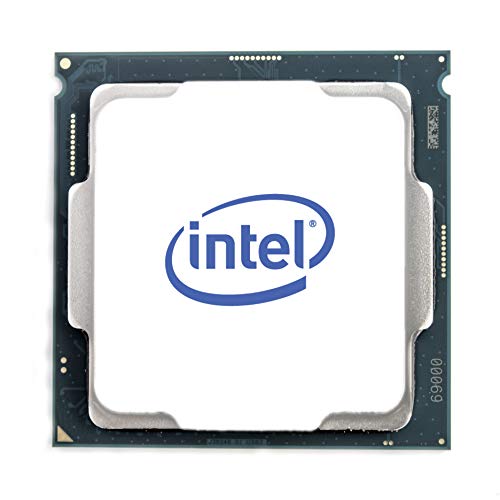
Intel Core i9 10-Core Desktop Processor
Best for: LGA 1200 builds needing unlocked speeds
- Core Count
- 10 Cores
- Thread Count
- 20 Threads
- CPU Socket
- LGA 1200
- Max Boost Clock
- 5.3 GHz
- Base Power
- 125W
- Integrated Graphics
- Without Processor Graphics
View on Amazon: Intel Core i9 10-Core Desktop Processor Affiliate link
This desktop processor provides 10 cores and 20 threads with unlocked clock speeds up to 5.3 GHz. It fits LGA 1200 sockets on Intel 400 series motherboards and runs at a 125W base power. It suits you if you maintain an existing LGA 1200 platform and need high clock speeds alongside multi-threaded processing power.
Pros
- 10 cores and 20 threads
- Up to 5.3 GHz unlocked clock speed
- Intel Turbo Boost Max Technology 3.0 support
- Intel Optane Memory support
Cons
- 10 cores compared to 24-core alternatives
- Requires LGA 1200 socket motherboards
Good fit if
- You already have an LGA 1200 motherboard with a 400 series chipset.
- You need up to 5.3 GHz clock speeds for high-frequency tasks.
Skip if
- You require 24 cores for heavy parallel workloads.
- You are building on an LGA 1700 motherboard platform.
Verdict: Intel Core i9 10-Core Desktop Processor suits PC builders running an Intel 400 series motherboard who want unlocked 5.3 GHz boost clocks and 20 threads.

Intel Core i9 24-Core Unlocked Processor
Best for: High-performance gaming and content creation
- Core Count
- 24 cores
- Thread Count
- 32 threads
- Max Boost Clock
- 6.0 GHz
- Integrated Graphics
- Discrete graphics required
- Use Case
- Gaming
- Series
- Core i9
View on Amazon: Intel Core i9 24-Core Unlocked Processor Affiliate link
The Intel Core i9-14900KF delivers 24 cores and 32 threads for high-end desktop tasks. It reaches a max boost clock of 6.0 GHz. This processor requires discrete graphics since it lacks integrated visuals. It supports both DDR4 and DDR5 memory platforms. You should choose this if you need raw multi-core performance and high clock speeds for gaming or heavy workloads.
Pros
- 24 cores (8 P-cores plus 16 E-cores) and 32 threads
- Max boost clock speed of up to 6.0 GHz
- Supports both DDR4 and DDR5 memory platforms
- Compatible with Intel 600-series or 700-series chipsets
Cons
- Requires a discrete graphics card as it has no integrated graphics
- Only available in the KF variant without integrated GPU
- Limited to 24 cores compared to higher core counts in some competitors
Good fit if
- You need high single-core and multi-core performance for gaming
- You are building on a 600-series or 700-series motherboard
- You plan to use DDR4 or DDR5 RAM
Skip if
- You require integrated graphics for display output
- You need more than 24 cores for professional rendering
- You are using an older motherboard chipset
Verdict: The Intel Core i9-14900KF 24-Core Desktop Processor is a powerful option for gamers and creators who prioritize high clock speeds and multi-threaded performance. It fits users with discrete GPUs and modern 600 or 700-series motherboards.

Intel Core i9-14900KF Desktop Processor
Best for: Dedicated GPU builds on LGA 1700
- Core Count
- 24 cores
- Thread Count
- 32 threads
- CPU Socket
- LGA1700
- Max Boost Clock
- 6.0 GHz
- Cache Size
- 36MB
- PCIe Version
- PCIe 5.0
View on Amazon: Intel Core i9-14900KF Desktop Processor Affiliate link
This is the Intel Core i9-14900KF, an unlocked desktop processor for the LGA 1700 socket. It features 24 cores and 32 threads, reaching a max boost clock of 6.0 GHz. The chip includes 36 MB of cache and supports PCIe 5.0. It is designed for high-end gaming and heavy creative workflows. You get a processor that handles complex multitasking and rendering tasks efficiently. The package includes a one-year warranty from Empowered PC.
Pros
- 24 cores (8P + 16E) and 32 threads for heavy multitasking
- Max boost clock of 6.0 GHz for high single-core performance
- Supports PCIe 5.0 and DDR5-5600 memory
- 36 MB Intel Smart Cache for faster data access
Cons
- KF suffix means it lacks integrated graphics
- Only includes a one-year warranty from the seller
- Sold in OEM bulk packaging without retail box
Good fit if
- You have a dedicated high-end GPU for display output
- You need maximum overclocking headroom for gaming or creation
- You want the latest LGA 1700 platform with PCIe 5.0
Skip if
- You rely on integrated graphics for basic display
- You prefer a full retail box with accessories
- You need a warranty longer than one year from the seller
Verdict: Empowered PC Intel Core i9-14900KF is a powerful 24-core option for builders who already own a dedicated graphics card. It fits users who want top-tier LGA 1700 performance without the integrated GPU overhead.

Intel Core i9-9900K 8-Core Processor
Best for: LGA1151 platform upgrades needing high clock speeds
- Core Count
- 8 Cores
- Thread Count
- 16 Threads
- CPU Socket
- LGA1151
- Max Boost Clock
- 5.00 GHz
- Base Clock
- 3.60 GHz
- Cache Size
- 16 MB
View on Amazon: Intel Core i9-9900K 8-Core Processor Affiliate link
The Intel Core i9-9900K is an 8-core, 16-thread processor with a base clock of 3.60 GHz and a max boost of 5.00 GHz. It features 16 MB of cache and Intel UHD Graphics 630. This chip fits LGA1151 motherboards with 300-series chipsets and has a 95W TDP. It suits users needing reliable single-core performance for older compatible systems.
Pros
- 8 Cores and 16 Threads for multitasking
- Up to 5.00 GHz Max Boost Clock
- 16 MB Cache for data access
- Integrated Intel UHD Graphics 630
Cons
- Only 8 cores compared to 24-core alternatives
- Requires older LGA1151 socket motherboards
- Limited to 300-series chipset compatibility
Good fit if
- You have an existing LGA1151 motherboard
- You need high single-core speed for gaming
- You want a 95W TDP processor
Skip if
- You require more than 8 cores
- You are building on a modern LGA1700 platform
- You need the latest chipset features
Verdict: Intel Core i9-9900K 8-Core Desktop CPU delivers strong 5.00 GHz boost speeds for users upgrading compatible LGA1151 systems. It is ideal for gamers prioritizing single-core performance over core count.

HP Intel Xeon Gold 24-Core Processor
Best for: Professional workstations needing high core counts
- Core Count
- 24 cores
- Base Clock
- 3 GHz
- Cache Size
- 75 MB
- Base Power
- 205 W
- Series
- Xeon Gold
- Dimensions
- 2.2 × 3 × 7.9 inches
View on Amazon: HP Intel Xeon Gold 24-Core Processor Affiliate link
This HP-branded Intel Xeon Gold 6248R processor offers 24 cores for heavy multitasking. It runs at a 3 GHz base clock with 75 MB of cache. The 205 W base power rating indicates high performance for sustained workloads. You should consider this unit if you need server-grade stability and core density rather than high single-thread gaming speeds.
Pros
- 24 cores for parallel processing
- 3 GHz base clock speed
- 75 MB cache size
- 205 W base power rating
Cons
- 3 GHz base clock is lower than gaming-focused alternatives
- 205 W power draw requires robust cooling
- Designed for server platforms, not standard desktop motherboards
Good fit if
- You require 24 cores for virtualization or rendering
- You are building a workstation with compatible server hardware
- You prioritize sustained multi-thread performance over peak clock speeds
Skip if
- You need a standard desktop socket for easy upgrades
- You want high single-core speeds for gaming
- You are looking for a consumer-grade processor with lower power consumption
Verdict: HP Intel Xeon Gold 6248R 24-Core Server CPU delivers dense core counts for professional workloads, but its server-only architecture and lower base clock make it unsuitable for typical desktop gaming or general consumer use.
Specifications side by side
| Spec | Intel Core i9-14900K 24-Core Processor | Intel Core i9-9900K 8-Core Processor | Intel Core i9 10-Core Desktop Processor | Intel Core i9 24-Core Unlocked Processor | Intel Core i9-14900KF Desktop Processor | Intel Core i9-9900K 8-Core Processor | HP Intel Xeon Gold 24-Core Processor |
|---|---|---|---|---|---|---|---|
| Core Count | 24 cores | 8 Cores | 10 Cores | 24 cores | 24 cores | 8 Cores | 24 cores |
| Thread Count | 32 threads | 16 Threads | 20 Threads | 32 threads | 32 threads | 16 Threads | not stated |
| CPU Socket | not stated | LGA1151 | LGA 1200 | not stated | LGA1700 | LGA1151 | not stated |
| Max Boost Clock | 6.0 GHz | 5.00 GHz | 5.3 GHz | 6.0 GHz | 6.0 GHz | 5.00 GHz | not stated |
| Base Clock | not stated | 3.60 GHz | not stated | not stated | not stated | 3.60 GHz | 3 GHz |
| Cache Size | not stated | 16 MB | not stated | not stated | 36MB | 16 MB | 75 MB |
| Base Power | not stated | 95W | 125W | not stated | not stated | 95W | 205 W |
| Integrated Graphics | Intel UHD Graphics 770 | Intel UHD Graphics 630 | Without Processor Graphics | Discrete graphics required | not stated | Intel UHD Graphics 630 | not stated |
| PCIe Version | not stated | not stated | not stated | not stated | PCIe 5.0 | not stated | not stated |
| Use Case | not stated | not stated | not stated | Gaming | Gaming | not stated | not stated |
| Series | Core i9 | Core i9 | Core i9 | Core i9 | Core i9 | Core i9 | Xeon Gold |
| TDP | not stated | 95W | 125W | not stated | not stated | 95W | not stated |
| Weight | 3.17 ounces | not stated | not stated | 0.32 ounces | 1 pounds | not stated | 4.41 pounds |
| Dimensions | not stated | 2.91 × 4.41 × 4.61 inches | 5.91 × 5.91 × 3.94 inches | 4.6 × 1.9 × 3.9 inches | not stated | 2.91 × 4.41 × 4.61 inches | 2.2 × 3 × 7.9 inches |
| Size | Standard | I9-9900K | not stated | 1.0 x 4.6 x 1.9 inches | i9-14900KF | not stated | not stated |
| Color | Black | not stated | not stated | not stated | not stated | not stated | not stated |
| Model | BX8071514900K | BX80684I99900K | i9-10900KF | Core™ i9-14900KF | i9-14900KF | SRELS | SRGZG |
Frequently asked questions
Is the Intel Core i9-9900K a good upgrade for older systems?
Yes, it is a practical choice for existing LGA1151 platforms. This eight-core processor features a 5.0 GHz max boost speed and a 95W TDP. It prioritizes budget and power efficiency over raw core count, making it ideal for users who do not need the 24 cores found in modern high-end chips.
Which processor is best for gaming on LGA 1200 motherboards?
The Intel Core i9-10900KF is a solid choice for this socket. It offers ten cores and a 125W TDP, delivering strong gaming performance through high clock speeds. This processor fits users who already own a dedicated graphics card and want to maximize performance on their existing LGA 1200 build.
Can I use the i9-14900KF if I have a discrete GPU?
Absolutely. The i9-14900KF is designed for builders with dedicated graphics cards. It provides 24 cores and supports PCIe 5.0 on LGA 1700 motherboards. By removing the integrated GPU overhead, it offers top-tier performance for high-end gaming and content creation tasks without unnecessary extras.
Is the HP Xeon Gold suitable for desktop gaming?
No, it is not suitable for typical desktop gaming. The HP Intel Xeon Gold 6248R is a server CPU with 24 cores but a lower base clock. Its server-only architecture makes it inappropriate for general consumer use or gaming, despite its high core count density.
What is the difference between the i9-14900K and i9-14900KF?
The main difference is the integrated graphics. The i9-14900K includes Intel UHD Graphics 770, while the i9-14900KF lacks this feature. Both share 24 cores and fit LGA 1700 platforms. The KF model is better for users who already have a powerful dedicated graphics card installed.
Does the i9-9900K support DDR5 memory?
No, the i9-9900K is designed for older LGA1151 platforms that typically use DDR4 memory. It is an eight-core processor with a 95W TDP. If you need DDR5 support, you would need to look at newer generations like the i9-14900K, which explicitly supports both DDR4 and DDR5.
Which CPU has the highest core count in this list?
Several processors listed share the highest core count of 24 cores. These include the Intel Core i9-14900K, the i9-14900KF, and the HP Xeon Gold 6248R. The consumer-focused i9 models offer higher clock speeds for gaming, while the Xeon is built for professional workstation workloads.