Best Intel Z690 Motherboards: 15 Spec-Based Picks
As an Amazon Associate we earn from qualifying purchases. Links on this page are affiliate links.
Choosing the right Intel Z690 motherboard provides the foundation for your LGA 1700 processor build. We compared 15 products based strictly on the specifications published on their listings. The MSI Z690 Force WiFi ATX Motherboard leads the list by delivering DDR5 memory support, PCIe Gen4 storage, and Wi-Fi 6E networking on a standard ATX form factor.
This guide helps you decide which board fits your desktop build based on memory type, M.2 expansion, and Ethernet speeds.
Quick picks
The best fit for you
- You want a balanced DDR5 ATX gaming build MSI Z690 Force WiFi ATX Motherboard It features DDR5 support, PCIe Gen4 storage, and built-in Wi-Fi 6E on an ATX layout.
- You need 10GbE connectivity for local network transfers GIGABYTE AORUS Master 10GbE Motherboard It includes onboard 10GbE and 2.5GbE Ethernet alongside PCIe 5.0 and Wi-Fi 6E.
- You want to build an LGA1700 system using DDR4 ASRock Z690-C/ac ATX Motherboard It pairs DDR4 memory compatibility with PCIe 5.0 expansion on the Z690 platform.
- You need maximum M.2 expansion in an E-ATX case MSI MEG E-ATX DDR5 Motherboard It delivers five M.2 slots, dual Thunderbolt 4 connections, and an E-ATX form factor.
Our 15 picks

MSI Z690 Force WiFi ATX Motherboard
Best for: balanced 12th Gen DDR5 ATX gaming builds
- Chipset
- Intel Z690 (what this guide is about)
- CPU Socket
- LGA 1700
- Form Factor
- ATX
- Memory Type
- DDR5
- PCIe Version
- PCIe 4
- Wi-Fi Standard
- Wi-Fi 6E
This MSI Z690 Force WiFi ATX motherboard pairs the Intel Z690 chipset with an LGA 1700 socket designed for 12th Gen Intel Core processors. You get DDR5 memory support reaching up to 5600(OC) MHz, PCIe Gen4 x4 M.2 slots, and built-in Intel Wi-Fi 6E alongside 2.5G LAN. It suits you if you plan an ATX gaming build focused on fast network interfaces and next-generation DDR5 memory bandwidth.
Pros
- Intel Wi-Fi 6E and 2.5G LAN built in
- Supports DDR5 memory up to 5600(OC) MHz
- PCIe Gen4 x4 Lightning M.2 connectivity
- Extended Heatsink Design and M.2 Shield Frozr thermal hardware
Cons
- Listed support specifies 12th Gen Intel processors only
- DDR5 memory speed is listed up to 5600(OC) MHz
Good fit if
- You need integrated Wi-Fi 6E and 2.5G wired networking.
- You want DDR5 memory support on an ATX Intel Z690 platform.
Skip if
- You plan to reuse existing DDR4 memory modules.
- You want rated DDR5 speeds higher than 5600(OC) MHz.
Verdict: MSI Z690 Force WiFi ATX Motherboard provides essential Z690 features with DDR5 support, PCIe Gen4 storage, and Wi-Fi 6E networking. It anchors 12th Gen Intel setups without excess complexity.

ASUS ROG Maximus DDR5 ATX Motherboard
Best for: high-end 12th Gen liquid-cooled builds
- Chipset
- Intel Z690 (what this guide is about)
- CPU Socket
- LGA 1700
- Form Factor
- ATX
- Memory Type
- DDR5
- PCIe Version
- PCIe 5.0
- Wi-Fi Standard
- WiFi 6E
The ASUS ROG Maximus Z690 Hero ATX Motherboard gives you a high-end platform for 12th Gen Intel Core processors on the LGA 1700 socket. It features a 20+1 power stage VRM design rated at 90 amps, DDR5 memory support, and PCIe 5.0 capability. With built-in WiFi 6E, 2.5Gb Ethernet, and dedicated water-cooling headers, this board suits you if you want maximum power delivery and robust connectivity for an advanced desktop build.
Pros
- 20+1 teamed power stages rated for 90A
- Supports DDR5 memory and PCIe 5.0
- Onboard WiFi 6E, Bluetooth 5.2, and 2.5Gb Ethernet
- Integrated ROG Water-Cooling Zone and triple M.2 heatsinks
Cons
- Only lists out-of-box support for 12th Gen Intel Core processors
- Networking tops out at 2.5Gb Ethernet without a 10Gb port
Good fit if
- You need a 20+1 power stage VRM rated at 90A for heavy CPU workloads.
- You use DDR5 memory and require PCIe 5.0 hardware compatibility.
- You plan to integrate custom liquid cooling loops via dedicated headers.
Skip if
- You require onboard Ethernet speeds higher than 2.5Gb.
- You need a compact microATX or Mini-ITX motherboard.
Verdict: ASUS ROG Maximus Z690 Hero ATX Motherboard delivers a heavy-duty 20+1 power delivery design alongside DDR5 and PCIe 5.0 support. It provides robust thermal hardware and fast networking for demanding LGA 1700 system configurations.
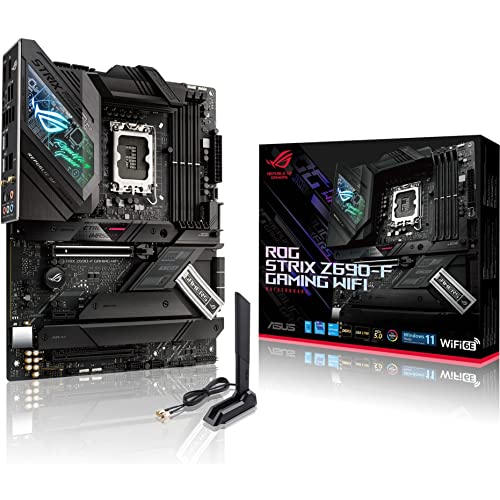
ASUS ROG Strix Z690-F ATX Motherboard
Best for: DDR5 gaming builds needing Wi-Fi 6E
- Chipset
- Intel Z690 (what this guide is about)
- CPU Socket
- LGA 1700
- Form Factor
- ATX
- Memory Type
- DDR5
- PCIe Version
- PCIe 5.0
- M.2 Slots
- 4
This ATX board pairs Intel LGA 1700 socket support with modern platform standards, including DDR5 memory compatibility and a PCIe 5.0 expansion slot. Power delivery relies on a 16+1 power stage setup cooled by dedicated VRM heatsinks. With onboard Wi-Fi 6E, 2.5 Gb Ethernet, and an integrated ALC4080 audio codec, it gives you high-speed connectivity and expansion options for a standard full-size desktop gaming setup.
Pros
- 16+1 power stages with ProCool II power connector
- PCIe 5.0 and DDR5 memory support
- Integrated Wi-Fi 6E and Intel 2.5 Gb Ethernet
- ALC4080 audio codec paired with a Savitech SV3H712 amplifier
Cons
- Requires DDR5 memory with no DDR4 compatibility listed
- Full ATX form factor does not fit micro-ATX or mini-ITX cases
Good fit if
- You plan to run DDR5 system memory alongside PCIe 5.0 hardware.
- You need high-bandwidth networking via Wi-Fi 6E or 2.5 Gb Ethernet.
- You build inside a standard ATX PC chassis.
Skip if
- You want to reuse an existing DDR4 memory kit.
- You are building a compact small-form-factor system.
Verdict: ASUS ROG Strix Z690 ATX Motherboard delivers PCIe 5.0 readiness, DDR5 memory bandwidth, and 16+1 power stages for your LGA 1700 build. It provides strong wired and wireless networking for high-speed desktop configurations.

ASUS Prime Z690 WiFi ATX Motherboard
Best for: DDR5 builds needing Wi-Fi 6 and 2.5GbE
- Chipset
- Intel Z690 (what this guide is about)
- CPU Socket
- LGA 1700
- Form Factor
- ATX
- Memory Type
- DDR5
- PCIe Version
- PCIe 5.0
- M.2 Slots
- 3
This ATX motherboard is built on the Intel Z690 chipset with an LGA 1700 socket for 12th Gen Intel Core processors. You get DDR5 memory support, a PCIe 5.0 expansion slot, and onboard Wi-Fi 6 alongside a 2.5Gb Ethernet port. A 14+1 DrMOS power design handles CPU power delivery. It suits you if you want modern DDR5 memory and high-speed networking for your desktop build without unneeded extras.
Pros
- PCIe 5.0 and DDR5 memory support
- 14+1 DrMOS power stages with ProCool connector
- Built-in Wi-Fi 6 and Realtek 2.5Gb Ethernet
- USB 3.2 Gen 2x2 Type-C connectivity
- Three onboard M.2 storage slots
Cons
- Limited to three M.2 slots
- Equipped with Wi-Fi 6 instead of Wi-Fi 6E
- Only one flexible M.2 heatsink included
Good fit if
- You want DDR5 memory and PCIe 5.0 support on an Intel Z690 platform.
- You need both wireless Wi-Fi 6 and 2.5Gb wired networking.
- You run a 12th Gen Intel Core CPU requiring 14+1 power delivery.
Skip if
- You plan to install more than three M.2 NVMe drives.
- You require the Wi-Fi 6E frequency band.
- You intend to use DDR4 system memory.
Verdict: ASUS Prime Z690 WiFi ATX Motherboard provides PCIe 5.0 support, DDR5 memory compatibility, and stable 14+1 power delivery for LGA 1700 processors. It delivers dependable connectivity with built-in Wi-Fi 6 and 2.5Gb Ethernet.
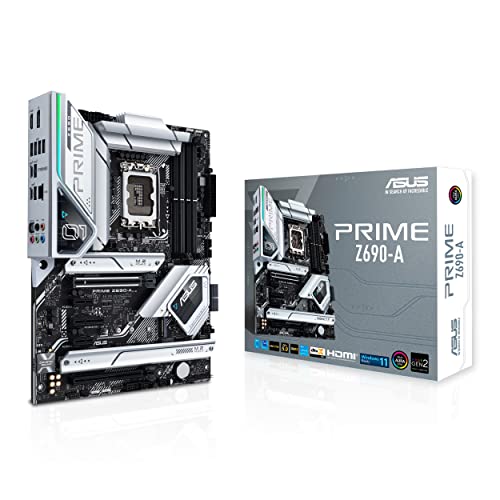
ASUS Prime DDR5 ATX Motherboard
Best for: wired DDR5 ATX desktop builds
- Chipset
- Intel Z690 (what this guide is about)
- CPU Socket
- LGA 1700
- Form Factor
- ATX
- Memory Type
- DDR5
- PCIe Version
- PCIe 5.0
- M.2 Slots
- 4
The ASUS Prime Z690-A ATX Motherboard is an Intel Z690 board built for LGA 1700 processors. It features DDR5 memory support, a PCIe 5.0 slot, and four M.2 storage slots with dedicated heatsinks. Wired networking runs on Intel 2.5 Gb Ethernet, paired with USB 3.2 Gen 2x2 Type-C ports. This board suits you if you plan an ATX setup with DDR5 memory and room for several M.2 storage drives.
Pros
- 16+1 DrMOS power stages and ProCool sockets
- Four M.2 slots with heatsinks and Q-Latch backplates
- PCIe 5.0 expansion slot and DDR5 memory support
- Intel 2.5 Gb Ethernet and USB 3.2 Gen 2x2 Type-C connectivity
Cons
- No integrated Wi-Fi adapter included
- Does not support DDR4 memory modules
Good fit if
- You plan to build an LGA 1700 system with DDR5 memory.
- You need four M.2 slots for solid-state storage drives.
- You use wired Intel 2.5 Gb Ethernet for your network connection.
Skip if
- You require built-in Wi-Fi connectivity on the motherboard.
- You plan to reuse existing DDR4 memory.
Verdict: ASUS Prime Z690-A ATX Motherboard delivers PCIe 5.0 capability, DDR5 support, and four M.2 slots for standard desktop builds. It provides a solid foundation for LGA 1700 processors when you rely on wired network connectivity.

GIGABYTE AORUS Master 10GbE Motherboard
Best for: high-speed 10GbE local network setups
- Chipset
- Intel Z690 (what this guide is about)
- CPU Socket
- LGA 1700
- Form Factor
- ATX
- Memory Type
- DDR5
- PCIe Version
- PCIe 5.0
- M.2 Slots
- 4
The Gigabyte Z690 Aorus Master ATX Motherboard provides high-speed networking and heavy-duty power delivery for LGA 1700 systems. It features built-in AQUANTIA 10GbE and Intel 2.5GbE LAN ports alongside Wi-Fi 6E, matching fast local network setups. A 19+1+2 phase direct VRM powers 12th Gen Intel Core processors, while four PCIe 4.0 M.2 slots hold fast storage. It suits you if your workflow demands high-bandwidth local transfers and robust DDR5 performance.
Pros
- AQUANTIA 10GbE and Intel 2.5GbE dual Ethernet ports
- Direct 19+1+2 phase VRM with 105A power stages
- Four PCIe 4.0 x4 M.2 slots for NVMe storage
- Integrated Intel Wi-Fi 6E and Thunderbolt 4 support
Cons
- Requires DDR5 memory with no DDR4 compatibility
- M.2 slots cap at PCIe 4.0 without PCIe 5.0 M.2 support
Good fit if
- You need 10GbE wired networking for high-speed local storage or file transfers.
- You plan to run multiple NVMe drives across four PCIe 4.0 M.2 slots.
- You want direct 19+1+2 phase power delivery for a 12th Gen Intel Core processor.
Skip if
- You plan to reuse an existing DDR4 memory kit.
- You require native PCIe 5.0 bandwidth for your M.2 storage.
Verdict: Gigabyte Z690 Aorus Master ATX Motherboard delivers top-tier wired networking via built-in 10GbE and 2.5GbE LAN alongside a heavy-duty 19+1+2 phase power design. It is a solid platform if your build focuses on high-bandwidth data transfers and multi-drive storage.

ASUS ROG Strix Z690 ATX Motherboard
Best for: high-end DDR5 gaming builds needing expanded M.2 storage
- Chipset
- Intel Z690 (what this guide is about)
- CPU Socket
- LGA 1700
- Form Factor
- ATX
- Memory Type
- DDR5
- PCIe Version
- PCIe 5.0
- M.2 Slots
- 5
This ATX board is built around the Intel Z690 chipset and the LGA 1700 socket, offering DDR5 memory compatibility and a PCIe 5.0 interface. You get an 18+1 power stage delivery system, up to five M.2 slots using the bundled ROG Hyper M.2 card, and built-in Wi-Fi 6E alongside 2.5 Gb Ethernet. It suits you if you want high-bandwidth storage and robust hardware diagnostics for a multi-core 12th Gen Intel gaming setup.
Pros
- 18+1 90A power stages for LGA 1700 multi-core processors
- Supports up to five M.2 drives, including one PCIe 5.0 slot
- Equipped with Wi-Fi 6E, Bluetooth 5.2, and 2.5 Gb Ethernet
- Onboard troubleshooting tools including Q-Code, Q-LED, and BIOS FlashBack
Cons
- Reaching five M.2 slots requires using the bundled add-in expansion card
- HDMI output is limited to version 2.0 rather than 2.1
- Requires DDR5 memory and does not accept DDR4 kits
Good fit if
- You plan to run DDR5 RAM and want PCIe 5.0 M.2 storage support.
- You need multiple high-speed connectivity options like Wi-Fi 6E and USB 3.2 Gen 2x2.
- You want onboard troubleshooting features like Q-Code displays and a Clear CMOS button.
Skip if
- You intend to reuse an existing DDR4 memory kit.
- You need native HDMI 2.1 output for integrated processor graphics.
- You prefer all storage drives directly on the PCB without an add-in card.
Verdict: ASUS ROG Strix Z690-E ATX Motherboard delivers an 18+1 power design, DDR5 speed, and up to five M.2 drives for high-end LGA 1700 systems. It provides a balanced set of PCIe 5.0 capabilities and accessible hardware troubleshooting features.

GIGABYTE Aorus Ultra DDR5 ATX Motherboard
Best for: quad NVMe storage and DDR5 gaming builds
- Chipset
- Intel Z690 (what this guide is about)
- CPU Socket
- LGA 1700
- Form Factor
- ATX
- Memory Type
- DDR5
- PCIe Version
- PCIe 5.0
- M.2 Slots
- 4
This ATX board uses the Intel Z690 chipset and an LGA 1700 socket for 12th Gen Intel Core processors. It delivers DDR5 memory support, a PCIe 5.0 slot, and four NVMe PCIe 4.0 x4 M.2 connectors for high-speed storage. With a direct 16+1+2 phase VRM, 2.5GbE Ethernet, and integrated Wi-Fi 6, it suits you if you need dense M.2 storage alongside modern networking.
Pros
- Quad NVMe PCIe 4.0 x4 M.2 connectors with thermal guards
- 16+1+2 direct phase VRM with 105A power stages
- PCIe 5.0 support and USB 3.2 Gen 2x2 Type-C connectivity
- Onboard 2.5GbE LAN and Wi-Fi 6 wireless networking
- Q-Flash Plus for updating the BIOS without a CPU installed
Cons
- Equipped with Wi-Fi 6 instead of Wi-Fi 6E
- Requires DDR5 memory and does not accept DDR4 kits
Good fit if
- You plan to run multiple PCIe 4.0 NVMe SSDs across four dedicated slots.
- You want DDR5 RAM support paired with a 12th Gen Intel Core processor.
- You need high-bandwidth USB 3.2 Gen 2x2 and 2.5GbE connections.
Skip if
- You want to save on memory by reusing your existing DDR4 modules.
- You require the 6 GHz band provided by Wi-Fi 6E networking.
Verdict: GIGABYTE Z690 AORUS Ultra ATX Motherboard delivers PCIe 5.0 readiness, robust 16+1+2 phase power, and four NVMe slots for storage-heavy configurations. It serves as a well-equipped base if you are building with DDR5 memory.
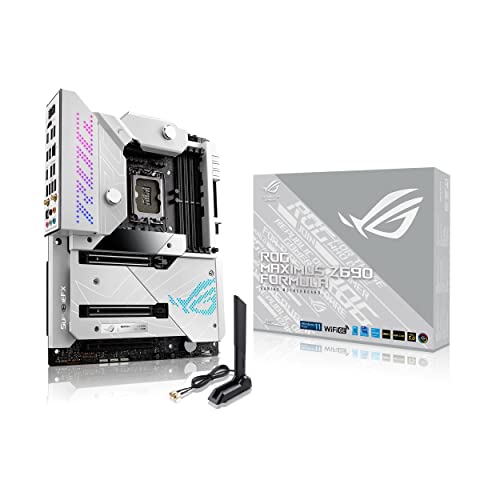
ASUS ROG Maximus Formula ATX Motherboard
Best for: custom liquid-cooled 10Gb networking builds
- Chipset
- Intel Z690 (what this guide is about)
- CPU Socket
- LGA 1700
- Form Factor
- ATX
- Memory Type
- DDR5
- PCIe Version
- PCIe 5.0
- Wi-Fi Standard
- Wi-Fi 6E
The ASUS ROG Maximus Formula ATX Motherboard pairs an Intel Z690 chipset with an LGA 1700 socket for 12th Gen Intel Core processors. It features DDR5 memory support, PCIe 5.0 compatibility, and a 20+1 power stage setup rated at 105 A. You get built-in Wi-Fi 6E, Marvell AQtion 10Gb Ethernet, and an EK CrossChill III hybrid VRM block. It suits you if you build high-end liquid-cooled systems requiring fast wired networking.
Pros
- 20+1 teamed power stages rated for 105 A
- Marvell AQtion 10Gb Ethernet alongside Wi-Fi 6E
- EK CrossChill III VRM heatsinks and ROG Water-Cooling Zone
- 12 total rear USB ports
Cons
- DDR5 only with no DDR4 memory backward compatibility
- Custom water loop required to utilize the EK VRM block fully
Good fit if
- You plan to build a custom liquid cooling loop using the integrated VRM block.
- You need 10Gb wired Ethernet speed and Wi-Fi 6E connectivity.
- You want DDR5 memory and PCIe 5.0 lane support for an LGA 1700 CPU.
Skip if
- You want to reuse existing DDR4 memory modules.
- You use basic air cooling and do not want liquid-ready VRM blocks.
Verdict: ASUS ROG Maximus Formula ATX Motherboard delivers 20+1 power delivery, 10Gb Ethernet, and integrated water cooling support for DDR5 builds. It serves as a focused foundation for liquid-cooled Intel LGA 1700 desktop systems.

MSI MPG Z690 Edge WiFi ATX Motherboard
Best for: full-size DDR5 gaming setups
- Chipset
- Intel Z690 (what this guide is about)
- CPU Socket
- LGA 1700
- Form Factor
- ATX
- Memory Type
- DDR5
- PCIe Version
- PCIe 5
- Wi-Fi Standard
- Wi-Fi 6E
The MSI MPG Z690 Edge WiFi ATX Motherboard pairs Intel Z690 silicon with the LGA 1700 socket to run 12th Gen Intel Core processors. You get DDR5 memory support, a PCIe 5.0 slot, and fast networking via integrated Wi-Fi 6E alongside 2.5GbE LAN. Its aluminum heatsink setup and six-layer server-grade PCB suit you if you need stable power delivery for DDR5 gaming builds.
Pros
- DDR5 memory architecture support
- PCIe 5.0 slot for high-bandwidth expansion
- Integrated Wi-Fi 6E and 2.5GbE wired network
- Aluminum heatsink design with heat-pipe and M.2 Shield Frozr
Cons
- Lacks backward compatibility with DDR4 memory
- Specs specify 12th Gen Intel processor support out of the box
Good fit if
- You plan to use DDR5 system memory.
- You want 2.5GbE LAN and Wi-Fi 6E connectivity.
- You have a full-size ATX PC enclosure.
Skip if
- You intend to reuse an existing DDR4 RAM kit.
- You need a compact Micro-ATX or Mini-ITX motherboard.
Verdict: MSI MPG Z690 Edge WiFi ATX Motherboard provides modern DDR5 and PCIe 5.0 capabilities with reinforced thermal heatsinks. It gives you capable networking through Wi-Fi 6E and 2.5GbE for full-size gaming desktops.

MSI PRO Z690 ATX Motherboard
Best for: standard ATX builds using DDR5 memory
- Chipset
- Intel Z690 (what this guide is about)
- CPU Socket
- LGA 1700
- Form Factor
- ATX
- Memory Type
- DDR5
- PCIe Version
- PCIe 5
- Wi-Fi Standard
- Wi-Fi 6E
This ATX motherboard features the Intel Z690 chipset and an LGA 1700 socket paired with DDR5 memory support. You get fast networking through onboard Intel Wi-Fi 6E and a 2.5GbE LAN controller, along with PCIe 5.0 hardware compatibility and USB 3.2 Gen 2 ports. It suits you if you want a straightforward ATX foundation with current connectivity standards for your compatible Intel processor.
Pros
- Supports DDR5 system memory
- Onboard Intel Wi-Fi 6E and 2.5GbE wired network connectivity
- PCIe 5.0 interface support
- Extended heatsink solution with 7W/mk MOSFET thermal pads
Cons
- Standard ATX size will not fit smaller microATX or mini-ITX cases
- Requires DDR5 RAM and does not support DDR4 modules
Good fit if
- You plan to build a system utilizing DDR5 memory.
- You require both high-speed 2.5GbE wired LAN and Wi-Fi 6E wireless networking.
- You have a PC case that accommodates a full-size ATX board.
Skip if
- You plan to reuse existing DDR4 memory modules.
- You are assembling a compact small-form-factor desktop.
Verdict: MSI Pro Series ATX DDR5 Motherboard provides standard ATX builders with DDR5 memory support, PCIe 5.0 capability, and Wi-Fi 6E networking. It delivers essential modern connectivity for your LGA 1700 processor setup.

MSI MEG E-ATX DDR5 Motherboard
Best for: spacious builds needing maximum M.2 storage
- Chipset
- Intel Z690 (what this guide is about)
- CPU Socket
- LGA 1700
- Form Factor
- E-ATX
- Memory Type
- DDR5
- PCIe Version
- PCIe 5
- M.2 Slots
- 5
The MSI MEG E-ATX DDR5 Motherboard provides an extended E-ATX footprint built for LGA 1700 processors on the Intel Z690 chipset. You get five onboard M.2 storage slots with dedicated heatsinks, dual Thunderbolt 4 ports offering 40 Gb/s transfer speeds, and Wi-Fi 6E networking alongside 2.5GbE Ethernet. It suits you if you need extensive high-speed drive connectivity and high-bandwidth external interfaces for demanding gaming setups.
Pros
- Five onboard M.2 connectors with thermal heatsinks
- Dual Thunderbolt 4 ports supporting 40 Gb/s and 8K displays
- DDR5 memory support and PCIe 5.0 capability
- Wi-Fi 6E and 2.5GbE network interfaces
Cons
- E-ATX form factor will not fit standard ATX-only cases
- Five-pound weight adds noticeable mass to a chassis
Good fit if
- You need five onboard M.2 slots for high-capacity solid-state storage.
- You want dual Thunderbolt 4 ports for 40 Gb/s peripherals and display output.
- You have a PC chassis that fits 12 by 9.6-inch E-ATX boards.
Skip if
- You use a compact or standard ATX case.
- You intend to use DDR4 system memory.
Verdict: MSI MEG E-ATX DDR5 Motherboard delivers heavy storage expansion with five M.2 slots and dual 40 Gb/s Thunderbolt 4 connectivity. Its larger footprint requires an E-ATX-compatible PC chassis.

ASRock Z690-C/ac ATX Motherboard
Best for: Intel LGA1700 builds using DDR4 memory
- Chipset
- Intel Z690 (what this guide is about)
- CPU Socket
- LGA1700
- Form Factor
- ATX
- Memory Type
- DDR4
- PCIe Version
- PCIe 5.0
- M.2 Slots
- 4
The ASRock Z690-C/ac is an ATX motherboard built on the Intel Z690 chipset with an LGA1700 socket. It pairs support for 12th, 13th, and 14th Gen Intel processors with DDR4 memory up to 5333+ MHz across four DIMM slots. You get a primary PCIe 5.0 x16 expansion slot, four M.2 storage sockets, and integrated 802.11ac Wi-Fi. This board suits you if you want to use existing DDR4 memory on modern Intel desktop hardware.
Pros
- Supports DDR4 memory up to 5333+ (OC) and 128GB capacity
- PCIe 5.0 x16 graphics card slot
- Four M.2 slots and four SATA3 connectors for storage
- Front USB 3.2 Gen2x2 Type-C header with 20 Gb/s transfer speeds
Cons
- Wireless networking is limited to 802.11ac Wi-Fi 5
- Wired networking tops out at standard Gigabit speeds
- 9-phase Dr.MOS power design is modest for top-tier CPUs
Good fit if
- You want to pair an LGA1700 Intel processor with DDR4 RAM.
- You need four M.2 storage drives on a single board.
- You have a PC case with a front-panel 20 Gb/s USB Type-C connector.
Skip if
- You want to build a system with newer DDR5 memory.
- You require faster integrated wireless like Wi-Fi 6 or 6E.
- You need a 2.5 Gbps or higher wired network port.
Verdict: ASRock Z690-C/ac DDR4 ATX Motherboard delivers PCIe 5.0 expandability and four M.2 slots for Intel LGA1700 processors while keeping DDR4 support. It serves builders who prefer retaining DDR4 memory over moving to newer memory standards.

Gigabyte Z690 Aero G DDR5 Motherboard
Best for: content creators needing quad M.2 storage and DDR5
- Chipset
- Intel Z690 (what this guide is about)
- CPU Socket
- LGA 1700
- Form Factor
- ATX
- Memory Type
- DDR5
- PCIe Version
- PCIe 5.0
- M.2 Slots
- 4
The Gigabyte Z690 Aero G is an ATX motherboard built on the Intel Z690 chipset with an LGA 1700 socket. It gives you DDR5 memory support, a PCIe 5.0 expansion slot, and four NVMe PCIe 4.0 x4 M.2 connectors for high-speed storage. You also get VisionLINK I/O, USB 3.2 Gen 2x2 Type-C, Intel 2.5 GbE LAN, and Wi-Fi 6 networking. It fits your build if you need fast data transfer and multiple solid-state drives.
Pros
- PCIe 5.0 support and four PCIe 4.0 x4 M.2 slots
- VisionLINK I/O with USB 3.2 Gen 2x2 Type-C
- Intel 2.5 GbE LAN and Wi-Fi 6 wireless networking
- Q-Flash Plus updates BIOS without CPU, memory, or GPU installed
Cons
- Requires dedicated LGA 1700 cooling brackets
- Wi-Fi standard limited to Wi-Fi 6 rather than Wi-Fi 6E
- Supports DDR5 memory only, excluding DDR4 RAM
Good fit if
- You need four high-speed PCIe 4.0 M.2 slots for NVMe storage.
- You plan to use DDR5 memory and PCIe 5.0 hardware.
- You want VisionLINK I/O and USB 3.2 Gen 2x2 connectivity.
Skip if
- You want to reuse an existing DDR4 memory kit.
- You require Wi-Fi 6E connectivity out of the box.
- You have an older CPU cooler lacking LGA 1700 bracket hardware.
Verdict: Gigabyte Z690 Aero G DDR5 Motherboard delivers PCIe 5.0 expansion, four PCIe 4.0 M.2 slots, and VisionLINK connectivity on the Intel Z690 platform. It serves builds focused on high-bandwidth DDR5 memory and flexible high-speed peripheral connections.

NZXT N7 Z690 ATX Motherboard
Best for: clean ATX builds needing extensive fan headers
- Chipset
- Intel Z690 (what this guide is about)
- Form Factor
- ATX
- Wi-Fi Standard
- WiFi 6E
- Use Case
- Gaming
- Dimensions
- 23.6 × 23.6 × 33.5 inches
- Weight
- 3.31 pounds
The NZXT N7 Z690 ATX Motherboard gives you an Intel Z690 foundation built for 12th Gen Intel Core processors. It comes in a standard ATX form factor with integrated Wi-Fi 6E, front-panel USB-C support, and an integrated rear I/O shield. You also get onboard controls for seven fan channels and four RGB channels. It suits you if you want a clean build layout paired with high-speed wireless connectivity and built-in cooling management.
Pros
- Integrated Wi-Fi 6E connectivity
- Controls for seven fan channels and four RGB channels
- Front-panel USB-C support and integrated rear I/O shield
- Dedicated heat spreader for the top NVMe drive
Cons
- Integrated NVMe heat spreader included only for the top drive
- Specifications list CPU compatibility specifically for 12th Gen Intel chips
Good fit if
- You need integrated Wi-Fi 6E and a front-panel USB-C header.
- You want centralized control for up to seven fans and four lighting channels.
Skip if
- You require integrated heatsinks across multiple NVMe slots.
- You need a smaller form factor than standard ATX.
Verdict: NZXT N7 Z690 ATX Motherboard provides a structured ATX platform with Wi-Fi 6E, front USB-C, and dedicated fan and RGB channels. It serves builders who want straightforward cooling connectivity and a clean layout for 12th Gen Intel systems.
Specifications side by side
| Spec | MSI Z690 Force WiFi ATX Motherboard | ASUS ROG Maximus DDR5 ATX Motherboard | ASUS ROG Strix Z690-F ATX Motherboard | ASUS Prime Z690 WiFi ATX Motherboard | ASUS Prime DDR5 ATX Motherboard | GIGABYTE AORUS Master 10GbE Motherboard | ASUS ROG Strix Z690 ATX Motherboard | GIGABYTE Aorus Ultra DDR5 ATX Motherboard | ASUS ROG Maximus Formula ATX Motherboard | MSI MPG Z690 Edge WiFi ATX Motherboard | MSI PRO Z690 ATX Motherboard | MSI MEG E-ATX DDR5 Motherboard | ASRock Z690-C/ac ATX Motherboard | Gigabyte Z690 Aero G DDR5 Motherboard | NZXT N7 Z690 ATX Motherboard |
|---|---|---|---|---|---|---|---|---|---|---|---|---|---|---|---|
| CPU Socket | LGA 1700 | LGA 1700 | LGA 1700 | LGA 1700 | LGA 1700 | LGA 1700 | LGA 1700 | LGA 1700 | LGA 1700 | LGA 1700 | LGA 1700 | LGA 1700 | LGA1700 | LGA 1700 | not specified |
| Chipset | Z690 | Intel Z690 | Z690 | not specified | not specified | Intel Z690 | not specified | Intel Z690 | Intel Z690 | Z690 | Z690 | Z690 | Z690 | Intel Z690 | Intel Z690 |
| Form Factor | ATX | ATX | ATX | ATX | ATX | ATX | ATX | ATX | ATX | ATX | ATX | E-ATX | ATX | ATX | ATX |
| Memory Type | DDR5 | DDR5 | DDR5 | DDR5 | DDR5 | DDR5 | DDR5 | DDR5 | DDR5 | DDR5 | DDR5 | DDR5 | DDR4 | DDR5 | not specified |
| PCIe Version | PCIe 4 | PCIe 5.0 | PCIe 5.0 | PCIe 5.0 | PCIe 5.0 | PCIe 5.0 | PCIe 5.0 | PCIe 5.0 | PCIe 5.0 | PCIe 5 | PCIe 5 | PCIe 5 | PCIe 5.0 | PCIe 5.0 | not specified |
| M.2 Slots | not specified | not specified | 4 | 3 | 4 | 4 | 5 | 4 | not specified | not specified | not specified | 5 | 4 | 4 | not specified |
| Wi-Fi Standard | Wi-Fi 6E | WiFi 6E | WiFi 6E | Wi-Fi 6 | not specified | Wi-Fi 6E | Wi-Fi 6E | Wi-Fi 6 | Wi-Fi 6E | Wi-Fi 6E | Wi-Fi 6E | Wi-Fi 6E | 802.11ac | Wi-Fi 6 | WiFi 6E |
| Ethernet Speed | 2.5G | 2.5Gb | 2.5Gb | 2.5 GbE | 2.5 GbE | 10 GbE, 2.5 GbE | 2.5 GbE | 2.5 GbE | 10 GbE | 2.5G | 2.5G | Dual 2.5G | Gigabit | 2.5 GbE | not specified |
| Power Phases | not specified | 20+1 | 16+1 | 14+1 | 16+1 | 19+1+2 | 18+1 | 16+1+2 | 20+1 | not specified | not specified | not specified | 9-phase | not specified | not specified |
| Wi-Fi | Wi-Fi 6E | not specified | Wi-Fi 6E | Wi-Fi 6 | not specified | Wi-Fi 6E | Wi-Fi 6E | Wi-Fi 6 | Wi-Fi 6E | Wi-Fi 6E | Wi-Fi 6E | Wi-Fi 6E | Wi-Fi 5 | Wi-Fi 6 | Wi-Fi 6E |
| Use Case | Gaming | not specified | Gaming | not specified | not specified | Gaming | Gaming | Gaming | not specified | Gaming | not specified | Gaming | not specified | not specified | Gaming |
| Dimensions | 12 × 9.6 × 2.5 inches | 12.3 × 4.25 × 14.6 inches | 13.3 × 10.7 × 2.7 inches | 9.2 × 3 × 12 inches | 13.5 × 10.8 × 2.75 inches | 13.6 × 11.6 × 3.14 inches | 14.4 × 12.2 × 4.5 inches | 13.2 × 10.6 × 3.14 inches | 12 × 9.61 × 1.75 inches | 12 × 9.6 × 2.5 inches | 12 × 9.6 × 2.5 inches | 12 × 9.6 × 2.5 inches | not specified | 13.2 × 10.6 × 3.14 inches | 23.6 × 23.6 × 33.5 inches |
| Weight | not specified | not specified | 2.99 pounds | 3.3 pounds | 3.55 pounds | not specified | 6 pounds | 2.2 pounds | 3.6 pounds | 1 pounds | 3.31 pounds | 5 pounds | not specified | not specified | 3.31 pounds |
| Model | Z690FORCEWIFI | ROG MAXIMUS Z690 HERO | ROG STRIX Z690-F GAMING WIFI | PRIME Z690-P WIFI | PRIME Z690-A | Z690 | ROG STRIX Z690-E GAMING WIFI | Z690 | ROG MAXIMUS Z690 FORMULA | MPG Z690 Edge WiFi | Z690-A WIFI | MEG Z690 ACE | 90-MXBHA2-A0UBYZ | Z690 | N7-Z69XT-B1 |
| Size | not specified | 12"x9.6" | 12"x9.6" | 12"x9.2" | 12"x9.6" | Z690 AORUS MASTER | not specified | Z690 AORUS ULTRA | not specified | ATX | ATX | eATX | not specified | Z690 AERO G | Intel Z690 |
| Color | not specified | not specified | not specified | not specified | not specified | not specified | not specified | not specified | Black | not specified | not specified | not specified | not specified | Yellow | Black |
Is an Intel Z690 motherboard worth it?
An Intel Z690 motherboard provides the foundation for LGA 1700 desktop processors. Opting for this chipset gives you access to PCIe 5.0 expansion slots and high-bandwidth DDR5 memory on most boards, with select models retaining DDR4 support. The chipset architecture accommodates heavy storage setups, supporting up to five M.2 NVMe drives. You also gain high-throughput networking options, including multi-gigabit Ethernet up to 10GbE, Wi-Fi 6E, and multi-phase power designs reaching up to 20+1 stages for demanding configurations.
Worth it if
- You build with an LGA 1700 processor and want PCIe 5.0 hardware compatibility.
- You need internal expansion for up to five M.2 NVMe drives.
- You want multi-gigabit connectivity such as 2.5GbE, 10GbE LAN, or Wi-Fi 6E.
Skip it if
- You use a desktop processor designed for a socket other than LGA 1700.
- You need a compact form factor, as these listings only feature ATX and E-ATX sizes.
How We Picked Z690 Motherboards
To help you choose from these 15 motherboards, options are identified by the Intel Z690 chipset stated in listing titles or technical feature lists. Only one variant per product family is included. All details come directly from published product specifications. Products are not physically handled.
The selections show products in stock first. You can compare key published hardware specifications across these boards, including LGA 1700 socket support, DDR5 and DDR4 memory compatibility, PCIe 5.0 lanes, and fast networking such as 2.5GbE Ethernet or Wi-Fi 6E.
How to Choose an Intel Z690 Motherboard
-
Verify Motherboard Form Factor
You must match the motherboard size to your PC chassis before you buy. Most Intel Z690 options use standard ATX dimensions, which fit into mid-tower and full-tower computer cases without mounting issues. However, larger boards like the MSI MEG E-ATX DDR5 Motherboard require an E-ATX compatible case. Check your case specifications to ensure the mounting standoffs and interior clearance accommodate wider dimensions. Selecting the wrong form factor will prevent your board from fitting properly.
-
Assess Wired Ethernet Speed
Wired networking needs depend on your local infrastructure. Most Z690 models come standard with 2.5GbE ports, which double the throughput of standard gigabit connections for daily downloads and gaming. If you manage a high-speed local network or access high-bandwidth storage servers, look for boards with 10GbE support, such as the GIGABYTE AORUS Master 10GbE Motherboard. Make sure your home switches, routers, and network cabling also support these multi-gigabit speeds. Otherwise, your connection drops down to match the slowest network link.
-
Check Integrated Wi-Fi Standards
Wireless networking specifications vary widely across the Z690 lineup. Certain models lack integrated wireless entirely, requiring an Ethernet cable or an add-in card. Other boards offer Wi-Fi 6 or the newer Wi-Fi 6E protocol, as seen on the ASUS ROG Strix Z690-F ATX Motherboard. Wi-Fi 6E enables access to the less congested 6 GHz wireless band when paired with a compatible router. You should evaluate your router hardware and distance from the access point to decide whether built-in Wi-Fi 6E is necessary for your desktop setup.
-
Count M.2 Storage Slots
Consider the number of NVMe drives you plan to run simultaneously. Storage limits vary by board design, with options ranging from three to five M.2 slots. For instance, the ASUS ROG Strix Z690 ATX Motherboard accommodates up to five high-speed M.2 solid-state drives without requiring separate PCIe expansion cards. If you work with large media libraries, high-capacity gaming storage, or separate scratch disks, select a motherboard with four or more dedicated M.2 slots so you can expand internal storage later without replacing your existing drives.
-
Evaluate Power Delivery Stages
Pay attention to the VRM power stage count if you plan to run unlocked processors under sustained loads. Power designs on Z690 motherboards range from standard 14+1 setups up to heavy-duty 20+1 power designs, such as the one on the ASUS ROG Maximus DDR5 ATX Motherboard. Higher power stage counts distribute electrical current across more phases, maintaining lower component temperatures under heavy processing tasks. If your setup involves intense computational tasks or liquid cooling loops, choose a board with a higher VRM phase configuration.
-
Review PCIe Version Support
You should examine the PCIe generation listed for the primary expansion slots. Many Z690 motherboards, like the ASUS Prime Z690 WiFi ATX Motherboard, provide PCIe 5.0 lanes that offer double the theoretical bandwidth of PCIe 4.0. While current graphics cards and peripherals operate within PCIe 4.0 limits, PCIe 5.0 readiness ensures your expansion slot can handle next-generation add-in cards without a bottleneck. If you intend to keep your motherboard through future hardware upgrades, prioritize boards that explicitly feature PCIe 5.0 compatibility.
Frequently asked questions
Which CPU socket is used on Intel Z690 motherboards?
Intel Z690 motherboards use the LGA 1700 socket. This design supports 12th Gen Intel desktop processors across various form factors. Boards like the MSI Z690 Force WiFi and ASUS ROG Maximus Hero rely on this socket to anchor your processor and interface with high-speed components such as DDR5 system memory and PCIe expansion lanes.
Do all Intel Z690 motherboards support DDR5 memory?
No, Intel Z690 motherboards do not all support DDR5 memory. While options like the ASUS ROG Strix Z690-F and Gigabyte Z690 Aero G use DDR5, other models support DDR4 instead. For example, the ASRock Z690-C/ac motherboard uses DDR4 memory slots, allowing you to use existing DDR4 memory modules rather than upgrading your hardware standard.
Can you get 10Gb Ethernet on an Intel Z690 motherboard?
Yes, you can get 10Gb Ethernet on select Intel Z690 motherboards. The GIGABYTE AORUS Master includes built-in 10GbE alongside standard 2.5GbE networking. Additionally, the ASUS ROG Maximus Formula provides built-in 10Gb networking. These configurations suit builds that transfer large files locally and require more wired bandwidth than standard 2.5GbE LAN ports offer.
What form factor options are available for Intel Z690 motherboards?
Intel Z690 motherboards are primarily built in the standard ATX form factor, but larger options exist. Most models on this list, such as the MSI MPG Z690 Edge WiFi and ASUS Prime DDR5, measure standard ATX sizes. However, flagship designs like the MSI MEG Z690 ACE feature an E-ATX footprint, which requires an E-ATX-compatible PC chassis.
Which wireless standards do Intel Z690 motherboards feature?
Intel Z690 motherboards feature different wireless revisions ranging from Wi-Fi 5 to Wi-Fi 6E. For example, the MSI PRO Z690 and NZXT N7 Z690 include Wi-Fi 6E connectivity, whereas the ASUS Prime Z690 WiFi uses Wi-Fi 6. Older implementations, like the ASRock Z690-C/ac, feature Wi-Fi 5 networking instead.
How many M.2 storage slots do Intel Z690 motherboards offer?
Intel Z690 motherboards typically offer four or five M.2 storage slots depending on the model. Boards like the ASUS Prime Z690-A and Gigabyte Z690 Aero G feature four M.2 slots for high-speed NVMe storage drives. Larger or higher-end motherboards, including the MSI MEG Z690 ACE and ASUS ROG Strix Z690-E, provide up to five M.2 slots.