15 Best Motherboards Under $200, Compared
As an Amazon Associate we earn from qualifying purchases. Links on this page are affiliate links.
Finding the right motherboard under 200 requires matching your processor socket and connectivity needs to reliable hardware. The MSI Tomahawk ATX AM5 Motherboard leads our lineup because it pairs an AM5 socket with PCIe 5.0 bandwidth, DDR5 support, and fast Wi-Fi 7 networking.
To help you choose, we compared 15 products based on the specifications published on the listings. This guide helps you decide which socket type, form factor, and expansion features best fit your components and system goals.
Quick picks
The best fit for you
- You need a modern AMD Ryzen AM5 desktop build MSI Tomahawk ATX AM5 Motherboard It provides an AM5 socket, DDR5 memory support, PCIe 5.0 bandwidth, and integrated Wi-Fi 7 networking.
- You build an Intel system requiring Wi-Fi 6E NZXT N7 Z790 ATX Gaming Motherboard It supports 12th and 13th Gen Intel processors and includes integrated Wi-Fi 6E wireless connectivity.
- You want a compact AM4 motherboard for gaming ASUS TUF Gaming B550M-PLUS Micro-ATX Its Micro-ATX form factor fits smaller chassis while providing PCIe 4.0 connectivity and 2.5 Gb networking.
- You manage commercial workstations requiring remote IT tools ASUS Pro Micro-ATX LGA 1200 Motherboard It provides dedicated remote IT management tools and an LGA 1200 socket in a Micro-ATX layout.
Our 15 picks

MSI Tomahawk ATX AM5 Motherboard
Best for: current AMD Ryzen AM5 desktop builds
- CPU Socket
- AM5
- Chipset
- B850
- Form Factor
- ATX
- Memory Type
- DDR5
- PCIe Version
- PCIe 5.0
- Wi-Fi Standard
- Wi-Fi 7
This ATX board features an AMD AM5 socket built for Ryzen 7000, 8000, and 9000 series processors. You get DDR5 memory support, a PCIe 5.0 expansion slot, and high-speed Wi-Fi 7 networking alongside a 5G LAN port. It also delivers an 80A Smart Power Stage design and Gen5 M.2 storage capability. It suits you if you want modern connectivity and high-bandwidth components for a current-generation desktop build.
Pros
- Wi-Fi 7 and 5G LAN onboard networking
- PCIe 5.0 expansion slot and Gen5 M.2 storage interface
- Supports AMD Ryzen 7000, 8000, and 9000 series processors
- 80A Smart Power Stage (SPS) power delivery
- DDR5 system memory support
Cons
- ATX form factor does not fit micro-ATX or mini-ITX cases
- Incompatible with older AM4 processors and DDR4 RAM
Good fit if
- You build with an AMD Ryzen 7000, 8000, or 9000 series AM5 processor.
- You need Wi-Fi 7 wireless and 5G wired network support.
- You plan to install DDR5 memory and PCIe 5.0 components.
Skip if
- You need a compact build for a micro-ATX or mini-ITX enclosure.
- You plan to reuse an AM4 processor or DDR4 memory modules.
- You build a system using an Intel CPU platform.
Verdict: MSI Tomahawk ATX AM5 Motherboard provides current AMD socket support with high-bandwidth PCIe 5.0 and Wi-Fi 7 networking. It delivers modern DDR5 compatibility and robust 80A power stages for AM5 desktop builds.

NZXT N7 Z790 ATX Gaming Motherboard
Best for: 12th and 13th Gen Intel gaming builds
- Chipset
- Intel Z790
- Form Factor
- ATX
- Wi-Fi Standard
- WiFi 6E
- Use Case
- Gaming
- Dimensions
- 15.1 × 12.1 × 3.9 inches
This ATX gaming board features the Intel Z790 chipset, built to support 12th and 13th Generation Intel processors. It comes equipped with integrated Wi-Fi 6E for wireless connectivity and features an all-black design. If you plan to build a gaming system around a compatible Intel Core processor and need standard ATX expansion room with modern wireless networking out of the box, this motherboard fits your setup.
Pros
- Intel Z790 chipset supports 12th and 13th Gen Intel CPUs
- Integrated Wi-Fi 6E connectivity
- Standard ATX form factor
Cons
- Limited to 12th and 13th Gen Intel processors
- ATX dimensions will not fit smaller micro-ATX or ITX cases
Good fit if
- You use a 12th or 13th Gen Intel processor.
- You require built-in Wi-Fi 6E connectivity.
- You are building inside a standard ATX enclosure.
Skip if
- You plan to build with an AMD processor.
- You need a compact micro-ATX or Mini-ITX board.
Verdict: NZXT N7 Z790 ATX Gaming Motherboard delivers standard ATX spacing and integrated Wi-Fi 6E for compatible Intel systems. It suits builders focused on a 12th or 13th Gen Intel setup with an all-black aesthetic.

ASUS Prime AM4 ATX Motherboard
Best for: AM4 builds requiring dedicated AIO pump controls
- CPU Socket
- AM4
- Chipset
- X470
- Form Factor
- ATX
- Memory Type
- DDR4
- Ethernet Speed
- Gigabit LAN
- Dimensions
- 12 × 2.8 × 9.6 inches
The ASUS Prime AM4 ATX Motherboard is a full-size desktop board built around the AMD AM4 socket and DDR4 memory. You get essential connectivity, including front-panel USB 3.1 Gen2, NVMe M.2 storage support, and integrated DisplayPort and HDMI outputs. It includes an AIO pump header alongside 8-channel Realtek S1220A HD audio. This board fits your build if you run AMD Ryzen processors on the AM4 platform and use wired Gigabit LAN.
Pros
- Realtek S1220A 8-channel HD audio codec
- Front-panel USB 3.1 Gen2 and NVMe M.2 connectivity
- Dedicated AIO pump header with Fan Xpert 4 management
- Metal-reinforced SafeSlot PCIe construction
Cons
- No integrated Wi-Fi networking listed
- Limited to AM4 processors and DDR4 memory rather than newer standards
Good fit if
- You use an AM4 AMD processor and DDR4 memory.
- You plan to install an AIO liquid cooler using a dedicated pump header.
- You want onboard 8-channel HD audio via the Realtek S1220A codec.
Skip if
- You require integrated Wi-Fi rather than wired Gigabit LAN.
- You need compatibility with newer AM5 sockets or DDR5 RAM.
Verdict: ASUS Prime AM4 ATX Motherboard delivers dependable AM4 processor support with dedicated cooling headers and 8-channel HD audio. It gives you balanced expansion for DDR4 builds that rely on wired Gigabit networking.

ASRock Taichi Intel Z390 Motherboard
Best for: multi-card 8th and 9th Gen Intel builds
- CPU Socket
- LGA1151
- Chipset
- Intel Z390
- Memory Type
- DDR4
- PCIe Version
- PCIe 3.0
- Dimensions
- 12.2 × 14 × 3.5 inches
- Weight
- 4.5 pounds
The ASRock Taichi Intel Z390 Motherboard runs 8th and 9th Generation Intel Core processors on the LGA1151 socket. It features the Intel Z390 chipset and four DDR4 memory slots supporting up to 64GB of non-ECC unbuffered RAM. You get three PCIe 3.0 x16 slots that split lanes across multi-card configurations, alongside two PCIe 3.0 x1 slots. This board suits your build if you need flexible expansion on an older Intel platform.
Pros
- Three PCIe 3.0 x16 slots supporting single x16, dual x8/x8, or triple x8/x4/x4 lane modes
- Four dual-channel DDR4 DIMM slots supporting up to 64GB unbuffered memory
- LGA1151 socket designed for 8th and 9th Generation Intel Core CPUs
- Two flexible PCIe 3.0 x1 slots for add-in cards
Cons
- Restricted to 8th and 9th Gen Intel Core processors
- Total memory capacity capped at 64GB RAM
- PCIe expansion limited to PCIe 3.0 speeds
Good fit if
- You use an 8th or 9th Generation Intel Core processor.
- You need three PCIe 3.0 x16 slots for multi-card lane routing.
- You need four DDR4 memory slots for up to 64GB capacity.
Skip if
- You plan to run a 10th Generation or newer Intel processor.
- You require more than 64GB of system memory.
- You need PCIe 4.0 or faster expansion support.
Verdict: ASRock Taichi Intel Z390 Motherboard delivers robust multi-card PCIe 3.0 lane routing for LGA1151 desktop builds. It provides a reliable hardware foundation for systems centered on 8th or 9th Gen Intel Core chips.
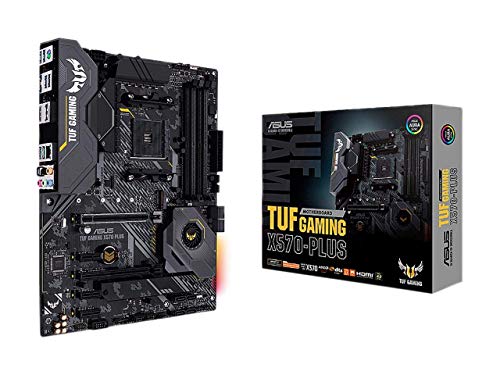
ASUS TUF Gaming AM4 ATX Motherboard
Best for: PCIe 4.0 AM4 gaming desktop builds
- CPU Socket
- AM4
- Chipset
- AMD X570
- Form Factor
- ATX
- PCIe Version
- PCIe 4.0
- M.2 Slots
- 2
- Ethernet Speed
- Gigabit
The ASUS TUF Gaming AM4 ATX Motherboard gives you an AMD AM4 socket designed for 3rd Gen Ryzen and Zen 3 Ryzen 5000 processors. It features PCIe 4.0 connectivity with dual M.2 slots for high-speed storage. You get an active PCH heatsink, dedicated VRM cooling, Gigabit Ethernet, and USB 3.2 Gen 2 ports. This ATX board fits your build if you need reliable power delivery and standard expansion slots for gaming.
Pros
- Dual PCIe 4.0 M.2 slots for high-speed storage
- Active PCH heatsink plus dedicated VRM and M.2 heatsinks
- Realtek S1200A audio codec with 108dB SNR line-out
- USB 3.2 Gen 2 connectivity and Gigabit Ethernet
Cons
- Requires a BIOS update before installing Ryzen 5000 processors
- No integrated Wi-Fi networking listed
Good fit if
- You use a 3rd Gen Ryzen or Zen 3 Ryzen 5000 AM4 processor.
- You want dual PCIe 4.0 M.2 drives and active chipset cooling.
- You need USB 3.2 Gen 2 ports and Gigabit wired Ethernet.
Skip if
- You need integrated Wi-Fi straight out of the box.
- You lack a way to update the BIOS before using a Ryzen 5000 CPU.
Verdict: ASUS TUF Gaming AM4 ATX Motherboard provides PCIe 4.0 support, dual M.2 slots, and solid cooling for AM4 gaming builds. It handles Zen 3 Ryzen processors once updated with the latest BIOS.

ASRock Phantom Gaming AMD X570 Motherboard
Best for: PCIe 4.0 AM4 multi-drive storage setups
- CPU Socket
- AM4
- Chipset
- AMD X570
- Memory Type
- DDR4
- M.2 Slots
- 2
- Ethernet Speed
- Gigabit
- Power Phases
- 10
This motherboard runs the AMD X570 chipset on the AM4 socket, supporting Ryzen 2000 and 3000 series processors. You get a 10-phase power design, two PCIe 4.0 x16 slots, and DDR4 support up to 4066 MHz. Storage expansion includes eight SATA3 ports alongside dual PCIe Gen4 M.2 slots. It suits you if you need extensive drive connectivity and PCIe 4.0 expansion for an AM4 desktop build.
Pros
- Eight SATA3 storage ports
- Two Hyper M.2 slots supporting PCIe Gen4 x4
- 10-phase power design
- Dual PCIe 4.0 x16 expansion slots
Cons
- No onboard Wi-Fi module included
- Rear USB 3.2 Gen2 ports limited to Type-A
- Processor support in data limited to Ryzen 2000 and 3000 series
Good fit if
- You need up to eight SATA3 storage drives.
- You plan to use an AMD Ryzen 2000 or 3000 series processor.
- You want dual PCIe Gen4 M.2 storage slots.
Skip if
- You require factory-installed Wi-Fi without adding an M.2 card.
- You need rear USB Type-C connectivity.
- You use a CPU outside the Ryzen 2000 or 3000 series.
Verdict: ASRock Phantom Gaming AMD X570 Motherboard delivers PCIe 4.0 bandwidth and eight SATA3 storage ports for Ryzen 2000 and 3000 series setups. It provides solid expansion connectivity if you do not require built-in wireless networking.

ASRock X570 AM4 ATX Motherboard
Best for: storage-heavy AM4 Ryzen desktop builds
- CPU Socket
- AM4
- Chipset
- AMD X570
- Form Factor
- ATX
- Memory Type
- DDR4
- M.2 Slots
- 2
- Ethernet Speed
- Gigabit
This ATX board features an AMD AM4 socket designed for Ryzen 2000 and 3000 series processors. You get eight SATA3 ports, two Hyper M.2 PCIe Gen4 x4 slots, and dual PCIe 4.0 x16 slots with AMD CrossFire support. It includes a 10 power phase design and an Intel Gigabit LAN controller. This motherboard suits you if you need extensive internal storage connectivity alongside PCIe 4.0 lanes for graphics cards and high-speed drives.
Pros
- Eight SATA3 connectors for multiple storage drives
- Dual Hyper M.2 slots running at PCIe Gen4 x4 speeds
- 10 power phase design
- Rear USB 3.2 Gen2 Type-A and Type-C ports
Cons
- Lacks onboard Wi-Fi module despite having an M.2 Key E slot
- Specification lists processor support limited to Ryzen 2000 and 3000 series
Good fit if
- You want to attach up to eight SATA3 drives in one system.
- You use an AMD AM4 Ryzen 2000 or 3000 series processor.
- You need PCIe 4.0 bandwidth for graphics and M.2 storage.
Skip if
- You require integrated Wi-Fi straight out of the box.
- You plan to build on a newer socket platform.
Verdict: ASRock X570 AM4 ATX Motherboard delivers PCIe 4.0 expansion alongside eight SATA3 connections for high-capacity storage. It gives you reliable multi-drive connectivity if you run a compatible Ryzen AM4 processor.

ASRock Taichi LGA 2066 ATX Motherboard
Best for: Intel Core X-Series high-storage builds
- CPU Socket
- LGA2066
- Chipset
- X299
- Form Factor
- ATX
- Memory Type
- DDR4
- M.2 Slots
- 3
- Wi-Fi Standard
- WiFi 6
The ASRock X299 Taichi ATX Motherboard uses the Intel X299 chipset and LGA 2066 socket for Intel Core X-Series processors. It features a 13-phase power design, built-in Wi-Fi 6, three M.2 slots, and ten SATA3 ports for storage setups. It supports DDR4 memory up to 4200+ MHz (OC) and includes an aluminum alloy heatsink. This board suits you if you need extensive drive connectivity on an LGA 2066 platform.
Pros
- LGA 2066 socket supporting Intel Core X-Series CPUs
- Ten SATA3 ports and three M.2 storage slots
- Integrated Wi-Fi 6 wireless networking
- 13-phase power design
Cons
- Restricted to LGA 2066 processors instead of standard mainstream sockets
- Limited to DDR4 memory rather than newer DDR5 standards
Good fit if
- You build with an Intel Core X-Series LGA 2066 processor.
- You need ten SATA3 ports and three M.2 slots for storage.
- You want integrated Wi-Fi 6 networking in an ATX chassis.
Skip if
- You plan to use standard mainstream Intel or AMD processors.
- You require support for DDR5 memory.
Verdict: ASRock X299 Taichi ATX Motherboard delivers extensive storage support and integrated Wi-Fi 6 for LGA 2066 Intel Core X-Series builds.

ASRock Steel Legend LGA 2066 ATX Motherboard
Best for: Intel Core X-Series LGA 2066 workstation builds
- CPU Socket
- LGA2066
- Chipset
- X299
- Form Factor
- ATX
- Memory Type
- DDR4
- M.2 Slots
- 2
- Power Phases
- 11
View on Amazon: ASRock Steel Legend LGA 2066 ATX Motherboard
The ASRock Steel Legend LGA 2066 ATX Motherboard gives you a dedicated platform for Intel Core X-Series processors. Built in a standard ATX form factor, it supports DDR4 memory up to 4200+ (OC) and includes dual M.2 storage connections. You also get high-speed external transfers via USB 3.2 Gen 2x2 Type-C, paired with an XXL aluminum alloy heatsink and heatpipe design to handle heavy computing tasks.
Pros
- USB 3.2 Gen 2x2 Type-C support
- Dual M.2 storage slots
- XXL aluminum alloy heatsink and heatpipe design
- PCIe Steel Slot reinforcement
Cons
- No built-in Wi-Fi listed in specifications
- Restricted to LGA 2066 Intel Core X-Series processors
Good fit if
- You build with an Intel Core X-Series processor on socket LGA 2066.
- You need high-speed USB 3.2 Gen 2x2 Type-C data transfers.
- You run overclocked DDR4 memory up to 4200+.
Skip if
- You plan to use standard consumer AM4, AM5, or mainstream LGA processors.
- You require integrated Wi-Fi networking on the board.
Verdict: ASRock Steel Legend LGA 2066 ATX Motherboard delivers focused thermal hardware and USB 3.2 Gen 2x2 support for high-end desktop configurations. It provides a stable foundation if you require an ATX layout built around an Intel Core X-Series CPU.

ASRock Phantom Gaming LGA 1200 Motherboard
Best for: 10th Gen Intel LGA 1200 gaming builds
- CPU Socket
- Socket 1200
- Chipset
- Z490
- Memory Type
- DDR4
- PCIe Version
- PCIe 3.0
- Power Phases
- 10
- Use Case
- Gaming
The ASRock Phantom Gaming LGA 1200 Motherboard is an ATX board built for 10th Gen Intel Core desktop processors on Socket 1200. You get a 10-power-phase design for stable voltage delivery, memory support for DDR4 speeds up to 4400MHz with overclocking, and two PCIe 3.0 x16 slots supporting AMD Quad CrossFireX. It suits you if you want a dedicated gaming platform for a 10th Gen Intel chip with multi-GPU expansion capability.
Pros
- 10 Power Phase Design for power delivery
- Supports DDR4 memory overclocked up to 4400MHz
- Supports AMD Quad CrossFireX and CrossFireX multi-GPU setups
- Includes dedicated M.2 Key E slot for a WiFi module
Cons
- PCIe expansion slots limited to PCIe 3.0 speeds
- Requires a separate add-in module for WiFi connectivity
- Limited to 10th Gen Intel Core processors on Socket 1200
Good fit if
- You use a 10th Gen Intel Core processor on Socket 1200.
- You plan to overclock system memory up to DDR4 4400MHz.
- You configure AMD Quad CrossFireX multi-GPU hardware.
Skip if
- You require pre-installed onboard WiFi without buying an M.2 module.
- You need PCIe 4.0 or faster expansion slots.
- You use an AMD processor or a different Intel socket.
Verdict: ASRock Phantom Gaming LGA 1200 Motherboard delivers a 10-power-phase design and DDR4 4400MHz memory support for 10th Gen Intel Core processors. It provides dual-GPU expandability via AMD CrossFireX for Socket 1200 gaming systems.
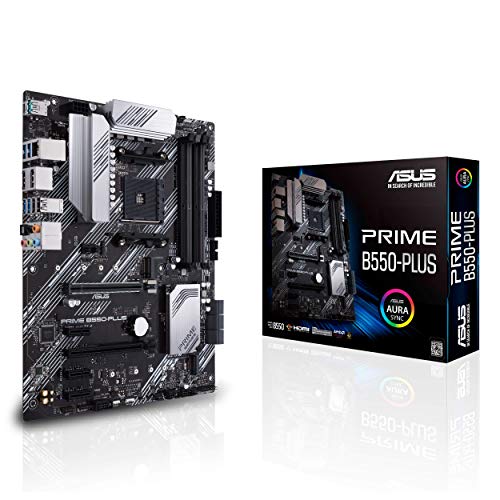
ASUS Prime AM4 ATX Motherboard
Best for: standard 1GbE AM4 desktop builds
- CPU Socket
- AM4
- Form Factor
- ATX
- PCIe Version
- PCIe 4.0
- M.2 Slots
- 2
- Ethernet Speed
- 1Gb LAN
- Dimensions
- 12.9 × 10.4 × 2.09 inches
This full-size ATX board pairs AMD AM4 processors with PCIe 4.0 capability and standard 1GbE connectivity. You get dual M.2 storage slots with one running at PCIe 4.0 x4 speeds, alongside HDMI 2.1, DisplayPort 1.2, and USB 3.2 Gen 2 Type-A outputs. Built-in VRM and chipset heatsinks manage temperatures under sustained loads. It suits you if you want a reliable Zen 3 foundation with ECC memory support and standard wired networking.
Pros
- Dual M.2 slots with one PCIe 4.0 x4 connection
- 1Gb LAN with LANGuard hardware protection
- HDMI 2.1, DisplayPort 1.2, and Thunderbolt 3 header support
- ECC memory support for AM4 processors
Cons
- Networking limited to 1GbE rather than 2.5GbE
- No integrated Wi-Fi adapter included
Good fit if
- You use a Zen 3 or 3rd Gen AMD Ryzen AM4 CPU.
- You want a full ATX form factor with standard 1GbE LAN.
- You plan to run ECC memory on your desktop system.
Skip if
- You require built-in Wi-Fi connectivity out of the box.
- You need multi-gigabit Ethernet speeds above 1GbE.
Verdict: ASUS Prime AM4 ATX Motherboard provides essential PCIe 4.0 speed, dual M.2 support, and reliable 1GbE networking for AM4 system builds.
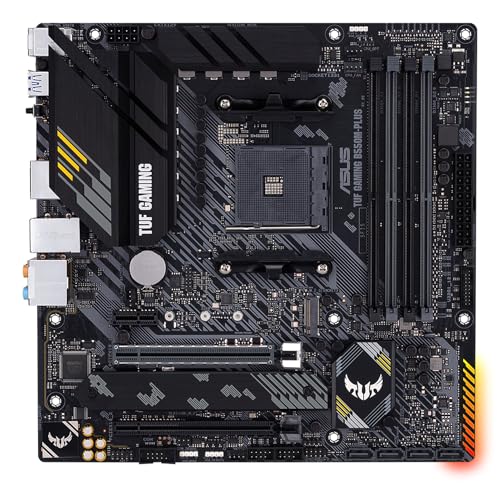
ASUS TUF Gaming B550M-PLUS Micro-ATX
Best for: compact AMD AM4 gaming builds
- CPU Socket
- AM4
- Chipset
- AMD B550
- Form Factor
- Micro ATX
- Memory Type
- DDR4
- PCIe Version
- PCIe 4.0
- M.2 Slots
- 2
The ASUS TUF Gaming B550M-PLUS Micro-ATX is an AMD B550 motherboard designed for AM4 processors and DDR4 memory. It offers PCIe 4.0 support, dual M.2 storage slots with a dedicated heatsink, and an 8+2 DrMOS power stage configuration. Wired networking runs over 2.5 Gb Ethernet, paired with a Realtek S1200A audio codec. This board suits you if you want a compact build with modern data speeds and dedicated VRM cooling.
Pros
- PCIe 4.0 support for compatible graphics cards and NVMe drives
- 2.5 Gb Ethernet port for fast wired local networking
- 8+2 DrMOS power stage design with VRM heatsinks
- Dual M.2 storage slots with an included heatsink
Cons
- Lacks integrated Wi-Fi connectivity
- Restricted to older AM4 socket and DDR4 memory platforms
- Micro-ATX form factor provides fewer expansion slots than standard ATX
Good fit if
- You want a compact Micro-ATX board for an AMD AM4 processor.
- You prioritize 2.5 Gb wired Ethernet and PCIe 4.0 speeds.
- You plan to run dual M.2 solid-state drives with thermal protection.
Skip if
- You require onboard Wi-Fi out of the box.
- You plan to build with newer AMD AM5 or Intel processors.
- You need a full-size ATX board for extensive expansion card setups.
Verdict: ASUS TUF Gaming B550M-PLUS Micro-ATX delivers stable power delivery and PCIe 4.0 connectivity in a space-saving AM4 footprint. It equips you with 2.5 Gb wired networking and dual M.2 storage options for a compact build.

ASUS ROG Strix AM4 ATX Motherboard
Best for: AM4 gaming builds needing fast wired networking
- CPU Socket
- AM4
- Chipset
- AMD B550
- Form Factor
- ATX
- PCIe Version
- PCIe 4.0
- M.2 Slots
- 2
- Ethernet Speed
- 2.5 GbE
This ASUS ROG Strix B550 ATX Motherboard provides an AMD AM4 socket paired with PCIe 4.0 support for 3rd Gen AMD Ryzen processors. It delivers wired networking speeds up to 2.5 GbE, dual NVMe M.2 slots for solid-state storage, and eleven total USB ports for peripherals. You get a pre-mounted I/O shield and BIOS FlashBack for simpler system setup. It suits you if you want a reliable AM4 desktop build with fast wired networking.
Pros
- 2.5 GbE Ethernet connectivity
- PCIe 4.0 support for 3rd Gen AMD Ryzen CPUs
- Dual NVMe M.2 storage slots
- 11 total USB ports
- Pre-mounted I/O shield and BIOS FlashBack
Cons
- No integrated Wi-Fi listed in specifications
- Limited to two M.2 storage slots
- Restricted to AMD AM4 socket processors
Good fit if
- You use a 3rd Gen AMD Ryzen processor on the AM4 platform.
- You rely on high-speed 2.5 GbE wired networking.
- You need up to 11 USB ports for external peripherals.
Skip if
- You require onboard Wi-Fi connectivity.
- You need more than two M.2 solid-state drives.
Verdict: ASUS ROG Strix B550 ATX Motherboard delivers dependable 2.5 GbE networking, PCIe 4.0 bandwidth, and ample USB connectivity for AM4 setups. It provides practical configuration features including BIOS FlashBack and a pre-mounted shield.

GIGABYTE AORUS Elite ATX Motherboard
Best for: high-speed 2.5 GbE AM4 desktop builds
- CPU Socket
- AM4
- Form Factor
- ATX
- Memory Type
- DDR4
- PCIe Version
- PCIe 4.0
- M.2 Slots
- 2
- Wi-Fi Standard
- Wi-Fi 6
The Gigabyte AORUS Elite ATX Motherboard is an AM4 platform built for AMD Ryzen 3000, 4000, and 5000 series processors. It features 2.5 GbE wired networking, Wi-Fi 6, and a 12+2 digital power phase design. You get four DDR4 memory slots, one PCIe 4.0 x16 slot, and two M.2 storage slots. It suits you if you need fast wired networking and reliable power delivery for an AM4 desktop build.
Pros
- 2.5 GbE Ethernet port alongside integrated Wi-Fi 6
- Digital Twin 12+2 power phase delivery
- Reinforced PCIe 4.0 x16 expansion slot
- Integrated I/O shield and M.2 heatsink
Cons
- Secondary M.2 slot runs at PCIe 3.0 speeds
- Limited to two total M.2 storage drives
- Supports DDR4 RAM rather than DDR5
Good fit if
- You need a 2.5 GbE LAN port for fast local network transfers.
- You use an AMD Ryzen 3000, 4000, or 5000 series desktop processor.
- You want built-in Wi-Fi 6 and front-panel USB Type-C support.
Skip if
- You require more than two high-speed M.2 storage drives.
- You plan to build on a platform that uses DDR5 memory.
Verdict: Gigabyte AORUS Elite ATX Motherboard pairs fast 2.5 GbE networking with Wi-Fi 6 and a 12+2 power phase setup. It offers dependable connectivity and power for standard AM4 desktop builds.

ASUS Pro Micro-ATX LGA 1200 Motherboard
Best for: remote IT management and business workstations
- CPU Socket
- LGA 1200
- Form Factor
- mATX
- PCIe Version
- PCIe 4.0
- Ethernet Speed
- 1 Gb
- Use Case
- Commercial
- Dimensions
- 9.6 × 9.6 × 1.5 inches
This micro-ATX board targets corporate workstations and business builds. It features the Intel LGA 1200 socket, supporting 10th and 11th Gen Intel Core processors alongside PCIe 4.0 connectivity. For IT maintenance, you get an SMBUS header for DASH LAN remote management, a dedicated COM debug header, and hardware event logging. It suits you if you need a durable workplace platform with moisture-resistant coating and automatic self-recovering BIOS protection.
Pros
- Self-recovering BIOS with automatic backup restoration
- SMBUS header supporting DASH LAN remote management
- Protective moisture-resistant coating for harsh environments
- PCIe 4.0 expansion support
- Dedicated COM debug header and system event log
Cons
- Limited to 10th and 11th Gen Intel LGA 1200 processors
- Ethernet speed capped at 1 Gb
- No integrated Wi-Fi support listed
Good fit if
- You need remote IT administration through DASH LAN and SMBUS.
- You run 10th or 11th Gen Intel Core CPUs in a business setup.
- You operate hardware in damp or challenging physical spaces.
Skip if
- You plan to install 12th Gen or newer Intel desktop processors.
- You require 2.5 Gb networking or built-in wireless connectivity.
Verdict: ASUS Pro Micro-ATX LGA 1200 Commercial Motherboard delivers dedicated corporate troubleshooting tools and hardware defenses for office systems. It provides reliable remote management and firmware recovery for 10th and 11th Gen Intel processors.
Specifications side by side
| Spec | MSI Tomahawk ATX AM5 Motherboard | NZXT N7 Z790 ATX Gaming Motherboard | ASUS Prime AM4 ATX Motherboard | ASRock Taichi Intel Z390 Motherboard | ASUS TUF Gaming AM4 ATX Motherboard | ASRock Phantom Gaming AMD X570 Motherboard | ASRock X570 AM4 ATX Motherboard | ASRock Taichi LGA 2066 ATX Motherboard | ASRock Steel Legend LGA 2066 ATX Motherboard | ASRock Phantom Gaming LGA 1200 Motherboard | ASUS Prime AM4 ATX Motherboard | ASUS TUF Gaming B550M-PLUS Micro-ATX | ASUS ROG Strix AM4 ATX Motherboard | GIGABYTE AORUS Elite ATX Motherboard | ASUS Pro Micro-ATX LGA 1200 Motherboard |
|---|---|---|---|---|---|---|---|---|---|---|---|---|---|---|---|
| CPU Socket | AM5 | not specified | AM4 | LGA1151 | AM4 | AM4 | AM4 | LGA2066 | LGA2066 | Socket 1200 | AM4 | AM4 | AM4 | AM4 | LGA 1200 |
| Chipset | B850 | Intel Z790 | X470 | Intel Z390 | AMD X570 | AMD X570 | AMD X570 | X299 | X299 | Z490 | not specified | AMD B550 | AMD B550 | not specified | not specified |
| Form Factor | ATX | ATX | ATX | not specified | ATX | not specified | ATX | ATX | ATX | not specified | ATX | Micro ATX | ATX | ATX | mATX |
| Memory Type | DDR5 | not specified | DDR4 | DDR4 | not specified | DDR4 | DDR4 | DDR4 | DDR4 | DDR4 | not specified | DDR4 | not specified | DDR4 | not specified |
| PCIe Version | PCIe 5.0 | not specified | not specified | PCIe 3.0 | PCIe 4.0 | not specified | not specified | not specified | not specified | PCIe 3.0 | PCIe 4.0 | PCIe 4.0 | PCIe 4.0 | PCIe 4.0 | PCIe 4.0 |
| M.2 Slots | not specified | not specified | not specified | not specified | 2 | 2 | 2 | 3 | 2 | not specified | 2 | 2 | 2 | 2 | not specified |
| Wi-Fi Standard | Wi-Fi 7 | WiFi 6E | not specified | not specified | not specified | not specified | not specified | WiFi 6 | not specified | not specified | not specified | not specified | not specified | Wi-Fi 6 | not specified |
| Ethernet Speed | 5G LAN | not specified | Gigabit LAN | not specified | Gigabit | Gigabit | Gigabit | not specified | not specified | not specified | 1Gb LAN | 2.5 Gb Ethernet | 2.5 GbE | 2.5 GbE | 1 Gb |
| Power Phases | not specified | not specified | not specified | not specified | 12+2 | 10 | 10 | 13 | 11 | 10 | not specified | 8+2 | not specified | 12+2 | not specified |
| Wi-Fi | Wi-Fi 7 | Wi-Fi 6E | not specified | not specified | not specified | not specified | not specified | Wi-Fi 6 | not specified | not specified | not specified | not specified | not specified | Wi-Fi 6 | not specified |
| Use Case | not specified | Gaming | not specified | not specified | Gaming | Gaming | not specified | not specified | not specified | Gaming | not specified | Gaming | Gaming | not specified | Commercial |
| Dimensions | not specified | 15.1 × 12.1 × 3.9 inches | 12 × 2.8 × 9.6 inches | 12.2 × 14 × 3.5 inches | 13.3 × 10.7 × 2.68 inches | 13.6 × 3 × 11.1 inches | 13.6 × 3 × 11.1 inches | 12.5 × 15 × 5 inches | 9 × 12 × 3.01 inches | 13.5 × 10.5 × 2.5 inches | 12.9 × 10.4 × 2.09 inches | 9.61 × 1.57 × 9.61 inches | 9.61 × 12 × 4.09 inches | 10.6 × 3.14 × 13.2 inches | 9.6 × 9.6 × 1.5 inches |
| Weight | not specified | not specified | 2.29 pounds | 4.5 pounds | 2.6 pounds | 2.65 pounds | 2.2 pounds | 2.2 pounds | 5.29 pounds | 2.65 pounds | 2.09 pounds | 1.76 pounds | not specified | not specified | 1.86 pounds |
| Color | Black | Black | not specified | not specified | not specified | not specified | not specified | not specified | not specified | not specified | not specified | Black | not specified | not specified | not specified |
| Model | MAG B850 TOMAHAWK MAX WIFI | N7-Z79XT-B1 | Prime X470-Pro | Z390 TAICHI | TUF GAMING X570-PLUS | X570 Phantom Gaming 4 | X570 Pro4 | X299 Taichi CLX | X299 Steel Legend | Z490 Phantom Gaming 4 | PRIME B550-PLUS | 90MB14A0-M0EAY0 | ROG STRIX B550-A GAMING | B550 AORUS ELITE AX V2 | Q570M-C/CSM |
| Size | not specified | not specified | ATX | not specified | 128 | not specified | not specified | not specified | not specified | not specified | ATX | B550 | not specified | ATX | Q570M-C-CSM |
Hardware Trade-Offs in This Price Range
When selecting a board in this category, you balance platform generation against expansion features. Most models provide standard ATX or Micro-ATX form factors using chipsets like AMD B550, X570, or Intel Z390. Many options rely on older CPU sockets such as AM4, LGA 1200, or LGA 2066, which restricts memory support to DDR4 or DDR3. PCIe speeds often cap at PCIe 4.0 or PCIe 3.0. Additionally, several boards lack integrated Wi-Fi and limit networking to standard 1GbE Ethernet.
- CPU socket selection centered largely on older platforms
- Memory type restricted to DDR4 or DDR3 on most models
- PCIe version capped at PCIe 4.0 or PCIe 3.0 bandwidth
- Ethernet speed limited to 1GbE on entry models
If you need emergency backup power for your setup, our breakdown of each generator under 200 compares power output and running wattage specifications.
How We Picked These Motherboards
You find 15 motherboards selected strictly from Amazon listings that qualify for the Under $200 category. To give you clear choices, each entry represents a single variant from its product family. We do not physically handle hardware or run bench tests. Instead, we gather technical specifications, socket types, and connection standards directly from published manufacturer listings.
The page orders selections with products in stock first, then by Amazon sales rank (better-selling products first). Live inventory refreshes at least daily. Products move into or out of this guide as listings shift, ensuring you see available hardware based on verified published specifications.
How to Choose the Right Motherboard
-
Match Board Size to Case
You must verify chassis spacing before selecting a motherboard footprint. Standard ATX boards require cases with seven expansion slots and standard clearance. Compact enclosures need a Micro-ATX board to fit within reduced internal dimensions. For example, the ASUS TUF Gaming B550M-PLUS Micro-ATX offers a smaller layout that leaves room for airflow and cable routing in space-limited towers. Check your PC case specifications to see whether it accepts ATX or Micro-ATX mounting standoffs before deciding on a form factor.
-
Count Storage Drive Headers
You need to audit your storage drives before picking a motherboard. Builders running multiple mechanical hard drives or 2.5-inch SSDs need boards with abundant SATA connectors. The ASRock Phantom Gaming AMD X570 Motherboard includes eight SATA3 ports, which suits builders managing large internal storage arrays. Other models provide fewer SATA ports and focus primarily on high-speed M.2 drive slots. Count how many total drives you plan to install, and check the published count of SATA3 headers and M.2 slots on the board.
-
Compare Wired Ethernet Speeds
You should evaluate your local wired network bandwidth before buying. Basic desktop setups work well with 1GbE Ethernet, which covers standard internet connections and home file sharing. The ASUS Prime AM4 ATX Motherboard provides 1GbE networking alongside PCIe 4.0 expansion. If you transfer large files across a local network or use high-throughput switches, you should prioritize a board with a 2.5GbE LAN port instead. Review the networking specifications to confirm whether the board delivers 1GbE or 2.5GbE transfer speeds to match your network switches.
-
Check Wireless Network Protocol
You should verify the integrated Wi-Fi generation if you plan to connect without an Ethernet cable. Boards without integrated wireless adapters require you to add separate expansion cards. Boards with built-in wireless list specific standards such as Wi-Fi 6E or newer protocols. The NZXT N7 Z790 ATX Gaming Motherboard includes integrated Wi-Fi 6E for compatible networks. Inspect the product spec sheet to see if the motherboard includes integrated Wi-Fi, and check whether its standard matches the wireless router installed in your home.
-
Verify High-Speed Peripheral Ports
You need to check rear and internal USB specifications if you transfer data using high-speed external storage drives. Basic USB 3.0 ports provide standard bandwidth, but fast external solid-state drives require higher transfer speeds. The ASRock Steel Legend LGA 2066 ATX Motherboard includes USB 3.2 Gen 2x2 support for compatible peripherals. Review the input and output specifications of the motherboard to confirm what USB versions it provides on the rear panel, ensuring your external drives can run at their rated hardware transfer speeds.
-
Review PCIe Bandwidth Generation
You should check the PCIe generation supported across expansion slots before choosing a motherboard. Older motherboards run PCIe 3.0, while newer chipsets support PCIe 4.0 or PCIe 5.0 lanes for graphics cards and high-speed NVMe solid-state storage. The MSI Tomahawk ATX AM5 Motherboard features PCIe 5.0 bandwidth, maximizing data throughput for current and upcoming add-in hardware. Compare the PCIe version listed in the board specifications against your components to ensure your graphics card and storage drives operate with adequate bandwidth.
Frequently asked questions
Which motherboard is best for running multiple SATA storage drives?
If you need extensive local storage, look for boards featuring eight SATA3 ports, such as the ASRock X570 Pro4 or ASRock Phantom Gaming AMD X570. These AM4 motherboards allow you to connect multiple hard drives or SATA solid-state drives directly without add-in controller cards. Both models also deliver PCIe 4.0 bandwidth for fast data access across your drives.
Can you build a workstation using an Intel Core X-Series processor?
Yes, you can assemble an Intel Core X-Series workstation using LGA 2066 motherboards like the ASRock Steel Legend or ASRock Taichi. The Steel Legend provides an ATX layout with dedicated thermal hardware and high-speed USB 3.2 Gen 2x2 connectivity. The Taichi model adds integrated Wi-Fi 6 networking, making either board suitable for heavy multithreaded desktop workloads.
What motherboard features help with office and commercial system deployment?
For business environments, hardware like the ASUS Pro Micro-ATX LGA 1200 Motherboard includes dedicated corporate troubleshooting tools and integrated hardware defenses. It supports remote IT management alongside automated firmware recovery for 10th and 11th Gen Intel processors. The compact Micro-ATX form factor also allows deployment in space-constrained office desktop towers without sacrificing essential PCIe 4.0 expansion lanes.
Which boards support dual graphics cards with AMD CrossFireX?
You can configure multi-GPU setups using boards such as the ASRock Phantom Gaming LGA 1200 Motherboard. This model features AMD CrossFireX support for dual-GPU configurations alongside a 10-power-phase design for system stability. It pairs with 10th Gen Intel Core CPUs and accepts DDR4 memory rated up to 4400MHz to maintain steady throughput during intensive graphics tasks.
How does BIOS FlashBack simplify building an AM4 desktop?
BIOS FlashBack lets you update firmware without installing a processor, graphics card, or memory modules first. The ASUS ROG Strix AM4 ATX Motherboard includes this feature along with a pre-mounted I/O shield to streamline assembly. It helps you ensure compatibility with newer AM4 processors before completing your installation, reducing troubleshooting steps during initial hardware setup.
What cooling controls should you look for when using an AIO liquid cooler?
You should look for motherboards with dedicated AIO pump headers, such as the ASUS Prime AM4 ATX Motherboard. Dedicated headers ensure your liquid cooler pump runs at proper operational speeds independently from standard chassis fans. This setup prevents pump throttling, manages liquid circulation effectively, and maintains stable processor operating temperatures under sustained gaming or rendering workloads.
Which motherboards offer 2.5 GbE wired networking for faster data transfers?
Several AM4 motherboards provide 2.5 GbE Ethernet, including the GIGABYTE AORUS Elite ATX Motherboard and the ASUS TUF Gaming B550M-PLUS Micro-ATX. A 2.5 GbE connection delivers more than double the bandwidth of traditional Gigabit ports. This extra network speed reduces file transfer times across local networks and provides lower latency for competitive online gaming sessions.