Best AMD X570 Motherboards: 14 Spec-Based Picks
As an Amazon Associate we earn from qualifying purchases. Links on this page are affiliate links.
Choosing the right AMD X570 motherboard ensures your AM4 processor gets the PCIe 4.0 bandwidth and memory support your system needs. We compared 14 models based strictly on the specifications published on their listings.
The MSI MPG X570 Gaming Edge ATX Motherboard leads the group because it delivers PCIe 4.0 expansion, DDR4 memory compatibility, and onboard Wi-Fi 5 on an ATX form factor. This guide helps you decide which board matches your form factor, networking preferences, and expansion needs.
Quick picks
The best fit for you
- You need an all-around ATX gaming foundation with wireless MSI MPG X570 Gaming Edge ATX Motherboard It combines an AM4 socket, PCIe 4.0 support, DDR4 memory, and integrated Wi-Fi 5.
- You want a compact small-form-factor gaming setup ASUS ROG Strix Mini-ITX Motherboard The Mini-ITX form factor provides PCIe 4.0 and Wi-Fi 6 in a 6.7-inch footprint.
- You want high-speed wireless and multi-gigabit wired networking ASUS ROG Strix AM4 ATX Motherboard It features integrated Wi-Fi 6E wireless connectivity paired with a 2.5GbE Ethernet port.
- You need a compact AM4 motherboard for servers ASRock Rack Micro-ATX AM4 Server Motherboard It offers a Micro-ATX form factor designed specifically for AM4 server configurations.
Our 14 picks

MSI MPG X570 Gaming Edge ATX Motherboard
Best for: all-around AM4 PCIe 4.0 gaming builds
- Chipset
- AMD X570 (what this guide is about)
- CPU Socket
- AM4
- Form Factor
- ATX
- Memory Type
- DDR4
- PCIe Version
- PCIe 4.0
- Wi-Fi
- Wi-Fi 5
This ATX motherboard runs on the AMD X570 chipset and supports AM4 socket processors, including 2nd and 3rd Gen AMD Ryzen CPUs. You get PCIe 4.0 expansion, DDR4 memory compatibility, and integrated Wi-Fi 5 connectivity with MU-MIMO support. It features an active FROZR chipset heatsink and a pre-installed IO shield. It suits you if you build an AM4 gaming rig requiring integrated wireless support.
Pros
- PCIe 4.0 support for compatible AM4 processors
- Built-in Wi-Fi 5 (802.11ac) with MU-MIMO
- FROZR heatsink with double ball bearing fan
- Pre-installed IO shielding against electrostatic discharge
Cons
- Features Wi-Fi 5 rather than newer wireless standards
- Active chipset fan adds a moving mechanical component
Good fit if
- You use a 2nd or 3rd Gen AMD Ryzen AM4 processor.
- You need on-board Wi-Fi 5 without adding a separate network card.
- You want a standard ATX layout with PCIe 4.0 and DDR4 memory.
Skip if
- You need Wi-Fi 6 or newer wireless hardware out of the box.
- You want a completely fanless, passive motherboard design.
Verdict: MSI MPG X570 Gaming Edge WiFi Motherboard delivers essential AM4 functionality with PCIe 4.0, DDR4 memory, and built-in Wi-Fi 5. It serves as a dependable ATX foundation for compatible Ryzen desktop builds.

Gigabyte X570 Gaming X ATX Motherboard
Best for: no-frills ATX builds needing dual PCIe 4.0 M.2
- Chipset
- AMD X570 (what this guide is about)
- Form Factor
- ATX
- Memory Type
- DDR4
- PCIe Version
- PCIe 4.0
- M.2 Slots
- 2
- Ethernet Speed
- GbE
The Gigabyte X570 Gaming X ATX Motherboard provides an AMD X570 chipset foundation built for compatible Ryzen processors. You get a 12 phase digital VRM to regulate CPU power, along with four DDR4 memory slots supporting dual-channel memory configurations. For solid-state storage, the board offers dual PCIe 4.0 NVMe M.2 connectors, accompanied by a single thermal guard. This board suits you if you need reliable ATX PCIe 4.0 expansion and dual M.2 support.
Pros
- 12 phase digital VRM power delivery
- Dual NVMe PCIe 4.0/3.0 x4 M.2 connectors
- Four DDR4 slots supporting dual-channel memory
- Single thermal guard heatsink included for M.2
Cons
- Thermal guard provided for only one M.2 slot
- Uses entry-level Realtek ALC887 audio codec
- No integrated Wi-Fi networking included
Good fit if
- You use a 2nd or 3rd Gen AMD Ryzen processor.
- You plan to run dual PCIe 4.0 NVMe M.2 drives.
- You want four DDR4 memory slots in a standard ATX layout.
Skip if
- You require onboard Wi-Fi without adding an adapter.
- You need factory heatsinks covering both M.2 slots.
Verdict: Gigabyte X570 Gaming X ATX Motherboard delivers core AMD X570 connectivity with dual PCIe 4.0 M.2 slots and a 12 phase digital VRM. It provides a straightforward ATX foundation if you do not require built-in wireless networking.
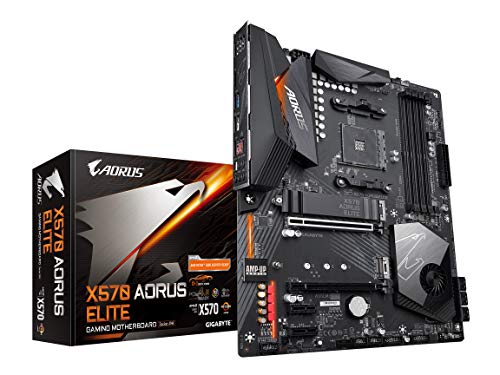
Gigabyte Aorus Elite ATX Motherboard
Best for: wired AM4 PCIe 4.0 gaming builds
- Chipset
- AMD X570 (what this guide is about)
- Form Factor
- ATX
- Memory Type
- DDR4
- PCIe Version
- PCIe 4.0
- M.2 Slots
- 2
- Power Phases
- 12
The Gigabyte Aorus Elite X570 ATX Motherboard provides an AMD X570 foundation for 2nd and 3rd Gen Ryzen processors. You get a 12-phase digital VRM with an extended heatsink, dual PCIe 4.0/3.0 M.2 slots with thermal guards, and four DDR4 DIMM slots supporting ECC or non-ECC memory. It suits you if you want high-bandwidth storage and dedicated power delivery for an AM4 gaming setup without wireless hardware.
Pros
- 12-phase digital VRM with extended heatsink
- Dual NVMe PCIe 4.0/3.0 x4 M.2 connectors with thermal guard
- Four DIMM slots supporting dual-channel ECC and non-ECC DDR4
- Front-panel USB Type-C connector and PCIe 4.0 support
Cons
- No integrated Wi-Fi networking listed in specifications
- Operating system support limited to 64-bit Windows 10 and 11
Good fit if
- You run a compatible 2nd or 3rd Gen AMD Ryzen processor.
- You plan to install dual high-speed NVMe PCIe 4.0 or 3.0 M.2 drives.
- You use an ATX chassis with wired networking.
Skip if
- You require onboard Wi-Fi without adding an expansion card.
- You use an operating system other than 64-bit Windows 10 or 11.
Verdict: Gigabyte Aorus Elite X570 ATX Motherboard delivers dependable 12-phase power regulation and dual PCIe 4.0 M.2 storage options for standard AM4 desktop builds. It offers solid thermal control and memory flexibility whenever integrated wireless connectivity is not needed.

ASUS ROG Strix AM4 ATX Motherboard
Best for: AM4 gaming builds requiring comprehensive cooling
- Chipset
- AMD X570 (what this guide is about)
- CPU Socket
- AM4
- Form Factor
- ATX
- Memory Type
- DDR4
- PCIe Version
- PCIe 4.0
- M.2 Slots
- 2
This ASUS ROG Strix ATX board runs the AMD X570 chipset on the AM4 socket. You get PCIe 4.0 lanes across dual M.2 storage slots and expansion slots. Integrated cooling includes an active PCH heatsink, MOS heatsink with an 8mm heat pipe, and dedicated M.2 shields. It suits you if you build an AM4 gaming rig with DDR4 memory and want dedicated water-pump headers alongside standard Gigabit Ethernet networking.
Pros
- Dual PCIe 4.0 M.2 slots with dedicated heatsinks
- Active PCH heatsink and MOS heatsink with 8mm heat pipe
- Dedicated water pump header plus Aura Sync RGB headers
- Intel Gigabit Ethernet with ASUS LANGuard protection
Cons
- Requires a BIOS update before installing Ryzen 5000 series CPUs
- Wired networking capped at 1GbE speed
Good fit if
- You use an AMD AM4 processor with DDR4 memory.
- You need PCIe 4.0 bandwidth for graphics and dual M.2 solid-state drives.
- You plan a liquid-cooled setup requiring a dedicated water pump header.
Skip if
- You need wired Ethernet speeds faster than 1GbE.
- You want Ryzen 5000 processor compatibility without flashing firmware.
Verdict: ASUS ROG Strix PCIe 4.0 ATX Motherboard delivers solid X570 connectivity with dual M.2 heatsinks, robust thermal hardware, and PCIe 4.0 support for AM4 builds. It provides dependable baseline 1GbE networking and dedicated pump headers for gaming setups.

MSI MPG Gaming Edge Wi-Fi ATX Motherboard
Best for: AM4 gaming setups needing integrated wireless
- Chipset
- AMD X570 (what this guide is about)
- CPU Socket
- AM4
- Form Factor
- ATX
- Memory Type
- DDR4
- PCIe Version
- PCIe 4.0
- Wi-Fi
- Wi-Fi 5
This MSI ATX motherboard pairs the AMD X570 chipset with the AM4 socket for second- and third-generation Ryzen processors. You get PCIe 4.0 expansion lanes alongside DDR4 memory support for standard system builds. It includes integrated Wi-Fi 5 with MU-MIMO support and an active Frozr chipset heatsink fan. This board suits you if you want core X570 features and built-in wireless networking on a standard ATX layout.
Pros
- On-board Wi-Fi 5 (802.11ac) with MU-MIMO support
- PCIe 4.0 lanes for graphics and M.2 storage
- Frozr heatsink fan with propeller blades and double ball bearings
- Pre-installed I/O shield for grounded electrostatic discharge protection
Cons
- Wireless capability limited to Wi-Fi 5 instead of Wi-Fi 6
- Chipset cooling requires an active spinning fan
Good fit if
- You build with a second- or third-generation AMD AM4 processor.
- You want built-in Wi-Fi 5 connectivity without an add-in card.
- You need PCIe 4.0 and DDR4 support on an ATX board.
Skip if
- You require faster Wi-Fi 6 wireless networking.
- You prefer a fanless, passively cooled motherboard chipset.
Verdict: MSI MPG Gaming Edge WiFi ATX Motherboard delivers core AMD X570 features with PCIe 4.0, DDR4 memory, and integrated Wi-Fi 5 on an ATX form factor. It provides essential high-speed connectivity for AM4 Ryzen builds without unnecessary extras.

MSI Carbon AM4 Wi-Fi 6 ATX Motherboard
Best for: AM4 gaming builds needing onboard Wi-Fi 6
- Chipset
- AMD X570 (what this guide is about)
- CPU Socket
- AM4
- Form Factor
- ATX
- Memory Type
- DDR4
- PCIe Version
- PCIe 4.0
- Wi-Fi Standard
- Wi-Fi 6 (802.11ax)
This ATX motherboard runs on the AMD X570 chipset and supports AM4-socket AMD Ryzen processors. You get high-speed connectivity through PCIe 4.0 expansion lanes, DDR4 memory compatibility, and built-in Wi-Fi 6 with Bluetooth 5.1. It also includes an actively cooled Frozr chipset heatsink and onboard Mystic Light RGB controls. It suits you if you want integrated wireless networking and PCIe 4.0 capability for a standard desktop tower build.
Pros
- Built-in Wi-Fi 6 (802.11ax) with MU-MIMO and Bluetooth 5.1
- PCIe 4.0 and DDR4 memory support on the AM4 socket
- Frozr heatsink with propeller blade fan and double ball bearings
- Mystic Light RGB lighting with support for add-on LED strips
Cons
- Uses active fan cooling on the chipset instead of a passive heatsink
- Listed operating system support covers only 64-bit Windows 10
- Full ATX dimensions require a mid-tower or larger chassis
Good fit if
- You need integrated Wi-Fi 6 and Bluetooth 5.1 without adding an expansion card.
- You plan to build with an AM4 Ryzen processor and PCIe 4.0 hardware.
- You want customizable Mystic Light RGB controls for connected lighting strips.
Skip if
- You prefer an entirely fanless, passively cooled motherboard chipset.
- You need a compact form factor like Micro-ATX or Mini-ITX for a small enclosure.
Verdict: MSI MPG Gaming Pro Carbon WiFi ATX Motherboard provides PCIe 4.0 expansion, DDR4 support, and integrated Wi-Fi 6 for AM4 builds. Its active chipset cooling and wireless features suit standard desktop setups needing solid connectivity.

MSI MPG X570 Gaming Plus ATX Motherboard
Best for: high-frequency DDR4 AM4 desktop setups
- Chipset
- AMD X570 (what this guide is about)
- CPU Socket
- AM4
- Form Factor
- ATX
- Memory Type
- DDR4
- PCIe Version
- PCIe 4.0
- Dimensions
- 12 × 9.6 × 2.5 inches
The MSI MPG X570 Gaming Plus AM4 ATX Motherboard provides PCIe 4.0 support and DDR4 memory speeds reaching up to 4400 MHz through overclocking. It features an active Frozr chipset heatsink with a double ball-bearing fan, plus a pre-installed I/O shield. Built for AM4 socket processors, it fits standard ATX chassis. This board suits you if you plan to install high-frequency DDR4 memory and PCIe 4.0 components.
Pros
- DDR4 memory support up to 4400 MHz (OC)
- PCIe 4.0 interface for expansion slots and M.2 storage
- Pre-installed I/O shield for electrostatic discharge protection
- Frozr heatsink equipped with a double ball-bearing fan
Cons
- No integrated Wi-Fi adapter listed in specifications
- Relies on active fan cooling for the X570 chipset
Good fit if
- You want to pair an AM4 processor with high-frequency DDR4 memory.
- You need PCIe 4.0 throughput for storage drives and add-in cards.
- You assemble your system in a standard ATX enclosure.
Skip if
- You require built-in wireless networking on the motherboard.
- You prefer a fanless, passively cooled motherboard design.
Verdict: MSI MPG X570 Gaming Plus AM4 ATX Motherboard combines PCIe 4.0 architecture with DDR4 memory overclocking up to 4400 MHz. It provides reliable ATX connectivity and active chipset cooling for AM4 processor setups.

ASRock Phantom Gaming AMD X570 Motherboard
Best for: storage-heavy Ryzen 2000 and 3000 builds
- Chipset
- AMD X570 (what this guide is about)
- CPU Socket
- AM4
- Memory Type
- DDR4
- M.2 Slots
- 2
- Ethernet Speed
- Gigabit
- Power Phases
- 10
This AMD X570 motherboard supports AM4 socket Ryzen 2000 and 3000 series processors with a 10 power phase design. You get eight SATA3 ports and two Hyper M.2 PCIe Gen4 x4 slots for fast storage. Networking relies on an Intel Gigabit LAN port, while back panel connectivity offers two USB 3.2 Gen2 ports. This board suits you if you run multiple drives and need PCIe 4.0 lanes for your setup.
Pros
- Eight SATA3 ports for extensive storage drive setups
- Two Hyper M.2 slots operating at PCIe Gen4 x4 speeds
- Supports DDR4 memory overclocked up to 4066+ MHz
- Intel Gigabit LAN and Realtek ALC1200 7.1 channel HD audio
Cons
- Provides an M.2 Key E slot for Wi-Fi but lacks built-in wireless hardware
- Rear USB 3.2 Gen2 ports are Type-A only with no Type-C connector listed
Good fit if
- You need eight SATA3 connections for multiple storage drives.
- You plan to run a Ryzen 2000 or 3000 series AM4 processor.
- You want two Hyper M.2 PCIe Gen4 x4 slots for high-speed storage.
Skip if
- You require preinstalled Wi-Fi hardware out of the box.
- You need native rear USB Type-C connectivity.
Verdict: ASRock Phantom Gaming 4 X570 Motherboard delivers dual Hyper M.2 PCIe Gen4 slots and eight SATA3 ports for storage-heavy AMD setups. It provides core AM4 platform features if you do not need factory-installed wireless connectivity.
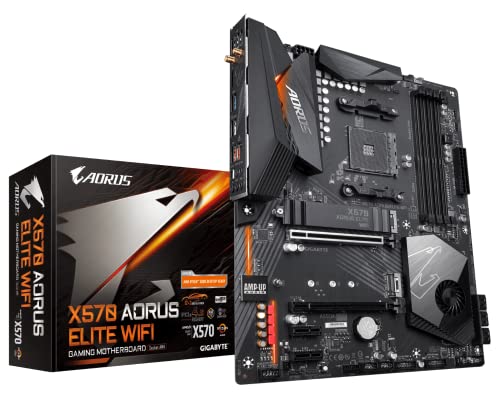
GIGABYTE X570 AORUS Elite Wi-Fi ATX Motherboard
Best for: ATX gaming builds with Wi-Fi and PCIe 4.0
- Chipset
- AMD X570 (what this guide is about)
- Form Factor
- ATX
- Memory Type
- DDR4
- PCIe Version
- PCIe 4.0
- M.2 Slots
- 2
- Wi-Fi Standard
- 802.11ac
View on Amazon: GIGABYTE X570 AORUS Elite Wi-Fi ATX Motherboard
The Gigabyte X570 Aorus Elite Wi-Fi ATX Motherboard gives you an AMD X570 foundation built for compatible Ryzen processors. You get a 12+2 phase digital VRM design, dual PCIe 4.0 M.2 slots, and four DDR4 DIMM slots for system memory. Integrated Wi-Fi 5 provides wireless connectivity alongside standard wired options. It suits builders seeking an ATX gaming board with dedicated power delivery heatsinks and dual NVMe storage support.
Pros
- 12+2 phase digital VRM solution with DrMOS
- Dual NVMe PCIe 4.0/3.0 x4 M.2 connectors
- Four dual-channel DDR4 DIMM slots
- Built-in Intel dual-band 802.11ac Wi-Fi
Cons
- Includes only a single M.2 thermal guard for two slots
- Features Wi-Fi 5 instead of Wi-Fi 6
Good fit if
- You want an ATX AMD X570 board with built-in Wi-Fi 5 support.
- You plan to run dual NVMe PCIe 4.0 solid-state drives.
- You need a 12+2 phase digital VRM for compatible Ryzen processors.
Skip if
- You require factory heatsinks preinstalled on both M.2 slots.
- You need faster integrated Wi-Fi 6 networking.
Verdict: Gigabyte X570 Aorus Elite Wi-Fi ATX Motherboard provides a balanced X570 foundation with 12+2 phase power delivery, dual PCIe 4.0 M.2 slots, and onboard wireless. It suits Ryzen desktop gaming setups needing solid ATX expansion.
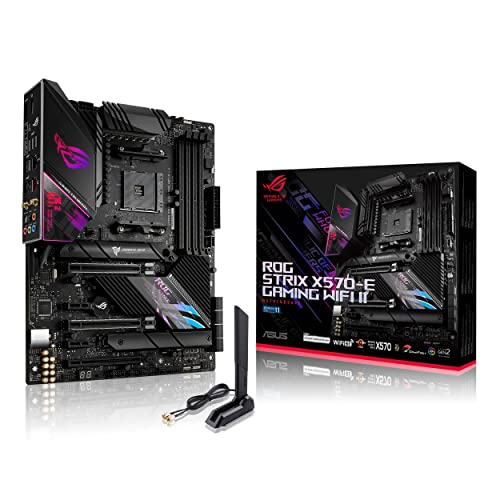
ASUS ROG Strix AM4 ATX Motherboard
Best for: fast Wi-Fi 6E and dual-LAN AM4 builds
- Chipset
- AMD X570 (what this guide is about)
- CPU Socket
- AM4
- Form Factor
- ATX
- PCIe Version
- PCIe 4.0
- M.2 Slots
- 2
- Wi-Fi Standard
- WiFi 6E
This ATX motherboard equips your AM4 build with Wi-Fi 6E networking and a passive chipset heatsink for silent cooling. You get a 12+4 power stage design to run multi-core processors along with dual wired Ethernet ports featuring 2.5 Gbps and 1 Gbps bandwidth. Dual M.2 slots and PCIe 4.0 support keep storage and expansion cards fast. It suits you if you need modern high-speed wireless and wired networking on the X570 platform.
Pros
- Wi-Fi 6E and Bluetooth 5.2 onboard wireless support
- Dual LAN ports with 2.5 Gbps and Intel Gigabit Ethernet
- Passive chipset heatsink operates without an active fan
- 12+4 power stage delivery with ProCool II connector
Cons
- Limits onboard high-speed storage to two M.2 drives
- Full ATX dimensions require a mid-tower or full-tower chassis
Good fit if
- You want Wi-Fi 6E connectivity alongside 2.5 Gbps wired LAN.
- You prefer silent passive chipset cooling over an active fan.
- You plan to run an AMD AM4 processor with PCIe 4.0 hardware.
Skip if
- You need more than two onboard M.2 SSD slots for storage.
- You are building inside a compact Micro-ATX or Mini-ITX case.
Verdict: ASUS ROG Strix Wi-Fi 6E ATX Motherboard gives your AM4 system updated 6 GHz wireless networking, dual wired LAN ports, and silent passive chipset cooling. It delivers reliable 12+4 power stages and PCIe 4.0 connectivity for multi-core desktop setups.
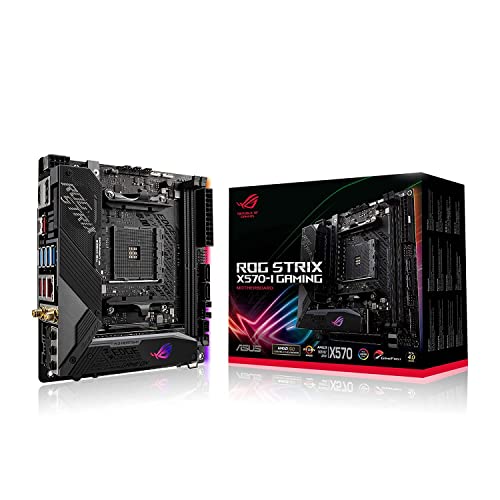
ASUS ROG Strix Mini-ITX Motherboard
Best for: compact AMD AM4 small-form-factor gaming builds
- Chipset
- AMD X570 (what this guide is about)
- CPU Socket
- AM4
- Form Factor
- Mini-ITX
- PCIe Version
- PCIe 4.0
- M.2 Slots
- 2
- Wi-Fi Standard
- Wi-Fi 6 (802.11ax)
This board is an AMD X570 Mini-ITX option built for compact AM4 gaming setups. You get PCIe 4.0 support, Wi-Fi 6 wireless networking, an 8+2 power stage design, and two M.2 storage slots within a 6.7-by-6.7-inch footprint. It includes active VRM and chipset cooling alongside HDMI 2.0 and DisplayPort 1.4 video outputs. This setup suits you if you want socket AM4 hardware in a small-form-factor case.
Pros
- Wi-Fi 6 support up to 2.4Gbps
- Dual M.2 slots with PCIe 4.0 support
- Compact 6.7-by-6.7-inch Mini-ITX dimensions
- 8+2 power stage design
Cons
- Wired networking limited to 1GbE
- Active fan cooling used for VRM and chipset
Good fit if
- You build in a compact Mini-ITX chassis.
- You want dual M.2 slots and Wi-Fi 6 on socket AM4.
Skip if
- You need wired networking speeds higher than 1GbE.
- You prefer completely passive, fanless motherboard cooling.
Verdict: ASUS ROG Strix Mini-ITX Motherboard delivers PCIe 4.0 lanes, dual M.2 slots, and Wi-Fi 6 in a compact 6.7-inch footprint. It gives you full X570 features for small-form-factor AM4 systems.

ASRock Rack Micro-ATX AM4 Server Motherboard
Best for: Micro-ATX AM4 server setups
- Chipset
- AMD X570 (what this guide is about)
- CPU Socket
- AM4
- Form Factor
- Micro-ATX
- Memory Type
- DDR4
- Use Case
- Server
- Dimensions
- 11.9 × 11.1 × 2.76 inches
View on Amazon: ASRock Rack Micro-ATX AM4 Server Motherboard
This ASRock Rack board brings the AMD X570 chipset into a compact Micro-ATX form factor tailored for server use. You get an AM4 PGA 1331 socket that supports 3rd Gen AMD Ryzen processors and 2nd Gen Ryzen chips with Radeon graphics, alongside a 105W power design. With four DDR4 DIMM slots handling memory, it fits you well if you need compact workstation or server hardware.
Pros
- Micro-ATX form factor for smaller builds
- Four DDR4 DIMM memory slots
- Supports 3rd Gen Ryzen and 2nd Gen Ryzen with Radeon Graphics
- Integrated SATA3 and USB 3.2 connectivity
Cons
- Power design is limited to 105W processors
- No integrated Wi-Fi networking listed
- Processor support specified only through 3rd Gen Ryzen
Good fit if
- You need an AMD X570 board in a space-saving Micro-ATX size.
- You are assembling a dedicated server that uses four DDR4 DIMMs.
- You use an AM4 processor rated at 105W or lower.
Skip if
- You plan to run a processor requiring more than 105W of power.
- You require on-board Wi-Fi support.
Verdict: ASRock Rack Micro-ATX Server Motherboard delivers compact server functionality with AMD X570 support and four DDR4 DIMM slots. It offers a focused AM4 platform for 105W processors in smaller builds.

AMD Ryzen 9 and ASUS Prime X570 ATX Bundle
Best for: high-thread Ryzen 9 AM4 desktop builds
- Chipset
- AMD X570 (what this guide is about)
- CPU Socket
- AM4
- Form Factor
- ATX
- Series
- Ryzen 9
- Core Count
- 12 Cores
- Thread Count
- 24 Threads
This bundle pairs an AMD Ryzen 9 5900X processor with an ASUS Prime X570-P ATX motherboard. You get 12 cores, 24 threads, and PCIe 4.0 support on the AM4 socket. The board includes Fan Xpert 4 pump and fan controls alongside Asus Optic-MEM trace routing. It suits you if you need a high-thread Zen 3 desktop foundation for multi-threaded tasks without picking parts separately.
Pros
- Includes a 12-core, 24-thread unlocked desktop processor
- PCIe 4.0 support on the AMD AM4 platform
- Fan Xpert 4 and UEFI controls for fans and AIO pumps
- Asus Optic-MEM trace routing for signal integrity
Cons
- Cooler is not included with the processor
- Requires a separate cooler capable of managing up to 90°C
Good fit if
- You need a 12-core processor paired directly with an ATX AM4 motherboard.
- You intend to run an AIO pump and case fans using dedicated software controls.
Skip if
- You want a boxed processor package that includes a stock cooling fan.
- You need a compact microATX or Mini-ITX build instead of standard ATX.
Verdict: AMD Ryzen 9 and ASUS Prime X570 ATX Bundle pairs a 12-core processor with an AM4 motherboard featuring PCIe 4.0 and dedicated AIO cooling controls. It delivers an integrated setup for heavy multi-threaded workloads, provided you supply your own cooling hardware.

AMD Ryzen 7 5800X3D with ASUS ROG Crosshair VIII Hero
Best for: High-bandwidth wired 8-core gaming builds
- Chipset
- AMD X570 (what this guide is about)
- CPU Socket
- AM4
- Form Factor
- ATX
- Memory Type
- DDR4
- M.2 Slots
- 2
- Core Count
- 8 Cores
View on Amazon: AMD Ryzen 7 5800X3D with ASUS ROG Crosshair VIII Hero
This bundle pairs an 8-core, 16-thread AMD Ryzen 7 5800X3D processor with an ASUS ROG Crosshair VIII Hero ATX motherboard. You get 100 MB of total cache, a 4.5 GHz boost clock, and dual wired network ports running at 2.5 Gbps and 1 Gbps. It suits you if you want a matched CPU and motherboard package built for DDR4-3200 memory and high-bandwidth wired networking.
Pros
- Includes 8-core, 16-thread Ryzen 7 5800X3D CPU with 100 MB cache
- Dual Ethernet ports with 2.5 Gbps and Gigabit speeds
- Active PCH heatsink and dedicated M.2 aluminum heatsinks
- Supports up to two M.2 storage drives and USB 3.2 Gen 2
Cons
- Limited to two M.2 storage drives
- No integrated Wi-Fi listed in specifications
- Memory support tops out at DDR4-3200
Good fit if
- You want an 8-core processor bundled directly with an X570 ATX board.
- You need dual wired networking with 2.5 Gbps and 1 Gbps LAN ports.
- You run DDR4-3200 memory and need up to two M.2 drives.
Skip if
- You need integrated Wi-Fi connectivity directly on the board.
- You plan to install more than two M.2 solid-state drives.
Verdict: AMD Ryzen 7 5800X3D with ASUS ROG Crosshair VIII Hero delivers an 8-core CPU bundle featuring 100 MB cache and 2.5 Gbps dual LAN. It provides a complete core platform for high-bandwidth wired setups.
Specifications side by side
| Spec | MSI MPG X570 Gaming Edge ATX Motherboard | Gigabyte X570 Gaming X ATX Motherboard | Gigabyte Aorus Elite ATX Motherboard | ASUS ROG Strix AM4 ATX Motherboard | MSI MPG Gaming Edge Wi-Fi ATX Motherboard | MSI Carbon AM4 Wi-Fi 6 ATX Motherboard | MSI MPG X570 Gaming Plus ATX Motherboard | ASRock Phantom Gaming AMD X570 Motherboard | GIGABYTE X570 AORUS Elite Wi-Fi ATX Motherboard | ASUS ROG Strix AM4 ATX Motherboard | ASUS ROG Strix Mini-ITX Motherboard | ASRock Rack Micro-ATX AM4 Server Motherboard | AMD Ryzen 9 and ASUS Prime X570 ATX Bundle | AMD Ryzen 7 5800X3D with ASUS ROG Crosshair VIII Hero |
|---|---|---|---|---|---|---|---|---|---|---|---|---|---|---|
| CPU Socket | AM4 | not specified | not specified | AM4 | AM4 | AM4 | AM4 | AM4 | not specified | AM4 | AM4 | AM4 | AM4 | AM4 |
| Chipset | X570 | X570 | X570 | AMD X570 | AMD X570 | AMD X570 | AMD X570 | AMD X570 | X570 | X570S | X570 | AMD X570 | not specified | X570 |
| Form Factor | ATX | ATX | ATX | ATX | ATX | ATX | ATX | not specified | ATX | ATX | Mini-ITX | Micro-ATX | ATX | ATX |
| Memory Type | DDR4 | DDR4 | DDR4 | DDR4 | DDR4 | DDR4 | DDR4 | DDR4 | DDR4 | not specified | not specified | DDR4 | not specified | DDR4 |
| PCIe Version | PCIe 4.0 | PCIe 4.0 | PCIe 4.0 | PCIe 4.0 | PCIe 4.0 | PCIe 4.0 | PCIe 4.0 | not specified | PCIe 4.0 | PCIe 4.0 | PCIe 4.0 | not specified | not specified | not specified |
| M.2 Slots | not specified | 2 | 2 | 2 | not specified | not specified | not specified | 2 | 2 | 2 | 2 | not specified | not specified | 2 |
| Wi-Fi Standard | not specified | not specified | not specified | not specified | not specified | Wi-Fi 6 (802.11ax) | not specified | not specified | 802.11ac | WiFi 6E | Wi-Fi 6 (802.11ax) | not specified | not specified | not specified |
| Ethernet Speed | not specified | GbE | not specified | Gigabit | not specified | not specified | not specified | Gigabit | not specified | 2.5 Gbps, Gigabit | Intel Gigabit Ethernet | not specified | not specified | not specified |
| Power Phases | not specified | 12 | 12 | not specified | not specified | not specified | not specified | 10 | 12+2 | 12+4 | 8+2 | not specified | not specified | not specified |
| Wi-Fi | Wi-Fi 5 | not specified | not specified | not specified | Wi-Fi 5 | Wi-Fi 6 | not specified | not specified | Wi-Fi 5 | Wi-Fi 6E | Wi-Fi 6 | not specified | not specified | not specified |
| Use Case | Gaming | Gaming | Gaming | Gaming | Gaming | not specified | not specified | Gaming | Gaming | Gaming | Gaming | Server | not specified | not specified |
| Series | not specified | not specified | not specified | not specified | not specified | not specified | not specified | not specified | not specified | not specified | not specified | not specified | Ryzen 9 | not specified |
| Core Count | not specified | not specified | not specified | not specified | not specified | not specified | not specified | not specified | not specified | not specified | not specified | not specified | 12 Cores | 8 Cores |
| Thread Count | not specified | not specified | not specified | not specified | not specified | not specified | not specified | not specified | not specified | not specified | not specified | not specified | 24 Threads | 16 Threads |
| Dimensions | 12 × 9.6 × 2.5 inches | 13.2 × 10.6 × 3.14 inches | 13.2 × 10.6 × 3.14 inches | 13.3 × 10.7 × 2.68 inches | 12 × 9.6 × 2.5 inches | 12 × 9.6 × 2.5 inches | 12 × 9.6 × 2.5 inches | 13.6 × 3 × 11.1 inches | 13.2 × 10.6 × 3.14 inches | 12 × 9.6 × 2.2 inches | 6.7 × 6.7 × 2.1 inches | 11.9 × 11.1 × 2.76 inches | not specified | not specified |
| Weight | 4.1 pounds | 3 pounds | 3 pounds | 2.2 pounds | 4.1 pounds | 1.52 pounds | 3.31 pounds | 2.65 pounds | 12.3 ounces | 1.27 pounds | 2.2 pounds | 2.2 pounds | not specified | not specified |
| Size | 1 | not specified | not specified | ROG X570-F|DDR4|WiFi | 1 | 1 | 1 | not specified | not specified | not specified | not specified | not specified | not specified | not specified |
| Model | MSI MPG X570 Gaming Edge WiFi | 889523018026 | X570 AORUS ELITE | ROG STRIX X570-F GAMING | MPG X570 GAMING EDGE WIFI | MPG X570 GAMING PRO CARBON WI-FI | 7C37-004R | X570 Phantom Gaming 4 | 889523018729 | ROG STRIX X570-E GAMING WIFI II | ROG Strix X570-I Gaming | X570D4U-2L2T | 5900X | Ryzen™ 7 5800X3D |
Is an AMD X570 Motherboard Worth It?
An AMD X570 motherboard is worth it if you build around an AM4 processor and need full PCIe 4.0 connectivity. This chipset pairs with DDR4 memory and supports dual PCIe 4.0 M.2 storage drives alongside full-length expansion cards. Listings show X570 designs equipped with 12-phase power delivery, multi-gigabit Ethernet up to 2.5GbE, and active or passive chipset cooling. These specifications support high-demand hardware, including 8-core and 12-core AM4 CPUs, across gaming and server setups.
Worth it if
- You need dual PCIe 4.0 M.2 storage slots for your solid-state drives.
- You plan to run high-thread AM4 processors like 8-core or 12-core Ryzen CPUs.
- You require multi-phase power delivery like a 12-phase VRM with active or passive chipset cooling.
Skip it if
- You use a processor that requires a socket other than AM4.
- You do not need PCIe 4.0 expansion slots or PCIe 4.0 M.2 storage.
- You plan to build a system using memory hardware other than DDR4.
You can pair your PCIe 4.0 motherboard with the best AMD graphics cards to match lane bandwidth and hardware specs.
How We Chose X570 Motherboards
To choose the 14 models for this guide, we identified Amazon listings that specify the AMD X570 chipset in their title or feature list. We include only one variant per product family to keep your options simple. All specifications come directly from published listing data, and products are not physically handled.
We use published specifications to help you compare builds, focusing on form factor, DDR4 memory support, PCIe 4.0 connectivity, and integrated Wi-Fi generation. Products on this page are ordered with products in stock first, then by Amazon sales rank (better-selling products first).
How to Choose an AMD X570 Motherboard
-
Compare Motherboard Use Cases
Check the intended use case before selecting your motherboard. Most X570 boards target gaming desktop builds with multi-channel audio and PCIe 4.0 expansion slots. If you manage networked services or dedicated workstation tasks, a server-oriented board fits your workflow better. For example, the ASRock Rack Micro-ATX AM4 Server Motherboard focuses on server setups supporting 105W AM4 processors and four DDR4 DIMM slots. Verify your operating requirements early so your core system hardware matches your daily computing demands without unnecessary entertainment-oriented add-ons.
-
Check Wired Ethernet Speed
Review the integrated LAN specifications if your desktop relies on wired network connections. Standard boards include 1GbE controllers, which handle everyday web browsing and standard network file transfers. High-bandwidth environments benefit from 2.5GbE controllers that move data across local networks at faster rates. The ASUS ROG Strix AM4 ATX Motherboard model B09GP7V2W5 provides a 2.5GbE interface alongside dual LAN ports. Check your router, local switch, and network cabling capabilities to ensure your home or office infrastructure supports these higher data rates.
-
Review Onboard Wireless Generations
Examine the exact wireless standard if you want integrated networking without installing separate PCIe adapters. X570 motherboards feature different wireless generations ranging from Wi-Fi 5 up to Wi-Fi 6 and Wi-Fi 6E. For instance, the MSI Carbon AM4 Wi-Fi 6 ATX Motherboard supplies integrated Wi-Fi 6 for compatible wireless routers. Higher generations provide updated bandwidth and connectivity features on dense home networks. Match the board specification with your current router hardware so you do not pay for wireless protocol capabilities that your network cannot utilize.
-
Verify Storage Port Configurations
Check the exact count of storage interfaces if you intend to run multiple storage drives. While most X570 models include dual PCIe 4.0 M.2 slots for high-speed NVMe drives, secondary connection counts vary significantly across brands. The ASRock Phantom Gaming AMD X570 Motherboard provides eight SATA3 ports alongside its dual Hyper M.2 slots. Choose higher SATA counts if you plan to install multiple mass-storage hard drives or legacy solid-state drives. Confirm your storage layout before buying to avoid needing add-in expansion cards.
-
Inspect Digital VRM Phases
Review the voltage regulator module specifications to ensure clean power delivery to your processor. Multi-core AM4 processors require stable voltage regulation under sustained computing workloads. Boards provide various power arrangements, such as the 12 phase digital VRM found on the Gigabyte X570 Gaming X ATX Motherboard. Higher phase counts distribute thermal load and power regulation across more hardware components. Check this specification if you run heavy processing tasks or plan on installing high-tier Ryzen processors that draw significant electrical current.
-
Assess Processor Motherboard Bundles
Decide whether you prefer purchasing an independent motherboard or a bundled processor kit. A standalone board lets you choose any compatible AM4 chip independently. A bundle pairs the board directly with a designated CPU, simplifying parts sourcing for a new build. For example, the AMD Ryzen 9 and ASUS Prime X570 ATX Bundle supplies a 12-core, 24-thread 5900X processor with an ATX motherboard. Make sure you check whether the bundle package includes a dedicated CPU cooler before completing your setup planning.
Frequently asked questions
What processor socket do AMD X570 motherboards use?
AMD X570 motherboards use the AM4 processor socket. AM4 supports various Ryzen desktop processors, including Ryzen 2000, 3000, and 5000 series options like the Ryzen 9 5900X and Ryzen 7 5800X3D. This socket interfaces directly with DDR4 system memory and PCIe 4.0 lanes, giving you high bandwidth across your components without changing socket standards.
Which memory type is supported on AMD X570 motherboards?
AMD X570 motherboards support DDR4 system memory. Motherboards like the MSI MPG X570 Gaming Plus can accommodate memory overclocking frequencies up to 4400 MHz. The platform relies exclusively on DDR4 modules across standard dual-channel DIMM slots. You cannot install DDR5 memory on an X570 board because the physical AM4 pin architecture and memory routing only accept DDR4 specifications.
Do all AMD X570 motherboards come with onboard Wi-Fi?
No, not all AMD X570 motherboards come with onboard wireless networking. Certain boards feature wireless connectivity, such as the MSI MPG X570 Gaming Edge with Wi-Fi 5 or the ASUS ROG STRIX X570-E GAMING WIFI II with Wi-Fi 6E. In contrast, models like the Gigabyte X570 Gaming X and Aorus Elite rely purely on wired Gigabit LAN connections for all system network traffic.
Can you build a server using an AMD X570 motherboard?
Yes, you can build server environments using specialized AM4 hardware like the ASRock Rack X570D4U-2L2T motherboard. This Micro-ATX board applies the AMD X570 chipset to enterprise needs, supporting 105W AM4 processors alongside four DDR4 DIMM slots. While standard X570 models target home gaming rigs, server-oriented motherboards focus on steady operation and compact form factors suitable for rackmount or compact enclosures.
What Ethernet networking speeds do AMD X570 boards provide?
AMD X570 motherboards offer either 1GbE or 2.5GbE Ethernet speeds depending on the board design. Standard desktop offerings like the ASUS ROG STRIX X570-F GAMING supply baseline 1GbE wired connectivity. If your local network requires greater bandwidth, premium motherboards like the ASUS ROG STRIX X570-E GAMING WIFI II and ASUS ROG Crosshair VIII Hero provide 2.5GbE dual-LAN connections for high-speed wired data.
Are compact Mini-ITX form factors available on the X570 chipset?
Yes, you can build small-form-factor systems using Mini-ITX options like the ASUS ROG Strix X570-I Gaming. Measuring 6.7 by 6.7 inches, this compact motherboard includes full PCIe 4.0 expansion, dual M.2 storage slots, 1GbE Ethernet, and integrated Wi-Fi 6. It gives you the connectivity and bandwidth of the full AMD X570 platform within a small desktop chassis.
What storage configurations do AMD X570 motherboards offer?
AMD X570 motherboards typically provide dual PCIe 4.0 M.2 slots alongside multiple SATA3 connections. Boards like the Gigabyte Gaming X and Aorus Elite supply dual M.2 connectors for solid-state storage. For setups needing extensive internal drive capacity, options like the ASRock Phantom Gaming 4 feature dual Hyper M.2 PCIe Gen4 slots paired with eight onboard SATA3 ports for connecting multiple drives.