Best DDR3 Motherboards: 15 Spec-Based Picks
As an Amazon Associate we earn from qualifying purchases. Links on this page are affiliate links.
Finding the best DDR3 motherboards requires focusing on specific form factors and legacy socket compatibility. We compared 15 options based strictly on the specifications published on the listings. The Biostar Micro-ATX AM3 Motherboard leads as the top pick for legacy AMD AM3 builds. Its compact 7.5-inch width makes it a solid choice for older hardware upgrades. This guide helps you decide which board fits your size constraints and processor needs.
Quick picks
The best fit for you
- You need the best overall legacy AMD AM3 build Biostar Micro-ATX AM3 Motherboard The Biostar N68S3+ uses Micro-ATX form factor for compact legacy AMD AM3 support.
- You want the most compact multi-network server board Supermicro Mini-ITX i7-3612QE 4GbE Board The Supermicro X9SPV-M4-3QE-O is a Mini-ITX board with dense networking for servers.
- You seek a budget replacement for Dell PowerEdge R410 Dell Server Motherboard 1V648 The Dell 1V648 is an OEM server motherboard designed for specific maintenance tasks.
Our 15 picks

Biostar Micro-ATX AM3 Motherboard
Best for: legacy AMD AM3 builds
- Memory Type
- DDR3 (what this guide is about)
- CPU Socket
- Socket AM3
- Chipset
- nVidia MCP68S
- Form Factor
- Micro ATX
- Dimensions
- 9.6 × 7.5 × 2 inches
View on Amazon: Biostar Micro-ATX AM3 Motherboard Affiliate link
This Biostar Micro ATX board uses Socket AM3 for AMD Phenom II and Athlon II processors. It supports DDR3 memory up to 8GB across two DIMMs. The nVidia MCP68S chipset provides four SATA2 ports and RAID options. You get one PCI-Express x16 slot and two PCI slots. It includes Realtek HD audio and standard I/O ports for basic system builds.
Pros
- Socket AM3 supports AMD Phenom II and Athlon II CPUs
- Two DDR3 DIMMs support up to 8GB of RAM
- Four SATA2 ports with RAID 0, 1, 5, and 10 support
- Micro ATX form factor fits compact cases
Cons
- SATA2 ports offer lower bandwidth than SATA3 found on newer boards
- Only two DDR3 slots limit maximum memory capacity to 8GB
- Micro ATX size provides fewer expansion slots than full ATX boards
Good fit if
- You need a budget-friendly AM3 platform for older AMD CPUs
- You require a compact Micro ATX board for small form factor builds
- You want basic RAID capabilities for data storage
Skip if
- You require SATA3 speeds for high-performance storage
- You plan to use more than 8GB of RAM
- You need support for modern AM4 or AM5 processors
Verdict: Biostar N68S3+ Micro ATX DDR3 is a solid choice for upgrading or building with legacy AMD AM3 processors. It suits users who need a compact, cost-effective solution for older hardware without requiring modern expansion speeds.

Supermicro Mini-ITX i7-3612QE 4GbE Board
Best for: Compact multi-network servers
- Memory Type
- DDR3 (what this guide is about)
- Chipset
- Intel QM77
- Form Factor
- Mini-ITX
- PCIe Version
- PCI-Express 3.0
- Ethernet Speed
- Gigabit Ethernet
- Series
- Core i7
View on Amazon: Supermicro Mini-ITX i7-3612QE 4GbE Board Affiliate link
This Mini-ITX motherboard pairs an Intel Core i7-3612QE processor with DDR3 memory support. It features the Intel QM77 chipset and includes two SODIMM slots for up to 16GB of ECC RAM. You get four RJ45 LAN ports and multiple SATA options. The board is designed for compact systems requiring reliable connectivity and quad-core performance in a small footprint.
Pros
- Intel Core i7-3612QE processor with 3.1GHz max turbo
- Supports up to 16GB ECC DDR3-1600 memory
- Four RJ45 Gigabit Ethernet LAN ports
- Dual SATA3 and quad SATA2 ports with RAID support
Cons
- Limited to 16GB maximum memory capacity
- Uses SODIMM slots instead of standard DIMMs
- Only two SATA3 ports available
Good fit if
- You need a compact Mini-ITX form factor
- You require multiple network interfaces for your setup
- You want ECC memory support for stability
Skip if
- You need more than 16GB of RAM
- You prefer standard desktop DIMM slots
- You require more than two SATA3 ports
Verdict: Supermicro Mini-ITX i7-3612QE DDR3 Board suits users needing a dense, multi-network compact system with ECC memory. It fits those prioritizing connectivity and small size over high RAM capacity.

Supermicro Mini-ITX Celeron Motherboard
Best for: compact DDR3 networking and embedded builds
- Memory Type
- DDR3 (what this guide is about)
- Form Factor
- Mini-ITX
- Ethernet Speed
- 2GbE
- Dimensions
- 13 × 10 × 2 inches
- Weight
- 4 pounds
View on Amazon: Supermicro Mini-ITX Celeron Motherboard Affiliate link
This Supermicro board pairs an integrated Intel Celeron J1900 2.42GHz processor with DDR3 memory support in a compact Mini-ITX form factor. It gives you built-in USB 3.0 connectivity and dual Gigabit Ethernet ports without demanding a separate CPU purchase. If you need a small-footprint system for lightweight networking, basic embedded tasks, or compact media handling that runs on DDR3 memory, this integrated board fits your requirements.
Pros
- Integrated Intel Celeron J1900 2.42GHz processor
- Dual Gigabit Ethernet networking ports
- Compact Mini-ITX form factor
- Onboard USB 3.0 connectivity
Cons
- Integrated processor prevents future CPU upgrades
- Limited expansion options inherent to Mini-ITX size
Good fit if
- You need an all-in-one board with a pre-installed Intel Celeron processor.
- You want dual Gigabit Ethernet ports for compact networking setups.
- You are assembling a space-saving system using DDR3 memory.
Skip if
- You plan to install or upgrade to a standalone desktop processor.
- You need a larger form factor with multiple PCIe expansion slots.
Verdict: Supermicro Mini-ITX Celeron Motherboard delivers a self-contained platform with onboard processing, DDR3 support, and dual network ports. It is an efficient choice when you want a ready-to-run core for compact computing.

Supermicro Mini-ITX DDR3 Motherboard and CPU Combo
Best for: compact all-in-one DDR3 systems
- Memory Type
- DDR3 (what this guide is about)
- Form Factor
- Mini ITX
- Dimensions
- 61.4 × 2.03 × 1.24 inches
- Weight
- 1.88 pounds
View on Amazon: Supermicro Mini-ITX DDR3 Motherboard and CPU Combo Affiliate link
This Supermicro combo board matches a pre-installed processor with a compact Mini-ITX footprint. It runs DDR3 1333 memory and integrates the core computing hardware onto a single board weighing under two pounds. You get a ready-to-run platform designed for space-constrained cases without needing to source a separate CPU. It suits you if you need an all-in-one compact foundation for a dedicated DDR3 build.
Pros
- Mini-ITX compact form factor
- Integrated motherboard and CPU combo design
- DDR3 1333 memory support
Cons
- Integrated CPU prevents processor upgrades
- Memory speed restricted to DDR3 1333
Good fit if
- You need an integrated CPU and motherboard combo in a Mini-ITX size.
- You build with DDR3 1333 memory modules.
Skip if
- You want to swap or upgrade your processor separately.
- You require memory faster than DDR3 1333.
Verdict: Supermicro Mini-ITX DDR3 CPU Combo delivers a fully integrated CPU and motherboard package for compact DDR3 1333 systems. It streamlines your build by pairing processing and board hardware into a standard Mini-ITX footprint.

Dell Server Motherboard 1V648
Best for: Dell PowerEdge R410 server maintenance
- Memory Type
- DDR3 (what this guide is about)
- CPU Socket
- Dual Socket LGA1366
- Chipset
- Intel 5500
- Use Case
- Server
View on Amazon: Dell Server Motherboard 1V648 Affiliate link
This Dell server motherboard, part number 1V648, is designed for the PowerEdge R410 series. It supports DDR3 memory, making it a compatible replacement for older enterprise hardware. The board is built for server use cases, prioritizing stability and compatibility with specific Dell systems. You should choose this if you need a direct swap for a failed component in that specific server line, as it is not a general-purpose consumer board.
Pros
- Compatible with Dell PowerEdge R410 series servers
- Supports DDR3 memory type
- Designed specifically for server use cases
- Identified by part number 1V648
Cons
- Limited to server-specific use cases rather than general computing
- Restricted compatibility to Dell PowerEdge R410 series only
Good fit if
- You need a replacement motherboard for a Dell PowerEdge R410 server
- You are maintaining legacy enterprise hardware that requires DDR3 support
- You are looking for a specific OEM part for server repair
Skip if
- You are building a standard desktop or gaming PC
- You need compatibility with consumer-grade processors or chipsets
- You require modern memory standards like DDR4 or DDR5
Verdict: Dell Server Motherboard 1V648 is a specialized component for IT professionals maintaining Dell PowerEdge R410 infrastructure. It fits users who need exact OEM replacement parts for server maintenance rather than general PC builders.

Supermicro Mini-ITX Quad-Core CPU Combo
Best for: low-power Mini-ITX storage and server builds
- Memory Type
- DDR3 (what this guide is about)
- Form Factor
- Mini-ITX
- PCIe Version
- PCI-Express 2.0
- Core Count
- 4 Cores
- Dimensions
- 13 × 10 × 2 inches
View on Amazon: Supermicro Mini-ITX Quad-Core CPU Combo Affiliate link
This Supermicro Mini-ITX combo integrates an Intel Atom C2550 quad-core processor with a low 14W TDP. It features four DDR3 SODIMM slots supporting up to 64GB of ECC memory at 1333 or 1600 MHz. With two SATA3 and four SATA2 ports plus four USB 3.0 ports, it suits you if you need a compact, low-power platform for network storage or home server builds.
Pros
- Integrated quad-core Intel Atom C2550 processor with 14W TDP
- Supports up to 64GB ECC DDR3 memory across four SODIMM slots
- Six onboard SATA storage ports including two SATA3 and four SATA2
- Includes four USB 3.0 ports and one PCI-Express 2.0 x8 slot
Cons
- Requires 204-pin SODIMM memory modules instead of standard desktop DIMMs
- Expansion slot limited to PCI-Express 2.0 x8 bandwidth
- Storage interface split between two SATA3 ports and four slower SATA2 ports
Good fit if
- You need a low-power quad-core Mini-ITX board with ECC DDR3 memory support.
- You plan to connect up to six SATA storage drives in a compact enclosure.
- You want an integrated processor with a 14W TDP for continuous operation.
Skip if
- You already have standard desktop DDR3 DIMMs rather than SODIMM modules.
- You require a full-bandwidth PCI-Express 3.0 x16 slot for an add-in card.
- You need all SATA storage connections to run at SATA3 speeds.
Verdict: Supermicro Mini-ITX Quad-Core DDR3 Motherboard Combo delivers an integrated 14W Atom processor and support for 64GB of ECC DDR3 SODIMM memory. It provides a compact foundation for low-draw multi-drive storage systems.

Supermicro Mini-ITX Quad-Core Combo
Best for: low-power Mini-ITX storage and network builds
- Memory Type
- DDR3 (what this guide is about)
- Form Factor
- Mini-ITX
- PCIe Version
- PCI-Express 2.0
- Core Count
- 4 Cores
- Dimensions
- 11 × 10 × 2 inches
- Weight
- 10.6 ounces
View on Amazon: Supermicro Mini-ITX Quad-Core Combo Affiliate link
This Supermicro Mini-ITX combo comes with an integrated quad-core Intel Atom C2558 processor rated at a 15W TDP. It provides four 204-pin DDR3 SODIMM slots supporting up to 64GB of ECC memory at 1333 or 1600 MHz. With six total SATA ports and a PCI-Express 2.0 x8 slot, you get a compact, low-power platform suited for your network appliance or storage build.
Pros
- Integrated quad-core Intel Atom C2558 processor with 15W TDP
- Four DDR3 SODIMM slots supporting up to 64GB ECC memory
- Six onboard SATA connections including two SATA3 and four SATA2 ports
- Four external USB 3.0 ports
Cons
- Requires SODIMM memory modules instead of standard desktop DDR3 DIMMs
- Expansion slot is limited to PCI-Express 2.0 x8
- Four of the six SATA ports run at SATA2 speeds
Good fit if
- You need a low-power Mini-ITX board with an integrated quad-core CPU.
- You want up to 64GB of ECC DDR3 memory support in a small footprint.
- You plan to attach up to six internal storage drives.
Skip if
- You already have standard full-size desktop DDR3 memory modules.
- You require a full-length PCI-Express x16 expansion slot.
Verdict: Supermicro Mini-ITX Quad-Core DDR3 Combo pairs an efficient 15W processor with four ECC SODIMM slots for compact server builds. Its six SATA ports and small footprint make it a practical fit when energy use and space are your primary constraints.

ASRock 970M PRO3 Micro-ATX Motherboard
Best for: AMD AM3+ compact storage builds
- Memory Type
- DDR3 (what this guide is about)
- CPU Socket
- Socket AM3+/AM3
- Chipset
- AMD 970 / AMD SB950
- Form Factor
- MicroATX
- PCIe Version
- PCI-Express 2.0
- Dimensions
- 13.8 × 10.5 × 2 inches
View on Amazon: ASRock 970M PRO3 Micro-ATX Motherboard Affiliate link
The ASRock 970M PRO3 is a Micro ATX motherboard designed for AMD AM3+ and AM3 processors. It supports DDR3 memory up to 64GB across four DIMM slots. The board features six SATA3 ports for storage and RAID configurations. It includes two PCIe x16 slots and one PCIe x1 slot. This spec-based pick suits users building compact systems with AMD CPUs.
Pros
- Supports AM3+ and AM3 sockets for AMD processors
- Four DDR3 DIMM slots with 64GB maximum capacity
- Six SATA3 ports supporting RAID 0, 1, 5, and 10
- Dual PCIe x16 slots for graphics expansion
Cons
- Micro ATX form factor limits expansion slots compared to larger boards
- PCIe x16 slots run at x4 speed instead of x16
- Heavier at 2.19 pounds compared to lighter Mini ITX options
Good fit if
- You need a Micro ATX board for an AMD AM3+ system
- You require multiple SATA3 ports for storage arrays
- You want 64GB of DDR3 memory support
Skip if
- You require a full ATX form factor for more expansion slots
- You are building an Intel-based system
- You need PCIe x16 slots running at full x16 speed
Verdict: ASRock 970M PRO3 Micro ATX DDR3 offers solid AMD support and ample storage options for compact builds. It fits users prioritizing RAM capacity and SATA ports in a smaller form factor.

Supermicro Mini-ITX Pentium N3700 Server Motherboard
Best for: compact DDR3 multi-port network server builds
- Memory Type
- DDR3 (what this guide is about)
- CPU Socket
- Socket BGA-1170
- Form Factor
- Mini-ITX
- Dimensions
- 23.6 × 23.6 × 33.5 inches
- Weight
- 6 pounds
View on Amazon: Supermicro Mini-ITX Pentium N3700 Server Motherboard Affiliate link
This Supermicro server motherboard pairs an integrated Intel Pentium N3700 processor with DDR3 memory support on a compact Mini-ITX platform. It includes onboard SATA3, USB 3.0 ports, and four Gigabit Ethernet network ports. If you need a low-power, space-efficient foundation for a dedicated networking appliance or compact home server using standard DDR3 memory, this all-in-one embedded hardware setup gives you key networking and storage controllers on one pre-configured board.
Pros
- Integrated Intel Pentium N3700 quad-core processor
- Four Gigabit Ethernet (4GbE) network ports
- Compact Mini-ITX server form factor
- Native SATA3 and USB 3.0 support
Cons
- Soldered BGA-1170 CPU prevents processor upgrades
- Ships in bulk packaging rather than retail box
- Limited to a single supported processor
Good fit if
- You need quad Gigabit Ethernet ports on a single compact board.
- You want a ready-to-run Intel Pentium N3700 setup paired with DDR3 memory.
- You build small server appliances requiring onboard SATA3 and USB 3.0 connectivity.
Skip if
- You need a socketed board that allows CPU replacements or upgrades.
- You require retail accessories and retail box packaging.
Verdict: Supermicro Mini-ITX Pentium N3700 Motherboard Combo provides quad Gigabit Ethernet ports and integrated processing in a compact server footprint. It serves compact networking setups that rely on DDR3 memory without requiring a separate processor purchase.

Zopsc LGA 1366 X5650 DDR3 Bundle
Best for: Compact workstation builds needing server-grade performance
- Memory Type
- DDR3 (what this guide is about)
- CPU Socket
- LGA 1366
- Ethernet Speed
- 100M
- Power Phases
- 4-phase
- Use Case
- Gaming
- Thread Count
- 12 Threads
View on Amazon: Zopsc LGA 1366 X5650 DDR3 Bundle Affiliate link
This Zopsc bundle pairs an LGA 1366 motherboard with an X5650 six-core processor and 8GB of DDR3 1333MHz RAM. The 95W TDP CPU includes a bundled cooler for stable operation. It offers dual DIMM slots for future memory upgrades up to 16GB. The compact 11.2x11cm form factor fits small cases. This setup suits builders needing server-grade performance on a budget.
Pros
- X5650 six-core processor with 12 threads and 12MB L3 cache
- Includes 8GB DDR3 1333MHz RAM supporting ECC server memory
- Bundled high-airflow CPU cooler with hydraulic bearing for thermal management
- Dual DIMM slots allow upgrades to 16GB capacity
Cons
- RTL8105E 100M LAN limits network speed compared to Gigabit standards
- Compact 11.2x11cm board size restricts expansion slot availability
- 2.34-pound weight adds bulk for portable or small form factor builds
Good fit if
- You need a complete bundle with CPU, RAM, and cooler included
- You are building a compact workstation for heavy multitasking
- You require ECC memory support for server-grade stability
Skip if
- You require Gigabit Ethernet connectivity for high-speed networking
- You plan to use more than two DIMM slots for memory
- You prefer a larger motherboard for extensive expansion capabilities
Verdict: Zopsc LGA 1366 X5650 DDR3 Bundle provides a complete, budget-friendly solution for compact builds requiring server-grade processing power. It fits users who prioritize raw multi-threaded performance and ECC memory stability over high-speed networking or extensive expansion.

Biostar Mini ITX Integrated AMD DDR3 Motherboard
Best for: compact integrated AMD DDR3 setups
- Memory Type
- DDR3 (what this guide is about)
- Form Factor
- mITX
- Dimensions
- 6.69 × 6.69 × 4.09 inches
- Weight
- 1.15 pounds
View on Amazon: Biostar Mini ITX Integrated AMD DDR3 Motherboard Affiliate link
The Biostar Mini ITX Integrated AMD DDR3 Motherboard combines an integrated AMD processor and DDR3 memory support onto a compact 6.69-inch square footprint. With a total weight of approximately 1.15 pounds, it fits small form factor enclosures. This unit suits you if you need an all-in-one motherboard and processor layout for space-constrained computing setups without the need to source a separate CPU.
Pros
- Mini ITX dimensions at 6.69 by 6.69 inches
- Built-in integrated AMD processor
- DDR3 memory standard support
Cons
- Integrated processor limits CPU replacement options
- Lacks detailed onboard expansion slot specifications
Good fit if
- You want a Mini ITX board with an integrated AMD processor.
- You build inside an enclosure requiring a 6.69 by 6.69-inch footprint.
- You plan to use DDR3 memory modules.
Skip if
- You need a socketed board for custom CPU upgrades.
- You require a full-size ATX expansion layout.
Verdict: Biostar Mini ITX Integrated AMD DDR3 Motherboard provides an integrated AMD processor and DDR3 memory layout in a 6.69-inch form factor. It gives you a compact foundation for small-footprint builds.

SHANGZHAOYUAN Mini-ITX LGA 1150 Motherboard
Best for: Compact 4th Gen Intel builds with dual LAN
- Memory Type
- DDR3 (what this guide is about)
- CPU Socket
- LGA 1150
- Chipset
- H97
- Form Factor
- Mini ITX
- PCIe Version
- PCIe 3.0
- M.2 Slots
- 1
View on Amazon: SHANGZHAOYUAN Mini-ITX LGA 1150 Motherboard Affiliate link
This Mini ITX motherboard uses the LGA 1150 socket for Intel 4th Gen Core processors. It supports DDR3 memory with a maximum capacity of 16GB across two DIMM slots. The H97 chipset drives the system, offering PCIe 3.0 connectivity. It includes an M.2 slot for NVMe SSDs and dual gigabit Ethernet ports. This compact board suits users building small form factor systems with older Intel CPUs.
Pros
- LGA 1150 socket supports 4th Gen Intel Core i7, i5, and i3 processors
- Dual channel DDR3 support with up to 16GB capacity
- Includes M.2 slot for NVMe SSD connectivity
- Dual gigabit Ethernet interfaces for network flexibility
- 4-phase power supply with all-solid-state capacitors
Cons
- Mini ITX form factor limits expansion slots compared to larger boards
- Maximum 16GB memory capacity restricts heavy multitasking
- Only two DIMM slots available for RAM upgrades
Good fit if
- You need a compact Mini ITX build for 4th Gen Intel CPUs
- You require dual gigabit Ethernet ports for network redundancy
- You want M.2 NVMe SSD support on a DDR3 platform
Skip if
- You require more than 16GB of system memory
- You plan to use Intel 5th Gen or newer processors
- You need multiple PCIe expansion slots for add-in cards
Verdict: SHANGZHAOYUAN H97 Mini ITX DDR3 fits users building small, focused systems with 4th Gen Intel processors who need dual gigabit networking. It suits those who value compact size over expansion capacity.

PUSOKEI B75 LGA 1155 Combo with Core i5 CPU
Best for: all-in-one LGA 1155 DDR3 system builds
- Memory Type
- DDR3 (what this guide is about)
- CPU Socket
- LGA 1155
- Chipset
- B75
- Power Phases
- 3
- Series
- Core i5
View on Amazon: PUSOKEI B75 LGA 1155 Combo with Core i5 CPU Affiliate link
The PUSOKEI B75 LGA 1155 Combo with Core i5 CPU provides an all-in-one platform featuring an included Intel Core i5-3470 processor, an 8GB DDR3 module, and a cooling fan. You get support for up to 32GB of DDR3 memory, a PCIe x4 M.2 slot reaching 4GB/s, and ten total USB ports. This set suits you if you want a complete legacy package without hunting for separate components.
Pros
- Bundled with Intel Core i5-3470 CPU, 8GB DDR3 RAM, and cooling fan
- PCIe x4 M.2 slot supporting data transfer speeds up to 4GB/s
- Ten total USB ports including four USB 3.0 and six USB 2.0
- Integrated audio and Ethernet network chipsets
Cons
- Three-phase power delivery limits headroom under heavy loads
- Restricted to older LGA 1155 socket processors
Good fit if
- You want an LGA 1155 motherboard bundled with a processor, cooler, and RAM.
- You need high-speed PCIe x4 M.2 SSD storage on a DDR3 motherboard.
- You use multiple external peripherals requiring up to ten USB connections.
Skip if
- You require a robust power design beyond a 3-phase configuration.
- You plan to build with modern DDR4 or DDR5 memory.
Verdict: PUSOKEI B75 LGA 1155 Combo with Core i5 CPU delivers a ready-to-assemble DDR3 foundation with its bundled processor, fan, memory, and fast M.2 slot. It offers straightforward connectivity with ten USB ports for daily setups.
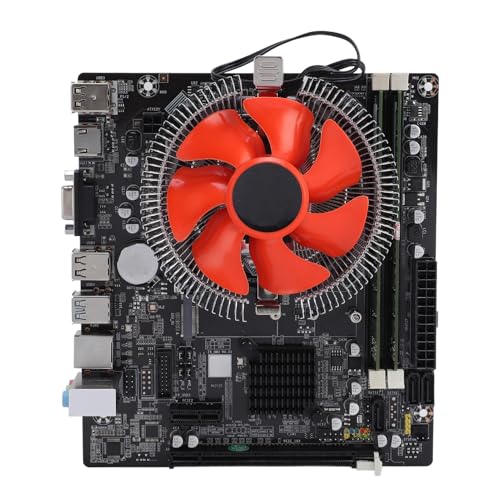
Zunate H81 i5-4570 DDR3 Motherboard Set
Best for: complete DDR3 systems with M.2 SSD support
- Memory Type
- DDR3 (what this guide is about)
- Chipset
- H81
- Ethernet Speed
- Gigabit LAN
- Use Case
- Gaming
- Series
- Core i5
View on Amazon: Zunate H81 i5-4570 DDR3 Motherboard Set Affiliate link
This Zunate H81 motherboard set includes an Intel Core i5-4570 processor and 8GB of DDR3 RAM. It features M.2 SSD support, PCIe 16X slots, and SATA 2.0 interfaces for storage expansion. Connectivity includes USB 3.0 ports and HDMI video output. The board provides stable power regulation and Gigabit Ethernet. It suits users needing a complete DDR3 system for gaming and daily multimedia tasks.
Pros
- Includes Intel Core i5-4570 processor and 8GB DDR3 RAM
- M.2 slot for high-speed SSD storage expansion
- USB 3.0 and USB 2.0 ports for peripheral connectivity
- HDMI and VGA video outputs for display connections
- Gigabit Ethernet for stable network performance
Cons
- SATA 2.0 interfaces limit storage transfer speeds compared to SATA 3.0
- PCIe 16X slot generation is older than PCIe 3.0 or 4.0 standards
- H81 chipset lacks advanced overclocking features found on higher-end boards
Good fit if
- You need a complete DDR3 system with CPU and RAM included
- You want M.2 SSD support for faster storage on a DDR3 platform
- You require HDMI video output for direct monitor connection
Skip if
- You need SATA 3.0 speeds for maximum storage performance
- You plan to overclock your processor extensively
- You require modern PCIe 3.0 or 4.0 expansion slots
Verdict: Zunate H81 i5-4570 DDR3 Motherboard Set delivers a ready-to-use DDR3 platform with M.2 support. It fits users who want a complete i5 system with modern storage options on an older memory standard.

SHANGZHAOYUAN Micro-ATX LGA 1150 DDR3 Motherboard
Best for: 4th Gen Intel builds with four RAM slots
- Memory Type
- DDR3 (what this guide is about)
- CPU Socket
- LGA 1150
- Chipset
- B85
- Form Factor
- Micro-ATX
- PCIe Version
- PCIe 3.0
- Ethernet Speed
- Gigabit
View on Amazon: SHANGZHAOYUAN Micro-ATX LGA 1150 DDR3 Motherboard Affiliate link
This Micro-ATX board features the LGA 1150 socket and Intel B85 chipset, built for 4th Gen Intel Core processors. You get four dual-channel DDR3 memory slots handling up to 32GB of RAM at speeds up to 1866MHz. It includes an M.2 slot supporting NVMe and SATA modes, alongside three SATA 3.0 ports and a PCIe 3.0 x16 slot. It suits you if you need legacy expansion with modern M.2 storage.
Pros
- Four DDR3 slots supporting up to 32GB total memory
- M.2 slot with automatic NVMe and SATA switching
- HDMI, DVI, and VGA video outputs
- PCIe 3.0 x16 slot plus two legacy PCI slots
Cons
- Does not include a CR2032 CMOS battery
- Printed user manual is not included in the package
- Limited to three SATA 3.0 ports
Good fit if
- You have a 4th Gen Intel Core processor using socket LGA 1150.
- You need four memory slots to reach up to 32GB DDR3 RAM.
- You want an M.2 NVMe slot alongside older PCI expansion cards.
Skip if
- You need more than three SATA drive connections.
- You require an included CMOS battery and printed setup manual.
Verdict: SHANGZHAOYUAN Micro-ATX LGA 1150 DDR3 Motherboard provides four DDR3 memory slots and hybrid M.2 storage support for 4th Gen Intel builds. It delivers practical connectivity across both legacy and modern standards.
Specifications side by side
| Spec | Biostar Micro-ATX AM3 Motherboard | Supermicro Mini-ITX i7-3612QE 4GbE Board | Supermicro Mini-ITX Celeron Motherboard | Supermicro Mini-ITX DDR3 Motherboard and CPU Combo | Dell Server Motherboard 1V648 | Supermicro Mini-ITX Quad-Core CPU Combo | Supermicro Mini-ITX Quad-Core Combo | ASRock 970M PRO3 Micro-ATX Motherboard | Supermicro Mini-ITX Pentium N3700 Server Motherboard | Zopsc LGA 1366 X5650 DDR3 Bundle | Biostar Mini ITX Integrated AMD DDR3 Motherboard | SHANGZHAOYUAN Mini-ITX LGA 1150 Motherboard | PUSOKEI B75 LGA 1155 Combo with Core i5 CPU | Zunate H81 i5-4570 DDR3 Motherboard Set | SHANGZHAOYUAN Micro-ATX LGA 1150 DDR3 Motherboard |
|---|---|---|---|---|---|---|---|---|---|---|---|---|---|---|---|
| CPU Socket | Socket AM3 | not stated | not stated | not stated | Dual Socket LGA1366 | not stated | not stated | Socket AM3+/AM3 | Socket BGA-1170 | LGA 1366 | not stated | LGA 1150 | LGA 1155 | not stated | LGA 1150 |
| Chipset | nVidia MCP68S | Intel QM77 | not stated | not stated | Intel 5500 | not stated | not stated | AMD 970 / AMD SB950 | not stated | not stated | not stated | H97 | B75 | H81 | B85 |
| Form Factor | Micro ATX | Mini-ITX | Mini-ITX | Mini ITX | not stated | Mini-ITX | Mini-ITX | MicroATX | Mini-ITX | not stated | mITX | Mini ITX | not stated | not stated | Micro-ATX |
| Memory Type | DDR3 | DDR3 | DDR3 | DDR3 | DDR3 | DDR3 | DDR3 | DDR3 | DDR3 | DDR3 | DDR3 | DDR3 | DDR3 | DDR3 | DDR3 |
| PCIe Version | not stated | PCI-Express 3.0 | not stated | not stated | not stated | PCI-Express 2.0 | PCI-Express 2.0 | PCI-Express 2.0 | not stated | not stated | not stated | PCIe 3.0 | not stated | not stated | PCIe 3.0 |
| M.2 Slots | not stated | not stated | not stated | not stated | not stated | not stated | not stated | not stated | not stated | not stated | not stated | 1 | not stated | not stated | not stated |
| Ethernet Speed | not stated | Gigabit Ethernet | 2GbE | not stated | not stated | not stated | not stated | not stated | not stated | 100M | not stated | Gigabit | not stated | Gigabit LAN | Gigabit |
| Power Phases | not stated | not stated | not stated | not stated | not stated | not stated | not stated | not stated | not stated | 4-phase | not stated | 4-phase | 3 | not stated | 4-phase |
| Use Case | not stated | not stated | not stated | not stated | Server | not stated | not stated | not stated | not stated | Gaming | not stated | Gaming | not stated | Gaming | not stated |
| Series | not stated | Core i7 | not stated | not stated | not stated | not stated | not stated | not stated | not stated | not stated | not stated | Core i7 | Core i5 | Core i5 | Core i7 |
| Core Count | not stated | not stated | not stated | not stated | not stated | 4 Cores | 4 Cores | not stated | not stated | not stated | not stated | not stated | not stated | not stated | not stated |
| Thread Count | not stated | not stated | not stated | not stated | not stated | not stated | not stated | not stated | not stated | 12 Threads | not stated | not stated | not stated | not stated | not stated |
| Dimensions | 9.6 × 7.5 × 2 inches | 18 × 4 × 15 inches | 13 × 10 × 2 inches | 61.4 × 2.03 × 1.24 inches | not stated | 13 × 10 × 2 inches | 11 × 10 × 2 inches | 13.8 × 10.5 × 2 inches | 23.6 × 23.6 × 33.5 inches | 8.27 × 6.69 × 2.36 inches | 6.69 × 6.69 × 4.09 inches | 6.7 × 6.69 × 6.7 inches | not stated | not stated | not stated |
| Weight | not stated | not stated | 4 pounds | 1.88 pounds | not stated | not stated | 10.6 ounces | 2.19 pounds | 6 pounds | 2.34 pounds | 1.15 pounds | not stated | not stated | not stated | not stated |
| Model | N68S3+ | X9SPV-M4-3QE-O | MBD-X10SBA | MBD-A1SAi-2750F-O | not stated | A1SAI-2550F-O | A1SRI-2558F-O | 970M PRO3 | MBD-X11SBA-LN4F-B | Zopsc8nb65mcty1 | A68N-2100K | H97-STRONG | PUSOKEIcwnk10o2qf | Zunatefn2vamihrx | B85M PRO |
| Size | not stated | not stated | not stated | not stated | not stated | not stated | not stated | not stated | 8 Gb | not stated | not stated | not stated | not stated | not stated | not stated |
| Color | not stated | not stated | not stated | not stated | not stated | not stated | not stated | not stated | not stated | Default | not stated | not stated | not stated | not stated | not stated |
Is a DDR3 Motherboard Worth It?
Selecting DDR3 locks hardware compatibility to specific legacy architectures, including Socket AM3, LGA 1150, and LGA 1155 platforms. In daily use, DDR3 motherboards support basic multi-channel desktop computing, low-power embedded Atom or Celeron servers, and multi-drive storage networks. Systems run standard frequencies such as DDR3 1333 across desktop DIMM or server ECC SODIMM configurations. Choosing this memory type lets you deploy legacy Core i5, Core i7, or integrated processors while retaining essential expansion like PCIe 3.0 slots, SATA arrays, and hybrid M.2 connections across compact and full-sized form factors.
Worth it if
- You plan to run an LGA 1150, LGA 1155, or Socket AM3 processor.
- You build a low-power Mini-ITX network server utilizing embedded processors and ECC SODIMM memory.
- You want an all-in-one combo motherboard bundled with an integrated processor.
Skip it if
- You need a platform that requires newer DDR4 or DDR5 memory architecture.
- You plan to use processors beyond 4th Gen Intel Core or AMD Socket AM3 chips.
If you plan a portable DDR3 build, match your motherboard video outputs with an external 120Hz portable monitor to support higher display refresh rates.
How We Picked DDR3 Motherboards
For 2026, we selected 15 motherboards from listings that specifically state DDR3 memory support in their title or published feature list. Memory type DDR3 specifies the RAM generation supported by the motherboard, defining your memory bandwidth, voltage, and module slot fit. We display only one size or variant from each product family. Every detail comes entirely from published specifications, as we do not physically handle or test products.
The guide shows products in stock first. When organizing these picks for you, we examined technical specifications such as Mini-ITX, Micro-ATX, and ATX form factors, integrated processor configurations, and peripheral connection options. Product availability and listing specifications refresh at least daily to keep the information current.
How to Choose the Right DDR3 Motherboard
-
Match Board Form Factor
You must match the motherboard form factor to your computer case dimensions. DDR3 boards come in Mini-ITX, Micro-ATX, and ATX sizes. Compact enclosures require Mini-ITX layouts, while standard towers accommodate larger options. For example, the ASRock Quad-Core ATX DDR3 Motherboard uses a full-size ATX footprint, offering more space across the circuit board. Choosing a smaller Mini-ITX or Micro-ATX format allows installation in restricted enclosures. Always verify your case mounting points and clearance specs before you decide on a motherboard footprint.
-
Verify CPU Socket Compatibility
You need to check the CPU socket to ensure your chosen processor physically fits and communicates with the board. DDR3 platforms feature diverse sockets, including Intel LGA 1150, LGA 1155, and AMD Socket AM3. Sockets are not interchangeable. For instance, the Biostar Micro-ATX AM3 Motherboard accepts AMD AM3 processors for setups under 95W. Pairing an incompatible processor generation with the wrong socket prevents installation entirely. Review your processor generation and socket type against the board specifications before buying any DDR3 motherboard.
-
Count Memory Slot Requirements
Check the physical RAM slot count to accommodate your planned memory capacity. Many compact DDR3 boards provide only two slots, limiting total memory expansion and multi-channel configurations. If you require higher RAM capacity for multi-tasking or virtualization, prioritize a board with four memory slots. The SHANGZHAOYUAN Micro-ATX LGA 1150 Motherboard delivers four DDR3 memory slots for broader memory configurations. Verify whether you need standard desktop DIMMs or compact SODIMMs, and check maximum memory limits to ensure your memory kit works properly.
-
Check M.2 NVMe Storage
Storage connectivity dictates data transfer speeds and drive compatibility in your system. While older DDR3 boards rely exclusively on SATA ports, select models incorporate modern M.2 connectors. If you plan to install a high-speed solid-state drive, look for dedicated NVMe storage support. The Tangxi Mini-ITX LGA 1150 Motherboard integrates an NVMe M.2 slot directly into its compact layout. Confirm whether the onboard M.2 slot supports NVMe protocol, SATA protocol, or both, so your solid-state storage matches the motherboard specifications.
-
Evaluate Network Port Counts
You must inspect Ethernet specifications if you intend to run networking tasks, routing, or storage appliances. Standard desktop systems need only a single gigabit port, but specialized network setups demand multiple physical jacks. For multi-connection environments, choose a board with expanded network interfaces. The Supermicro Mini-ITX Pentium N3700 Server Motherboard provides quad Gigabit Ethernet ports for dedicated network segregation. Review the published port count and speed ratings on the spec sheet to verify that the board handles your planned network throughput.
-
Inspect PCIe Expansion Generation
Examine the PCIe expansion generation to ensure proper bandwidth for discrete graphics cards or add-in expansion cards. Motherboards in the DDR3 category feature varying bus speeds across their slots. Choosing a model with PCIe 3.0 provides higher data transfer bandwidth for compatible expansion devices compared to earlier standards. The SHANGZHAOYUAN Micro-ATX LGA 1150 DDR3 Motherboard specifies PCIe 3.0 connectivity on its expansion architecture. Always verify the PCIe generation and physical lane configuration to ensure your expansion cards operate at their full rated capability.
Frequently asked questions
Can I use DDR4 RAM with these boards?
No. The listed motherboards support DDR3 memory only. DDR4 and DDR3 have different physical notches and voltages, making them incompatible. You must use DDR3 modules to ensure the system boots and operates correctly with these specific legacy platforms.
Do these motherboards come with CPUs included?
Some do, while others require a separate processor purchase. The Supermicro Mini-ITX Celeron Motherboard and the Supermicro Mini-ITX DDR3 Motherboard and CPU Combo include integrated or bundled processors. In contrast, the Biostar Micro-ATX AM3 Motherboard and the ASRock 970M PRO3 require you to supply a compatible CPU separately.
What is the smallest form factor available?
Mini-ITX is the smallest form factor found in this selection. Boards like the Supermicro X9SPV-M4-3QE-O and the SHANGZHAOYUAN H97-STRONG measure approximately 6.7 by 6.7 inches. This size fits into compact cases ideal for embedded systems or small networking servers where space is limited.
Are these suitable for modern gaming?
They are generally not ideal for modern high-end gaming. Most listed boards target legacy AMD AM3, LGA 1150, or server use cases. While the SHANGZHAOYUAN H97-STRONG lists gaming as a use case, the DDR3 memory standard and older chipsets limit performance compared to current-generation platforms.
How many SATA ports do these boards have?
The number varies by model. The Supermicro Mini-ITX Quad-Core Combo (A1SRI-2558F-O) features six SATA ports, supporting multiple drives. Other models like the Biostar N68S3+ or the Dell Server Motherboard do not list specific SATA counts in their published specifications, so you should verify the exact port count for your storage needs.
Do these support ECC memory?
Several models support ECC memory for stability. The Supermicro Mini-ITX i7-3612QE Board and the Supermicro Mini-ITX Quad-Core CPU Combo explicitly support ECC DDR3 SODIMM memory. This feature is common in server and embedded boards to prevent data corruption, whereas consumer boards like the ASRock 970M PRO3 typically do not emphasize this specification.
Can I use M.2 SSDs on these boards?
Some newer legacy boards include M.2 slots. The PUSOKEI B75 Combo and the Zunate H81 i5-4570 Set explicitly support M.2 SSDs for fast storage. The SHANGZHAOYUAN Micro-ATX LGA 1150 Motherboard also offers hybrid M.2 support. Older boards like the Biostar N68S3+ likely rely on traditional SATA connections.