Best Intel Processors with 8 Cores in 2026: 7 Picks
As an Amazon Associate we earn from qualifying purchases. Links on this page are affiliate links.
Selecting the best intel processors with 8 cores requires balancing clock frequency, socket compatibility, and thermal design power. This guide compares 7 processors based strictly on the specifications published on their product listings.
The Intel Core i9-9900K 8-Core Processor leads the list because it delivers clock speeds reaching 5.00 GHz within a 95W TDP on LGA 1151 motherboards. This guide helps you choose the correct socket platform, power envelope, and core speed for your desktop build.
Quick picks
The best fit for you
- You want high clock speeds for LGA 1151 builds Intel Core i9-9900K 8-Core Processor It reaches 5.00 GHz clock speeds with an 8-core design on the LGA 1151 socket.
- You need an 8-core processor for LGA 2066 workstations Intel Xeon W-2245 8-Core Processor This processor fits LGA 2066 sockets and delivers 16 threads alongside 16.5 MB of cache.
- You want the highest boost speeds on LGA 1200 Intel Core i9-11900KF 8-Core Processor It provides boost clock speeds up to 5.3 GHz across 8 cores for LGA 1200 motherboards.
- You need integrated graphics on an LGA 1151 setup Intel Core i7-9700K 8-Core Processor It features integrated graphics and reaches 4.90 GHz speeds within a 95W TDP profile.
Our 7 picks

Intel Core i9-9900K 8-Core Processor
Best for: high-speed Intel 300 series LGA1151 desktop builds
- Core Count
- 8 Cores (what this guide is about)
- Thread Count
- 16 Threads
- CPU Socket
- LGA1151
- Max Boost Clock
- 5.00 GHz
- Base Clock
- 3.60 GHz
- Cache Size
- 16 MB
View on Amazon: Intel Core i9-9900K 8-Core Processor Affiliate link
The Intel Core i9-9900K 8-Core Processor gives you 8 cores and 16 threads for demanding desktop workloads. It operates at a 3.60 GHz base clock and reaches up to 5.00 GHz with turbo boost. With 16 MB of cache and integrated Intel UHD Graphics 630, it suits your system if you build or upgrade around an Intel 300 series motherboard using the LGA1151 socket with a 95W base power target.
Pros
- Reaches up to 5.00 GHz max boost clock
- Provides 8 cores and 16 threads for multitasking
- Includes integrated Intel UHD Graphics 630
- Supports Intel Optane Memory
Cons
- Compatible only with Intel 300 Series chipsets
- Requires an LGA1151 socket motherboard
Good fit if
- You already own or plan to use an Intel 300 series LGA1151 motherboard.
- You need integrated graphics without installing a separate video card.
- You run multithreaded desktop applications that benefit from 16 threads.
Skip if
- You use a motherboard that does not feature an Intel 300 series chipset.
- You require a processor for a socket other than LGA1151.
Verdict: Intel Core i9-9900K 8-Core Processor delivers high single-core and multithreaded performance with speeds reaching 5.00 GHz. It remains a capable 8-core option for existing Intel 300 series motherboard setups.

Intel Xeon W-2245 8-Core Processor
Best for: LGA 2066 workstation builds
- Core Count
- 8 Cores (what this guide is about)
- Thread Count
- 16
- CPU Socket
- FCLGA2066
- Max Boost Clock
- 4.50 GHz
- Base Clock
- 3.90 GHz
- Cache Size
- 16.5 MB
View on Amazon: Intel Xeon W-2245 8-Core Processor Affiliate link
The Intel Xeon W-2245 is an eight-core workstation processor built for FCLGA2066 motherboards. It offers 16 threads, a 3.90 GHz base frequency, and a 4.50 GHz boost clock alongside 16.5 MB of cache. It supports DDR4 memory and operates with a 155 W TDP. This CPU suits you if you need dedicated workstation hardware with high base clock speeds on the LGA 2066 platform.
Pros
- High 3.90 GHz base frequency and 4.50 GHz boost clock
- 8 cores and 16 threads for multithreaded tasks
- 16.5 MB onboard cache
- DDR4 memory support on FCLGA2066 socket
Cons
- High power requirement with a 155 W TDP
- Requires a specialized FCLGA2066 motherboard
Good fit if
- You build or maintain a workstation using an LGA 2066 socket motherboard.
- You need high base clock speeds reaching 3.90 GHz across 8 cores.
Skip if
- You use a standard desktop motherboard rather than an FCLGA2066 board.
- You need a low-power processor rated below 155 W.
Verdict: Intel Xeon W-2245 8-Core Processor delivers strong 3.90 GHz base speeds and 16 threads for LGA 2066 systems. It is an effective option when you need 16.5 MB of cache on workstation-class hardware.

Intel Core i9-9900K 8-Core Processor
Best for: LGA1151 motherboards needing high clock speeds
- Core Count
- 8 Cores (what this guide is about)
- Thread Count
- 16 Threads
- CPU Socket
- LGA1151
- Max Boost Clock
- 5.00 GHz
- Base Clock
- 3.60 GHz
- Cache Size
- 16 MB
View on Amazon: Intel Core i9-9900K 8-Core Processor Affiliate link
The Intel Core i9-9900K Desktop Processor delivers 8 cores and 16 threads with a 3.60 GHz base clock and a 5.00 GHz maximum boost speed. It includes 16 MB of cache and integrated Intel UHD Graphics 630 at a 95W base power rating. If you run a compatible Intel 300 Series motherboard, this unlocked chip gives you high clock frequencies and multi-threaded processing without requiring a discrete graphics card.
Pros
- 8 cores and 16 threads handle multi-threaded tasks
- Max boost clock reaches up to 5.00 GHz
- Integrated Intel UHD Graphics 630 provides display capability
- 16 MB cache with Intel Optane Memory support
Cons
- Compatible only with motherboards based on Intel 300 Series chipsets
- Restricted to the older LGA1151 socket
Good fit if
- You have an Intel 300 Series motherboard with an LGA1151 socket.
- You need 16 threads and boost speeds up to 5.00 GHz.
- You want integrated display output without a dedicated graphics card.
Skip if
- You use a motherboard that is not built on an Intel 300 Series chipset.
- You require a platform that supports newer CPU socket designs.
Verdict: Intel Core i9-9900K Desktop Processor provides 8 cores, 16 threads, and a 5.00 GHz boost ceiling for LGA1151 builds. It is a capable upgrade choice if you already own an Intel 300 Series motherboard.
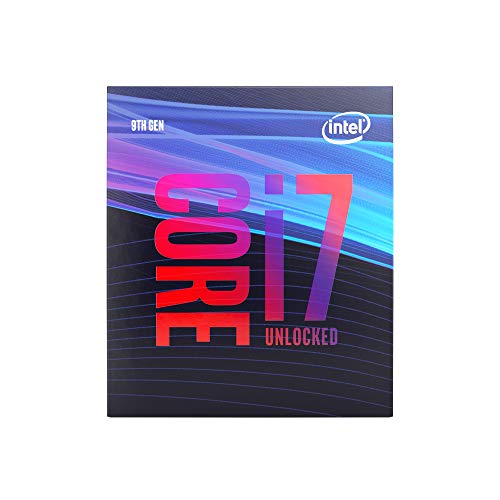
Intel Core i7-9700K 8-Core Processor
Best for: LGA1151 systems needing 8-core processing power
- Core Count
- 8 Cores (what this guide is about)
- Thread Count
- 8 Threads
- CPU Socket
- LGA1151
- Max Boost Clock
- 4.90 GHz
- Base Clock
- 3.60 GHz
- Cache Size
- 12 MB
View on Amazon: Intel Core i7-9700K 8-Core Processor Affiliate link
The Intel Core i7-9700K is an 8-core, 8-thread desktop processor designed for Intel 300-series motherboards using the LGA1151 socket. It features a 3.60 GHz base clock, reaches up to 4.90 GHz boost, and includes 12 MB of cache. It operates at a 95W base power and integrates Intel UHD Graphics 630. This CPU suits you if you need reliable eight-core processing for LGA1151 motherboards without requiring simultaneous multi-threading support.
Pros
- 3.60 GHz base clock with boost up to 4.90 GHz
- Integrated Intel UHD Graphics 630
- Supports Intel Optane Memory
- 12 MB cache with 95W base power
Cons
- Cooling device not included
- 8 threads across 8 cores with no multi-threading
- Compatible only with Intel 300 Series chipsets
Good fit if
- You have an Intel 300-series motherboard with an LGA1151 socket.
- You want an 8-core processor with integrated UHD Graphics 630.
- You already have a dedicated cooling solution.
Skip if
- You need more than 8 processing threads.
- You require ECC memory support.
- You use a motherboard outside the Intel 300 series.
Verdict: Intel Core i7-9700K 8-Core Processor delivers 8 cores reaching up to 4.90 GHz for LGA1151 setups. It provides integrated graphics and 95W base power, though it lacks an included cooler.

Intel Core i7 8-Core Unlocked Processor
Best for: LGA 1200 builds needing unlocked 8-core performance
- Core Count
- 8 Cores (what this guide is about)
- Thread Count
- 16 Threads
- CPU Socket
- LGA 1200
- Max Boost Clock
- 5.1 GHz
- Base Power
- 125W
- Series
- Core i7
View on Amazon: Intel Core i7 8-Core Unlocked Processor Affiliate link
This Intel Core i7 desktop processor delivers 8 cores and 16 threads on the LGA 1200 socket. It features an unlocked multiplier reaching up to a 5.1 GHz boost clock and operates at a 125W base power. If you need multi-threaded performance alongside high clock speeds for unlocked tuning on an Intel 400 series motherboard, this processor fits your build.
Pros
- 8 cores and 16 threads
- Up to 5.1 GHz unlocked clock speed
- Intel Turbo Boost Max Technology 3.0 support
- Intel Optane Memory support
Cons
- 125W base power requires adequate cooling
- Requires an Intel 400 series LGA 1200 motherboard
Good fit if
- You have an LGA 1200 Intel 400 series motherboard.
- You want 8 cores, 16 threads, and unlocked clock speeds up to 5.1 GHz.
Skip if
- You use a motherboard outside the Intel 400 series LGA 1200 platform.
- You want a processor with a base power lower than 125W.
Verdict: Intel Core i7 8-Core Desktop Processor delivers 16 threads and up to 5.1 GHz speeds for LGA 1200 motherboards. It handles heavy computing tasks if your system supports its 125W power profile.

Intel Core i9-11900KF 8-Core Processor
Best for: high-clock LGA1200 systems with dedicated graphics
- Core Count
- 8 Cores (what this guide is about)
- CPU Socket
- LGA1200
- Max Boost Clock
- 5.3 GHz
- Base Power
- 125W
- Series
- Core i9
- Dimensions
- 1.5 × 1.5 × 0.2 inches
View on Amazon: Intel Core i9-11900KF 8-Core Processor Affiliate link
The Intel Core i9-11900KF is an 8-core desktop processor built for the LGA1200 socket. It delivers clock speeds up to 5.3 GHz and operates at a 125W base power specification. This unlocked chip fits builds centered on Intel 500 series or select 400 series motherboards. You will find it suitable if you want high boost clock frequency for your system and already plan to use dedicated discrete graphics hardware.
Pros
- Maximum boost clock speed reaches up to 5.3 GHz
- Eight physical processing cores
- Unlocked processor multiplier
- Compatible with Intel 500 series and select 400 series boards
Cons
- Requires a dedicated graphics card due to lack of integrated graphics
- Base power rating is relatively high at 125W
- Limited specifically to LGA1200 CPU sockets
Good fit if
- You have an Intel 500 series or compatible 400 series LGA1200 motherboard.
- You need boost clock speeds reaching up to 5.3 GHz.
- You plan to use a discrete dedicated graphics card.
Skip if
- You require integrated graphics for display output.
- You have a motherboard that uses a socket other than LGA1200.
- You want a low-power processor operating below 125W base power.
Verdict: Intel Core i9-11900KF 8-Core Processor delivers clock speeds up to 5.3 GHz across 8 cores on the LGA1200 platform. It serves builds requiring high boost frequency alongside dedicated graphics hardware.

Intel Core i7-11700KF 8-Core Processor
Best for: high-clocked LGA1200 8-core desktop builds
- Core Count
- 8 Cores (what this guide is about)
- CPU Socket
- LGA1200
- Max Boost Clock
- 5.0 GHz
- Base Power
- 125W
- Series
- Core i7
- Dimensions
- 1.5 × 1.5 × 0.2 inches
View on Amazon: Intel Core i7-11700KF 8-Core Processor Affiliate link
The Intel Core i7-11700KF 8-Core Processor delivers multi-threaded computing on the LGA1200 platform. It features 8 cores, reaches a max boost clock of 5.0 GHz with Intel Turbo Boost Max Technology 3.0, and supports PCIe Gen 4.0. With a 125W base power rating, you will need a dedicated cooling solution. This processor suits you if you are building an LGA1200 system with a compatible motherboard.
Pros
- Max boost clock reaches up to 5.0 GHz
- Supports PCIe Gen 4.0 lanes
- Features Intel Turbo Boost Max Technology 3.0
- Includes Intel Optane Memory support
Cons
- No thermal solution included in the box
- 125W base power requires dedicated aftermarket cooling
Good fit if
- You have an Intel 500 series or select 400 series LGA1200 motherboard.
- You already have a dedicated cooling solution rated for 125W TDP.
- You want up to 5.0 GHz clock speeds across 8 cores.
Skip if
- You need a CPU cooler bundled in the box.
- You use a motherboard socket other than LGA1200.
Verdict: Intel Core i7-11700KF 8-Core Processor pairs 8 cores with 5.0 GHz boost speeds and PCIe Gen 4.0 connectivity on the LGA1200 socket. It is a solid unlocked option if you supply your own thermal solution.
Specifications side by side
| Spec | Intel Core i9-9900K 8-Core Processor | Intel Xeon W-2245 8-Core Processor | Intel Core i9-9900K 8-Core Processor | Intel Core i7-9700K 8-Core Processor | Intel Core i7 8-Core Unlocked Processor | Intel Core i9-11900KF 8-Core Processor | Intel Core i7-11700KF 8-Core Processor |
|---|---|---|---|---|---|---|---|
| Core Count | 8 Cores | 8 | 8 Cores | 8 Cores | 8 Cores | 8 Cores | 8 cores |
| Thread Count | 16 Threads | 16 | 16 Threads | 8 Threads | 16 Threads | not stated | not stated |
| CPU Socket | LGA1151 | FCLGA2066 | LGA1151 | LGA1151 | LGA 1200 | LGA1200 | LGA1200 |
| Max Boost Clock | 5.00 GHz | 4.50 GHz | 5.00 GHz | 4.90 GHz | 5.1 GHz | 5.3 GHz | 5.0 GHz |
| Base Clock | 3.60 GHz | 3.90 GHz | 3.60 GHz | 3.60 GHz | not stated | not stated | not stated |
| Cache Size | 16 MB | 16.5 MB | 16 MB | 12 MB | not stated | not stated | not stated |
| Base Power | 95W | 155 W | 95W | 95W | 125W | 125W | 125W |
| Integrated Graphics | Intel UHD Graphics 630 | not stated | Intel UHD Graphics 630 | Intel UHD Graphics 630 | not stated | not stated | not stated |
| Series | Core i9 | not stated | Core i9 | Core i7 | Core i7 | Core i9 | Core i7 |
| TDP | 95W | not stated | 95W | 95W | 125W | 125W | 125W |
| Dimensions | 2.91 × 4.41 × 4.61 inches | not stated | 2.91 × 4.41 × 4.61 inches | 4.57 × 3.98 × 2.76 inches | 7.09 × 6.3 × 3.94 inches | 1.5 × 1.5 × 0.2 inches | 1.5 × 1.5 × 0.2 inches |
| Weight | not stated | 1 pounds | not stated | 1.59 ounces | not stated | 2.47 ounces | 1.8 ounces |
| Model | SRELS | SRH02 | BX80684I99900K | BX80684I79700K | i7-10700K | BX8070811900KF | BX8070811700KF |
| Size | not stated | not stated | I9-9900K | I7-9700K | 1.5"x1.5" | 1.5"x1.5" | 1.5"x1.5" |
If you need kitchen gear rather than computer hardware, compare the best 8-Cup food processors by capacity.
How to Choose an 8-Core Intel Processor
-
Match Cooler to TDP
Check the thermal design power specification before selecting your cooling hardware. The 8-core processors in this list feature base power ratings of either 95W or 125W. Higher power models demand heavy-duty aftermarket cooling solutions, especially because processors such as the Intel Core i7-9700K do not include a stock cooler in the box. A 95W rating works with moderate cooling setups, whereas a 125W rating requires substantial thermal headroom to sustain peak operations without encountering thermal throttling during intensive tasks.
-
Verify Integrated Graphics Support
Determine whether your build includes a dedicated graphics card before choosing a processor. Models ending with a KF designation lack integrated graphics silicon entirely. For example, the Intel Core i9-11900KF requires a discrete graphics card to output video to a monitor. If you plan to build a system without an add-in video card, choose a processor specification that includes onboard integrated graphics instead. Reviewing this detail prevents a situation where your assembled computer cannot output a display signal upon initial boot.
-
Review PCIe Bus Support
Check the peripheral component interconnect express standard supported by your processor to ensure bandwidth targets match your expansion hardware. Modern components benefit from newer interface standards. The Intel Core i7-11700KF supports PCIe Gen 4.0 connectivity, allowing higher transfer rates for compatible storage drives and add-in cards when paired with a matching motherboard. Older architectures limit transfer lanes to previous revisions. If your peripheral cards require PCIe Gen 4.0 bandwidth, confirm this specific bus standard on the processor specification sheet prior to purchase.
-
Evaluate Thread and Cache Specs
Examine the thread count and cache memory to match your computing workloads. While all models here feature 8 cores, thread counts differ between 8 and 16 threads across the lineup. Workstation-oriented choices like the Intel Xeon W-2245 provide 16 threads alongside 16.5 MB of cache memory. More threads and larger cache pools improve multitasking efficiency, background compute handling, and workstation software performance. If your daily applications handle multithreaded rendering or data processing, prioritize chips that supply 16 threads over 8-thread alternatives.
-
Compare Peak Clock Speeds
Compare the maximum clock frequency if your workloads depend on high per-core speed. Maximum clock rates across these 8-core processors range from 4.90 GHz up to 5.3 GHz. The Intel Core i7 8-Core Unlocked Processor reaches speeds up to 5.1 GHz for single-threaded responsiveness. Higher boost frequencies deliver faster execution for applications that rely heavily on a single core rather than broad thread distribution. Examine both the base clock and maximum rated boost speed to verify the processor meets your performance needs.
-
Confirm Motherboard Chipset Generation
Verify the exact motherboard chipset series supported by the processor before finalizing your build. Sockets can span distinct chipset generations that do not share backward or forward compatibility. For instance, the Intel Core i9-9900K 8-Core Processor requires an Intel 300 series motherboard setup. Placing this processor into an incompatible platform will prevent the system from booting even if physical pin dimensions appear similar. Always cross-reference the manufacturer motherboard compatibility table against the listed processor model to ensure complete platform operation.
Frequently asked questions
Which 8-core Intel processors require a discrete graphics card?
Processors ending in KF, such as the Intel Core i9-11900KF and Intel Core i7-11700KF, require a discrete graphics card because they lack integrated graphics hardware. In contrast, models like the Intel Core i7-9700K feature integrated display outputs. If you select a KF-designated unit, make sure your build includes a separate video card to generate a video signal on your display monitor.
What is the highest boost clock speed among these 8-core Intel processors?
The Intel Core i9-11900KF offers the highest boost speed in this group, reaching up to 5.3 GHz across its 8 cores. The Core i7-10700K follows closely with a peak frequency of 5.1 GHz, while the Core i9-9900K reaches 5.00 GHz. Higher maximum clock rates allow individual processing threads to complete computing workloads faster during intensive desktop operations.
Do any of these 8-core Intel processors support PCIe Gen 4.0?
Yes, the Intel Core i7-11700KF explicitly supports PCIe Gen 4.0 connectivity on the LGA 1200 socket. This generation provides double the bandwidth per lane compared to older PCIe 3.0 standards, which benefits compatible solid-state drives and modern graphics add-in cards. Older options like the 9th generation Core i9-9900K and Core i7-9700K rely on prior PCI Express revisions on the LGA 1151 interface.
Which 8-core processor is designed specifically for workstation platforms?
The Intel Xeon W-2245 is engineered specifically for workstation systems built on the LGA 2066 platform. Unlike standard Core series desktop processors, this Xeon chip provides 16.5 MB of cache alongside its 8 cores and 16 threads. It runs at a base clock speed of 3.90 GHz, catering to dedicated technical setups that rely on workstation-grade motherboard chipsets and specialized hardware configurations.
Do these 8-core Intel processors come with factory stock coolers?
No, these unlocked K, KF, and Xeon processors do not include a cooling fan in the retail box. For instance, listings for the Core i7-9700K and Core i7-11700KF confirm you must supply your own thermal solution. Because these chips feature power envelopes of 95W to 125W, you will need a capable standalone air cooler or liquid cooling setup designed for your specific socket.
Can you install an 8-core Core i9-9900K on an LGA 1200 motherboard?
No, you cannot install the Intel Core i9-9900K on an LGA 1200 motherboard. The Core i9-9900K physically requires an Intel 300 series LGA 1151 socket. LGA 1200 motherboards only support compatible 10th and 11th generation chips, such as the Core i7-10700K and Core i9-11900KF. Attempting to fit an LGA 1151 CPU into an LGA 1200 socket will cause socket and hardware damage.
Which 8-core Intel processors use the LGA 1200 socket?
The Intel Core i7-10700K, Core i9-11900KF, and Core i7-11700KF all operate on the LGA 1200 socket. Each of these unlocked 8-core desktop processors features a 125W TDP rating and supports boost clocks reaching from 5.0 GHz up to 5.3 GHz. When choosing an LGA 1200 motherboard, remember that KF models lack integrated graphics and require a separate graphics card.