Best Core i9 Processors in 2026: 15 Picks Ranked by Specs
As an Amazon Associate we earn from qualifying purchases. Links on this page are affiliate links.
Choosing the right Core i9 processor depends on your motherboard socket and processing needs. We compared 15 models based strictly on specifications published on the listings. The Intel Core i9-9900K 8-Core Processor leads the list by offering up to 5.00 GHz clock speeds and 16 threads within a 95W TDP for LGA 1151 systems.
This lineup covers chips spanning from 8 to 24 cores across LGA 1151, LGA 1200, and LGA 1700 sockets. This guide helps you decide which processor matches your socket type, cooling capacity, and graphics requirements.
Quick picks
The best fit for you
- You need integrated graphics on an LGA 1151 motherboard Intel Core i9-9900K 8-Core Processor It matches LGA 1151 sockets with eight cores, 16 threads, built-in graphics, and a 95W TDP.
- You build an FCLGA2066 workstation for multi-threaded processing Intel Core i9-10900X 10-Core Processor It delivers 10 cores, 20 threads, and 19.25 MB of L3 cache for FCLGA2066 motherboards.
- You want a 24-core chip with low base power Intel Core i9 14900 24-Core Processor It provides 24 cores and up to 5.8 GHz speeds at a 65W base power target.
- You want PCIe 5.0 connectivity for LGA 1700 setups Intel Core i9-14900KF Desktop Processor It provides PCIe 5.0 support across 24 cores reaching clock speeds up to 6.0 GHz.
Our 15 picks

Intel Core i9-9900K 8-Core Processor
Best for: Intel 300-series LGA 1151 desktop builds
- Series
- Core i9 (what this guide is about)
- Core Count
- 8 Cores
- Thread Count
- 16 Threads
- CPU Socket
- LGA1151
- Max Boost Clock
- 5.00 GHz
- Base Clock
- 3.60 GHz
The Intel Core i9-9900K is an 8-core, 16-thread desktop processor designed for LGA 1151 motherboards using Intel 300-series chipsets. It operates at a 3.60 GHz base clock and boosts up to 5.00 GHz, backed by 16 MB of cache and a 95W TDP. It includes integrated Intel UHD Graphics 630 and supports Intel Optane Memory. This processor suits you if you need unlocked 8-core performance on a compatible 300-series platform.
Pros
- 8 cores and 16 threads
- Up to 5.00 GHz turbo clock speed
- Integrated Intel UHD Graphics 630
- Intel Optane Memory supported
Cons
- Compatible only with Intel 300-series chipsets
- Requires an LGA 1151 motherboard socket
Good fit if
- You have an LGA 1151 motherboard with an Intel 300-series chipset.
- You want up to 5.00 GHz turbo frequencies across 8 cores and 16 threads.
- You need integrated Intel UHD Graphics 630 without adding a separate card.
Skip if
- You use a motherboard that is not based on an Intel 300-series chipset.
- You need a processor for a socket other than LGA 1151.
Verdict: Intel Core i9-9900K 8-Core Processor delivers up to 5.00 GHz clock speeds and 16 threads for LGA 1151 systems. It suits users running an Intel 300-series motherboard who need built-in graphics.

Intel Core i9-10900X 10-Core Processor
Best for: budget FCLGA2066 multi-threaded workstation builds
- Series
- Core i9 (what this guide is about)
- Core Count
- 10 cores
- Thread Count
- 20 threads
- CPU Socket
- FCLGA2066
- Max Boost Clock
- 4.50 GHz
- Base Clock
- 3.70 GHz
The Intel Core i9-10900X provides 10 physical cores and 20 threads on the FCLGA2066 platform. It runs at a 3.70 GHz base frequency, boosts up to 4.50 GHz, and packs 19.25 MB of L3 cache. With support for Intel VT-x virtualization, this processor suits you if you need a dedicated multi-threaded setup for intensive computing tasks.
Pros
- 10 physical cores and 20 threads
- 3.70 GHz base clock with 4.50 GHz max turbo
- 19.25 MB L3 cache
- Intel VT-x virtualization technology support
Cons
- Does not include a fan or heatsink
- Restricted to FCLGA2066 socket motherboards
Good fit if
- You use an FCLGA2066 socket motherboard.
- You need 10 cores and 20 threads for multi-threaded workloads.
- You run virtual machines requiring Intel VT-x support.
Skip if
- You want a boxed processor with an included cooler.
- You plan to use a mainstream LGA1200 or LGA1700 motherboard.
Verdict: Intel Core i9-10900X 10-Core Desktop Processor delivers 10 cores and 20 threads for compatible FCLGA2066 motherboards. It provides solid multi-threaded performance and 19.25 MB of L3 cache when paired with your own cooling solution.

Intel Core i9-9900K 8-Core Processor
Best for: Intel 300 Series LGA 1151 builds
- Series
- Core i9 (what this guide is about)
- Core Count
- 8 Cores
- Thread Count
- 16 Threads
- CPU Socket
- LGA1151
- Max Boost Clock
- 5.00 GHz
- Base Clock
- 3.60 GHz
The Intel Core i9-9900K 8-Core Desktop Processor provides 8 cores and 16 threads with clock speeds from 3.60 GHz base up to 5.00 GHz turbo. Built for the LGA 1151 socket, it features 16 MB cache, a 95W TDP, and integrated Intel UHD Graphics 630. It suits you if you need an unlocked processor specifically for an Intel 300 Series chipset motherboard.
Pros
- Clock speeds up to 5.00 GHz turbo and 3.60 GHz base
- 8 cores and 16 threads with 16 MB cache
- Includes integrated Intel UHD Graphics 630
- Supports Intel Optane Memory
Cons
- Compatible only with Intel 300 Series chipset motherboards
- Uses the LGA 1151 socket instead of newer socket designs
- Provides 8 cores, fewer than later generation Core i9 models
Good fit if
- You have an Intel 300 Series chipset motherboard with an LGA 1151 socket.
- You want integrated graphics without requiring a separate discrete graphics card.
- You need clock speeds reaching up to 5.00 GHz for 8-core computing.
Skip if
- You run a motherboard based on non-300-series chipsets or non-LGA 1151 sockets.
- You need more than 8 cores and 16 threads for your system.
Verdict: Intel Core i9-9900K 8-Core Desktop Processor delivers up to 5.00 GHz speeds and 16 threads for LGA 1151 systems. It is a direct fit if your setup relies specifically on an Intel 300 Series motherboard.

Intel Core i9 10-Core Desktop Processor
Best for: LGA 1200 builds with dedicated graphics
- Series
- Core i9 (what this guide is about)
- Core Count
- 10 Cores
- Thread Count
- 20 Threads
- CPU Socket
- LGA 1200
- Max Boost Clock
- 5.3 GHz
- Base Power
- 125W
This Intel Core i9 desktop processor provides 10 cores and 20 threads with unlocked clock speeds reaching up to 5.3 GHz. Built for the LGA 1200 socket and Intel 400 series chipset motherboards, it features a 125W TDP and supports Intel Turbo Boost Max Technology 3.0. Because it lacks integrated processor graphics, it suits you if you plan to install a dedicated graphics card in a compatible system.
Pros
- 10 cores and 20 threads for multi-threaded tasks
- Unlocked clock speeds up to 5.3 GHz
- Intel Turbo Boost Max Technology 3.0 support
- Compatible with Intel Optane Memory
Cons
- No integrated graphics included
- Requires an LGA 1200 socket and 400 series chipset motherboard
Good fit if
- You have a discrete graphics card to handle display output.
- You use an Intel LGA 1200 motherboard with a 400 series chipset.
- You want an unlocked 10-core CPU with speeds up to 5.3 GHz.
Skip if
- You need integrated graphics to display video without a separate GPU.
- You have a motherboard using a different socket than LGA 1200.
Verdict: Intel Core i9 10-Core Unlocked Desktop Processor delivers up to 5.3 GHz across 10 cores for LGA 1200 setups that use a dedicated graphics card.

Intel Core i9-10900K 10-Core Desktop Processor
Best for: high-clocked LGA 1200 desktop builds
- Series
- Core i9 (what this guide is about)
- Core Count
- 10 Cores
- Thread Count
- 20 Threads
- CPU Socket
- LGA 1200
- Max Boost Clock
- 5.3 GHz
- Base Power
- 125W
View on Amazon: Intel Core i9-10900K 10-Core Desktop Processor
The Intel Core i9-10900K is an unlocked desktop processor built for LGA 1200 motherboards. You get 10 cores, 20 threads, and clock speeds up to 5.3 GHz with Turbo Boost Max 3.0 support. It features a 125W TDP and requires an Intel 400 series chipset motherboard. This CPU suits you if you need high clock frequencies and multi-thread capacity for heavy workloads on an LGA 1200 socket.
Pros
- 10 cores and 20 threads for multi-threaded tasks
- Unlocked clock speeds up to 5.3 GHz
- Intel Turbo Boost Max Technology 3.0 support
- Compatible with Intel Optane Memory
Cons
- 125W TDP requires capable cooling
- Restricted to LGA 1200 motherboards with Intel 400 series chipsets
Good fit if
- You use an Intel 400 series chipset motherboard with an LGA 1200 socket.
- You need an unlocked 10-core CPU capable of reach up to 5.3 GHz.
Skip if
- You use a motherboard with an LGA 1700 or older LGA 1151 socket.
- You need a low-power setup that draws less than 125W TDP.
Verdict: Intel Core i9-10900K 10-Core Processor provides 10 unlocked cores running up to 5.3 GHz on LGA 1200 platforms. It delivers 20 threads and Optane Memory support within a 125W thermal envelope.

Intel Core i9-11900KF 8-Core Processor
Best for: LGA 1200 systems with discrete graphics
- Series
- Core i9 (what this guide is about)
- Core Count
- 8 Cores
- CPU Socket
- LGA1200
- Max Boost Clock
- 5.3 GHz
- Base Power
- 125W
- Dimensions
- 1.5 × 1.5 × 0.2 inches
The Intel Core i9-11900KF 8-Core Processor is an unlocked desktop CPU built for the LGA 1200 socket. It delivers clock speeds up to 5.3 GHz across 8 cores with a 125W TDP rating. This chip fits your build if you have an Intel 500-series or compatible 400-series motherboard and want high clock speeds for dedicated graphics setups without onboard video hardware.
Pros
- Up to 5.3 GHz clock speed
- Unlocked multiplier for tuning
- 8 cores for LGA 1200 socket systems
- Compatible with Intel 500 series and select 400 series chipsets
Cons
- Requires discrete graphics card due to no onboard display support
- High 125W TDP requires substantial cooling hardware
- Limited to 8 cores
Good fit if
- You have an Intel 500 series or select 400 series LGA 1200 motherboard.
- You run a discrete graphics card in your desktop build.
- You want an unlocked processor reaching up to 5.3 GHz clock speeds.
Skip if
- You need integrated graphics output directly from the motherboard.
- You plan to build on a newer LGA 1700 platform.
- You require more than 8 physical processing cores.
Verdict: Intel Core i9-11900KF 8-Core Processor delivers up to 5.3 GHz clock speeds and unlocked operation for LGA 1200 systems. It is a capable choice if your desktop already uses a discrete graphics card.

Intel Core i9-12900KF 16-Core Processor
Best for: LGA 1700 gaming rigs with discrete graphics
- Series
- Core i9 (what this guide is about)
- Core Count
- 16 (8P+8E) cores
- CPU Socket
- LGA1700
- Max Boost Clock
- 5.2 GHz
- Cache Size
- 30 MB L3
- Base Power
- 125W
The Intel Core i9-12900KF is an unlocked 16-core desktop processor built on the LGA 1700 socket. It pairs eight performance cores and eight efficient cores with maximum clock speeds reaching up to 5.2 GHz. With a 125W TDP and 30 MB of L3 cache, it delivers substantial computing power for demanding tasks. It suits you if you plan to run a dedicated graphics card on an Intel 600 or 700 series motherboard.
Pros
- 16 cores split into 8 performance and 8 efficient cores
- Maximum clock speeds up to 5.2 GHz
- 30 MB of L3 cache memory
- Compatible with Intel 600 and 700 series motherboards
Cons
- Requires discrete graphics hardware for display output
- 125W base TDP requires adequate cooling
Good fit if
- You already own or plan to use a dedicated graphics card.
- You run an Intel 600 or 700 series LGA 1700 motherboard.
- You want an unlocked processor capable of reaching 5.2 GHz.
Skip if
- You need integrated graphics to run a monitor without a video card.
- You have an older motherboard that does not feature socket LGA 1700.
Verdict: Intel Core i9-12900KF 16-Core Processor provides high clock speeds and a 16-core hybrid layout for LGA 1700 systems. It is a solid choice if your setup includes a standalone graphics card.

Intel Core i9-12900K 16-Core Processor
Best for: LGA 1700 gaming rigs needing integrated graphics
- Series
- Core i9 (what this guide is about)
- Core Count
- 16 (8P+8E) cores
- CPU Socket
- LGA1700
- Max Boost Clock
- 5.2 GHz
- Cache Size
- 30 MB L3
- Base Power
- 125W
The Intel Core i9-12900K is an unlocked desktop processor designed for high-demand gaming and multitasking. It features a hybrid architecture with 16 cores (8 performance cores and 8 efficient cores) and clock speeds reaching up to 5.2 GHz. With 30 MB of L3 cache, a 125W TDP, and integrated Intel UHD 770 Graphics, you can run display setups without a discrete card on LGA 1700 motherboards using 600 or 700 series chipsets.
Pros
- 16 cores (8P + 8E) with boost speeds up to 5.2 GHz
- Integrated Intel UHD 770 Graphics
- 30 MB of L3 cache memory
- Compatible with Intel 600 and 700 series chipsets
Cons
- 125W TDP requires robust cooling hardware
- Requires an LGA 1700 socket motherboard
Good fit if
- You want integrated display capability alongside 16 hybrid cores.
- You have an Intel 600 or 700 series motherboard with socket LGA 1700.
- You run multitasking and gaming setups requiring clock speeds up to 5.2 GHz.
Skip if
- You have a motherboard using a socket other than LGA 1700.
- You need a processor configured with a base TDP below 125W.
Verdict: Intel Core i9-12900K 16-Core Processor provides strong hybrid processing with 16 cores and integrated graphics for LGA 1700 motherboards. It offers a solid mix of high clock speeds and platform versatility for gaming builds.

Intel Core i9-12900K 16-Core Processor
Best for: 16-core LGA 1700 motherboard builds
- Series
- Core i9 (what this guide is about)
- Core Count
- 16-Core
- CPU Socket
- LGA 1700
- Base Clock
- 3.2 GHz
- Dimensions
- 5.5 × 5.5 × 6.8 inches
The Intel Core i9-12900K is a 12th Gen Alder Lake desktop processor built for the LGA 1700 socket. It features 16 physical cores and operates at a 3.2 GHz clock speed. If you need solid multi-threaded performance for heavy computing or intensive multitasking, this model delivers balanced power on compatible motherboards. You will find it well suited for builders who want 16 cores on the LGA 1700 platform.
Pros
- 16 physical processing cores
- 3.2 GHz base clock frequency
- 12th Gen Alder Lake architecture
- Compatible with LGA 1700 motherboards
Cons
- Requires an LGA 1700 socket motherboard
- No bundled cooler included in specifications
Good fit if
- You already have or plan to purchase an LGA 1700 motherboard.
- You need 16 cores operating at a 3.2 GHz frequency.
- You want a 12th Gen Alder Lake system setup.
Skip if
- You use an older motherboard socket than LGA 1700.
- You require a processor that comes packaged with a cooler.
Verdict: Intel Core i9-12900K 16-Core Processor delivers 16 cores and 3.2 GHz operation for LGA 1700 platforms. It offers dependable multi-core performance for builds based on 12th Gen architecture.

Intel Core i9-13900K 24-Core Processor
Best for: high-thread computing and integrated graphics setups
- Series
- Core i9 (what this guide is about)
- Core Count
- 24 cores
- Thread Count
- 32 threads
- Max Boost Clock
- 5.8 GHz
- Cache Size
- 36MB Cache
- Integrated Graphics
- Intel UHD Graphics 770
The Intel Core i9-13900K is an unlocked 24-core desktop processor built on a hybrid architecture. You get 8 Performance-cores, 16 Efficient-cores, and 32 threads paired with 36MB of cache. It reaches clock speeds up to 5.8 GHz and includes integrated Intel UHD Graphics 770. This chip suits you if you need heavy multi-threaded processing power and high clock speeds for intensive workloads across Intel 600 or 700 series motherboards.
Pros
- 24 cores across 8 P-cores and 16 E-cores with 32 threads
- Up to 5.8 GHz unlocked clock speeds
- 36MB cache capacity
- Integrated Intel UHD Graphics 770 included
Cons
- Requires a BIOS update on Intel 600 series motherboards
- Not compatible with chipsets outside Intel 600 and 700 series
Good fit if
- You need 24 cores and 32 threads for multithreaded computing.
- You want integrated Intel UHD Graphics 770 display support.
- You already have an Intel 700 series or compatible 600 series motherboard.
Skip if
- You run a motherboard from an unsupported chipset generation.
- You cannot perform a required BIOS update on an Intel 600 series board.
Verdict: Intel Core i9-13900K 24-Core Desktop Processor delivers up to 5.8 GHz speeds and 32 threads for high-demand processing workloads. Integrated graphics and dual-generation motherboard compatibility make it a flexible high-end foundation.

Intel Core i9 24-Core Unlocked Processor
Best for: high-end gaming rigs with dedicated graphics cards
- Series
- Core i9 (what this guide is about)
- Core Count
- 24 cores
- Thread Count
- 32 threads
- Max Boost Clock
- 6.0 GHz
- Integrated Graphics
- Discrete graphics required
- Use Case
- Gaming
The Intel Core i9 24-Core Unlocked Processor provides 24 cores divided into 8 P-cores and 16 E-cores alongside 32 threads. You get max clock speeds reaching up to 6.0 GHz, paired with support for both DDR4 and DDR5 memory on Intel 600 or 700-series motherboards. This unlocked processor suits you if you already run a discrete graphics card and want high single-core and multi-threaded desktop performance for demanding tasks and gaming.
Pros
- Up to 6.0 GHz max clock speed
- 24 cores and 32 threads for multi-threaded workloads
- Supports both DDR4 and DDR5 memory platforms
- Compatible with Intel 600-series and 700-series chipsets
Cons
- Requires a discrete graphics card to output display
- May require a BIOS update to work on 600-series motherboards
Good fit if
- You have a dedicated graphics card ready for your build.
- You want clock speeds up to 6.0 GHz for gaming and heavy workloads.
- You run an Intel 600-series or 700-series chipset motherboard.
Skip if
- You need integrated graphics to display video without an add-in card.
- You want to avoid potential BIOS updates on an existing 600-series board.
Verdict: Intel Core i9 24-Core Unlocked Processor delivers up to 6.0 GHz speeds and 32 threads for heavy desktop workloads. It is an optimal choice if your desktop configuration already relies on a discrete graphics card.

Intel Core i9-14900K 24-Core Processor
Best for: high-frequency 14th Gen Intel desktop builds
- Series
- Core i9 (what this guide is about)
- Core Count
- 24 cores
- Thread Count
- 32 threads
- Max Boost Clock
- 6.0 GHz
- Integrated Graphics
- Intel UHD Graphics 770
- Weight
- 3.17 ounces
The Intel Core i9-14900K is a 14th Gen desktop processor built for high-demand computing and gaming setups. You get 24 cores split between 8 Performance cores and 16 Efficient cores, alongside 32 threads and clock speeds reaching up to 6.0 GHz. It includes integrated Intel UHD Graphics 770 and supports DDR4 or DDR5 system memory. This processor suits you if you need top-tier clock speeds on 600-series or 700-series motherboards.
Pros
- Maximum clock speed reaches up to 6.0 GHz
- 24 cores (8 P-cores and 16 E-cores) with 32 threads
- Integrated Intel UHD Graphics 770 included
- Flexible platform support for DDR4 and DDR5 memory
Cons
- Requires a potential BIOS update when paired with 600-series motherboards
- Platform compatibility is limited to Intel 600-series and 700-series chipsets
Good fit if
- You want clock speeds up to 6.0 GHz for demanding tasks.
- You plan to run either DDR4 or DDR5 RAM.
- You use an Intel 600-series or 700-series chipset motherboard.
Skip if
- You have a motherboard outside the Intel 600 or 700 series.
- You want to avoid potential BIOS updates on 600-series boards.
Verdict: Intel Core i9-14900K 24-Core Processor delivers up to 6.0 GHz across 24 cores and 32 threads for high-end setups. It offers flexible DDR4 and DDR5 memory support on 600-series and 700-series motherboards.

Intel Core i9-14900 24-Core Desktop Processor
Best for: high-end builds needing a bundled cooler
- Series
- Core i9 (what this guide is about)
- Core Count
- 24 cores
- Thread Count
- 32 threads
- Max Boost Clock
- Up to 5.8 GHz
- Cache Size
- 36MB
- Integrated Graphics
- Intel UHD Graphics 770
View on Amazon: Intel Core i9-14900 24-Core Desktop Processor
The Intel Core i9-14900 gives you 24 cores, 32 threads, and clock speeds up to 5.8 GHz. It includes integrated Intel UHD Graphics 770 and ships with an Intel Laminar RH1 cooler. You can install it on Intel 600- or 700-series motherboards with DDR4 or DDR5 RAM. It suits you if you want high multi-threaded performance without buying a separate CPU cooler.
Pros
- Includes an Intel Laminar RH1 thermal solution
- 24 cores (8 P-cores and 16 E-cores) and 32 threads
- Integrated Intel UHD Graphics 770 included
- Supports both DDR4 and DDR5 memory standards
Cons
- Requires a potential BIOS update on Intel 600-series motherboards
- Incompatible with chipsets older than Intel 600-series
Good fit if
- You want a processor that includes a cooler in the box.
- You need integrated graphics without installing a dedicated card.
- You plan to build on an Intel 600- or 700-series platform.
Skip if
- You own a motherboard older than the Intel 600-series.
- You want to avoid potential BIOS updates on a 600-series board.
Verdict: Intel Core i9-14900 24-Core Desktop Processor delivers 32 threads and up to 5.8 GHz with a boxed cooler and integrated graphics. It provides a complete package for compatible Intel 600- and 700-series motherboards.
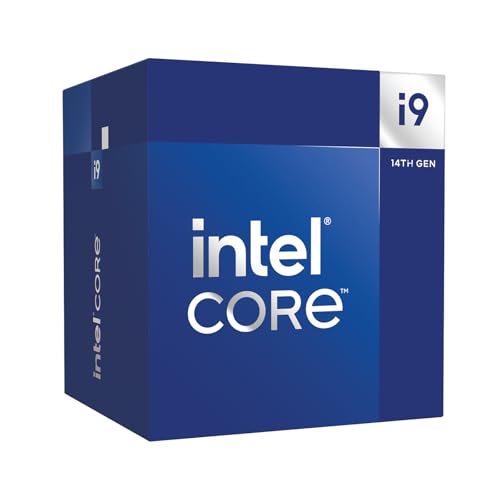
Intel Core i9 14900 24-Core Processor
Best for: efficient 24-core Intel 600 or 700 builds
- Series
- Core i9 (what this guide is about)
- Core Count
- 24 Cores
- Max Boost Clock
- up to 5.8 GHz
- Base Power
- 65 W
- Dimensions
- 11.8 × 11.8 × 11.8 inches
- Weight
- 1.5 pounds
This 14th Generation Intel Core i9 processor provides 24 cores, splitting tasks across 8 P-cores and 16 E-cores with clock speeds reaching up to 5.8 GHz. It operates at a 65 W processor base power consumption and comes bundled with an Intel Laminar RH1 cooler. You get native support for both DDR4 and DDR5 memory alongside PCIe 5.0 and 4.0 lanes, making it suitable if you want high multi-core throughput on Intel 600 or 700 series motherboards.
Pros
- 24 cores across 8 P-cores and 16 E-cores
- Clock speeds reaching up to 5.8 GHz via Intel Thermal Velocity Boost
- 65 W processor base power consumption
- Includes an Intel Laminar RH1 cooler
- PCIe 5.0 and 4.0 with DDR5 and DDR4 memory support
Cons
- Restricted to motherboards with Intel 600 or 700 series chipsets
- Requires Thermal Velocity Boost headroom for peak 5.8 GHz frequency
Good fit if
- You want 24 cores while keeping base power consumption at 65 W.
- You build using an Intel 600 or 700 series motherboard with DDR4 or DDR5 RAM.
- You prefer a processor that includes an Intel Laminar RH1 cooler in the box.
Skip if
- You use a motherboard based on pre-600 series Intel chipsets.
- You require clock speeds exceeding 5.8 GHz.
Verdict: Intel Core i9 14900 24-Core Processor delivers 24 cores and up to 5.8 GHz speeds while maintaining a 65 W base power target. It offers flexible DDR4 or DDR5 setup options on compatible 600 and 700 series boards with an included cooler.

Intel Core i9-14900KF Desktop Processor
Best for: PCIe 5.0 gaming and workstation builds
- Series
- Core i9 (what this guide is about)
- Core Count
- 24 cores
- Thread Count
- 32 threads
- CPU Socket
- LGA1700
- Max Boost Clock
- 6.0 GHz
- Cache Size
- 36MB
This 14th-generation Intel desktop processor features 24 cores, 32 threads, and clock speeds reaching up to 6.0 GHz on the LGA 1700 socket. Built with PCIe 5.0 connectivity, 36MB of cache, and DDR5-5600 support, it handles high-throughput graphics cards and storage. It suits you if you run heavy multithreaded production tasks or high-refresh gaming setups and already plan to use a dedicated graphics card.
Pros
- PCIe 5.0 support for high-bandwidth components
- 24 cores and 32 threads with up to 6.0 GHz boost clock
- 36MB Intel Smart Cache
- Compatible with DDR5-5600 memory
Cons
- Requires a discrete graphics card due to lack of integrated graphics
- Ships in OEM bulk packaging without a retail box
Good fit if
- You plan to install a dedicated graphics card in your system.
- You need PCIe 5.0 connectivity alongside a 6.0 GHz boost clock.
- You run multithreaded workloads that utilize 24 cores and 32 threads.
Skip if
- You need integrated graphics for display output without an add-in card.
- You prefer standard retail boxed packaging.
- You use a motherboard that does not feature the LGA 1700 socket.
Verdict: Intel Core i9-14900KF Desktop Processor delivers PCIe 5.0 connectivity and 24 cores reaching up to 6.0 GHz for demanding workloads. It requires an LGA 1700 motherboard and a discrete graphics card.
Specifications side by side
| Spec | Intel Core i9-9900K 8-Core Processor | Intel Core i9-10900X 10-Core Processor | Intel Core i9-9900K 8-Core Processor | Intel Core i9 10-Core Desktop Processor | Intel Core i9-10900K 10-Core Desktop Processor | Intel Core i9-11900KF 8-Core Processor | Intel Core i9-12900KF 16-Core Processor | Intel Core i9-12900K 16-Core Processor | Intel Core i9-12900K 16-Core Processor | Intel Core i9-13900K 24-Core Processor | Intel Core i9 24-Core Unlocked Processor | Intel Core i9-14900K 24-Core Processor | Intel Core i9-14900 24-Core Desktop Processor | Intel Core i9 14900 24-Core Processor | Intel Core i9-14900KF Desktop Processor |
|---|---|---|---|---|---|---|---|---|---|---|---|---|---|---|---|
| Core Count | 8 Cores | 10 cores | 8 Cores | 10 Cores | 10 Cores | 8 Cores | 16 (8P+8E) cores | 16 (8P+8E) cores | 16-Core | 24 cores | 24 cores | 24 cores | 24 cores | 24 Cores | 24 cores |
| Thread Count | 16 Threads | 20 threads | 16 Threads | 20 Threads | 20 Threads | not specified | not specified | not specified | not specified | 32 threads | 32 threads | 32 threads | 32 threads | not specified | 32 threads |
| CPU Socket | LGA1151 | FCLGA2066 | LGA1151 | LGA 1200 | LGA 1200 | LGA1200 | LGA1700 | LGA1700 | LGA 1700 | not specified | not specified | not specified | not specified | not specified | LGA1700 |
| Max Boost Clock | 5.00 GHz | 4.50 GHz | 5.00 GHz | 5.3 GHz | 5.3 GHz | 5.3 GHz | 5.2 GHz | 5.2 GHz | not specified | 5.8 GHz | 6.0 GHz | 6.0 GHz | Up to 5.8 GHz | up to 5.8 GHz | 6.0 GHz |
| Base Clock | 3.60 GHz | 3.70 GHz | 3.60 GHz | not specified | not specified | not specified | not specified | not specified | 3.2 GHz | not specified | not specified | not specified | not specified | not specified | not specified |
| Cache Size | 16 MB | 19.25 MB | 16 MB | not specified | not specified | not specified | 30 MB L3 | 30 MB L3 | not specified | 36MB Cache | not specified | not specified | 36MB | not specified | 36MB |
| Base Power | 95W | 165 W | 95W | 125W | 125W | 125W | 125W | 125W | not specified | not specified | not specified | not specified | not specified | 65 W | not specified |
| Integrated Graphics | Intel UHD Graphics 630 | not specified | Intel UHD Graphics 630 | Without Processor Graphics | not specified | not specified | Discrete graphics required | Intel UHD 770 Graphics | not specified | Intel UHD Graphics 770 | Discrete graphics required | Intel UHD Graphics 770 | Intel UHD Graphics 770 | not specified | not specified |
| PCIe Version | not specified | not specified | not specified | not specified | not specified | not specified | not specified | not specified | not specified | not specified | not specified | not specified | not specified | not specified | PCIe 5.0 |
| Use Case | not specified | not specified | not specified | not specified | not specified | not specified | Gaming | Gaming | not specified | not specified | Gaming | not specified | not specified | not specified | Gaming |
| Series | Core i9 | Core i9 | Core i9 | Core i9 | Core i9 | Core i9 | Core i9 | Core i9 | Core i9 | Core i9 | Core i9 | Core i9 | Core i9 | Core i9 | Core i9 |
| TDP | 95W | not specified | 95W | 125W | 125W | 125W | 125W | 125W | not specified | not specified | not specified | not specified | not specified | not specified | not specified |
| Dimensions | 2.91 × 4.41 × 4.61 inches | not specified | 2.91 × 4.41 × 4.61 inches | 5.91 × 5.91 × 3.94 inches | 3.54 × 5.24 × 6.1 inches | 1.5 × 1.5 × 0.2 inches | 4.57 × 1.73 × 3.98 inches | 6.46 × 5.12 × 5.47 inches | 5.5 × 5.5 × 6.8 inches | 13.3 × 6.42 × 7.28 inches | 4.6 × 1.9 × 3.9 inches | not specified | 5.8 × 5 × 3.7 inches | 11.8 × 11.8 × 11.8 inches | not specified |
| Weight | not specified | not specified | not specified | not specified | 2.65 ounces | 2.47 ounces | 0.5 ounces | 2.89 ounces | not specified | 7.05 ounces | 0.1 kilograms | 3.17 ounces | 1.43 pounds | 1.5 pounds | 1 pounds |
| Model | SRELS | SRGV7 | BX80684I99900K | i9-10900KF | BX8070110900K | BX8070811900KF | BX8071512900KF | BX8071512900K | BX8071512900K- | BX8071513900K | Core™ i9-14900KF | BX8071514900K | BX8071514900 | BX8071514900 | i9-14900KF |
| Size | not specified | not specified | I9-9900K | not specified | 1.5"x1.5" | 1.5"x1.5" | Pack of 1 | Pack of 1 | not specified | not specified | 1.0 x 4.6 x 1.9 inches | Standard | not specified | Standard | i9-14900KF |
| Color | not specified | not specified | not specified | not specified | not specified | not specified | not specified | Black | not specified | not specified | not specified | Black | Silver | black | not specified |
If you prefer a complete system rather than individual components, evaluate the best gaming desktops with Core i9 instead.
How to Choose the Right Core i9 Processor
-
Match Motherboard Socket Generation
Motherboard sockets dictate physical compatibility. Check your motherboard specs before selecting a processor. The Intel Core i9-9900K fits LGA 1151 sockets on Intel 300-series motherboards. Newer processors require different interfaces, such as LGA 1200 or LGA 1700 platforms. A processor designed for LGA 1700 cannot seat in older boards. Compare the socket specification directly to your motherboard socket type. If you are upgrading an existing system, your current board determines which Core i9 generation fits. For a fresh build, select the socket that aligns with your planned motherboard platform.
-
Select Appropriate Core Counts
Core counts in the Core i9 lineup range from 8 cores up to 24 cores. Review your daily workload before deciding on core density. Standard desktop tasks and gaming operate smoothly on 8-core or 10-core processors. Heavy multitasking, 3D rendering, and compiling benefit significantly from higher core counts. The Intel Core i9-13900K provides 24 cores and 32 threads to handle demanding compute workloads. Compare the listed core and thread numbers against software system requirements. Choose a 16-core or 24-core model if your applications actively leverage multi-threaded processing.
-
Evaluate TDP and Cooling
Thermal Design Power indicates baseline energy consumption and thermal output. Models in this lineup feature TDP ratings between 65W and 125W. Higher ratings require robust cooling hardware to maintain stable operating temperatures. The Intel Core i9-14900 operates at a 65W base power target and includes a boxed cooler in the package. In contrast, 125W processors generally require standalone liquid or large air coolers. Check whether the listing bundles a thermal solution or requires a separate purchase. Match the processor TDP to the cooling capacity supported by your desktop PC case.
-
Check Memory Generation Support
Memory compatibility depends on the processor generation and motherboard design. Certain generations support older memory standards, whereas newer chips support multiple memory types. The Intel Core i9-14900K offers flexible DDR4 and DDR5 memory support on compatible 600-series and 700-series motherboards. Verify which RAM format your motherboard slots require before buying your processor. Choosing a processor that supports DDR5 allows access to newer memory architecture, while DDR4 compatibility enables reusing existing desktop memory modules. Always check the memory type specifications listed for your target motherboard alongside the CPU specs.
-
Compare Maximum Clock Speeds
Clock speed measures operating frequency in gigahertz and impacts single-threaded processing speed. Listed Core i9 processors deliver peak frequencies ranging from 5.0 GHz up to 6.0 GHz. The Intel Core i9 24-Core Unlocked Processor reaches maximum clock speeds of up to 6.0 GHz for high-frequency operations. Applications like gaming and specific modeling tools often depend on fast individual core frequencies rather than purely high core counts. Check the maximum clock speed spec on the product listing. If your applications prioritize single-thread responsiveness, target processors rated at 5.3 GHz or above.
-
Verify PCIe Version Standards
PCI Express standards govern communication bandwidth between your processor and expansion hardware. The Intel Core i9-14900KF Desktop Processor lists PCIe 5.0 connectivity to accommodate high-bandwidth components. Check your motherboard specifications to ensure the expansion slots match this standard. Modern graphics cards and high-speed NVMe solid-state drives benefit from higher PCIe throughput. If your motherboard only supports PCIe 4.0 or PCIe 3.0, the processor will step down to match that generation. Verify the PCIe revision across both your processor and system board before completing your build.
Frequently asked questions
What memory types do 14th Gen Core i9 processors support?
14th Gen Core i9 processors support both DDR4 and DDR5 memory standards. When you install an Intel Core i9-14900K or Core i9-14900 on compatible 600-series or 700-series motherboards, the system accepts either generation based on your board layout. This design lets you retain an existing DDR4 memory kit or upgrade to DDR5 without changing your target processor model.
What is the maximum clock speed available in Core i9 desktop processors?
The highest clock speed reaches up to 6.0 GHz. Listed models like the Intel Core i9-14900K and Core i9-14900KF achieve this top frequency across unlocked configurations. Other options operate at lower maximums, such as the Core i9-13900K at 5.8 GHz and the Core i9-10900K at 5.3 GHz. Higher peak clock frequencies help single-threaded desktop tasks complete instructions faster.
How many cores and threads do 24-core Core i9 processors provide?
24-core Core i9 models feature 32 concurrent processing threads. Flagship chips such as the Intel Core i9-13900K, Core i9-14900K, and Core i9-14900 provide this 24-core, 32-thread architecture to handle parallel computing workloads. In comparison, 12th Gen models feature 16 cores, while older tenth-generation desktop units like the Core i9-10900K provide 10 cores and 20 threads.
Which Core i9 processors include a bundled cooler in the box?
The Intel Core i9-14900 standard desktop model includes a bundled factory cooler in the box. This 24-core unit operates at a 65W base power target, allowing it to function with standard boxed cooling. In contrast, unlocked models like the Core i9-10900X, Core i9-10900K, or Core i9-14900KF do not package a thermal solution, requiring you to supply your own cooling hardware.
What is the thermal design power of unlocked Core i9 desktop processors?
Most unlocked Core i9 desktop processors feature a rated base TDP of 125W. This 125W thermal target applies to models such as the Core i9-10900K, Core i9-11900KF, and Core i9-12900K. Earlier parts like the Core i9-9900K operate at a 95W rating, whereas standard non-unlocked models like the Core i9-14900 run at an efficient 65W base power level.
What PCIe version do 14th Gen Core i9 processors offer?
Advanced 14th Gen chips offer PCIe 5.0 platform connectivity. The Intel Core i9-14900KF specifies PCIe 5.0 interface support on compatible LGA 1700 desktop motherboards. PCIe 5.0 provides double the bandwidth of PCIe 4.0 lanes, expanding data transfer rates for high-speed add-in hardware, next-generation expansion devices, and modern discrete graphics cards installed in high-performance desktop workstation and gaming configurations.