Best Processors Under $300: 15 Spec-Based Picks
As an Amazon Associate we earn from qualifying purchases. Links on this page are affiliate links.
Finding the best processors under $300 requires matching CPU specifications directly to your motherboard socket and workload demands. This guide compares 15 products based strictly on specifications published on their listings.
Intel Core i9-9900K 8-Core Processor leads the list by offering 8 cores, 16 threads, and clock speeds up to 5.00 GHz for LGA 1151 systems within a 95W base power profile. These comparisons help you choose the right core count, platform architecture, and thermal requirements for your next desktop build.
Quick picks
The best fit for you
- You need an 8-core upgrade for socket LGA 1151 Intel Core i9-9900K 8-Core Processor It delivers 8 cores, 16 threads, and up to 5.00 GHz speeds on the LGA 1151 socket.
- You run heavy multi-threaded desktop workloads needing high cores AMD Ryzen 9 5900X 12-Core Processor It delivers 12 cores, 24 threads, and 70 MB of cache for demanding tasks.
- You want integrated graphics on the modern AM5 platform AMD Ryzen 7 8700G Desktop Processor It provides integrated graphics, 8 cores, and a bundled cooler for AM5 systems.
- You are building a desktop with an LGA 1700 motherboard Intel Core i7-12700KF 12-Core Processor It offers clock speeds up to 5.0 GHz and a 125W TDP for LGA 1700 sockets.
Our 15 picks

Intel Core i9-9900K 8-Core Processor
Best for: Intel 300-series motherboard owners wanting 8 cores
- Core Count
- 8 Cores
- Thread Count
- 16 Threads
- CPU Socket
- LGA1151
- Max Boost Clock
- 5.00 GHz
- Base Clock
- 3.60 GHz
- Cache Size
- 16 MB
The Intel Core i9-9900K is an unlocked 8-core, 16-thread desktop processor designed for the LGA1151 socket. You get a 3.60 GHz base clock, a 5.00 GHz boost clock, and 16 MB of cache at a 95W base power rating. It features integrated Intel UHD Graphics 630. This suits you if you already run an Intel 300-series motherboard and need multi-threaded performance with built-in video display capabilities.
Pros
- 8 cores and 16 threads for parallel workloads
- Up to 5.00 GHz max turbo boost frequency
- Integrated Intel UHD Graphics 630
- Intel Optane Memory supported
Cons
- Compatible only with Intel 300-series chipset motherboards
- Requires LGA1151 socket, limiting newer motherboard upgrades
Good fit if
- You already own an Intel 300-series LGA1151 motherboard.
- You want up to 5.00 GHz boost speeds with integrated graphics.
- You need 8 cores and 16 threads for multi-threaded tasks.
Skip if
- You plan to build on a motherboard chipset outside the Intel 300 series.
- You need a platform that uses a socket other than LGA1151.
Verdict: Intel Core i9-9900K 8-Core Processor delivers 8 cores, 16 threads, and up to 5.00 GHz speeds for Intel 300-series LGA1151 systems. It provides integrated display output and balanced 95W base power.
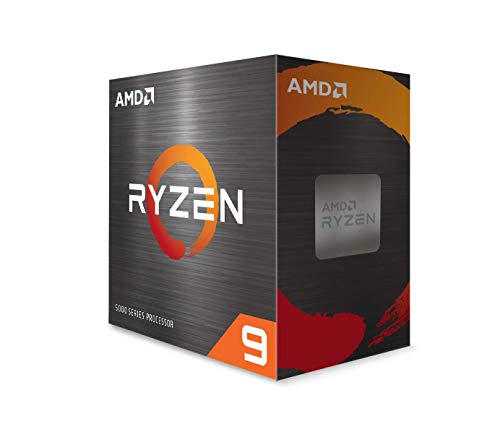
AMD Ryzen 9 5900X 12-Core Processor
Best for: heavy multi-threaded desktop workloads
- Core Count
- 12 cores
- Thread Count
- 24 threads
- Max Boost Clock
- 4.8 GHz
- Cache Size
- 70 MB
- Series
- Ryzen 9
- Dimensions
- 1.57 × 1.57 × 0.24 inches
The AMD Ryzen 9 5900X is an unlocked desktop processor designed for heavy computing loads. You get 12 cores, 24 threads, and a 4.8 GHz maximum boost clock alongside 70 MB of cache. It supports DDR-3200 system memory. This CPU suits you if you need high multi-threaded output for demanding tasks without moving to specialized enterprise platforms. You will need to provide your own dedicated high-performance cooling system.
Pros
- 12 cores and 24 processing threads
- 4.8 GHz maximum boost clock
- 70 MB cache
- Unlocked for overclocking
Cons
- Cooler not included in box
- Requires high-performance cooling to manage 90°C maximum temperature
Good fit if
- You need 12 cores and 24 threads for multi-threaded desktop tasks.
- You plan to run DDR-3200 memory with an unlocked CPU.
- You already have a high-performance cooler.
Skip if
- You need a processor that includes a cooling fan in the box.
- You run light tasks that do not utilize more than 8 cores.
Verdict: AMD Ryzen 9 5900X 12-Core Processor delivers 12 cores, 24 threads, and 70 MB of cache for heavy processing tasks. It offers unlocked 4.8 GHz boost speeds provided you supply dedicated cooling.

Intel Xeon W-2245 8-Core Processor
Best for: LGA 2066 workstation builds
- Core Count
- 8
- Thread Count
- 16
- CPU Socket
- FCLGA2066
- Max Boost Clock
- 4.50 GHz
- Base Clock
- 3.90 GHz
- Cache Size
- 16.5 MB
The Intel Xeon W-2245 is an 8-core, 16-thread workstation processor built for the FCLGA2066 socket. It features a 3.90 GHz base clock, a 4.50 GHz maximum turbo frequency, and 16.5 MB of cache. It supports DDR4 memory and operates with a 155 W base power rating. This processor suits you if you need a high-frequency multi-threaded chip for an LGA 2066 workstation motherboard.
Pros
- High 3.90 GHz base clock speed
- 8 cores and 16 threads for multithreaded tasks
- 4.50 GHz maximum turbo boost frequency
- 16.5 MB onboard cache
Cons
- High base power draw of 155 W
- Limited to FCLGA2066 socket motherboards
- Built on a 14 nm manufacturing process
Good fit if
- You have an LGA 2066 or FCLGA2066 socket motherboard.
- You run multithreaded applications that benefit from a 3.90 GHz base clock.
- You use DDR4 memory in your current setup.
Skip if
- You require a low-power CPU under 155 W TDP.
- You use a standard desktop platform instead of socket LGA 2066.
Verdict: Intel Xeon W-2245 8-Core Processor delivers a solid 3.90 GHz base clock and 16 threads for FCLGA2066 platforms. It is a capable choice if your system accommodates its 155 W power requirement.

Intel Core i7-6700K Quad-Core Processor
Best for: LGA-1151 socket upgrades and quad-core desktop systems
- Core Count
- 4 Core
- CPU Socket
- Socket H4 LGA-1151
- Max Boost Clock
- 4.20 GHz
- Base Clock
- 4.0 GHz
- Cache Size
- 8 MB
- Base Power
- 91 W
The Intel Core i7-6700K is a 4-core desktop processor built for the LGA-1151 socket. It features a 4.0 GHz base clock, a 4.20 GHz max boost clock, and 8 MB of cache. With integrated Intel HD Graphics 530, it runs without a dedicated graphics card. This chip suits you if you need a replacement processor for an existing LGA-1151 motherboard setup without exceeding a 91 W base power rating.
Pros
- 4.0 GHz base clock with 4.20 GHz boost clock
- Integrated Intel HD Graphics 530
- Compatible with Socket H4 LGA-1151 motherboards
- 8 MB cache
Cons
- Limited to 4 cores
- Socket LGA-1151 is incompatible with modern motherboard platforms
Good fit if
- You need a replacement processor for an LGA-1151 socket motherboard.
- You want integrated graphics without installing a dedicated GPU.
- You prioritize high base clock speeds of 4.0 GHz for quad-core workloads.
Skip if
- You need more than 4 cores for modern multithreaded tasks.
- You are building a system on a newer motherboard platform.
Verdict: Intel Core i7-6700K Quad-Core Processor delivers a 4.0 GHz base clock and built-in graphics for LGA-1151 platforms. It serves as a straightforward option if you need to keep an existing socket H4 system running.

Intel Xeon E5-2699 v4 22-Core Processor
Best for: multi-threaded server and workstation virtualization
- Core Count
- 22 Core
- CPU Socket
- Socket Lga 2011-v3
- Base Clock
- 2.20 Ghz
- Cache Size
- 55 Mb
- Base Power
- 145 W
- Dimensions
- 2.07 × 1.77 × 0.16 inches
The Intel Xeon E5-2699 v4 22-Core Processor delivers massive parallel capacity for server-grade builds. You get 22 physical cores, 55 MB of cache, and a 2.20 GHz base clock on the LGA 2011-v3 socket. It runs at a 145 W base power profile built on 14 nm architecture. This chip suits you if you configure heavy multithreaded rendering nodes or virtualization platforms needing high core density.
Pros
- 22 physical processing cores
- Large 55 MB cache pool
- 9.6 GT/s QPI transfer rate
- Compatible with LGA 2011-v3 socket
Cons
- Modest 2.20 GHz base clock
- High 145 W base power consumption
- Requires LGA 2011-v3 platform
Good fit if
- You run heavily threaded server or virtualization workloads.
- You already own an LGA 2011-v3 motherboard platform.
- You prioritize massive core count over single-thread clock speed.
Skip if
- You need high single-core base frequencies above 2.20 GHz.
- You build on a modern consumer desktop motherboard socket.
Verdict: Intel Xeon E5-2699 v4 22-Core Processor stands out with its 22 cores and 55 MB cache for heavily threaded tasks. It serves workstation and server platforms that support the LGA 2011-v3 socket and 145 W power draw.

Intel Core i7-9700K 8-Core Processor
Best for: Intel 300-series motherboard builds needing integrated graphics
- Core Count
- 8 Cores
- Thread Count
- 8 Threads
- CPU Socket
- LGA1151
- Max Boost Clock
- 4.90 GHz
- Base Clock
- 3.60 GHz
- Cache Size
- 12 MB
The Intel Core i7-9700K is an unlocked 8-core desktop processor built for the LGA 1151 socket. It delivers a 3.60 GHz base clock with turbo speeds reaching up to 4.90 GHz, alongside 12 MB of cache and a 95W TDP. Because it includes integrated Intel UHD Graphics 630 and runs 8 threads, you get direct display output and high single-core frequency for Intel 300-series motherboards.
Pros
- Up to 4.90 GHz maximum turbo boost frequency
- Integrated Intel UHD Graphics 630
- Support for Intel Optane Memory
- 8 physical cores with 12 MB cache
Cons
- Cooling device not included
- Limited to 8 threads without simultaneous multithreading
- Compatible only with Intel 300 Series chipsets
Good fit if
- You have a motherboard using an Intel 300-series chipset.
- You need integrated graphics without installing an add-in video card.
- You want up to 4.90 GHz turbo clocks across 8 physical cores.
Skip if
- You need an included CPU cooling device in the box.
- You require simultaneous multithreading with more than 8 threads.
- You plan to use a motherboard outside the Intel 300-series lineup.
Verdict: Intel Core i7-9700K 8-Core Desktop Processor delivers 4.90 GHz boost clocks and integrated display capabilities for LGA 1151 platforms. It functions effectively for systems with Intel 300-series chipsets that do not require hyperthreading.

Intel Xeon Gold 6230 20-Core Processor
Best for: multi-threaded enterprise servers and virtualization platforms
- Core Count
- 20 cores
- Base Clock
- 2.10 GHz
- Cache Size
- 27.5 MB
- Base Power
- 125 W
- Series
- Xeon Gold
The Intel Xeon Gold 6230 20-Core Processor is an enterprise-grade server CPU built for multi-threaded workloads. It gives you 20 physical cores running at a 2.10 GHz base frequency, 27.5MB of Intel Smart Cache, and a 125W thermal design power. This OEM processor suits system builders assembling rack-mounted servers or virtualization platforms that prioritize high core density over single-core speeds.
Pros
- 20 physical cores handle demanding multi-threaded workloads
- 27.5MB Intel Smart Cache reduces data latency
- 125W TDP enables efficient server cooling
- Designed for enterprise virtualization and cloud infrastructure
Cons
- Base clock frequency is limited to 2.10 GHz
- Supplied in OEM packaging without retail box accessories
Good fit if
- You run virtualization platforms or multi-threaded server tasks.
- You require 20 physical cores within a 125W power envelope.
- You build or upgrade enterprise rack-mounted servers.
Skip if
- You need high single-core base clock speeds above 2.10 GHz.
- You require boxed retail packaging with bundled accessories.
Verdict: Intel Xeon Gold 6230 20-Core Processor provides strong parallel throughput with 20 cores and 27.5MB of cache for enterprise workloads. Its modest 2.10 GHz base frequency prioritizes multi-threaded density over single-threaded clock speed.

AMD Ryzen 7 5800X Desktop Processor
Best for: AM4 desktop gaming and multitasking upgrades
- Core Count
- 8 cores
- Thread Count
- 16 threads
- CPU Socket
- AM4
- Max Boost Clock
- 4.7 GHz
- Cache Size
- 36 MB
- Series
- Ryzen 7
The AMD Ryzen 7 5800X is an unlocked desktop processor built for Socket AM4 motherboards. You get 8 cores and 16 threads alongside a 4.7 GHz max boost clock and 36 MB of cache. It supports DDR-3200 system memory and PCIe 4.0 on B550 and X570 chipsets. This chip suits you if you want high-speed multi-threaded compute on the AM4 socket.
Pros
- 8 cores and 16 threads unlocked for overclocking
- 4.7 GHz max boost clock with 36 MB cache
- PCIe 4.0 support on X570 and B550 motherboards
- DDR-3200 memory support
Cons
- Cooler not included in the box
- Limited to Socket AM4 motherboards
Good fit if
- You use an AM4 motherboard like an X570 or B550.
- You need 16 threads and up to 4.7 GHz for computing tasks.
- You already own a compatible high-performance cooler.
Skip if
- You need an out-of-the-box boxed cooler included.
- You are building on a platform other than Socket AM4.
Verdict: AMD Ryzen 7 8-Core Desktop Processor delivers 16 threads and 4.7 GHz boost clocks on Socket AM4. It serves as a solid multi-threaded upgrade if you already have a cooler.

Intel Core i7-12700KF 12-Core Processor
Best for: LGA 1700 high-performance multi-core desktop builds
- Core Count
- 12 (8P+4E) cores
- CPU Socket
- LGA1700
- Max Boost Clock
- 5.0 GHz
- Base Clock
- 3.60 GHz
- Cache Size
- 11 MB L2, 25 MB L3
- Base Power
- 125W
The Intel Core i7-12700KF is a desktop processor built on the LGA 1700 socket. You get 12 cores split into 8 performance cores and 4 efficient cores, alongside a 3.60 GHz base clock and a 5.0 GHz maximum boost clock. With 25 MB of L3 cache and 11 MB of L2 cache, it suits you if you need balanced multithreaded computing for demanding tasks on 600 series motherboards.
Pros
- 12 cores (8 performance cores and 4 efficient cores)
- Maximum boost clock speed reaching 5.0 GHz
- Generous 25 MB L3 and 11 MB L2 cache
- Unlocked multiplier on compatible LGA 1700 chipsets
Cons
- High 125W base TDP requires a capable cooling setup
- Limited to LGA 1700 socket motherboards
Good fit if
- You build on an LGA 1700 socket platform.
- You need clock speeds reaching up to 5.0 GHz.
- You want a hybrid configuration with 12 total cores.
Skip if
- You have an older socket motherboard incompatible with LGA 1700.
- You need a low-draw processor with a base power below 125W.
Verdict: Intel Core i7-12700KF 12-Core Desktop Processor provides strong single-thread and multi-core processing speeds up to 5.0 GHz for LGA 1700 motherboards.

Intel Core i5-13600KF 14-Core Processor
Best for: Dedicated GPU builds needing high thread counts
- Core Count
- 14 cores
- Thread Count
- 20 threads
- Max Boost Clock
- 5.1 GHz
- Cache Size
- 24M Cache
- Integrated Graphics
- Discrete graphics required
- Series
- Core i5
The Intel Core i5-13600KF is an unlocked 13th Gen desktop processor featuring 14 cores—6 performance cores and 8 efficient cores—with 20 threads. It delivers boost clock speeds up to 5.1 GHz and includes 24 MB of cache. It requires discrete graphics and does not include a cooler. This CPU fits you well if you already own a dedicated graphics card and build on an Intel 600 or 700 series motherboard.
Pros
- 14 cores (6 P-cores plus 8 E-cores) and 20 threads
- Max boost clock up to 5.1 GHz
- Supports PCIe 5.0 and PCIe 4.0
- 24 MB cache
Cons
- Requires discrete graphics (no integrated GPU)
- No thermal solution included in the box
- May require a BIOS update for Intel 600 series motherboards
Good fit if
- You already have a dedicated graphics card.
- You plan to supply your own CPU cooler.
- You use an Intel 600 or 700 series chipset-based motherboard.
Skip if
- You need integrated graphics for display output.
- You want a processor that includes a bundled cooler.
Verdict: Intel Core i5-13600KF 14-Core CPU delivers 20 threads and clock speeds up to 5.1 GHz for multitasking. You must supply your own dedicated graphics card and thermal solution.

Intel Core i7-14700K Desktop Processor
Best for: high-performance gaming and heavy multitasking
- Core Count
- 20 cores
- Thread Count
- 28 threads
- Max Boost Clock
- 5.6 GHz
- Integrated Graphics
- Intel UHD Graphics 770
- Use Case
- Gaming
- Series
- Core i7
The Intel Core i7-14700K is a 20-core desktop processor built with 8 Performance cores and 12 Efficient cores across 28 threads. It reaches boost clock speeds up to 5.6 GHz and includes integrated Intel UHD Graphics 770. Supporting both DDR4 and DDR5 memory on Intel 600- and 700-series motherboards, this chip suits you if you want high clock speeds for gaming alongside heavy multi-threaded processing capability.
Pros
- Up to 5.6 GHz max boost clock with Turbo Boost Max Technology 3.0
- 20 cores and 28 threads for multi-threaded performance
- Integrated Intel UHD Graphics 770 included
- Compatible with both DDR4 and DDR5 platforms
Cons
- Requires a potential BIOS update for Intel 600-series motherboards
- Compatible only with Intel 600-series and 700-series motherboards
- No bundled thermal cooling solution listed
Good fit if
- You want clock speeds up to 5.6 GHz for high gaming frame rates.
- You run heavy multi-threaded tasks that benefit from 20 cores and 28 threads.
- You want flexibility between DDR4 and DDR5 memory configurations.
Skip if
- You have a motherboard outside the Intel 600- or 700-series chipsets.
- You want to avoid performing a BIOS update on an Intel 600-series board.
Verdict: Intel Core i7-14700K 20-Core Processor delivers fast 5.6 GHz boost speeds and a 20-core architecture for high-demand gaming systems. It provides flexible platform options through support for both DDR4 and DDR5 memory.
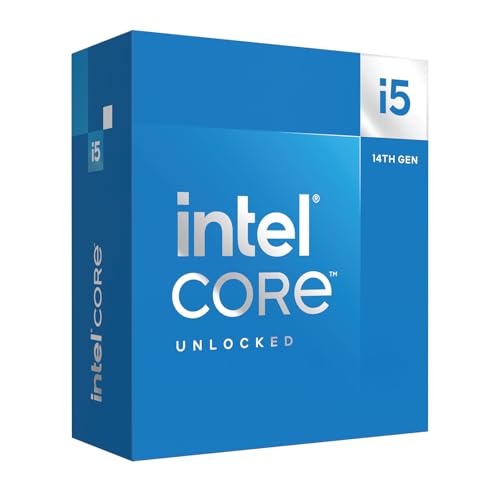
Intel Core i5-14600K 14-Core Processor
Best for: unlocked 14th Gen Intel gaming and productivity builds
- Core Count
- 14 cores
- Max Boost Clock
- 5.3 GHz
- Base Power
- 125 W
- Series
- Core i5
- Dimensions
- 3.94 × 5.91 × 0.1 inches
- Weight
- 3.21 ounces
The Intel Core i5-14600K is a 14th Gen desktop processor built with 14 cores, dividing tasks across 6 performance cores and 8 efficient cores. It reaches boost clock speeds up to 5.3 GHz and features a 125 W base power rating. If you build on Intel 600 or 700 series chipsets, this unlocked processor supports DDR4 or DDR5 memory alongside PCIe 5.0 and PCIe 4.0 lanes for your system.
Pros
- 14 cores with 6 P-cores and 8 E-cores
- Up to 5.3 GHz maximum boost clock
- Supports both DDR5 and DDR4 memory
- Compatible with PCIe 5.0 and PCIe 4.0 standards
Cons
- 125 W core CPU base power
- Limited to Intel 600 and 700 series motherboards
Good fit if
- You need boost clock speeds up to 5.3 GHz for gaming or office software.
- You plan to run an Intel 700 or 600 series chipset motherboard.
- You want flexibility between DDR4 and DDR5 memory configurations.
Skip if
- You own a motherboard outside the Intel 600 or 700 series.
- You require a processor with a base power draw below 125 W.
Verdict: Intel Core i5-14600K 14-Core Processor delivers 14 cores and clock speeds up to 5.3 GHz for responsive computing. It provides versatile build options through support for both DDR4 and DDR5 platforms on 600 and 700 series chipsets.

Intel Core i5 14-Core Desktop Processor
Best for: balanced multitasking with an included stock cooler
- Core Count
- 14 cores
- Thread Count
- 20 threads
- Max Boost Clock
- 5.0 GHz
- Cache Size
- 20MB
- Series
- Core i5
- Dimensions
- 4.8 × 3.2 × 4.3 inches
This Intel Core i5 desktop processor delivers 14 cores and 20 threads across a hybrid design of six Performance cores and eight Efficient cores. Reaching clock speeds up to 5.0 GHz with a 20MB cache, it handles multitasking and modern workloads effectively. It supports DDR4 and DDR5 memory alongside PCIe 5.0 connectivity. With an included Laminar RM1 cooler, it suits you if you want a complete desktop package without purchasing a separate thermal unit.
Pros
- Includes an Intel Laminar RM1 thermal cooler in the box
- 14 cores and 20 threads handle concurrent workloads
- Supports both DDR4 and DDR5 system memory
- Provides PCIe 5.0 and PCIe 4.0 lane connectivity
Cons
- Requires a potential BIOS update when paired with 600-series chipsets
- Limited to six dedicated Performance cores
Good fit if
- You want an included stock cooler in the package.
- You run an Intel 600- or 700-series motherboard.
- You need a hybrid architecture supporting DDR4 or DDR5 memory.
Skip if
- You plan to use a motherboard predating the Intel 600 series.
- You require more than six dedicated Performance cores.
Verdict: Intel Core i5 14-Core Processor provides a balanced 20-thread hybrid setup with PCIe 5.0 and DDR5 support. It comes bundled with a stock thermal cooler for straightforward deployment on compatible 600- and 700-series motherboards.

AMD Ryzen 7 8700G Desktop Processor
Best for: integrated-graphics AM5 desktop builds
- Core Count
- 8 Cores
- Thread Count
- 16 processing threads
- CPU Socket
- Socket AM5
- Max Boost Clock
- 5.1 GHz
- Series
- Ryzen 7
- Length
- 1.57 inches
The AMD Ryzen 7 8-Core Desktop Processor provides 8 Zen 4 cores and 16 threads for the Socket AM5 platform. You get clock speeds reaching up to a 5.1 GHz max boost, unlocked overclocking support, and built-in processor graphics. It includes an AMD Wraith Spire cooler in the box and requires DDR5 memory. This chip fits your build if you want high clock speeds and modern platform support without buying a separate graphics card.
Pros
- Includes AMD Wraith Spire cooler
- 5.1 GHz max boost clock
- 8 cores and 16 threads on Zen 4 architecture
- Integrated processor graphics
- Unlocked for overclocking
Cons
- Requires a Socket AM5 motherboard
- Requires DDR5 system memory
- Lower core count than 12-core or 14-core alternatives
Good fit if
- You want an AM5 processor with an included Wraith Spire cooler.
- You need integrated processor graphics for your display output.
- You want an unlocked 8-core CPU capable of 5.1 GHz boost clocks.
Skip if
- You plan to reuse older DDR4 memory or an older CPU socket.
- You need higher core counts for multi-threaded workloads.
Verdict: AMD Ryzen 7 8-Core Desktop Processor delivers fast 5.1 GHz boost clocks and integrated graphics on the modern AM5 platform. It is a capable setup that comes ready with a bundled cooler for DDR5 systems.

Intel Core Ultra 5 235 Desktop Processor
Best for: modern 800-series builds needing integrated graphics
- Core Count
- 14 cores (6 P-cores + 8 E-cores)
- Thread Count
- 14 threads
- Max Boost Clock
- 5.0 GHz
- Cache Size
- 26 MB
- Integrated Graphics
- Integrated Intel Graphics included
- Dimensions
- 4.7 × 4.4 × 0.1 inches
The Intel Core Ultra 5 235 is a desktop processor built on a performance hybrid architecture. You get 14 cores divided into 6 Performance-cores and 8 Efficient-cores, running 14 threads with clock speeds reaching up to 5.0 GHz. It carries 26 MB of cache and includes integrated Intel graphics. This setup suits you if you want modern PCIe 5.0 and 4.0 support for productivity and daily multitasking without needing a separate graphics card.
Pros
- 14 cores (6 P-cores and 8 E-cores) with boost clock up to 5.0 GHz
- Includes integrated Intel graphics
- 26 MB cache for fast data access
- Supports PCIe 5.0, PCIe 4.0, and Intel Optane Memory
Cons
- No thermal solution included in the box
- Requires an Intel 800 series chipset motherboard
- Limited to 14 threads across 14 cores
Good fit if
- You need integrated graphics to operate without a dedicated video card.
- You plan to build on an Intel 800 series motherboard platform.
- You want a hybrid 14-core layout with clocks reaching up to 5.0 GHz.
Skip if
- You want a processor bundled with a stock cooler.
- You intend to use an older motherboard chipset outside the 800 series.
Verdict: Intel Core Ultra 5 235 14-Core Processor delivers balanced multi-core speeds up to 5.0 GHz and built-in graphics on newer Intel 800 series platforms. It offers 26 MB cache and PCIe 5.0 support, though you must supply your own cooler.
Specifications side by side
| Spec | Intel Core i9-9900K 8-Core Processor | AMD Ryzen 9 5900X 12-Core Processor | Intel Xeon W-2245 8-Core Processor | Intel Core i7-6700K Quad-Core Processor | Intel Xeon E5-2699 v4 22-Core Processor | Intel Core i7-9700K 8-Core Processor | Intel Xeon Gold 6230 20-Core Processor | AMD Ryzen 7 5800X Desktop Processor | Intel Core i7-12700KF 12-Core Processor | Intel Core i5-13600KF 14-Core Processor | Intel Core i7-14700K Desktop Processor | Intel Core i5-14600K 14-Core Processor | Intel Core i5 14-Core Desktop Processor | AMD Ryzen 7 8700G Desktop Processor | Intel Core Ultra 5 235 Desktop Processor |
|---|---|---|---|---|---|---|---|---|---|---|---|---|---|---|---|
| Core Count | 8 Cores | 12 cores | 8 | 4 Core | 22 Core | 8 Cores | 20 cores | 8 cores | 12 (8P+4E) cores | 14 cores | 20 cores | 14 cores | 14 cores | 8 Cores | 14 cores (6 P-cores + 8 E-cores) |
| Thread Count | 16 Threads | 24 threads | 16 | not specified | not specified | 8 Threads | not specified | 16 threads | not specified | 20 threads | 28 threads | not specified | 20 threads | 16 processing threads | 14 threads |
| CPU Socket | LGA1151 | not specified | FCLGA2066 | Socket H4 LGA-1151 | Socket Lga 2011-v3 | LGA1151 | not specified | AM4 | LGA1700 | not specified | not specified | not specified | not specified | Socket AM5 | not specified |
| Max Boost Clock | 5.00 GHz | 4.8 GHz | 4.50 GHz | 4.20 GHz | not specified | 4.90 GHz | not specified | 4.7 GHz | 5.0 GHz | 5.1 GHz | 5.6 GHz | 5.3 GHz | 5.0 GHz | 5.1 GHz | 5.0 GHz |
| Base Clock | 3.60 GHz | not specified | 3.90 GHz | 4.0 GHz | 2.20 Ghz | 3.60 GHz | 2.10 GHz | not specified | 3.60 GHz | not specified | not specified | not specified | not specified | not specified | not specified |
| Cache Size | 16 MB | 70 MB | 16.5 MB | 8 MB | 55 Mb | 12 MB | 27.5 MB | 36 MB | 11 MB L2, 25 MB L3 | 24M Cache | not specified | not specified | 20MB | not specified | 26 MB |
| Base Power | 95W | not specified | 155 W | 91 W | 145 W | 95W | 125 W | not specified | 125W | not specified | not specified | 125 W | not specified | not specified | not specified |
| Integrated Graphics | Intel UHD Graphics 630 | not specified | not specified | Intel HD Graphics 530 | not specified | Intel UHD Graphics 630 | not specified | not specified | not specified | Discrete graphics required | Intel UHD Graphics 770 | not specified | not specified | not specified | Integrated Intel Graphics included |
| Use Case | not specified | not specified | not specified | not specified | not specified | not specified | not specified | not specified | not specified | not specified | Gaming | not specified | not specified | not specified | not specified |
| Series | Core i9 | Ryzen 9 | not specified | Core i7 | not specified | Core i7 | Xeon Gold | Ryzen 7 | Core i7 | Core i5 | Core i7 | Core i5 | Core i5 | Ryzen 7 | not specified |
| TDP | 95W | not specified | not specified | 95W | not specified | 95W | not specified | not specified | 125W | not specified | not specified | not specified | not specified | not specified | not specified |
| Dimensions | 2.91 × 4.41 × 4.61 inches | 1.57 × 1.57 × 0.24 inches | not specified | 3.94 × 3.94 × 2.36 inches | 2.07 × 1.77 × 0.16 inches | 4.57 × 3.98 × 2.76 inches | not specified | 1.57 × 1.57 × 0.24 inches | 4.57 × 1.73 × 3.98 inches | 9.17 × 4.65 × 4.21 inches | 4.57 × 1.73 × 0.1 inches | 3.94 × 5.91 × 0.1 inches | 4.8 × 3.2 × 4.3 inches | not specified | 4.7 × 4.4 × 0.1 inches |
| Weight | not specified | 2.8 ounces | 1 pounds | 1.44 ounces | 2.08 ounces | 1.59 ounces | not specified | 2.8 ounces | 2.82 ounces | 2.4 ounces | 2.82 ounces | 3.21 ounces | 13.6 ounces | 1.8 ounces | not specified |
| Length | not specified | not specified | not specified | not specified | not specified | not specified | not specified | not specified | not specified | not specified | not specified | not specified | not specified | 1.57 inches | not specified |
| Width | not specified | not specified | not specified | not specified | not specified | not specified | not specified | not specified | not specified | not specified | not specified | not specified | not specified | 1.57 inches | not specified |
| Model | SRELS | AMD Ryzen 9 5900X-cr | SRH02 | CM8066201919901 | CM8066002022506 | BX80684I79700K | CD8069504193701 | AMD Ryzen 7 5800X | BX8071512700KF | BX8071513600KF | BX8071514700K | BX8071514600K | 14500 | AMD Ryzen™ 7 8700G | BX80768235 |
| Size | not specified | Medium | not specified | not specified | not specified | I7-9700K | not specified | XX-Large | Standard | not specified | 1.0 x 4.1 x 1.9 inches | Standard | not specified | not specified | One Size |
| Color | not specified | not specified | not specified | not specified | not specified | not specified | not specified | Black | Black | not specified | black | Black | Silver | Gray | Black |
If you also evaluate kitchen appliances by heating wattage and slot widths, the best toasters under 300 compares published power ratings and exterior dimensions.
Key Specifications for Choosing a Processor
-
Motherboard Socket Compatibility
Check the socket specification before selecting a processor. Motherboards feature fixed physical sockets that cannot accommodate mismatched chips. Sockets vary widely across generations and platform classes, including LGA 1151, LGA 1700, LGA 2066, Socket AM4, and Socket AM5. For desktop upgrades on recent Intel motherboards, verify that your board matches the socket exactly. For example, Intel Core i7-12700KF requires an LGA 1700 motherboard socket to function. Always verify your board socket version before purchasing any replacement processor to prevent physical or electrical incompatibility.
-
Thermal Design Power and Cooling
Review the thermal design power rating to plan your cooling hardware. Processors draw varying levels of power, often rated from 95W up to 155W base targets. Higher TDP values demand larger heatsinks or liquid cooling setups to maintain safe temperatures under sustained workloads. In addition, many performance processors ship without a bundled thermal unit in the package. For example, Intel Xeon W-2245 specifies a 155 W power draw that requires dedicated high-capacity cooling. Check your power supply capacity and chassis cooler clearance against the rated wattage before installing your processor.
-
Integrated Graphics Requirements
Determine if you require an onboard graphics processor for display output. Standard desktop chips frequently include integrated GPUs, allowing display connections straight from the motherboard rear I/O panel. Other models, particularly KF-suffix or workstation units, omit display hardware completely. If you build an office system or backup machine without a discrete card, choose a processor with integrated graphics. If your system already includes an add-in card, graphics-free chips work cleanly. For example, Intel Core i5-13600KF lacks display output and requires you to supply a dedicated graphics card to send video to a monitor.
-
Core and Thread Counts
Match core and thread specifications to your primary software applications. General desktop usage and simple everyday workflows perform well on quad-core or 8-core configurations. Heavy multi-threaded computing, virtualization, and enterprise tasks benefit from much higher core densities that process multiple threads concurrently. Selecting excessive cores can sometimes lower single-core clock frequencies, while fewer cores often reach higher peak clock speeds. For example, Intel Xeon E5-2699 v4 features 22 cores and 55 MB cache specifically designed for heavily threaded server tasks. Evaluate your software requirements to pick the right balance between core counts and clock speeds.
-
PCIe Standard Support
Check the PCI Express version supported by the processor architecture. Peripheral bus standards govern bandwidth limits for add-in cards, high-speed storage, and expansion devices. Modern platforms introduce PCIe 5.0 lanes, doubling the potential throughput of PCIe 4.0 slots when paired with matching motherboard chipsets. If you plan to install high-bandwidth storage or next-generation interface cards, verify PCIe generation support across the processor specifications. For example, Intel Core Ultra 5 235 provides native PCIe 5.0 capability for compatible 800-series motherboard setups. Ensure your expansion cards and motherboard traces align with the processor interface level.
-
Bundled Thermal Solutions
Verify whether the processor package includes a stock cooling fan. Some processors ship as complete kits with a factory cooler included in the retail box, reducing the need for additional parts. Other performance, unlocked, or enterprise CPUs require you to purchase and mount an aftermarket heatsink or liquid cooler. If you want a quick installation without sourcing extra cooling equipment, look for boxed processors that bundle a cooler. For example, AMD Ryzen 7 8700G comes packaged ready with a bundled cooler for AM5 systems. Always verify packaging contents before finishing your parts checklist.
Frequently asked questions
Which processors under $300 include integrated graphics?
Several models include built-in graphics to drive displays without a discrete video card. Options like the Intel Core i9-9900K, Core i7-6700K, Core i7-9700K, Core i5-14600K, and Intel Core Ultra 5 235 offer integrated display output. On the AMD side, the Ryzen 7 8700G includes built-in graphics on the AM5 platform. Models ending in KF require a dedicated graphics card.
Do you need to buy a separate cooler for these processors?
Most high-performance desktop processors in this category require you to supply dedicated cooling. For instance, the AMD Ryzen 9 5900X, Ryzen 7 5800X, Intel Core i5-13600KF, and Intel Core Ultra 5 235 list no bundled thermal solutions. In contrast, the AMD Ryzen 7 8700G comes ready with a bundled stock cooler in its packaging. Always check manufacturer specifications before purchasing.
What is the functional difference between Intel K and KF series processors?
The main difference centers on integrated graphics capabilities. Intel K-series chips, such as the Core i5-14600K and Core i7-9700K, feature onboard graphics for direct display output. Intel KF models, such as the Core i7-12700KF and Core i5-13600KF, lack integrated display hardware. If you choose a KF processor, your system configuration must include a dedicated discrete graphics card to output video.
Which processors provide the highest core counts for multi-threaded workloads?
Multi-threaded performance scales directly with physical core counts across different processor designs. Enterprise and workstation options lead in total cores, including the Intel Xeon E5-2699 v4 with 22 cores and Xeon Gold 6230 with 20 cores. For consumer desktops, the Intel Core Ultra 7 265 provides 20 cores, while the AMD Ryzen 9 5900X delivers 12 cores and 24 threads for heavy multitasking.
How do base TDP ratings affect your power supply and cooling choices?
Thermal Design Power indicates the base heat dissipation your cooling solution and power supply must handle under normal operation. Standard desktop chips like the Intel Core i9-9900K and Core i7-6700K feature a 95W TDP. More demanding hardware, such as the 125W Core i7-12700KF or the 155W Xeon W-2245, demands higher-wattage power supplies and robust cooling solutions to operate reliably under load.
What features do newer Intel Core Ultra processors offer?
Newer Intel Core Ultra processors operate on Intel 800 series platforms and introduce updated hardware capabilities. The Core Ultra 5 235 provides 14 cores, PCIe 5.0 connectivity, and a 26 MB cache. Stepping up to the Core Ultra 7 265 adds 20 cores, DDR5-6400 memory support, and a dedicated 13 TOPs NPU for specialized processing alongside its PCIe 5.0 lanes.
Can you install server Xeon processors in standard consumer motherboards?
You cannot install Xeon server processors into standard mainstream desktop sockets. Server and workstation chips require specialized motherboard sockets and chipset support. For example, the Xeon E5-2699 v4 requires an LGA 2011-v3 socket, while the Xeon W-2245 fits FCLGA2066 platforms. Mainstream consumer boards use completely different physical interfaces like LGA 1151, LGA 1700, or Socket AM4.