Best ASUS Motherboards for Gaming: 15 Spec-Based Picks
As an Amazon Associate we earn from qualifying purchases. Links on this page are affiliate links.
Selecting the best ASUS motherboards for gaming requires evaluating your processor socket, memory generation, and expansion needs. We compared 15 models based on the specifications published on the listings.
The ASUS TUF Gaming AM5 ATX Motherboard leads the lineup because it pairs native Socket AM5 compatibility with DDR5 memory support and integrated Wi-Fi 6. This guide helps you choose the right form factor, expansion slots, and networking hardware for your next desktop build.
Quick picks
The best fit for you
- You build an Intel gaming PC using DDR5 memory ASUS TUF Gaming PCIe 5.0 ATX Motherboard It combines an LGA 1700 socket with PCIe 5.0 support, DDR5 compatibility, and four M.2 slots.
- You run an AM5 processor requiring fast wireless connectivity ASUS TUF Gaming AM5 ATX Motherboard It supplies an AM5 socket, DDR5 memory support, integrated Wi-Fi 6E, and 2.5GbE Ethernet.
- You want a compact Micro-ATX build on Socket AM5 ASUS TUF Gaming A620M-PLUS WiFi Its Micro-ATX form factor provides Socket AM5 support, DDR5 compatibility, and dual PCIe 4.0 M.2 slots.
- You need extensive storage for Intel LGA 1700 ASUS ROG Maximus DDR5 ATX Motherboard It provides five M.2 slots alongside an LGA 1700 socket, DDR5 capability, and PCIe 5.0 expansion.
Our 15 picks

ASUS TUF Gaming AM5 ATX Motherboard
Best for: entry AM5 Ryzen 7000 gaming builds
- Use Case
- Gaming (what this guide is about)
- CPU Socket
- Socket AM5 (LGA 1718)
- Form Factor
- ATX
- Memory Type
- DDR5
- PCIe Version
- PCIe 5.0
- Wi-Fi Standard
- WiFi 6
This ATX motherboard is built for AMD Ryzen 7000 series processors using the AM5 socket. You get DDR5 memory support, 14 power stages, and integrated Wi-Fi 6 wireless networking. Its full ATX footprint provides expansion room inside mid-tower cases. If you want a reliable AM5 gaming platform with modern memory and wireless connectivity, this board provides the necessary hardware foundation for your setup.
Pros
- AMD Socket AM5 for Ryzen 7000 series processors
- Supports high-speed DDR5 memory
- Integrated Wi-Fi 6 networking
- 14 power stages for CPU power delivery
Cons
- Requires DDR5 memory with no DDR4 backward compatibility
- Standard Wi-Fi 6 rather than Wi-Fi 6E
Good fit if
- You build an AMD Ryzen 7000 gaming system in a standard ATX case.
- You want built-in Wi-Fi 6 wireless connectivity.
- You plan to run DDR5 system memory.
Skip if
- You use an Intel processor or an older AMD AM4 CPU.
- You need a compact microATX or Mini-ITX motherboard.
Verdict: ASUS TUF Gaming AM5 ATX Motherboard delivers core Socket AM5 support, DDR5 memory capability, and integrated Wi-Fi 6 for full-sized gaming builds.

ASUS TUF Gaming PCIe 5.0 ATX Motherboard
Best for: Intel gaming builds with DDR5 and PCIe 5.0
- Use Case
- Gaming (what this guide is about)
- CPU Socket
- LGA 1700
- Chipset
- Z790
- Form Factor
- ATX
- Memory Type
- DDR5
- PCIe Version
- PCIe 5.0
This ATX gaming board runs on the LGA 1700 socket, supporting Intel 12th, 13th, and 14th Generation processors. You get DDR5 memory support, a high-speed PCIe 5.0 slot, and four onboard M.2 slots for solid-state storage. Wired connections run through a 2.5GbE port, complemented by built-in Wi-Fi 6. It suits you if you build a modern Intel gaming rig.
Pros
- PCIe 5.0 graphics interface support
- Fast DDR5 memory compatibility
- Four dedicated M.2 slots for storage
- 2.5GbE wired network port with Wi-Fi 6
Cons
- Features standard Wi-Fi 6 instead of Wi-Fi 6E
- LGA 1700 socket excludes AMD processors
- Full ATX size does not fit compact cases
Good fit if
- You build with an Intel 12th, 13th, or 14th Gen processor.
- You plan to utilize fast DDR5 RAM and PCIe 5.0 hardware.
- You require up to four high-speed M.2 storage drives.
Skip if
- You plan to use an AMD AM4 or AM5 processor.
- You need a microATX or mini-ITX motherboard for a smaller build.
- You require Wi-Fi 6E connectivity out of the box.
Verdict: ASUS TUF Gaming ATX DDR5 Motherboard delivers PCIe 5.0 readiness and DDR5 compatibility for Intel systems. Four M.2 drive slots and 2.5GbE networking offer dependable throughput for your gaming build.

ASUS TUF Gaming AM5 ATX Motherboard
Best for: Ryzen 7000 builds needing fast networking
- Use Case
- Gaming (what this guide is about)
- CPU Socket
- AM5
- Form Factor
- ATX
- Memory Type
- DDR5
- PCIe Version
- PCIe 5.0
- M.2 Slots
- 4
The ASUS TUF Gaming AM5 ATX Motherboard gives you a full-size platform designed for AMD Ryzen 7000 series processors. It features the AM5 socket, DDR5 memory support, and a 16-power-stage design for system stability. For high-speed networking, you get built-in Wi-Fi 6E along with a 2.5GbE wired LAN port. This board fits your build if you want current-generation AMD hardware inside a standard ATX PC case.
Pros
- Socket AM5 support for Ryzen 7000 processors
- Fast wireless networking via Wi-Fi 6E
- High-speed 2.5GbE wired Ethernet connection
- 16 power stages for power delivery
- Support for DDR5 memory
Cons
- Standard ATX form factor does not fit smaller microATX cases
- Socket AM5 design does not accept older AM4 processors
Good fit if
- You build a gaming system with an AMD Ryzen 7000 processor.
- You want both Wi-Fi 6E and 2.5GbE network options.
- You have a standard ATX PC case.
Skip if
- You plan to use an older Socket AM4 CPU or DDR4 memory.
- You need a compact microATX or Mini-ITX motherboard.
Verdict: ASUS TUF Gaming AM5 ATX Motherboard delivers Ryzen 7000 compatibility, DDR5 support, and 2.5GbE networking for gaming setups. It suits builders who want reliable connectivity and power delivery in a standard ATX footprint.

ASUS ROG Maximus DDR5 ATX Motherboard
Best for: high-end Intel LGA 1700 gaming builds
- Use Case
- Gaming (what this guide is about)
- CPU Socket
- LGA 1700
- Form Factor
- ATX
- Memory Type
- DDR5
- PCIe Version
- PCIe 5.0
- M.2 Slots
- 5
The ASUS ROG Maximus Z790 Hero ATX Motherboard gives you high-end hardware for 12th, 13th, and 14th Gen Intel Core processors on the LGA 1700 socket. You get DDR5 memory support, PCIe 5.0 lanes, five M.2 slots, and a 20+1 power stage delivery system rated for 90 amps. With Wi-Fi 6E and 2.5Gb Ethernet onboard, it suits demanding gaming builds requiring extensive storage, liquid-cooling headers, and substantial power headroom.
Pros
- 20+1 teamed power stages rated for 90A
- PCIe 5.0 and DDR5 memory support
- Five onboard M.2 storage slots with heatsinks
- Wi-Fi 6E and Intel 2.5Gb Ethernet networking
Cons
- LGA 1700 socket limits compatibility to Intel 12th, 13th, and 14th Gen processors
- Equipped with Wi-Fi 6E rather than the newer Wi-Fi 7 standard
Good fit if
- You run an Intel 12th, 13th, or 14th Gen Core processor.
- You plan to install up to five M.2 drives for storage.
- You want 20+1 power stages rated for 90A power delivery.
Skip if
- You are building an AMD AM4 or AM5 gaming system.
- You need native Wi-Fi 7 support directly from the motherboard.
Verdict: ASUS ROG Maximus Z790 Hero ATX Motherboard delivers top-tier LGA 1700 power delivery, DDR5 support, and expansive M.2 storage for high-end Intel gaming configurations. It combines PCIe 5.0 expandability with extensive cooling infrastructure to handle demanding hardware.

ASUS ROG Strix AM4 ATX Motherboard
Best for: AM4 gaming builds using Gigabit Ethernet
- Use Case
- Gaming (what this guide is about)
- CPU Socket
- AM4
- Chipset
- AMD X570
- Form Factor
- ATX
- Memory Type
- DDR4
- PCIe Version
- PCIe 4.0
The ASUS ROG Strix X570 ATX Motherboard provides an AMD AM4 socket paired with the X570 chipset for your gaming build. You get PCIe 4.0 expansion, two M.2 storage slots with dedicated heatsinks, and an Intel Gigabit Ethernet controller. It suits you if you want a full-size ATX DDR4 platform for AMD Ryzen processors.
Pros
- PCIe 4.0 support for expansion cards and dual M.2 drives
- Active PCH heatsink and MOS heatsink with 8mm heatpipe
- Intel Gigabit Ethernet with ASUS LANGuard protection
- USB 3.2 Gen 2 Type-A and Type-C connectivity
Cons
- Ethernet speed is limited to 1Gbps
- Provides only two M.2 storage slots
- Requires a BIOS update to run Ryzen 5000 series processors
Good fit if
- You build with an AMD AM4 Ryzen processor and DDR4 memory.
- You rely on a standard 1GbE wired network connection.
- You want dual M.2 drives protected by integrated heatsinks.
Skip if
- You need multi-gigabit wired networking speeds.
- You plan to build on the newer AM5 DDR5 platform.
- You need more than two onboard M.2 storage drives.
Verdict: ASUS ROG Strix X570 ATX Motherboard gives AM4 builders dedicated PCIe 4.0 connectivity, dual cooled M.2 slots, and dependable Intel Gigabit networking.

ASUS TUF Gaming AM4 ATX Motherboard
Best for: AM4 Ryzen gaming builds with PCIe 4.0
- Use Case
- Gaming (what this guide is about)
- CPU Socket
- AM4
- Chipset
- AMD X570
- Form Factor
- ATX
- PCIe Version
- PCIe 4.0
- M.2 Slots
- 2
This ATX gaming board features the AMD AM4 socket, built for 2nd and 3rd Gen AMD Ryzen processors alongside Zen 3 Ryzen 5000 chips. You get PCIe 4.0 support across dual M.2 slots, an active PCH heatsink, and integrated 802.11ac dual-band Wi-Fi. It suits you if you want a reliable AM4 platform with Gigabit Ethernet, Bluetooth 5.0, and USB 3.2 Gen 2 Type-A and Type-C connectivity for your gaming setup.
Pros
- Dual PCIe 4.0 M.2 slots for high-speed storage
- Intel 2x2 802.11ac Wi-Fi with MU-MIMO and Bluetooth 5.0
- USB 3.2 Gen 2 Type-A and Type-C rear connectivity
- Active PCH heatsink and dedicated M.2 heatsink
Cons
- Limits wireless connectivity to 802.11ac rather than newer Wi-Fi standards
- Realtek wired networking caps at Gigabit Ethernet speeds
Good fit if
- You build with an AMD AM4 Zen 3 Ryzen 5000 or 3rd Gen Ryzen processor.
- You need dual PCIe 4.0 M.2 slots for fast storage drives.
- You require built-in 802.11ac Wi-Fi and Bluetooth 5.0 wireless support.
Skip if
- You plan to use newer AMD AM5 processors.
- You require faster than Gigabit wired Ethernet transfer rates.
Verdict: ASUS TUF Gaming X570-Plus Wi-Fi ATX Motherboard delivers dependable PCIe 4.0 lanes, dual M.2 support, and integrated wireless connectivity for AMD AM4 gaming systems.
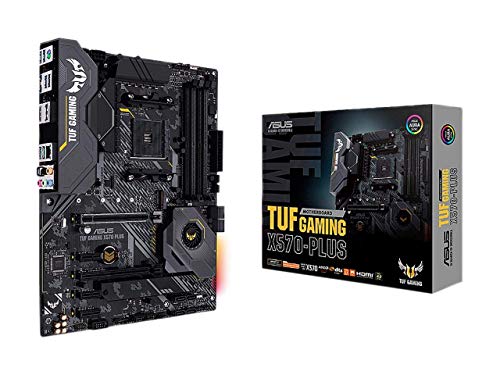
ASUS TUF Gaming AM4 ATX Motherboard
Best for: AM4 builds relying on wired networking
- Use Case
- Gaming (what this guide is about)
- CPU Socket
- AM4
- Chipset
- AMD X570
- Form Factor
- ATX
- PCIe Version
- PCIe 4.0
- M.2 Slots
- 2
This ATX gaming board features the AMD AM4 socket and PCIe 4.0 support for Zen 3 Ryzen 5000 and 3rd Gen Ryzen processors. You get dual PCIe 4.0 M.2 slots for high-speed storage, USB 3.2 Gen 2 ports, and Realtek L8200A Gigabit Ethernet for wired networking. With an active PCH heatsink and Digi+ VRM, it suits you if you want a dedicated AM4 platform for gaming.
Pros
- Dual PCIe 4.0 M.2 slots
- Realtek S1200A audio codec with 108dB stereo line-out SNR
- Active PCH heatsink and dedicated VRM heatsink
- USB 3.2 Gen 2 connectivity
Cons
- No integrated Wi-Fi listed
- Requires a BIOS update for Ryzen 5000 series CPUs
Good fit if
- You use an AMD Zen 3 Ryzen 5000 or 3rd Gen Ryzen AM4 processor.
- You need dual PCIe 4.0 M.2 storage slots.
- You prefer a wired Gigabit Ethernet network connection.
Skip if
- You need onboard wireless networking out of the box.
- You use an Intel CPU or newer AM5 socket processor.
Verdict: ASUS TUF Gaming AM4 ATX Motherboard delivers PCIe 4.0 support, dual M.2 slots, and dedicated heatsink cooling for AM4 gaming configurations. It provides solid wired connectivity if you do not need onboard Wi-Fi.
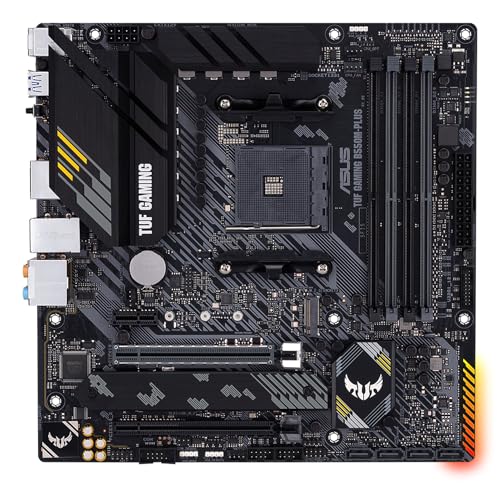
ASUS TUF Gaming B550M-PLUS Micro-ATX
Best for: compact AM4 DDR4 gaming PC builds
- Use Case
- Gaming (what this guide is about)
- CPU Socket
- AM4
- Chipset
- AMD B550
- Form Factor
- Micro ATX
- Memory Type
- DDR4
- PCIe Version
- PCIe 4.0
The ASUS TUF Gaming B550M-PLUS is a Micro-ATX gaming board built around the AMD B550 chipset and the AM4 socket. It features PCIe 4.0 support, dual M.2 slots, 8+2 DrMOS power stages, and a 2.5 Gb Ethernet port. This compact board fits smaller PC builds while delivering dedicated VRM heatsinks and Fan Xpert 2+ controls. It suits you if you want a compact AM4 gaming setup running DDR4 memory.
Pros
- 8+2 DrMOS power stages and Digi+ VRM
- PCIe 4.0 support with dual M.2 slots
- Fast 2.5 Gb Ethernet port
- Realtek S1200A audio codec with 108 dB SNR output
Cons
- No built-in Wi-Fi connectivity
- Limited to DDR4 memory and AM4 processors
Good fit if
- You build a compact system in a Micro-ATX chassis.
- You plan to run an AMD AM4 CPU with DDR4 memory.
- You rely on a wired 2.5 Gb Ethernet connection.
Skip if
- You need built-in Wi-Fi networking.
- You plan to use an AM5 processor with DDR5 RAM.
Verdict: ASUS TUF Gaming B550M-PLUS Micro ATX Motherboard delivers dependable power delivery, 2.5 Gb networking, and PCIe 4.0 support for compact AM4 gaming builds. It gives you solid core functionality if you do not require built-in wireless connectivity.

ASUS ROG Strix AM4 ATX Motherboard
Best for: AM4 gaming builds with wired networking
- Use Case
- Gaming (what this guide is about)
- CPU Socket
- AM4
- Chipset
- AMD B550
- Form Factor
- ATX
- PCIe Version
- PCIe 4.0
- M.2 Slots
- 2
This ATX motherboard pairs an AMD B550 chipset with the AM4 socket for third-generation AMD Ryzen processors. You get PCIe 4.0 connectivity, dual M.2 NVMe slots for solid-state storage, and a wired 2.5 Gb LAN port. The rear and onboard connections provide 11 total USB ports alongside SupremeFX S1220A audio. It suits you if you want a full-size gaming platform with hardware troubleshooting tools like Q-LEDs and BIOS FlashBack without integrated wireless hardware.
Pros
- Dual M.2 NVMe SSD slots with PCIe 4.0 support
- High-speed 2.5 Gb Ethernet with ASUS LANGuard
- 11 total USB ports for peripheral expansion
- Troubleshooting support with BIOS FlashBack and Q-LEDs
Cons
- No integrated Wi-Fi or Bluetooth adapter listed
- Restricted to older AM4 socket rather than newer AM5
Good fit if
- You build with a 3rd Gen AMD Ryzen AM4 processor.
- You rely on a wired 2.5 Gb Ethernet connection for online gaming.
- You need 11 USB ports to connect all your peripherals.
Skip if
- You require built-in Wi-Fi connectivity out of the box.
- You plan to run an AMD AM5 processor.
Verdict: ASUS ROG Strix B550 ATX Motherboard delivers PCIe 4.0 speed, dual M.2 slots, and 2.5 Gb Ethernet for AM4 gaming systems. It provides dependable wired networking and 11 USB ports for setups that do not require integrated wireless hardware.
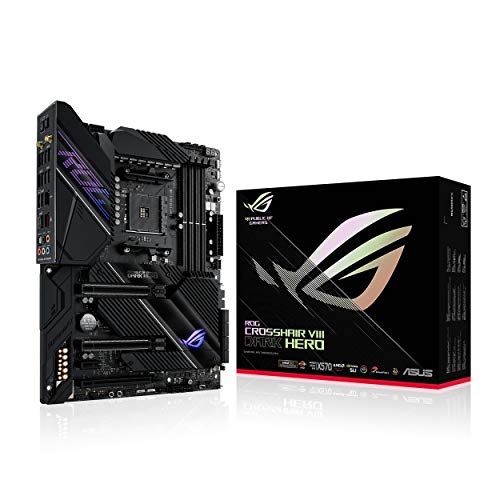
ASUS ROG Crosshair VIII Dark Hero ATX Motherboard
Best for: high-end AMD AM4 gaming builds
- Use Case
- Gaming (what this guide is about)
- CPU Socket
- AM4
- Chipset
- X570S
- Form Factor
- ATX
- PCIe Version
- PCIe 4.0
- Wi-Fi Standard
- Wi-Fi 6
View on Amazon: ASUS ROG Crosshair VIII Dark Hero ATX Motherboard
The ASUS ROG Crosshair VIII Dark Hero ATX is a gaming motherboard built around the AMD AM4 socket. It features PCIe 4.0 expansion, a 14 plus 2 power stage design rated for 90A, and passive chipset cooling to eliminate fan noise. Networking includes both 2.5 Gbps and Gigabit Ethernet ports, along with Wi-Fi 6 and Bluetooth 5.1. This board suits you if you run a Ryzen 5000 or 3rd Gen processor.
Pros
- 14 plus 2 power stages rated for 90A
- Dual Ethernet with 2.5 Gbps and Gigabit ports
- Passive chipset heatsink with no fan
- Integrated Wi-Fi 6 and Bluetooth 5.1
Cons
- AM4 socket does not support newer AM5 processors
- PCIe 4.0 interface lacks PCIe 5.0 support
- Wi-Fi standard limited to Wi-Fi 6 rather than Wi-Fi 6E
Good fit if
- You use an AMD AM4 processor such as Ryzen 5000 or 3rd Gen Ryzen.
- You need dual wired networking with 2.5 Gbps and Gigabit speeds.
- You want silent passive chipset cooling.
Skip if
- You plan to build around AMD AM5 or Intel processors.
- You require PCIe 5.0 lanes for next-generation components.
- You need the 6 GHz spectrum provided by Wi-Fi 6E.
Verdict: ASUS ROG Crosshair VIII Dark Hero ATX delivers robust 90A power stages and silent passive cooling for high-end AM4 gaming rigs. It remains a capable foundation if you are committed to AMD Ryzen 5000 series hardware.

ASUS TUF Gaming AM4 Wi-Fi Micro-ATX Motherboard
Best for: compact AM4 gaming builds needing Wi-Fi 5
- Use Case
- Gaming (what this guide is about)
- CPU Socket
- AM4
- Form Factor
- microATX
- Wi-Fi Standard
- 802.11ac
- Dimensions
- 2.75 × 10.8 × 11 inches
- Weight
- 1.27 pounds
View on Amazon: ASUS TUF Gaming AM4 Wi-Fi Micro-ATX Motherboard
This micro-ATX board features an AMD AM4 socket that supports Ryzen 3000, 4000 G-Series, and 5000 Series processors. You get built-in 802.11ac Wi-Fi 5, a 32Gb/s M.2 slot, and a BIOS FlashBack button for simple firmware maintenance. It includes DisplayPort, HDMI, and D-Sub video outputs alongside VRM heatsinks. It suits you if you want a compact build with AM4 Ryzen silicon and wireless networking.
Pros
- Integrated 802.11ac Wi-Fi 5 wireless support
- Hardware BIOS FlashBack button included
- Onboard 32Gb/s M.2 slot and SATA 6Gb/s connectivity
- Triple video output options via DisplayPort, HDMI, and D-Sub
Cons
- Limits wireless connectivity to Wi-Fi 5 instead of Wi-Fi 6
- Socket AM4 design lacks support for newer AM5 processors
Good fit if
- You build with an AMD AM4 Ryzen processor in a micro-ATX case.
- You need integrated Wi-Fi 5 without adding a separate card.
- You require legacy video outputs like D-Sub alongside HDMI and DisplayPort.
Skip if
- You plan to run newer AMD AM5 processors.
- You require faster Wi-Fi 6 or Wi-Fi 6E networking standards.
Verdict: ASUS TUF Gaming A520 Micro-ATX Motherboard delivers core AM4 connectivity with integrated Wi-Fi 5 and essential display outputs. It serves as a dependable baseline board for compact Ryzen desktop systems.

ASUS TUF Gaming A620M-PLUS WiFi
Best for: compact AM5 DDR5 gaming builds
- Use Case
- Gaming (what this guide is about)
- CPU Socket
- AM5
- Form Factor
- mATX
- Memory Type
- DDR5
- PCIe Version
- PCIe 4.0
- M.2 Slots
- 2
This micro-ATX board features the AMD AM5 socket, supporting Ryzen 7000, 8000, and 9000 series processors alongside DDR5 memory. You get an 8+2+1 phase digital power design, one PCIe 4.0 x16 slot for your graphics card, and two PCIe 4.0 M.2 slots for storage. Built-in Wi-Fi 6 and 2.5GbE provide fast networking. It suits you if you want compact AM5 hardware with modern memory.
Pros
- AMD AM5 socket supports Ryzen 7000, 8000, and 9000 series CPUs
- Dual PCIe 4.0 M.2 slots for high-speed storage
- Onboard Wi-Fi 6 and 2.5GbE Ethernet
- Front-panel USB 5Gbps Type-C connectivity
- 8+2+1 phase digital power design with VRM heatsinks
Cons
- PCIe support tops out at PCIe 4.0 rather than PCIe 5.0
- Limits storage expansion to two M.2 drives
Good fit if
- You build a compact gaming PC requiring a Micro-ATX motherboard.
- You use an AMD Ryzen 7000, 8000, or 9000 series AM5 processor with DDR5 memory.
- You need integrated Wi-Fi 6 and 2.5GbE wired network support.
Skip if
- You require PCIe 5.0 expansion slots or M.2 interfaces.
- You need more than two M.2 solid-state drives.
Verdict: ASUS TUF Gaming A620M-PLUS WiFi Micro-ATX provides a reliable AM5 gaming base with DDR5 support, Wi-Fi 6, and dual PCIe 4.0 M.2 slots in a space-saving layout.

ASUS ROG Strix B550 Wi-Fi 6E ATX Motherboard
Best for: AM4 DDR4 gaming builds with WiFi 6E
- Use Case
- Gaming (what this guide is about)
- CPU Socket
- AM4
- Chipset
- B550
- Form Factor
- ATX
- Memory Type
- DDR4
- PCIe Version
- PCIe 4.0
View on Amazon: ASUS ROG Strix B550 Wi-Fi 6E ATX Motherboard
This ATX gaming board pairs the AMD B550 chipset with an AM4 socket for Ryzen 3000 and 5000 series processors. You get PCIe 4.0 support for your graphics card, two M.2 slots for storage, and fast networking via Wi-Fi 6E alongside 2.5 Gb Ethernet. It fits you if you want a proven DDR4 build with 12+2 power stages on AM4.
Pros
- Onboard Wi-Fi 6E and Intel 2.5 Gb Ethernet
- PCIe 4.0 support with dual M.2 storage slots
- 12+2 teamed power stages with ProCool power connector
- HDMI 2.1 and DisplayPort 1.2 video outputs
Cons
- Limited to DDR4 memory instead of DDR5
- AM4 socket does not support newer AM5 processors
- Includes only two M.2 slots
Good fit if
- You build with an AMD Ryzen 3000 or 5000 series desktop processor.
- You need onboard Wi-Fi 6E and 2.5 Gb Ethernet connectivity.
- You plan to run DDR4 system memory.
Skip if
- You plan to use an AMD Ryzen 7000 series AM5 processor.
- You need DDR5 memory support.
- You require more than two onboard M.2 solid-state drives.
Verdict: ASUS ROG Strix B550-F WiFi II ATX Motherboard delivers PCIe 4.0 connectivity, robust 12+2 power stages, and fast Wi-Fi 6E for AM4 gaming builds. It remains a dependable ATX choice if you are sticking with DDR4 and Ryzen 5000 processors.
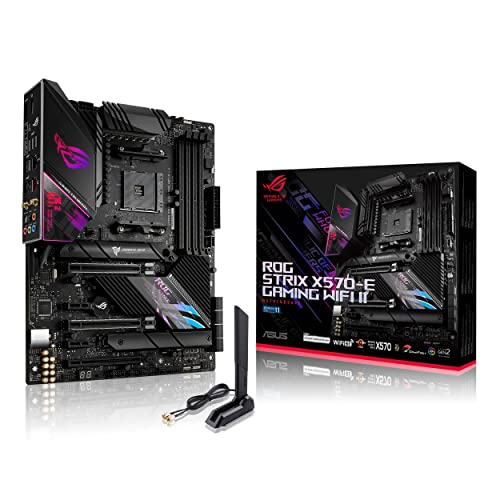
ASUS ROG Strix AM4 ATX Motherboard
Best for: AM4 gaming setups needing dual Ethernet
- Use Case
- Gaming (what this guide is about)
- CPU Socket
- AM4
- Chipset
- X570S
- Form Factor
- ATX
- PCIe Version
- PCIe 4.0
- M.2 Slots
- 2
This ATX gaming board features the AMD AM4 socket and an AMD X570 chipset. It provides a 12+4 power stage design, dual M.2 slots with heatsinks, and PCIe 4.0 connectivity. For networking, you get Wi-Fi 6E alongside dual Ethernet ports offering 2.5 Gbps and 1 Gbps connections. It suits you if you need a high-bandwidth AM4 platform for multi-core Ryzen CPUs with passive cooling and fast wireless networking.
Pros
- Wi-Fi 6E, Bluetooth 5.2, and dual Ethernet with 2.5 Gbps and 1 Gbps ports
- 12+4 power stages with ProCool II connector
- Passive chipset heatsink and VRM heatsink with 8 mm heatpipe
- PCIe 4.0 support with dual onboard M.2 heatsinks
Cons
- Limited to two M.2 storage slots
- Display outputs limited to HDMI 2.0 and DisplayPort 1.2
Good fit if
- You want dual wired LAN ports with 2.5 Gbps and Gigabit speeds.
- You use an AMD AM4 Ryzen processor and need Wi-Fi 6E wireless connectivity.
- You prefer silent passive chipset cooling without an integrated fan.
Skip if
- You need more than two onboard M.2 solid-state drives.
- You are building a system on a socket other than AMD AM4.
Verdict: ASUS ROG Strix AM4 ATX Motherboard delivers robust power delivery, Wi-Fi 6E, and dual Ethernet ports for AM4 gaming builds. It gives you silent passive chipset cooling alongside PCIe 4.0 support.
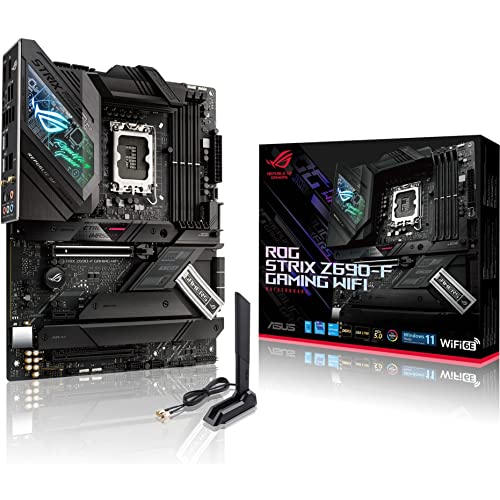
ASUS ROG Strix Z690-F ATX Motherboard
Best for: Intel LGA 1700 gaming builds using DDR5
- Use Case
- Gaming (what this guide is about)
- CPU Socket
- LGA 1700
- Chipset
- Z690
- Form Factor
- ATX
- Memory Type
- DDR5
- PCIe Version
- PCIe 5.0
The ASUS ROG Strix Z690 ATX Motherboard gives you an Intel LGA 1700 platform built for gaming. It supports DDR5 memory and features a PCIe 5.0 slot for fast graphics cards. A 16+1 power stage setup handles multi-core processing, while Wi-Fi 6E and 2.5Gb Ethernet handle your network needs. It suits you if you want an Intel Z690 gaming board with modern memory and networking specs.
Pros
- PCIe 5.0 expansion support
- 16+1 power stages with VRM heatsinks
- On-board Wi-Fi 6E and 2.5Gb Ethernet
- ALC4080 audio with Savitech SV3H712 amplifier
Cons
- Requires DDR5 memory with no DDR4 support
- Full ATX size is not compatible with compact microATX cases
Good fit if
- You want an Intel LGA 1700 gaming build paired with DDR5 memory.
- You need fast connectivity through PCIe 5.0, Wi-Fi 6E, and 2.5Gb Ethernet.
Skip if
- You plan to reuse existing DDR4 memory modules.
- You are building a compact microATX or mini-ITX system.
Verdict: ASUS ROG Strix Z690 ATX Motherboard delivers PCIe 5.0 support, DDR5 compatibility, and 16+1 power stages for Intel LGA 1700 gaming rigs.
Specifications side by side
| Spec | ASUS TUF Gaming AM5 ATX Motherboard | ASUS TUF Gaming PCIe 5.0 ATX Motherboard | ASUS TUF Gaming AM5 ATX Motherboard | ASUS ROG Maximus DDR5 ATX Motherboard | ASUS ROG Strix AM4 ATX Motherboard | ASUS TUF Gaming AM4 ATX Motherboard | ASUS TUF Gaming AM4 ATX Motherboard | ASUS TUF Gaming B550M-PLUS Micro-ATX | ASUS ROG Strix AM4 ATX Motherboard | ASUS ROG Crosshair VIII Dark Hero ATX Motherboard | ASUS TUF Gaming AM4 Wi-Fi Micro-ATX Motherboard | ASUS TUF Gaming A620M-PLUS WiFi | ASUS ROG Strix B550 Wi-Fi 6E ATX Motherboard | ASUS ROG Strix AM4 ATX Motherboard | ASUS ROG Strix Z690-F ATX Motherboard |
|---|---|---|---|---|---|---|---|---|---|---|---|---|---|---|---|
| CPU Socket | Socket AM5 (LGA 1718) | LGA 1700 | AM5 | LGA 1700 | AM4 | AM4 | AM4 | AM4 | AM4 | AM4 | AM4 | AM5 | AM4 | AM4 | LGA 1700 |
| Chipset | not specified | Z790 | not specified | not specified | AMD X570 | AMD X570 | AMD X570 | AMD B550 | AMD B550 | X570S | not specified | not specified | B550 | X570S | Z690 |
| Form Factor | ATX | ATX | ATX | ATX | ATX | ATX | ATX | Micro ATX | ATX | ATX | microATX | mATX | ATX | ATX | ATX |
| Memory Type | DDR5 | DDR5 | DDR5 | DDR5 | DDR4 | not specified | not specified | DDR4 | not specified | not specified | not specified | DDR5 | DDR4 | not specified | DDR5 |
| PCIe Version | PCIe 5.0 | PCIe 5.0 | PCIe 5.0 | PCIe 5.0 | PCIe 4.0 | PCIe 4.0 | PCIe 4.0 | PCIe 4.0 | PCIe 4.0 | PCIe 4.0 | not specified | PCIe 4.0 | PCIe 4.0 | PCIe 4.0 | PCIe 5.0 |
| M.2 Slots | not specified | 4 | 4 | 5 | 2 | 2 | 2 | 2 | 2 | not specified | not specified | 2 | 2 | 2 | 4 |
| Wi-Fi Standard | WiFi 6 | not specified | WiFi 6E | Wi-Fi 6E | not specified | 802.11ac | not specified | not specified | not specified | Wi-Fi 6 | 802.11ac | Wi-Fi 6 | WiFi 6E | WiFi 6E | WiFi 6E |
| Ethernet Speed | 2.5 Gb | not specified | 2.5 Gb | 2.5 GbE | Gigabit | Gigabit | Gigabit | 2.5 Gb Ethernet | 2.5 GbE | 2.5 Gbps, Gigabit | not specified | 2.5Gb | 2.5 Gb | 2.5 Gbps, Gigabit | 2.5Gb |
| Power Phases | 14 | 16+1 | 16 | 20+1 | not specified | 12+2 | 12+2 | 8+2 | not specified | 14+2 | not specified | 8+2+1 | 12+2 | 12+4 | 16+1 |
| Wi-Fi | Wi-Fi 6 | Wi-Fi 6 | Wi-Fi 6E | Wi-Fi 6E | not specified | not specified | not specified | not specified | not specified | Wi-Fi 6 | Wi-Fi 5 | Wi-Fi 6 | Wi-Fi 6E | Wi-Fi 6E | Wi-Fi 6E |
| Use Case | Gaming | Gaming | Gaming | Gaming | Gaming | Gaming | Gaming | Gaming | Gaming | Gaming | Gaming | Gaming | Gaming | Gaming | Gaming |
| Dimensions | 10.8 × 2.9 × 13.3 inches | 10.7 × 2.75 × 14 inches | 10.8 × 2.9 × 13.3 inches | 12.2 × 4.5 × 14.6 inches | 13.3 × 10.7 × 2.68 inches | 13.3 × 10.7 × 2.68 inches | 13.3 × 10.7 × 2.68 inches | 9.61 × 1.57 × 9.61 inches | 9.61 × 12 × 4.09 inches | 14.6 × 12.3 × 4.25 inches | 2.75 × 10.8 × 11 inches | 12 × 9.61 × 1.18 inches | 13.4 × 10.7 × 2.76 inches | 12 × 9.6 × 2.2 inches | 13.3 × 10.7 × 2.7 inches |
| Weight | 1 pounds | 2.91 pounds | 4.45 pounds | 9.3 pounds | 2.2 pounds | 2.65 pounds | 2.6 pounds | 1.76 pounds | not specified | 4.25 pounds | 1.27 pounds | 2.65 pounds | 2.2 pounds | 1.27 pounds | 2.99 pounds |
| Model | B650-PLUS | TUF GAMING Z790-PLUS WIFI | TUF GAMING X670E-PLUS WIFI | ROG MAXIMUS Z790 HERO | ROG STRIX X570-F GAMING | TUF GAMING X570-PLUS (Wi-Fi) | TUF GAMING X570-PLUS | 90MB14A0-M0EAY0 | ROG STRIX B550-A GAMING | ROG Crosshair VIII Dark Hero | TUF GAMING A520M-PLUS WIFI | 90MB1MZ0-M0EAY0 | ROG STRIX B550-F GAMING WIFI II | ROG STRIX X570-E GAMING WIFI II | ROG STRIX Z690-F GAMING WIFI |
| Color | not specified | BLACK | not specified | BLACK | not specified | not specified | not specified | Black | not specified | not specified | not specified | not specified | not specified | not specified | not specified |
| Size | not specified | not specified | not specified | Z790 Hero|M.2 x5|WiFi 6E| | ROG X570-F|DDR4|WiFi | TUF X570-PLUS|WIFI | 128 | B550 | not specified | not specified | TUF GAMING A520M-PLUS WIFI | AM-Plus WiFi | B550-F|M.2x4|D4|WiFi6E | not specified | 12"x9.6" |
If you need a portable option, see our guide to the best ASUS gaming laptops for your mobile setup.
How to Choose an ASUS Gaming Motherboard
-
Choose Your Form Factor
Motherboard form factor determines the chassis size you need for your gaming PC. Full ATX boards measure larger and offer more expansion clearance, making them standard for mid-tower and full-tower cases. Micro-ATX boards, like the ASUS TUF Gaming B550M-PLUS Micro-ATX, measure smaller to fit into compact chassis setups. Check your PC case specifications before selecting a board size. A Micro-ATX board fits inside larger ATX cases, but standard ATX models will not fit inside dedicated compact Micro-ATX cases.
-
Select the PCIe Generation
Check the PCIe generation supported across the primary expansion slots and storage pathways. PCIe 5.0 doubles the raw bandwidth per lane compared to PCIe 4.0. If you plan to install current PCIe 4.0 graphics cards or solid-state drives, a PCIe 4.0 board offers sufficient throughput. If you want maximum forward compatibility for high-bandwidth add-in cards, choose a PCIe 5.0 board. The ASUS TUF Gaming PCIe 5.0 ATX Motherboard provides PCIe 5.0 lane support to accommodate modern hardware requirements without bottlenecking throughput.
-
Check Ethernet Controller Speed
Evaluate your local network infrastructure when examining Ethernet specifications. Most contemporary gaming motherboards supply 2.5GbE ports, which support transfer rates up to 2.5 Gbps over compatible cabling and routers. Older or entry-level boards, such as the ASUS ROG Strix AM4 ATX Motherboard with model ROG STRIX X570-F GAMING, feature standard 1GbE ports. If your home network router only handles gigabit speeds, 1GbE works reliably. Choose a 2.5GbE model if you operate a multi-gigabit switch, high-speed local network storage, or an internet plan exceeding 1 Gbps.
-
Evaluate Onboard Wi-Fi Standards
Review the integrated wireless specifications if you cannot connect your gaming computer via an Ethernet cable. Motherboards offer different wireless generations, including Wi-Fi 5, Wi-Fi 6, and Wi-Fi 6E. Wi-Fi 6E adds access to dedicated 6 GHz bands for reduced interference in crowded wireless environments. Wi-Fi 6 provides solid efficiency on standard 2.4 GHz and 5 GHz bands. A model like the ASUS TUF Gaming AM4 Wi-Fi Micro-ATX Motherboard includes Wi-Fi 5, which handles basic wireless connectivity but lacks the increased channel bandwidth of newer Wi-Fi 6 protocols.
-
Count M.2 Storage Slots
Verify the number of onboard M.2 drive slots to match your gaming storage requirements. Modern games occupy significant disk capacity, making high-speed NVMe storage essential for fast load times. Entry boards typically provide dual M.2 slots, which works well for a primary operating system drive and a dedicated game directory. High-end motherboards expand this significantly. For example, the ASUS ROG Maximus DDR5 ATX Motherboard includes five M.2 slots, letting you install multiple drives directly on the board without purchasing auxiliary PCIe expansion adapters or relying on slower secondary storage interfaces.
Frequently asked questions
Which ASUS motherboards support PCIe 5.0 graphics cards and SSDs?
You get PCIe 5.0 connectivity on modern Intel and high-end AMD platforms. In this guide, Intel LGA 1700 models like the ASUS TUF Gaming Z790-PLUS WIFI, ASUS ROG Maximus Z790 Hero, and ASUS ROG Strix Z690-F GAMING WIFI include PCIe 5.0 lanes. This standard doubles the theoretical bandwidth of PCIe 4.0, providing maximum data throughput for next-generation expansion cards and solid-state drives.
Do you need Wi-Fi 6E for an ASUS gaming motherboard?
You only need Wi-Fi 6E if you have a compatible 6 GHz wireless router and rely on a wireless connection for online gaming. Models like the ASUS ROG Strix B550-F GAMING WIFI II and ASUS TUF GAMING X670E-PLUS WIFI feature integrated Wi-Fi 6E adapters. If you connect your PC directly via Ethernet, boards with 2.5GbE LAN ports offer fast, low-latency performance without requiring wireless hardware.
Can you use DDR4 memory on an AMD AM5 ASUS motherboard?
No, AMD AM5 motherboards only work with DDR5 memory modules. If you choose an AM5 board such as the ASUS TUF GAMING B650-PLUS or TUF Gaming A620M-PLUS WiFi, you must install DDR5 RAM. If you plan to carry over existing DDR4 memory, look at AM4 platform options like the ASUS ROG Strix B550-A GAMING or ASUS ROG Crosshair VIII Dark Hero instead.
What is the benefit of 2.5GbE LAN on an ASUS gaming board?
A 2.5GbE Ethernet port provides up to two and a half times the bandwidth of standard Gigabit Ethernet. Boards like the ASUS TUF Gaming B550M-PLUS and ASUS ROG Strix Z690-F GAMING WIFI include 2.5GbE controllers. This faster wired spec reduces transfer times when moving files across a high-speed local network and supports multi-gigabit home broadband connections for lower latency gaming sessions.
Which ASUS gaming motherboards fit in smaller Micro-ATX cases?
You should look for Micro-ATX motherboards if you want a compact gaming build. The ASUS TUF Gaming B550M-PLUS, ASUS TUF GAMING A520M-PLUS WIFI, and ASUS TUF Gaming A620M-PLUS WiFi feature this smaller form factor. These boards measure roughly 9.6 inches square, allowing them to install inside smaller enclosures while still retaining core features like dual M.2 slots and dedicated PCIe expansion.
How many M.2 NVMe SSDs can you install on an ASUS Z790 motherboard?
The number of M.2 slots varies by specific model. The ASUS TUF GAMING Z790-PLUS WIFI provides four onboard M.2 slots, while the premium ASUS ROG MAXIMUS Z790 HERO supports up to five M.2 drives. Having multiple slots allows you to add high-speed NVMe storage drives for game libraries and system files without having to rely on slower SATA data cables.
Does the AMD X570 chipset offer an advantage over B550 on ASUS boards?
AMD X570 chipsets provide PCIe 4.0 lanes through both the CPU and the chipset itself. On boards like the ASUS ROG STRIX X570-F GAMING and TUF GAMING X570-PLUS, you get high-speed PCIe 4.0 capability across multiple slots simultaneously. In contrast, B550 boards like the ROG STRIX B550-A GAMING primarily route PCIe 4.0 to the main graphics slot and first M.2 slot.