15 Best GIGABYTE Motherboards with Wi-Fi 7, Compared
As an Amazon Associate we earn from qualifying purchases. Links on this page are affiliate links.
Choosing a GIGABYTE motherboard with Wi-Fi 7 ensures your desktop supports fast wireless networking alongside current hardware standards. This guide evaluates 15 models based strictly on the specifications published on their listings. The GIGABYTE AORUS ATX DDR5 Motherboard leads the rankings because its 16+1+2 phase power delivery and four PCIe 4.0 M.2 slots provide a dependable foundation for Intel LGA 1700 builds.
This comparison helps you decide which socket, form factor, and expansion layout match your specific hardware requirements.
Quick picks
The best fit for you
- You build an Intel LGA 1700 desktop system GIGABYTE AORUS ATX DDR5 Motherboard It provides an LGA 1700 socket, 16+1+2 phase power delivery, and four PCIe 4.0 M.2 slots.
- You want an AM5 build with 10GbE Ethernet GIGABYTE AORUS Xtreme AM5 E-ATX Motherboard This E-ATX motherboard includes an AM5 socket, PCIe 5.0 support, and 10GbE networking.
- You build a compact Mini-ITX AMD AM5 system GIGABYTE AORUS Mini-ITX AM5 Motherboard Its Mini-ITX form factor fits compact cases while providing DDR5 memory and Wi-Fi 7 connectivity.
- You need a workstation for AMD Ryzen Threadripper GIGABYTE Aero Threadripper Wi-Fi 7 Motherboard It supports AMD Ryzen Threadripper processors and provides 10GbE wired networking alongside Wi-Fi 7.
Our 15 picks

GIGABYTE AORUS ATX DDR5 Motherboard
Best for: Intel LGA 1700 builds needing Wi-Fi 7
- Wi-Fi
- Wi-Fi 7 (what this guide is about)
- CPU Socket
- LGA 1700
- Chipset
- Z790
- Form Factor
- ATX
- Memory Type
- DDR5
- PCIe Version
- PCIe 5.0
The GIGABYTE Z790 AORUS Elite X ATX Motherboard gives you Wi-Fi 7 connectivity and an Intel LGA 1700 socket for 12th, 13th, and 14th Gen processors. It features a 16+1+2 phase digital VRM design, four DDR5 memory slots, and PCIe 5.0 graphics support. You also get four PCIe 4.0 M.2 slots for high-speed NVMe storage. It suits you if you want modern wireless networking on an Intel desktop build.
Pros
- Integrated Wi-Fi 7 and 2.5GbE LAN
- Twin 16+1+2 phase digital VRM design
- PCIe 5.0 expansion slot
- Four DDR5 slots with XMP 3.0 support
- Four PCIe 4.0 x4 M.2 slots
Cons
- M.2 slots limited to PCIe 4.0 speeds
- Socket limited to Intel 12th, 13th, and 14th Gen CPUs
- Ethernet capped at 2.5GbE
Good fit if
- You run an Intel 12th, 13th, or 14th Gen processor.
- You need Wi-Fi 7 wireless networking.
- You use up to four PCIe 4.0 M.2 SSDs.
Skip if
- You plan to build with an AMD processor.
- You require PCIe 5.0 bandwidth for M.2 SSDs.
- You need Ethernet speeds above 2.5GbE.
Verdict: GIGABYTE Z790 AORUS Elite X ATX Motherboard delivers dependable 16+1+2 phase power and Wi-Fi 7 connectivity for Intel LGA 1700 processors. It provides balanced ATX expansion with four DDR5 slots and four PCIe 4.0 M.2 drives.

GIGABYTE AORUS Xtreme AM5 E-ATX Motherboard
Best for: high-end AMD AM5 builds needing Wi-Fi 7
- Wi-Fi
- Wi-Fi 7 (what this guide is about)
- CPU Socket
- AM5, LGA 1718
- Chipset
- X870E
- Form Factor
- E-ATX
- Memory Type
- DDR5
- PCIe Version
- PCIe 5.0
This flagship E-ATX board gives you AMD AM5 socket support alongside integrated Wi-Fi 7 connectivity. It features an 18+2+2 phase power design with 110A smart power stages, four M.2 storage slots, and dual USB4 ports. It suits you if you run heavy computing workloads on high-end Ryzen processors and need broad PCIe 5.0 expandability paired with high-bandwidth wireless networking in an extended chassis.
Pros
- Built-in Wi-Fi 7 and dual USB4 ports
- 18+2+2 phase power design with 110A smart power stages
- Four M.2 slots with M.2 Thermal Guard cooling
- DIY-friendly M.2 EZ-Latch and PCIe EZ-Latch mechanisms
Cons
- Larger E-ATX form factor requires an extended PC case
- Limited strictly to AMD AM5 socket processors
Good fit if
- You plan to run AMD Ryzen 9000, 8000, or 7000 series processors.
- You need high-speed data transfer through dual USB4 and Wi-Fi 7.
- You have an E-ATX compatible chassis that accommodates larger motherboards.
Skip if
- You use an Intel processor requiring an LGA 1700 or LGA 1851 socket.
- You have a standard ATX or compact case that cannot fit an E-ATX board.
Verdict: GIGABYTE AORUS Xtreme E-ATX Motherboard delivers top-tier AM5 power delivery, PCIe 5.0 support, and Wi-Fi 7 for demanding desktop setups. It offers comprehensive connectivity if your enclosure can accommodate its extended E-ATX dimensions.

GIGABYTE Aero Threadripper Wi-Fi 7 Motherboard
Best for: AMD Ryzen Threadripper high-speed networking builds
- Wi-Fi
- Wi-Fi 7 (what this guide is about)
- Chipset
- TRX50
- Memory Type
- DDR5
- Wi-Fi Standard
- Wi-Fi 7
- Ethernet Speed
- 10GbE
- Power Phases
- 16+8+4
View on Amazon: GIGABYTE Aero Threadripper Wi-Fi 7 Motherboard
This GIGABYTE workstation motherboard supports AMD Ryzen Threadripper 9000 Series processors. You get built-in Wi-Fi 7 for high-bandwidth wireless networking and a 10GbE Ethernet port for high-speed wired local connections. The board uses DDR5 memory and features a 16+8+4 phase digital power design to run demanding multi-threaded workstation tasks. It suits you if you build a high-performance Threadripper system requiring ultra-fast wired and wireless connectivity.
Pros
- Wi-Fi 7 wireless connectivity
- 10GbE high-speed wired Ethernet
- Compatible with AMD Ryzen Threadripper 9000 Series processors
- 16+8+4 phases digital power delivery
- DDR5 memory support
Cons
- Heavier physical profile at 6.72 pounds
- Limited to one year of technical support
- Large form footprint measuring over 12 by 10 inches
Good fit if
- You run an AMD Ryzen Threadripper 9000 Series processor.
- You need 10GbE wired networking alongside Wi-Fi 7 wireless support.
- You plan to build a workstation using DDR5 memory.
Skip if
- You use standard mainstream desktop processors rather than Threadripper CPUs.
- You require longer than one year of included technical support.
Verdict: GIGABYTE Aero Threadripper Wi-Fi 7 Motherboard delivers robust digital power and 10GbE networking for high-end Threadripper workstations. It offers top-tier connectivity if you deploy high-core-count AMD production systems.

GIGABYTE Aero E-ATX Threadripper Motherboard
Best for: Threadripper workstations needing 10GbE and Wi-Fi 7
- Wi-Fi
- Wi-Fi 7 (what this guide is about)
- CPU Socket
- sTR5
- Chipset
- TRX50
- Form Factor
- E-ATX
- Memory Type
- DDR5
- PCIe Version
- PCIe 5.0
View on Amazon: GIGABYTE Aero E-ATX Threadripper Motherboard
This E-ATX workstation motherboard pairs an AMD sTR5 socket with built-in Wi-Fi 7 for high-bandwidth networking. Designed for AMD Ryzen Threadripper PRO 7000 series processors, it offers four DDR5 R-DIMM slots, dual USB4 Type-C ports, and PCIe 5.0 expansion support. Dual wired LAN provides 10GbE and 2.5GbE speeds alongside wireless connectivity. It suits you if you build an AMD workstation needing multi-gigabit wired and wireless data transfers.
Pros
- Wi-Fi 7 alongside dual 10GbE and 2.5GbE LAN
- PCIe 5.0 graphics and M.2 storage support
- Dual USB4 Type-C connectivity
- 16+8+4 digital VRM power phase design
Cons
- Requires an E-ATX compatible PC case
- Only four DDR5 R-DIMM slots
- Restricted to AMD sTR5 socket CPUs
Good fit if
- You plan to build with an AMD Ryzen Threadripper PRO 7000 series CPU.
- You need 10GbE wired speeds alongside Wi-Fi 7.
- You require dual USB4 Type-C ports for high-speed peripherals.
Skip if
- You use standard consumer AMD AM5 or Intel desktop processors.
- You have a standard ATX or smaller case that cannot fit an E-ATX board.
Verdict: GIGABYTE TRX50 AERO D E-ATX Motherboard delivers robust workstation connectivity with Wi-Fi 7, 10GbE networking, and PCIe 5.0 expansion for Threadripper systems.

GIGABYTE AORUS Master Wi-Fi 7 ATX Motherboard
Best for: high-speed AM5 builds needing 5GbE and Wi-Fi 7
- Wi-Fi
- Wi-Fi 7 (what this guide is about)
- CPU Socket
- AM5
- Chipset
- X870E
- Form Factor
- ATX
- Memory Type
- DDR5
- PCIe Version
- PCIe 5.0
View on Amazon: GIGABYTE AORUS Master Wi-Fi 7 ATX Motherboard
This ATX motherboard provides an AMD AM5 socket designed for Ryzen 9000, 8000, and 7000 series processors. You get integrated Wi-Fi 7 with a directional antenna, a 5GbE wired network port, and twin 16+2+2 digital VRM phases with 110A power stages. It features PCIe Gen5 expansion and M.2 Gen5 storage connectivity. It suits you if you want high-bandwidth networking and modern Gen5 hardware support in a standard ATX build.
Pros
- Wi-Fi 7 with directional antenna and 5GbE LAN
- Twin 16+2+2 digital VRM phases with 110A power stages
- PCIe Gen5 x16 slot and M.2 Gen5 storage support
- Dual USB-C with DisplayPort and front-panel HDMI Sensor Panel Link
Cons
- ATX form factor does not fit compact microATX or Mini-ITX cases
- Restricted to AMD AM5 processors and incompatible with Intel sockets
- Board weight exceeds 4.4 pounds
Good fit if
- You run an AMD Ryzen 9000, 8000, or 7000 series processor.
- You need both Wi-Fi 7 wireless and 5GbE wired network connections.
- You plan to use PCIe Gen5 expansion cards and M.2 Gen5 storage drives.
Skip if
- You are building an Intel-based system rather than an AMD AM5 setup.
- You need a compact motherboard for a smaller chassis.
Verdict: GIGABYTE AORUS Master Wi-Fi 7 ATX Motherboard provides robust AM5 power delivery, PCIe Gen5 support, and 5GbE networking alongside high-speed Wi-Fi 7. It serves builders who want high-throughput connectivity and modern hardware support for AMD Ryzen processors.

GIGABYTE X870 Eagle Wi-Fi 7 ATX Motherboard
Best for: entry-level AMD AM5 Wi-Fi 7 builds
- Wi-Fi
- Wi-Fi 7 (what this guide is about)
- CPU Socket
- AM5
- Chipset
- X870
- Form Factor
- ATX
- Memory Type
- DDR5
- PCIe Version
- PCIe 5.0
This ATX board gives you AMD AM5 socket support, dual USB4 Type-C ports, and Wi-Fi 7 networking. It features a 14+2+2 phase VRM design, four DDR5 slots handling AMD EXPO, and one PCIe 5.0 M.2 slot alongside two additional M.2 slots. It suits you if you build an AMD Ryzen 7000, 8000, or 9000 series desktop and need high-speed connectivity.
Pros
- Dual USB4 Type-C ports with DisplayPort Alternate Mode
- Integrated Wi-Fi 7 and 2.5GbE LAN connectivity
- PCIe Gen5 x16 slot with EZ-Latch Plus mechanism
- Digital twin 14+2+2 phase VRM power design
Cons
- Limited to three M.2 storage slots total
- Only one M.2 slot supports PCIe 5.0 speeds
Good fit if
- You use an AMD AM5 processor from the Ryzen 7000, 8000, or 9000 series.
- You need dual USB4 Type-C connectivity for high-speed peripherals.
- You want Wi-Fi 7 wireless networking paired with 2.5GbE Ethernet.
Skip if
- You need more than three M.2 solid-state drives installed.
- You plan to build with an Intel processor.
Verdict: GIGABYTE X870 Eagle Wi-Fi 7 ATX Motherboard provides essential AM5 capabilities with dual USB4 ports and fast Wi-Fi 7 networking. It delivers solid VRM power phases and PCIe 5.0 readiness for modern Ryzen builds.

GIGABYTE AORUS Elite Wi-Fi 7 ATX Motherboard
Best for: AM5 builds needing USB4 and Wi-Fi 7
- Wi-Fi
- Wi-Fi 7 (what this guide is about)
- CPU Socket
- AM5
- Chipset
- X870
- Form Factor
- ATX
- Memory Type
- DDR5
- PCIe Version
- PCIe 5.0
View on Amazon: GIGABYTE AORUS Elite Wi-Fi 7 ATX Motherboard
This ATX motherboard equips your build with an AMD Socket AM5 setup designed for Ryzen 9000, 8000, and 7000 series processors. You get high-speed connectivity through Wi-Fi 7, 2.5GbE Ethernet, and dual USB4 ports. It provides four M.2 slots alongside a PCIe 5.0 interface and a 16+2+2 power stage design. It suits you if you need modern expansion options and fast data transfers for an AMD desktop system.
Pros
- Wi-Fi 7 and 2.5GbE network connectivity
- Dual USB4 and front/rear USB-C ports
- Four M.2 slots with M.2 Thermal Guard
- 16+2+2 power phase design
- PCIe 5.0 and DDR5 memory support
Cons
- Ethernet is limited to 2.5GbE rather than 5GbE or 10GbE
- ATX dimensions prevent use in smaller Micro-ATX or Mini-ITX cases
Good fit if
- You use an AMD Ryzen 7000, 8000, or 9000 series processor.
- You require dual USB4 connectivity alongside Wi-Fi 7.
- You plan to install up to four M.2 storage drives.
Skip if
- You plan to build an Intel-based system.
- You need wired Ethernet speeds above 2.5GbE.
- You are assembling a compact Mini-ITX chassis.
Verdict: GIGABYTE AORUS Elite Wi-Fi 7 ATX Motherboard delivers modern AM5 processing power with dual USB4, PCIe 5.0 support, and quad M.2 storage. It gives you dependable power delivery and current-generation networking for standard desktop builds.

GIGABYTE Z890 AORUS Elite X ICE Motherboard
Best for: white Intel Core Ultra ATX builds
- Wi-Fi
- Wi-Fi 7 (what this guide is about)
- CPU Socket
- LGA 1851
- Chipset
- Z890
- Form Factor
- ATX
- Memory Type
- DDR5
- PCIe Version
- PCIe 5.0
This ATX motherboard features a white finish and supports Intel Core Ultra Series 2 processors on the LGA 1851 socket. You get Wi-Fi 7 connectivity, a 2.5GbE LAN port, and PCIe 5.0 graphics support. Five M.2 slots give you ample high-speed storage capacity for games and applications. It suits you if you want a clean white aesthetic for an Intel build with fast networking and extensive expansion.
Pros
- Integrated Wi-Fi 7 and 2.5GbE Ethernet connectivity
- Five onboard M.2 storage slots with thermal guards
- PCIe 5.0 support for modern expansion cards
- Built-in Thunderbolt 4 and front USB-C support
Cons
- Restricted to Intel Core Ultra Series 2 LGA 1851 processors
- Standard ATX dimensions require a mid-tower or larger chassis
Good fit if
- You are building a PC with an Intel Core Ultra Series 2 processor.
- You plan to install up to five M.2 drives for storage.
- You want an all-white build with Wi-Fi 7 and Thunderbolt 4.
Skip if
- You plan to use an AMD CPU or an older Intel socket generation.
- You need a smaller Micro-ATX or Mini-ITX motherboard.
Verdict: GIGABYTE Z890 AORUS White ATX Motherboard delivers modern Wi-Fi 7 networking and five M.2 slots for Intel Core Ultra Series 2 builds. Its white design and Thunderbolt 4 support make it a strong foundation for high-end setups.

GIGABYTE Z890I Aorus Ultra Mini-ITX
Best for: compact Intel Core Ultra Wi-Fi 7 builds
- Wi-Fi
- Wi-Fi 7 (what this guide is about)
- CPU Socket
- LGA 1851
- Chipset
- Z890
- Form Factor
- Mini-ITX
- Memory Type
- DDR5
- PCIe Version
- PCIe 5.0
This compact Mini-ITX motherboard supports Intel Core Ultra Series 2 processors on the LGA 1851 socket. It features high-speed Wi-Fi 7, 2.5GbE LAN, and a built-in Thunderbolt 4 port for fast peripheral data transfers. You get a PCIe 5.0 slot alongside two M.2 storage slots for compact solid-state drives. It suits you if you want high-bandwidth networking and modern Intel processing power in a small-form-factor desktop build.
Pros
- Built-in Wi-Fi 7 and 2.5GbE networking
- Integrated Thunderbolt 4 port
- PCIe 5.0 slot for high-bandwidth expansion
- Compact Mini-ITX size measuring 6.7 by 6.7 inches
Cons
- Limited to two DDR5 DIMM memory slots
- Provides only two M.2 storage slots
Good fit if
- You are building a compact Mini-ITX PC with an Intel Core Ultra Series 2 processor.
- You need integrated Wi-Fi 7 and Thunderbolt 4 connectivity.
Skip if
- You require four DDR5 memory slots for higher memory capacity.
- You need more than two M.2 solid-state drive slots.
Verdict: GIGABYTE Z890I Aorus Ultra Mini-ITX delivers cutting-edge Wi-Fi 7 and Thunderbolt 4 in a compact small-form-factor board for Intel Core Ultra systems. It is a solid choice if you need maximum speed within tight physical dimensions.

GIGABYTE Z890 Gaming X Wi-Fi 7 Motherboard
Best for: Intel Core Ultra Series 2 gaming builds
- Wi-Fi
- Wi-Fi 7 (what this guide is about)
- CPU Socket
- LGA 1851
- Chipset
- Z890
- Form Factor
- ATX
- Memory Type
- DDR5
- PCIe Version
- PCIe 5.0
This ATX board pairs Intel Core Ultra Series 2 processor support with high-speed Wi-Fi 7 connectivity. You get four DDR5 DIMM slots, PCIe 5.0 readiness, four M.2 slots for storage, and USB4 capability. A 16+1+2 phase power design and dedicated thermal armor handle gaming workloads. It fits your build if you want current-generation Intel desktop connectivity, fast local networking via 2.5GbE, and tool-free maintenance features like PCIe EZ-Latch.
Pros
- Wi-Fi 7 and 2.5GbE LAN connectivity
- PCIe 5.0 slot and four M.2 drive slots
- 16+1+2 phase 60A DrMOS power delivery
- Built-in USB4 and front USB-C headers
- PCIe EZ-Latch and EZ-Debug Zone
Cons
- Limited to Intel Core Ultra Series 2 CPUs on LGA 1851
- Wired networking stops at 2.5GbE rather than 5GbE or 10GbE
Good fit if
- You build around an Intel Core Ultra Series 2 processor
- You need Wi-Fi 7 alongside four M.2 storage drives
- You want PCIe 5.0 support and DDR5 memory compatibility
Skip if
- You run an AMD AM5 processor or an older Intel CPU
- You require wired network speeds above 2.5GbE
- You plan a smaller microATX or Mini-ITX build
Verdict: GIGABYTE Z890 Gaming X Wi-Fi 7 Motherboard provides solid LGA 1851 gaming capability with PCIe 5.0, four M.2 slots, and fast wireless connectivity. It gives you a clean foundation for Intel Core Ultra Series 2 desktops.

GIGABYTE AORUS Mini-ITX AM5 Motherboard
Best for: compact AM5 builds needing Wi-Fi 7
- Wi-Fi
- Wi-Fi 7 (what this guide is about)
- CPU Socket
- AM5
- Form Factor
- Mini ITX
- Memory Type
- DDR5
- PCIe Version
- PCIe 5.0
- M.2 Slots
- 2
This GIGABYTE Mini-ITX motherboard brings Wi-Fi 7 and AMD Socket AM5 support to compact PC builds. It features a digital twin 8+2+1 phase VRM, two DDR5 slots handling up to 8400MHz, and a PCIe 5.0 x16 slot. You also get two M.2 slots, 2.5GbE LAN, and USB4 Type-C connectivity. It suits you if you want high-speed networking and current-generation AMD Ryzen processor compatibility inside a small-form-factor case.
Pros
- Wi-Fi 7 with directional ultra-high gain antenna
- PCIe Gen5 x16 slot with EZ-Latch Plus
- Two M.2 slots with one supporting PCIe 5.0 x4
- USB4 Type-C port with DP Alt support
- 2.5GbE wired network port
Cons
- Only two DDR5 memory DIMM slots
- Limited to two M.2 storage slots
- Single PCIe expansion slot
Good fit if
- You build inside a compact Mini-ITX computer case.
- You use an AMD Ryzen 7000, 8000, or 9000 series processor.
- You require USB4 connectivity for external displays or high-speed devices.
Skip if
- You need four DDR5 memory slots for larger RAM capacity.
- You require more than two M.2 NVMe storage drives.
Verdict: GIGABYTE AORUS Ice Mini-ITX AM5 Motherboard delivers Wi-Fi 7, USB4, and PCIe 5.0 in a space-saving form factor. It provides current-generation AMD Ryzen processor support for compact desk setups.

GIGABYTE AORUS Elite ATX Wi-Fi 7 Motherboard
Best for: mainstream AMD AM5 builds with Wi-Fi 7
- Wi-Fi
- Wi-Fi 7 (what this guide is about)
- CPU Socket
- AM5
- Chipset
- B850
- Form Factor
- ATX
- Memory Type
- DDR5
- PCIe Version
- PCIe 5.0
View on Amazon: GIGABYTE AORUS Elite ATX Wi-Fi 7 Motherboard
This ATX motherboard features the AMD AM5 socket, built for Ryzen 9000, 8000, and 7000 series processors. You get integrated Wi-Fi 7 alongside 2.5GbE LAN for high-speed networking. Hardware support includes DDR5 memory across four DIMM slots, PCIe 5.0 expansion, and three M.2 storage slots with dedicated thermal guards. A 14+2+2 power design delivers stable delivery, making this board suitable for your standard desktop PC build requiring modern wireless connectivity.
Pros
- Wi-Fi 7 and 2.5GbE wired network support
- PCIe 5.0 connectivity with three M.2 storage slots
- 14+2+2 phase power design with VRM Thermal Guard
- Four DDR5 DIMM slots for system memory
Cons
- Three M.2 storage slots rather than four
- Standard ATX form factor does not fit micro-ATX or mini-ITX cases
Good fit if
- You need an AM5 motherboard supporting Ryzen 7000, 8000, or 9000 processors.
- You plan to use Wi-Fi 7 wireless or 2.5GbE wired connections.
- You require PCIe 5.0 support and DDR5 memory in an ATX chassis.
Skip if
- You build in a small form factor micro-ATX or mini-ITX chassis.
- You require four or more onboard M.2 solid-state drive slots.
Verdict: GIGABYTE AORUS Elite ATX Wi-Fi 7 Motherboard provides solid AM5 performance with 14+2+2 power phases, PCIe 5.0, and fast Wi-Fi 7 networking. It delivers essential modern connectivity for mainstream ATX desktop systems.

GIGABYTE Mini-ITX Core Ultra Motherboard
Best for: compact white Intel Core Ultra PC builds
- Wi-Fi
- Wi-Fi 7 (what this guide is about)
- CPU Socket
- LGA 1851
- Chipset
- B860
- Form Factor
- Mini-ITX
- Memory Type
- DDR5
- PCIe Version
- PCIe 5.0
This compact Mini-ITX motherboard supports Intel Core Ultra Series 2 processors in the LGA 1851 socket. Built for smaller PC cases, it provides high-speed Wi-Fi 7, a 2.5GbE Ethernet port, and a Thunderbolt 4 connection. You also get PCIe 5.0 support, two M.2 slots for storage, and two DDR5 DIMM slots. It suits you if you want modern connectivity in a small white desktop build without sacrificing current network standards.
Pros
- Integrated Wi-Fi 7 and 2.5GbE Ethernet
- Thunderbolt 4 and PCIe 5.0 connectivity
- Compact 6.7 by 6.7-inch Mini-ITX size
- 8+1+2+1 phase, 80A SPS VRM power design
Cons
- Limited to two DDR5 DIMM slots
- Provides only two M.2 storage slots
Good fit if
- You need a compact Mini-ITX board for an Intel Core Ultra Series 2 processor.
- You want built-in Wi-Fi 7 and Thunderbolt 4 in a white desktop build.
Skip if
- You need four DDR5 memory slots for your build.
- You plan to use an AMD AM5 or Threadripper processor.
Verdict: GIGABYTE AORUS White Mini-ITX Motherboard pairs compact 6.7-inch dimensions with modern Intel LGA 1851 support, Thunderbolt 4, and Wi-Fi 7. It is a solid choice for small-form-factor builds that require current-generation connectivity.

Gigabyte TRX50 Threadripper Workstation Motherboard
Best for: Threadripper multi-GPU workstations needing high bandwidth
- Wi-Fi
- Wi-Fi 7 (what this guide is about)
- CPU Socket
- sTR5
- Chipset
- TRX50
- Memory Type
- DDR5
- PCIe Version
- PCIe 5.0
- M.2 Slots
- 4
View on Amazon: Gigabyte TRX50 Threadripper Workstation Motherboard
This GIGABYTE motherboard pairs socket sTR5 support with Wi-Fi 7 and dual 10GbE networking for AMD Ryzen Threadripper 7000 and Threadripper PRO 7000 processors. You get eight memory slots for up to 2TB of ECC DDR5 R-DIMMs across eight channels, plus four PCIe 5.0 x16 expansion slots and four PCIe 5.0 x4 M.2 slots. It suits you if you build high-throughput workstations running multi-GPU setups and demanding local workloads.
Pros
- Wi-Fi 7 connectivity with included directional antenna and dual 10GbE LAN
- Four PCIe 5.0 x16 slots and four PCIe 5.0 x4 M.2 slots
- Eight-channel DDR5 support for up to 2TB of ECC R-DIMMs
- Dual integrated USB4 Type-C ports
Cons
- Requires specialized ECC R-DIMM DDR5 memory rather than standard desktop RAM
- Supports only socket sTR5 AMD Ryzen Threadripper 7000 series processors
- Large footprint measuring approximately 13 by 12 inches requires a spacious case
Good fit if
- You need multi-GPU capability via four PCIe 5.0 x16 expansion slots.
- You run an AMD Ryzen Threadripper or Threadripper PRO 7000 series processor.
- You require dual 10GbE wired networking alongside Wi-Fi 7.
Skip if
- You plan to build with standard consumer AMD AM5 or Intel processors.
- You intend to use standard unbuffered desktop DDR5 memory modules.
Verdict: GIGABYTE TRX50 Threadripper Wi-Fi 7 Motherboard delivers workstation-grade connectivity and massive memory capacity for socket sTR5 platforms. It provides the high-bandwidth networking and quad PCIe 5.0 lanes you need for multi-card setups.
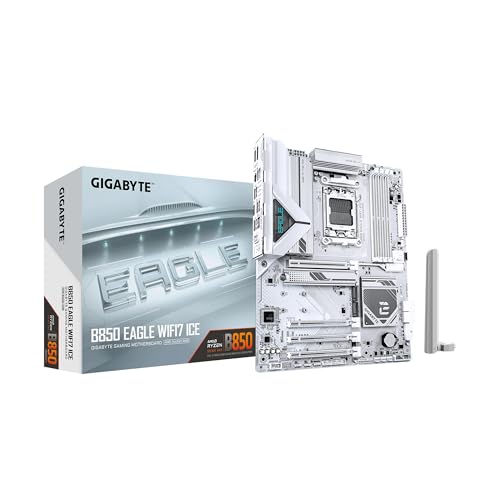
GIGABYTE B850 Eagle ICE ATX Motherboard
Best for: white AM5 builds with Wi-Fi 7
- Wi-Fi
- Wi-Fi 7 (what this guide is about)
- CPU Socket
- AM5
- Form Factor
- ATX
- Memory Type
- DDR5
- PCIe Version
- PCIe 5.0
- M.2 Slots
- 3
This white ATX motherboard pairs AMD AM5 socket support with built-in Wi-Fi 7 and 2.5GbE networking. You get four DDR5 DIMM slots, three M.2 slots for high-speed storage, and a PCIe 5.0 expansion standard. Built for Ryzen 9000, 8000, and 7000 series processors, it gives you hardware latching mechanisms for fast drive and card installation. It fits your needs if you want modern wireless connectivity and clean styling.
Pros
- Wi-Fi 7 and 2.5GbE wired connectivity
- PCIe 5.0 interface support
- Three M.2 storage slots and four DDR5 DIMM slots
- M.2 and PCIe EZ-Latch mechanisms
Cons
- 8+2+2 power phase design
- Full ATX footprint requires a larger chassis
Good fit if
- You want a white AM5 ATX board with integrated Wi-Fi 7.
- You run an AMD Ryzen 9000, 8000, or 7000 series processor.
- You need three M.2 slots for storage drives.
Skip if
- You need a smaller microATX or Mini-ITX build.
- You require an Intel CPU socket.
Verdict: GIGABYTE B850 Eagle ICE ATX Motherboard provides Wi-Fi 7, PCIe 5.0 support, and three M.2 slots in an all-white design. It offers a capable, modern platform for AMD Ryzen processors.
Specifications side by side
| Spec | GIGABYTE AORUS ATX DDR5 Motherboard | GIGABYTE AORUS Xtreme AM5 E-ATX Motherboard | GIGABYTE Aero Threadripper Wi-Fi 7 Motherboard | GIGABYTE Aero E-ATX Threadripper Motherboard | GIGABYTE AORUS Master Wi-Fi 7 ATX Motherboard | GIGABYTE X870 Eagle Wi-Fi 7 ATX Motherboard | GIGABYTE AORUS Elite Wi-Fi 7 ATX Motherboard | GIGABYTE Z890 AORUS Elite X ICE Motherboard | GIGABYTE Z890I Aorus Ultra Mini-ITX | GIGABYTE Z890 Gaming X Wi-Fi 7 Motherboard | GIGABYTE AORUS Mini-ITX AM5 Motherboard | GIGABYTE AORUS Elite ATX Wi-Fi 7 Motherboard | GIGABYTE Mini-ITX Core Ultra Motherboard | Gigabyte TRX50 Threadripper Workstation Motherboard | GIGABYTE B850 Eagle ICE ATX Motherboard |
|---|---|---|---|---|---|---|---|---|---|---|---|---|---|---|---|
| CPU Socket | LGA 1700 | AM5, LGA 1718 | not specified | sTR5 | AM5 | AM5 | AM5 | LGA 1851 | LGA 1851 | LGA 1851 | AM5 | AM5 | LGA 1851 | sTR5 | AM5 |
| Chipset | Z790 | X870E | TRX50 | TRX50 | X870E | X870 | X870 | Z890 | Z890 | Z890 | not specified | B850 | B860 | TRX50 | not specified |
| Form Factor | ATX | E-ATX | not specified | E-ATX | ATX | ATX | ATX | ATX | Mini-ITX | ATX | Mini ITX | ATX | Mini-ITX | not specified | ATX |
| Memory Type | DDR5 | DDR5 | DDR5 | DDR5 | DDR5 | DDR5 | DDR5 | DDR5 | DDR5 | DDR5 | DDR5 | DDR5 | DDR5 | DDR5 | DDR5 |
| PCIe Version | PCIe 5.0 | PCIe 5.0 | not specified | PCIe 5.0 | PCIe 5.0 | PCIe 5.0 | PCIe 5.0 | PCIe 5.0 | PCIe 5.0 | PCIe 5.0 | PCIe 5.0 | PCIe 5.0 | PCIe 5.0 | PCIe 5.0 | PCIe 5.0 |
| M.2 Slots | 4 | 4 | not specified | not specified | not specified | 3 | 4 | 5 | 2 | 4 | 2 | 3 | 2 | 4 | 3 |
| Wi-Fi Standard | Wi-Fi 7 | Wi-Fi 7 | Wi-Fi 7 | Wi-Fi 7 | Wi-Fi 7 | Wi-Fi 7 | WIFI7 | WIFI7 | WIFI7 | Wi-Fi 7 | Wi-Fi 7 | WIFI7 | WIFI7 | Wi-Fi 7 | Wi-Fi 7 |
| Ethernet Speed | 2.5 GbE | 10 GbE, 5 GbE | 10GbE | 10GbE + 2.5GbE | 5 GbE | 2.5 GbE | 2.5GbE | 2.5GbE | 2.5GbE | 2.5GbE | 2.5GbE | 2.5GbE | 2.5GbE | 10 GbE | 2.5GbE |
| Power Phases | 16+1+2 | 18+2+2 | 16+8+4 | 16+8+4 | 16+2+2 | 14+2+2 | 16 plus2 plus2 | 16+1+2 | 8+1+2 | 16+1+2 | 8+2+1 | 14+2+2 | 8+1+2+1 | 16+8+4 | 8+2+2 |
| Wi-Fi | Wi-Fi 7 | Wi-Fi 7 | Wi-Fi 7 | Wi-Fi 7 | Wi-Fi 7 | Wi-Fi 7 | Wi-Fi 7 | Wi-Fi 7 | Wi-Fi 7 | Wi-Fi 7 | Wi-Fi 7 | Wi-Fi 7 | Wi-Fi 7 | Wi-Fi 7 | Wi-Fi 7 |
| Use Case | not specified | not specified | not specified | not specified | not specified | not specified | not specified | not specified | not specified | Gaming | not specified | not specified | not specified | not specified | not specified |
| Series | not specified | not specified | Ryzen Threadripper | not specified | not specified | not specified | not specified | not specified | not specified | not specified | not specified | not specified | not specified | not specified | not specified |
| Dimensions | 13.2 × 10.6 × 3.14 inches | 12.6 × 4.37 × 15.2 inches | 10.4 × 12 × 1.38 inches | 3.1 × 13.6 × 11.6 inches | 9.61 × 12 × 1.38 inches | 9.61 × 12 × 1.38 inches | 9.61 × 12 × 1.38 inches | 12 × 9.6 × 1.77 inches | 6.7 × 6.7 × 2 inches | 13.2 × 10.6 × 3.1 inches | 6.69 × 6.69 × 1.38 inches | 12 × 9.6 × 1 inches | 6.7 × 6.7 × 1 inches | 13 × 12 × 1.38 inches | 12 × 8.82 × 1 inches |
| Weight | 4.89 pounds | 8.14 pounds | 6.72 pounds | 4 pounds | 4.41 pounds | 3.84 pounds | 2.71 pounds | 4.41 pounds | 2.8 pounds | not specified | 2.65 pounds | 4.39 pounds | 2.75 pounds | 2 pounds | 3.5 pounds |
| Size | ATX | EATX | not specified | 12" x 10.4" | ATX | atx | ATX | ATX | ITX | Z890 | Mini ITX | ATX | Mini-ITX | not specified | ATX |
| Model | Z790 AORUS ELITE X WIFI7 | X870E AORUS XTREME AI TOP | TRX50 AERO D | TRX50 AERO D | X870E AORUS MASTER | X870 EAGLE WIFI7 | X870 AORUS ELITE WIFI7 | Z890 AORUS ELITE X ICE | Z890I AORUS ULTRA | Z890 GAMING X WIFI7 | X870I AORUS PRO ICE | B850 AORUS ELITE WIFI7 | B860I AORUS PRO ICE | TRX50 AI TOP-2B | B850 EAGLE WIFI7 ICE |
| Color | not specified | XTREME-AITOP | Black | black | Multicolour | Multicolour | ELITE | White | Black | Black | multicoloured | Matte Black | Snow White | Multicolour | White |
To achieve maximum wireless throughput on your board, you must pair its adapter with one of the best Wi-Fi 7 wifi routers.
Key Specs for GIGABYTE Wi-Fi 7 Boards
-
Select Your Ethernet Speed
Check the onboard LAN controller to match your local network infrastructure. While every listed board features Wi-Fi 7 wireless networking, wired Ethernet specs vary significantly across models. Standard setups benefit from 2.5GbE controllers found on models like the GIGABYTE Z890 Gaming X Wi-Fi 7 Motherboard. If you maintain high-speed network-attached storage or multi-gigabit local switches, prioritize boards offering 5GbE or 10GbE ports. Choosing 10GbE eliminates network bottlenecks for heavy local file transfers and high-throughput production environments.
-
Verify External Interface Standards
Review the external high-bandwidth connectivity options based on your peripheral hardware. GIGABYTE integrates different high-speed interfaces across chipsets. Intel boards such as the GIGABYTE Z890 AORUS Elite X ICE Motherboard provide Thunderbolt 4 support for compatible displays, docks, and high-speed data accessories. Meanwhile, modern AMD AM5 platforms frequently deploy dual USB4 ports. Both standards support rapid external data transfers, but you should verify compatibility with your specific docking stations, external displays, and capture hardware before finalizing your purchase.
-
Count M.2 Storage Slots
Evaluate how many high-speed NVMe drives your workflow requires before choosing a board. M.2 slot counts range from three slots on mainstream boards up to five slots on premium models. For example, the GIGABYTE B850 Eagle ICE ATX Motherboard provides three M.2 slots for storage expansion, whereas other ATX options supply four or five. Check whether the board provides PCIe 5.0 or PCIe 4.0 bandwidth on secondary slots if you plan to install multiple fast solid-state drives.
-
Account for Case Dimensions
Confirm your PC chassis supports the exact physical dimensions of the motherboard. Compact 6.7-inch Mini-ITX options like the GIGABYTE Z890I Aorus Ultra Mini-ITX fit small-form-factor cases but limit expansion to single PCIe slots and fewer memory banks. Standard ATX models measure roughly 12 by 9.6 inches and fit standard mid-tower enclosures. Larger E-ATX boards require wider cases with dedicated extended mounting points. Selecting an oversized board for a compact chassis will prevent proper screw alignment and block cable routing channels.
-
Evaluate VRM Power Phases
Inspect the voltage regulator module power phase count to ensure stable electrical current for your processor. Higher phase counts distribute thermal load and deliver consistent power under continuous processor stress. For instance, the GIGABYTE AORUS Elite ATX Wi-Fi 7 Motherboard incorporates a 14+2+2 phase power design suitable for standard desktop operation. If you run flagship processors at sustained high clock speeds or under heavy multithreaded rendering workloads, selecting a motherboard with a higher phase configuration ensures clean power delivery and lower operating temperatures.
-
Assess Workstation Expansion Needs
Determine whether your computing needs require workstation-class expansion rather than consumer desktop platforms. Mainstream AM5 and Intel boards provide single primary graphics slots alongside standard PCIe lanes. In contrast, workstation platforms such as the Gigabyte TRX50 Threadripper Workstation Motherboard offer quad PCIe 5.0 lanes and massive memory support for socket sTR5 processors. If you run multiple graphics cards, intense data science models, or multi-GPU rendering tasks, choosing a dedicated workstation platform provides the dedicated bandwidth standard desktop motherboards cannot deliver.
Frequently asked questions
Which GIGABYTE Wi-Fi 7 motherboards support Intel Core Ultra Series 2 processors?
GIGABYTE motherboards using the Z890 and B860 chipsets support Intel Core Ultra Series 2 processors. Models such as the Z890 AORUS ELITE X ICE, Z890 Gaming X, and the Z890I AORUS ULTRA Mini-ITX feature this platform. They combine Wi-Fi 7 wireless connectivity with PCIe 5.0 expansion lanes and DDR5 memory support for current Intel desktop builds.
Can you build a compact Mini-ITX system with a GIGABYTE Wi-Fi 7 motherboard?
Yes, you can choose from multiple compact Mini-ITX options. The GIGABYTE X870I AORUS PRO ICE delivers Wi-Fi 7 and USB4 connectivity for AMD AM5 processors within a 6.7-inch profile. For Intel systems, the Z890I AORUS ULTRA and B860I AORUS PRO ICE provide Wi-Fi 7, Thunderbolt 4 support, and DDR5 slots designed for tight small-form-factor enclosures.
Which GIGABYTE Wi-Fi 7 motherboards include USB4 or Thunderbolt 4 ports?
Several models feature USB4 or Thunderbolt 4 ports alongside Wi-Fi 7. AMD AM5 options like the X870 Eagle and X870 AORUS Elite include dual USB4 ports for high-bandwidth peripherals. If you build on Intel, boards such as the Z890 AORUS ELITE X ICE and B860I AORUS PRO ICE integrate native Thunderbolt 4 support for fast external data transfers.
Are DDR4 memory kits compatible with GIGABYTE Wi-Fi 7 motherboards?
No, DDR4 memory is not compatible with any of these motherboards. Every listed GIGABYTE Wi-Fi 7 model requires DDR5 memory modules. Whether you select an AMD AM5, Intel LGA 1700, Intel LGA 1851, or AMD Ryzen Threadripper board, you must pair your processor with dedicated DDR5 RAM to complete your desktop configuration.
Which GIGABYTE Wi-Fi 7 motherboards are designed for all-white PC builds?
GIGABYTE offers dedicated ICE models with white aesthetics and heatsinks. Options include the ATX-sized Z890 AORUS ELITE X ICE and B850 EAGLE WIFI7 ICE. If you prefer smaller builds, the X870I AORUS PRO ICE and B860I AORUS PRO ICE provide compact Mini-ITX footprints with matching white styling while maintaining full Wi-Fi 7 wireless functionality.
How many M.2 NVMe drives can you install on these Wi-Fi 7 motherboards?
Drive capacity depends on the form factor and specific board design. Standard ATX boards offer between three and five M.2 slots. For example, the B850 EAGLE WIFI7 ICE accommodates three M.2 drives, the Z790 AORUS Elite X and Z890 Gaming X host four, and the Z890 AORUS ELITE X ICE provides five M.2 connections.
Which GIGABYTE Wi-Fi 7 motherboards support AMD Ryzen Threadripper workstation CPUs?
The TRX50 AERO D and TRX50 AI TOP-2B motherboards support AMD Ryzen Threadripper processors. These workstation boards combine Wi-Fi 7 with fast 10GbE wired Ethernet, DDR5 memory support, and multiple PCIe 5.0 lanes. They provide the necessary electrical design and data bandwidth for high-core-count production setups and intensive multi-GPU computing environments.