15 Best GIGABYTE ATX Motherboards, Compared
As an Amazon Associate we earn from qualifying purchases. Links on this page are affiliate links.
Choosing the right GIGABYTE ATX motherboard depends on your processor socket, memory standard, and expansion needs. We compared 15 models strictly using the specifications published on the listings. The GIGABYTE AORUS LGA 1151 ATX Motherboard leads our comparison because it delivers triple M.2 drive support, dual wired LAN controllers, and ESS Sabre audio for 8th Gen Intel Core builds.
This guide helps you decide which socket type, DDR4 or DDR5 memory support, and networking configuration match your planned desktop build.
Quick picks
The best fit for you
- You build a wired 8th Gen Intel gaming setup GIGABYTE AORUS LGA 1151 ATX Motherboard It provides an LGA 1151 socket, dual wired LAN controllers, and triple M.2 drive support.
- You want modern Intel hardware with Wi-Fi 7 connectivity GIGABYTE AORUS ATX DDR5 Motherboard It features an LGA 1700 socket, Wi-Fi 7 support, PCIe 5.0 expansion, and DDR5 memory compatibility.
- You need ultra-fast 10GbE wired network bandwidth GIGABYTE AORUS Master 10GbE Motherboard It includes integrated 10GbE Ethernet alongside DDR5 memory support and PCIe 5.0 architecture.
- You plan a multi-drive AMD AM5 DDR5 build GIGABYTE AORUS Elite AM5 ATX Motherboard It provides four NVMe M.2 slots, PCIe 5.0 readiness, and support for AM5 DDR5 configurations.
Our 15 picks

GIGABYTE AORUS LGA 1151 ATX Motherboard
Best for: 8th Gen Intel Core wired gaming builds
- Form Factor
- ATX (what this guide is about)
- CPU Socket
- LGA1151
- Chipset
- Z370
- M.2 Slots
- 3
- Ethernet Speed
- Gigabit LAN
- Use Case
- Gaming
This ATX board from GIGABYTE is built around the LGA 1151 socket and supports 8th Generation Intel Core processors. It delivers dual Ethernet options with Killer E2500 and Intel Gigabit LAN controllers, alongside three M.2 storage slots with thermal guards. If you need dedicated high-speed networking, integrated USB 3.1 Gen 2 Type-C connectivity, and multiple high-speed storage bays for a legacy Intel desktop setup, this gaming motherboard fits your build requirements.
Pros
- Dual wired LAN with Killer E2500 and Intel Gigabit controllers
- Three M.2 storage slots with M.2 Thermal Guard
- USB 3.1 Gen 2 Type-C support including a front-panel header
- Integrated ESS Sabre DAC hardware
Cons
- LGA 1151 socket limits CPU support to 8th Generation Intel Core processors
- No integrated Wi-Fi adapter listed
- Listed operating system support covers only Windows 10 64-bit
Good fit if
- You build with an 8th Generation Intel Core CPU on an LGA 1151 socket.
- You require dual wired Ethernet connections using Killer and Intel LAN controllers.
- You plan to install up to three M.2 solid-state drives.
Skip if
- You require built-in Wi-Fi networking.
- You plan to use an AMD CPU or a newer Intel socket generation.
- You need official operating system support beyond Windows 10 64-bit.
Verdict: GIGABYTE AORUS LGA 1151 ATX Motherboard delivers triple M.2 drive support, dual wired LAN controllers, and ESS Sabre audio on a full-size ATX PCB. It serves as a focused foundation for systems running 8th Generation Intel Core processors.

GIGABYTE AORUS Z390 ATX Motherboard
Best for: 8th and 9th Gen Intel gaming builds
- Form Factor
- ATX (what this guide is about)
- CPU Socket
- LGA1151
- Chipset
- Z390
- Memory Type
- DDR4
- M.2 Slots
- 2
- Wi-Fi Standard
- 802.11ac
This ATX board pairs an Intel Z390 chipset with an LGA 1151 socket to run 8th and 9th Generation Intel Core processors. You get a 12+1 phase digital VRM setup with DrMOS, onboard 802.11ac Wi-Fi, Bluetooth 5, and Intel Gigabit LAN. Four DDR4 DIMM slots support dual-channel memory alongside dual M.2 slots with heatsinks. It suits you if you need solid networking for an older Intel gaming build.
Pros
- 12+1 phases digital VRM solution with DrMOS
- Onboard Intel 802.11ac Wave 2 Wi-Fi and Bluetooth 5
- Dual M.2 slots equipped with Thermal Guard heatsinks
- ALC1220-VB audio with WIMA capacitors
Cons
- Limited to 8th and 9th Generation Intel Core processors
- Uses Wi-Fi 5 instead of newer wireless standards
Good fit if
- You use an 8th or 9th Gen Intel Core desktop processor.
- You need built-in Wi-Fi and Bluetooth without adding an expansion card.
- You want a 12+1 phase power delivery design for an LGA 1151 system.
Skip if
- You plan to run a 10th Gen or newer Intel processor.
- You require DDR5 memory or PCIe 4.0 support.
Verdict: GIGABYTE Z390 AORUS Pro Wi-Fi Motherboard delivers solid power delivery and integrated wireless connectivity for LGA 1151 processors. It provides a dependable ATX base if you are building around an 8th or 9th Gen Intel CPU.

Gigabyte X570 Gaming X ATX Motherboard
Best for: practical PCIe 4.0 AMD Ryzen builds
- Form Factor
- ATX (what this guide is about)
- Chipset
- X570
- Memory Type
- DDR4
- PCIe Version
- PCIe 4.0
- M.2 Slots
- 2
- Ethernet Speed
- GbE
The Gigabyte X570 Gaming X ATX Motherboard gives you an AMD X570 chipset foundation built for 2nd and 3rd Generation Ryzen processors. It features a 12-phase digital VRM, four DDR4 DIMM slots supporting dual-channel memory, and PCIe 4.0 support across its slots. You also get dual NVMe M.2 connectors for storage. This board suits you if you want a dedicated PCIe 4.0 platform for standard Ryzen desktop builds.
Pros
- True 12-phase digital VRM
- Dual NVMe PCIe 4.0/3.0 x4 M.2 connectors
- Four DDR4 DIMM slots with ECC and non-ECC support
- Full PCIe 4.0 support via AMD X570 chipset
Cons
- Single thermal guard included for dual M.2 slots
- No integrated Wi-Fi listed
- Uses entry Realtek ALC887 audio codec
Good fit if
- You build with a 2nd or 3rd Gen AMD Ryzen processor.
- You need PCIe 4.0 bandwidth for your graphics card and NVMe SSDs.
- You want four DDR4 memory slots supporting dual-channel operation.
Skip if
- You require built-in Wi-Fi connectivity.
- You plan to use DDR5 memory modules.
- You need dedicated thermal heatsinks on both M.2 slots.
Verdict: Gigabyte X570 Gaming X ATX Motherboard delivers fundamental PCIe 4.0 capabilities and a 12-phase digital power setup for compatible AMD Ryzen CPUs. It provides practical DDR4 memory expansion and dual high-speed M.2 storage options without surplus hardware.
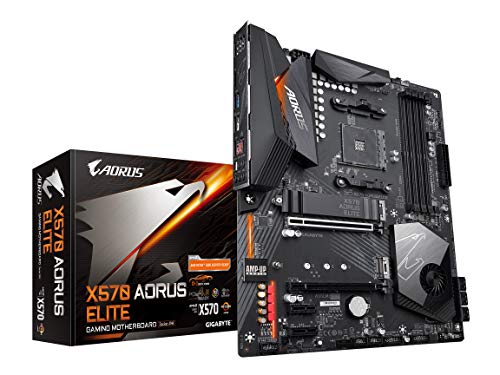
Gigabyte Aorus Elite ATX Motherboard
Best for: PCIe 4.0 AMD Ryzen DDR4 builds
- Form Factor
- ATX (what this guide is about)
- Chipset
- X570
- Memory Type
- DDR4
- PCIe Version
- PCIe 4.0
- M.2 Slots
- 2
- Power Phases
- 12
The GIGABYTE X570 AORUS Elite ATX Motherboard runs the AMD X570 chipset for 2nd and 3rd Gen AMD Ryzen processors. You get a 12-phase digital VRM with an extended heatsink, dual PCIe 4.0 M.2 slots with a thermal guard, and four DDR4 memory slots. It also includes front USB Type-C support and Realtek ALC1200 audio. This board suits you if you need a reliable PCIe 4.0 base for Ryzen hardware.
Pros
- 12-phase digital VRM with extended heatsink
- Dual PCIe 4.0/3.0 x4 M.2 connectors with thermal guard
- Front-panel USB Type-C header support
- Four DDR4 DIMM slots supporting ECC and non-ECC RAM
Cons
- No built-in Wi-Fi adapter included
- Limited to two M.2 storage slots
- Uses DDR4 memory instead of DDR5
Good fit if
- You use a 2nd or 3rd Gen AMD Ryzen processor.
- You want PCIe 4.0 speed for your M.2 solid-state drive.
- You need a front-panel USB Type-C connection on your PC case.
Skip if
- You require integrated wireless networking out of the box.
- You plan to build a system around DDR5 memory.
- You need more than two onboard M.2 storage drives.
Verdict: GIGABYTE X570 AORUS Elite ATX Motherboard provides solid 12-phase power delivery and PCIe 4.0 speed for compatible Ryzen builds. It delivers essential high-speed storage and DDR4 slots for a focused desktop setup.
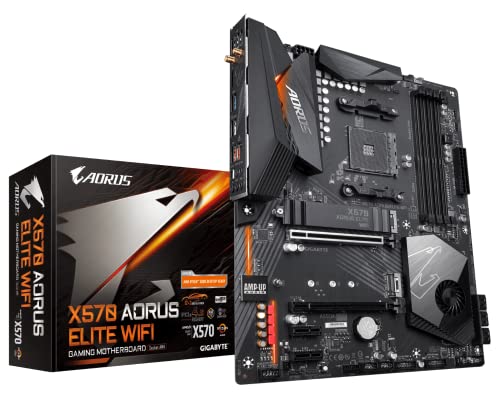
GIGABYTE X570 AORUS Elite Wi-Fi ATX Motherboard
Best for: Ryzen AM4 gaming builds needing PCIe 4.0
- Form Factor
- ATX (what this guide is about)
- Chipset
- X570
- Memory Type
- DDR4
- PCIe Version
- PCIe 4.0
- M.2 Slots
- 2
- Wi-Fi Standard
- 802.11ac
View on Amazon: GIGABYTE X570 AORUS Elite Wi-Fi ATX Motherboard
The GIGABYTE X570 AORUS Elite Wi-Fi is an ATX board built for AMD Ryzen processors on the AMD X570 chipset. You get four DDR4 memory slots, PCIe 4.0 support across dual M.2 connectors, and a 12+2 phase digital VRM design with enlarged heatsinks. It includes integrated Wi-Fi 5 connectivity and front USB support. This platform suits you if you need a stable foundation for gaming with PCIe 4.0 storage.
Pros
- 12+2 phases digital VRM solution with DrMOS
- Dual NVMe PCIe 4.0/3.0 x4 M.2 connectors
- Integrated dual-band 802.11ac Wi-Fi
- Enlarged heatsink design for VRM cooling
Cons
- Limited to Wi-Fi 5 rather than newer wireless standards
- Single thermal guard included for dual M.2 slots
- Uses DDR4 memory instead of DDR5
Good fit if
- You build with compatible AMD 2nd or 3rd Gen Ryzen processors.
- You want PCIe 4.0 speed for high-speed M.2 solid-state storage.
- You need onboard Wi-Fi without buying a separate expansion card.
Skip if
- You plan to assemble a system using DDR5 memory modules.
- You require newer Wi-Fi 6 or Wi-Fi 7 wireless connectivity.
- You want integrated heatsink thermal guards on every M.2 slot.
Verdict: GIGABYTE X570 AORUS Elite Wi-Fi ATX Motherboard delivers dependable 12+2 phase power and PCIe 4.0 expansion for AM4 Ryzen gaming builds. It gives you solid core capabilities, though wireless connectivity stops at Wi-Fi 5.

Gigabyte Z590 UD ATX Motherboard
Best for: LGA 1200 Intel Core systems
- Form Factor
- ATX (what this guide is about)
- CPU Socket
- LGA 1200
- Chipset
- Intel Z590
- Memory Type
- DDR4
- PCIe Version
- PCIe 4.0
- M.2 Slots
- 3
The GIGABYTE Z590 UD is an ATX motherboard built for 10th and 11th Gen Intel Core processors on the LGA 1200 socket. It provides PCIe 4.0 support, three M.2 slots for storage, and four DDR4 DIMM slots. You also get a 2.5GbE wired network port and a direct 12+1 phase digital VRM design. It suits you if you want a reliable wired ATX foundation for an LGA 1200 Intel setup.
Pros
- Direct 12+1 phases digital VRM solution with 50A DrMOS
- PCIe 4.0 expansion support
- Triple M.2 connectors for storage
- High-speed 2.5GbE LAN connectivity
Cons
- No built-in Wi-Fi interface listed in specifications
- Uses DDR4 memory instead of DDR5
Good fit if
- You use an 11th or 10th Gen Intel Core processor.
- You require 2.5GbE wired networking for your local connection.
- You need triple M.2 drive slots on an ATX layout.
Skip if
- You need integrated Wi-Fi out of the box.
- You plan to run a 12th Gen or newer Intel processor.
- You want a platform that uses DDR5 memory.
Verdict: GIGABYTE Z590 UD ATX Motherboard delivers a balanced LGA 1200 foundation with 2.5GbE LAN, PCIe 4.0 capability, and triple M.2 connectivity. It is a dependable choice for systems running 10th or 11th Gen Intel Core processors.

GIGABYTE AORUS ATX DDR5 Motherboard
Best for: Intel builds needing Wi-Fi 7 connectivity
- Form Factor
- ATX (what this guide is about)
- CPU Socket
- LGA 1700
- Chipset
- Z790
- Memory Type
- DDR5
- PCIe Version
- PCIe 5.0
- M.2 Slots
- 4
This ATX board pairs an Intel LGA 1700 socket with cutting-edge Wi-Fi 7 and 2.5GbE networking. It supports 12th, 13th, and 14th Gen Intel Core processors alongside high-speed DDR5 memory across four DIMM slots. With four PCIe 4.0 x4 M.2 slots and a twin 16+1+2 phase digital VRM design, it provides plenty of storage expansion and clean power delivery. It suits you if you want modern wireless connectivity.
Pros
- Integrated Wi-Fi 7 and 2.5GbE networking
- Twin 16+1+2 digital VRM phases
- Four PCIe 4.0 x4 M.2 slots
- Supports DDR5 memory across four DIMM slots
Cons
- M.2 slots are limited to PCIe 4.0 rather than PCIe 5.0
- Restricted to Intel LGA 1700 processors
Good fit if
- You need high-speed Wi-Fi 7 wireless networking.
- You use an Intel 12th, 13th, or 14th Gen processor with DDR5 RAM.
- You plan to install up to four PCIe 4.0 NVMe drives.
Skip if
- You are building an AMD processor system.
- You require PCIe 5.0 speed on your M.2 storage slots.
Verdict: GIGABYTE AORUS Elite X Wi-Fi 7 ATX Motherboard delivers modern wireless networking and solid power delivery for LGA 1700 Intel processors. It gives you balanced DDR5 performance and ample storage without unnecessary clutter.

GIGABYTE Eagle ATX AM5 Motherboard
Best for: budget-focused AMD AM5 desktop builds
- Form Factor
- ATX (what this guide is about)
- CPU Socket
- AM5, LGA 1718
- Chipset
- B650
- Memory Type
- DDR5
- PCIe Version
- PCIe 5.0, PCIe 4.0
- M.2 Slots
- 3
This GIGABYTE ATX motherboard uses the AMD AM5 socket and supports DDR5 memory. It features one PCIe 5.0 M.2 slot alongside two PCIe 4.0 M.2 slots for high-speed storage. You get built-in Wi-Fi 6E, 1GbE LAN, and a 12+2+2 phase digital VRM. This layout suits you if you want modern AM5 hardware, triple M.2 expansion, and wireless connectivity for your next PC build.
Pros
- Triple M.2 storage setup with one PCIe 5.0 and two PCIe 4.0 slots
- Built-in AMD Wi-Fi 6E wireless connectivity
- 12+2+2 phase digital VRM power solution
- USB 3.2 Gen 2x2 Type-C connectivity
Cons
- Wired network speed tops out at 1GbE
- Only one M.2 slot supports PCIe 5.0 speeds
Good fit if
- You use an AMD Ryzen 7000, 8000, or 9000 series processor.
- You need DDR5 memory support with AMD EXPO or Intel XMP.
- You want onboard Wi-Fi 6E and a PCIe 5.0 M.2 slot.
Skip if
- You require wired networking speeds above 1GbE.
- You need more than one PCIe 5.0 M.2 storage slot.
Verdict: GIGABYTE Eagle AM5 ATX Motherboard provides essential AM5 capabilities with DDR5 support, Wi-Fi 6E, and three M.2 slots. It delivers balanced connectivity for everyday desktop setups without unnecessary extras.

GIGABYTE AORUS Elite ATX Motherboard
Best for: Ryzen 5000 builds needing Wi-Fi 6
- Form Factor
- ATX (what this guide is about)
- CPU Socket
- AM4
- Memory Type
- DDR4
- PCIe Version
- PCIe 4.0
- M.2 Slots
- 2
- Wi-Fi Standard
- Wi-Fi 6
This ATX motherboard runs on the AMD B550 chipset with an AM4 socket for Ryzen 3000, 4000, and 5000 series processors. You get a 12+2 phase digital power design, DDR4 memory support across four DIMM slots, and built-in Wi-Fi 6 alongside 2.5GbE networking. It suits you if you want a balanced AM4 build with high-speed wireless connectivity and PCIe 4.0 storage.
Pros
- Digital Twin 12+2 phase power design
- Built-in Wi-Fi 6 and 2.5GbE networking
- One PCIe 4.0 x16 slot and one PCIe 4.0 M.2 connector
- Integrated I/O shield and VRM thermal heatsinks
Cons
- Supports DDR4 memory only
- Secondary M.2 slot runs at PCIe 3.0 speed
- USB Type-C port is front-header only
Good fit if
- You are building with an AMD Ryzen 3000, 4000, or 5000 series AM4 processor.
- You need both Wi-Fi 6 and 2.5GbE wired network support out of the box.
- You plan to use DDR4 memory modules with XMP profiles.
Skip if
- You want a newer AM5 socket build that requires DDR5 RAM.
- You need more than one PCIe 4.0 M.2 slot for high-speed storage drives.
Verdict: GIGABYTE B550 AORUS Elite ATX Motherboard delivers dependable power delivery, 2.5GbE LAN, and Wi-Fi 6 for AMD AM4 systems. It provides PCIe 4.0 bandwidth for your primary graphics card and main solid-state drive.

GIGABYTE Gaming X V2 AM4 ATX Motherboard
Best for: wired AM4 gaming builds needing PCIe 4.0
- Form Factor
- ATX (what this guide is about)
- CPU Socket
- AM4
- Memory Type
- DDR4
- PCIe Version
- PCIe 4.0
- M.2 Slots
- 2
- Ethernet Speed
- GbE
The GIGABYTE Gaming X V2 AM4 ATX Motherboard is an ATX board designed for AMD Ryzen 3000, 4000, and 5000 series processors. It features an AMD B550 chipset with four DDR4 memory slots, a PCIe 4.0 x16 expansion slot, and one PCIe 4.0 M.2 slot for solid-state storage. A 10+3 digital power phase layout manages voltage delivery. This board suits you if you want a reliable wired AM4 system with modern PCIe 4.0 speeds.
Pros
- PCIe 4.0 support on primary x16 slot and first M.2 slot
- Digital Twin 10+3 power phase design with VRM heatsink
- Q-Flash Plus enables BIOS updates without CPU or RAM installed
- Dedicated front-panel USB 3.2 Gen 1 Type-C header
Cons
- No built-in Wi-Fi adapter included
- Secondary M.2 slot limited to PCIe 3.0 speeds
- Ethernet controller caps at 1GbE rather than 2.5GbE
Good fit if
- You build with an AMD Ryzen 3000, 4000, or 5000 series processor.
- You use a wired Ethernet connection and do not need onboard Wi-Fi.
- You want PCIe 4.0 throughput for your primary graphics card and NVMe SSD.
Skip if
- You need integrated Wi-Fi networking directly on the board.
- You plan to connect to high-speed 2.5GbE local wired networks.
- You require DDR5 memory support or an AM5 processor socket.
Verdict: GIGABYTE Gaming X V2 AM4 ATX Motherboard delivers core PCIe 4.0 support and reliable power delivery for AMD AM4 builds. It is a solid foundation if you rely on wired networking and DDR4 memory.

GIGABYTE AORUS Master 10GbE Motherboard
Best for: high-speed 10GbE local network builds
- Form Factor
- ATX (what this guide is about)
- CPU Socket
- LGA 1700
- Chipset
- Intel Z690
- Memory Type
- DDR5
- PCIe Version
- PCIe 5.0
- M.2 Slots
- 4
The GIGABYTE Z690 Aorus Master is an ATX motherboard built around the Intel Z690 chipset and the LGA 1700 socket. It pairs high-speed networking with high-bandwidth hardware, offering built-in AQUANTIA 10GbE LAN alongside an Intel 2.5GbE port, Wi-Fi 6E, and PCIe 5.0 support. You also get four NVMe PCIe 4.0 M.2 slots for storage and dual-channel DDR5 memory support. This board suits you if you need ultra-fast local networking and modern connectivity.
Pros
- AQUANTIA 10GbE LAN and secondary Intel 2.5GbE LAN
- Intel Wi-Fi 6E and Bluetooth 5 built-in
- 19+1+2 phases direct VRM design with 105A power stages
- Quad NVMe PCIe 4.0 x4 M.2 storage connectors
- Intel Thunderbolt 4 and USB 3.2 Gen 2x2 Type-C connectivity
Cons
- DDR5 support only, lacking DDR4 memory compatibility
- Product specifications list support only for 12th Gen Intel Core processors
Good fit if
- You require dual wired networking featuring 10GbE and 2.5GbE ports.
- You plan to run DDR5 memory paired with a 12th Gen Intel processor.
- You need four dedicated PCIe 4.0 NVMe M.2 slots for internal drives.
Skip if
- You plan to use DDR4 RAM modules in your build.
- You require an AMD AM4 or AM5 processor socket.
Verdict: GIGABYTE Z690 Aorus Master ATX Motherboard delivers high wired data bandwidth through integrated 10GbE networking alongside PCIe 5.0 and DDR5 architecture. It is a capable foundation for 12th Gen Intel Core builds requiring fast local network throughput.

GIGABYTE Aorus Ultra DDR5 ATX Motherboard
Best for: Intel LGA 1700 multi-drive DDR5 gaming systems
- Form Factor
- ATX (what this guide is about)
- CPU Socket
- LGA 1700
- Chipset
- Intel Z690
- Memory Type
- DDR5
- PCIe Version
- PCIe 5.0
- M.2 Slots
- 4
The GIGABYTE Z690 AORUS Ultra is an ATX motherboard built for Intel LGA 1700 processors. It provides DDR5 memory support, a PCIe 5.0 expansion slot, and four PCIe 4.0 M.2 sockets for high-speed storage. Networking features include 2.5GbE Ethernet and Wi-Fi 6, alongside USB 3.2 Gen 2x2 Type-C connectivity. It suits you if you want a high-performance Intel build with robust 16+1+2 phase power delivery and multi-drive storage options.
Pros
- Direct 16+1+2 phase VRM design with 105A power stages
- Four PCIe 4.0 x4 M.2 slots for NVMe storage
- PCIe 5.0 support and DDR5 memory compatibility
- Built-in Wi-Fi 6 and 2.5GbE LAN
- Q-Flash Plus updates the BIOS without CPU, GPU, or RAM installed
Cons
- Uses Wi-Fi 6 rather than newer Wi-Fi 6E or Wi-Fi 7 standards
- M.2 slots are limited to PCIe 4.0 speeds
Good fit if
- You want an LGA 1700 board with high-bandwidth DDR5 memory and PCIe 5.0.
- You need up to four NVMe PCIe 4.0 M.2 drives for storage.
- You plan to update your BIOS without installing the CPU or RAM.
Skip if
- You plan to use DDR4 memory modules.
- You require an AMD AM4 or AM5 socket processor.
- You want native Wi-Fi 7 networking.
Verdict: GIGABYTE Z690 AORUS Ultra DDR5 Motherboard delivers reliable power delivery and quadruple M.2 storage on Intel LGA 1700 platforms. It gives you PCIe 5.0 readiness and DDR5 speeds without unneeded extras.

GIGABYTE Gaming X AX DDR4 Motherboard
Best for: Intel 12th Gen builds using DDR4 RAM
- Form Factor
- ATX (what this guide is about)
- CPU Socket
- LGA 1700
- Chipset
- B660
- Memory Type
- DDR4
- PCIe Version
- PCIe 4.0
- M.2 Slots
- 2
This GIGABYTE motherboard pairs an Intel LGA 1700 socket with four DDR4 DIMM slots, giving you support for 12th Gen Intel Core processors. It features dual PCIe 4.0 x4 M.2 storage slots, high-speed 2.5GbE LAN, and integrated Wi-Fi 6E connectivity. With an 8+1+1 hybrid digital VRM design and USB 3.2 Gen2 Type-C, this board suits you if you want modern networking alongside dependable DDR4 memory.
Pros
- Wi-Fi 6E wireless networking and Bluetooth 5
- 2.5GbE high-speed wired Ethernet port
- Dual NVMe PCIe 4.0 x4 M.2 connectors with thermal guard
- Q-Flash Plus for updating BIOS without CPU or RAM installed
Cons
- Only two M.2 slots for solid-state storage
- Limited to DDR4 memory support instead of DDR5
Good fit if
- You plan to build with 12th Gen Intel Core processors and DDR4 memory.
- You need high-speed connectivity via 2.5GbE LAN and Wi-Fi 6E.
Skip if
- You want to use newer DDR5 system memory.
- You require more than two M.2 solid-state storage drives.
Verdict: GIGABYTE Gaming X AX DDR4 Motherboard provides solid LGA 1700 processor support, fast 2.5GbE networking, and Wi-Fi 6E for everyday gaming builds. It delivers reliable performance if you prefer DDR4 memory over newer standards.

GIGABYTE AORUS Elite AM5 ATX Motherboard
Best for: multi-drive AMD AM5 DDR5 desktop builds
- Form Factor
- ATX (what this guide is about)
- CPU Socket
- AM5
- Memory Type
- DDR5
- PCIe Version
- PCIe 5.0
- M.2 Slots
- 4
- Wi-Fi Standard
- Wi-Fi 6E
The GIGABYTE AORUS Elite AM5 ATX Motherboard is an ATX board built for AMD AM5 processors across the Ryzen 9000, 8000, and 7000 series. You get four DDR5 memory slots, a direct 16+2+2 phase digital VRM design, and PCIe 5.0 support. It also provides four NVMe M.2 slots, Wi-Fi 6E, and 2.5GbE wired networking. This board suits you if you want modern AMD connectivity and fast storage.
Pros
- Direct 16+2+2 phase digital VRM power design
- Four NVMe x4 M.2 storage slots with thermal guards
- PCIe 5.0 hardware support
- Integrated Wi-Fi 6E and 2.5GbE LAN
Cons
- Requires DDR5 RAM with no support for DDR4
- Limited to Wi-Fi 6E rather than Wi-Fi 7
- Only compatible with AMD AM5 socket processors
Good fit if
- You plan to build with an AMD Ryzen 9000, 8000, or 7000 series processor.
- You need four NVMe M.2 slots for high-speed storage.
- You want 2.5GbE networking paired with Wi-Fi 6E.
Skip if
- You intend to reuse older DDR4 memory kits.
- You are using an AMD AM4 or Intel processor.
Verdict: GIGABYTE AORUS Elite AM5 ATX Motherboard delivers PCIe 5.0 capability, four NVMe M.2 slots, and a 16+2+2 phase VRM for modern Ryzen builds. It provides a solid high-bandwidth foundation for current AMD desktop systems.

Gigabyte AORUS Elite AM5 ATX Motherboard
Best for: AMD AM5 builds using DDR5 memory
- Form Factor
- ATX (what this guide is about)
- CPU Socket
- AM5
- Chipset
- AMD X670
- Memory Type
- DDR5
- Dimensions
- 9.61 × 12 × 1.38 inches
- Weight
- 3.53 pounds
This GIGABYTE board provides an ATX layout measuring 12.0 by 9.6 inches, designed for AMD systems using the AM5 socket. It pairs with DDR5 memory modules for your system memory. If you plan to build an AM5-based desktop setup inside a standard ATX enclosure, this board offers the necessary socket and memory foundation to mount modern hardware cleanly.
Pros
- AM5 socket support for compatible AMD processors
- Designed for high-speed DDR5 memory
- Standard ATX form factor measuring 12.0 by 9.6 inches
Cons
- Does not support DDR4 memory
- Incompatible with AM4 socket processors
Good fit if
- You want an AM5 socket motherboard for your AMD CPU.
- You are installing DDR5 memory in an ATX chassis.
Skip if
- You plan to reuse DDR4 RAM.
- You need a board compatible with older AM4 processors.
Verdict: Gigabyte AORUS Elite AM5 ATX Motherboard provides a dedicated AM5 socket and DDR5 memory support in a standard ATX layout.
Specifications side by side
| Spec | GIGABYTE AORUS LGA 1151 ATX Motherboard | GIGABYTE AORUS Z390 ATX Motherboard | Gigabyte X570 Gaming X ATX Motherboard | Gigabyte Aorus Elite ATX Motherboard | GIGABYTE X570 AORUS Elite Wi-Fi ATX Motherboard | Gigabyte Z590 UD ATX Motherboard | GIGABYTE AORUS ATX DDR5 Motherboard | GIGABYTE Eagle ATX AM5 Motherboard | GIGABYTE AORUS Elite ATX Motherboard | GIGABYTE Gaming X V2 AM4 ATX Motherboard | GIGABYTE AORUS Master 10GbE Motherboard | GIGABYTE Aorus Ultra DDR5 ATX Motherboard | GIGABYTE Gaming X AX DDR4 Motherboard | GIGABYTE AORUS Elite AM5 ATX Motherboard | Gigabyte AORUS Elite AM5 ATX Motherboard |
|---|---|---|---|---|---|---|---|---|---|---|---|---|---|---|---|
| CPU Socket | LGA1151 | LGA1151 | not specified | not specified | not specified | LGA 1200 | LGA 1700 | AM5, LGA 1718 | AM4 | AM4 | LGA 1700 | LGA 1700 | LGA 1700 | AM5 | AM5 |
| Chipset | Z370 | Z390 | X570 | X570 | X570 | Intel Z590 | Z790 | B650 | not specified | not specified | Intel Z690 | Intel Z690 | B660 | not specified | AMD X670 |
| Form Factor | ATX | ATX | ATX | ATX | ATX | ATX | ATX | ATX | ATX | ATX | ATX | ATX | M-ATX | ATX | ATX |
| Memory Type | not specified | DDR4 | DDR4 | DDR4 | DDR4 | DDR4 | DDR5 | DDR5 | DDR4 | DDR4 | DDR5 | DDR5 | DDR4 | DDR5 | DDR5 |
| PCIe Version | not specified | not specified | PCIe 4.0 | PCIe 4.0 | PCIe 4.0 | PCIe 4.0 | PCIe 5.0 | PCIe 5.0, PCIe 4.0 | PCIe 4.0 | PCIe 4.0 | PCIe 5.0 | PCIe 5.0 | PCIe 4.0 | PCIe 5.0 | not specified |
| M.2 Slots | 3 | 2 | 2 | 2 | 2 | 3 | 4 | 3 | 2 | 2 | 4 | 4 | 2 | 4 | not specified |
| Wi-Fi Standard | not specified | 802.11ac | not specified | not specified | 802.11ac | not specified | Wi-Fi 7 | Wi-Fi 6E | Wi-Fi 6 | not specified | Wi-Fi 6E | Wi-Fi 6 | WiFi 6E | Wi-Fi 6E | not specified |
| Ethernet Speed | Gigabit LAN | Gigabit | GbE | not specified | not specified | 2.5GbE | 2.5 GbE | GbE | 2.5 GbE | GbE | 10 GbE, 2.5 GbE | 2.5 GbE | 2.5GbE | 2.5 GbE | not specified |
| Power Phases | not specified | 12+1 | 12 | 12 | 12+2 | 12+1 | 16+1+2 | 12+2+2 | 12+2 | 10+3 | 19+1+2 | 16+1+2 | 8+1+1 | 16+2+2 | not specified |
| Wi-Fi | not specified | not specified | not specified | not specified | Wi-Fi 5 | not specified | Wi-Fi 7 | Wi-Fi 6E | Wi-Fi 6 | not specified | Wi-Fi 6E | Wi-Fi 6 | Wi-Fi 6 | Wi-Fi 6E | not specified |
| Use Case | Gaming | Gaming | Gaming | Gaming | Gaming | not specified | not specified | not specified | not specified | Gaming | Gaming | Gaming | Gaming | not specified | not specified |
| Dimensions | 13.2 × 10.6 × 3.14 inches | 13.2 × 10.6 × 3.14 inches | 13.2 × 10.6 × 3.14 inches | 13.2 × 10.6 × 3.14 inches | 13.2 × 10.6 × 3.14 inches | not specified | 13.2 × 10.6 × 3.14 inches | 3.23 × 10.7 × 13.4 inches | 10.6 × 3.14 × 13.2 inches | 10.6 × 3.14 × 13.2 inches | 13.6 × 11.6 × 3.14 inches | 13.2 × 10.6 × 3.14 inches | 10.6 × 10.6 × 2.67 inches | 13.2 × 10.6 × 3.14 inches | 9.61 × 12 × 1.38 inches |
| Weight | 4.15 pounds | 3.09 pounds | 3 pounds | 3 pounds | 12.3 ounces | 2.94 pounds | 4.89 pounds | 3.87 pounds | not specified | 3.26 pounds | not specified | 2.2 pounds | not specified | 4.75 pounds | 3.53 pounds |
| Model | Z370 AORUS Gaming 7 | Z390 AORUS PRO WIFI | 889523018026 | X570 AORUS ELITE | 889523018729 | Z590 | Z790 AORUS ELITE X WIFI7 | B650 EAGLE AX | B550 AORUS ELITE AX V2 | B550 GAMING X V2 | Z690 | Z690 | B660M | X670 AORUS ELITE AX | X670 AORUS ELITE AX |
| Size | not specified | not specified | not specified | not specified | not specified | Z590 UD | ATX | ATX | ATX | ATX | Z690 AORUS MASTER | Z690 AORUS ULTRA | B660M GAMING X AX DDR4 | ATX | not specified |
| Color | not specified | not specified | not specified | not specified | not specified | not specified | not specified | Black | not specified | not specified | not specified | not specified | black | ELITE | not specified |
When planning physical clearance for these expansion slots and headers, match your board dimensions against the best ATX PC cases categorized by interior volume.
How to Select Your GIGABYTE Motherboard
-
Ethernet Network Speed
Look at the integrated Ethernet speed when planning your wired network configuration. Standard 1GbE ports handle basic gigabit internet connections, while 2.5GbE ports support faster home routers and local network storage. If you transfer large media files across a dedicated high-bandwidth local network, select a model with 10GbE connectivity. The GIGABYTE AORUS Master 10GbE Motherboard provides a 10GbE controller for demanding network pipelines. Matching the motherboard LAN spec directly to your network switch ensures you achieve rated transfer rates without needing add-in network cards.
-
Wireless Standard Support
Examine the integrated wireless standard if you cannot run an Ethernet cable to your setup. Older motherboards feature Wi-Fi 5, which satisfies basic wireless web browsing and streaming needs. Modern standards like Wi-Fi 6 and Wi-Fi 6E improve wireless performance and bandwidth in crowded home networks. If you possess a high-end router operating on the newest wireless bands, look for Wi-Fi 7 hardware. The GIGABYTE AORUS ATX DDR5 Motherboard includes integrated Wi-Fi 7 support. Verify that the wireless spec matches your current or planned home network equipment.
-
PCIe Revision Levels
Check the PCIe version on the expansion slots to match your graphics card and high-speed expansion components. PCIe 4.0 slots deliver ample data transfer bandwidth for gaming graphics cards and fast solid-state drives. The Gigabyte X570 Gaming X ATX Motherboard features PCIe 4.0 connectivity across its main bus lines. Newer platforms advance to PCIe 5.0, doubling theoretical trace throughput for next-generation hardware. Choose a motherboard with PCIe 5.0 lanes if you plan to install high-bandwidth storage cards or future add-in accelerators requiring the latest bus specification.
-
Available M.2 Storage Slots
Evaluate how many M.2 drive slots are integrated directly on the printed circuit board. Dual M.2 slots are sufficient if you only install an operating system drive and a secondary game storage unit. Systems that require extensive internal storage without running SATA cables benefit from three or four M.2 connectors. For example, the GIGABYTE Aorus Ultra DDR5 ATX Motherboard offers quadruple M.2 storage connectivity. Review the onboard slot count before purchasing so you can expand high-speed NVMe storage drives as your file storage requirements increase.
-
VRM Power Phase Configurations
Inspect the voltage regulator module power phase count when choosing a board for high-draw processors. Entry configurations with 12 digital phases supply steady voltage for mainstream multi-core CPUs during gaming and general workloads. Advanced motherboards feature higher phase counts, such as 12+2 or 16+2+2 arrangements, to distribute electrical loads more evenly across power stages. The GIGABYTE AORUS Elite AM5 ATX Motherboard includes a 16+2+2 phase VRM design. If you run sustained heavy computational tasks or multi-threaded renders, higher phase counts provide cleaner power delivery and handle heavier electrical loads.
Frequently asked questions
Can you run DDR4 memory on all GIGABYTE LGA 1700 ATX motherboards?
No, you cannot mix memory standards because DDR4 and DDR5 use completely different physical slots. Motherboards like the GIGABYTE Gaming X AX DDR4 Motherboard support DDR4 RAM on the LGA 1700 socket. Other models, such as the GIGABYTE Z690 AORUS Ultra DDR5 Motherboard, require DDR5 modules exclusively. You must verify the board memory standard before purchasing your RAM kit.
Which wireless networking standards do GIGABYTE ATX motherboards support?
GIGABYTE ATX boards feature wireless options ranging from Wi-Fi 5 up to Wi-Fi 7. For instance, the GIGABYTE X570 AORUS Elite Wi-Fi includes Wi-Fi 5, whereas the B550 AORUS Elite AX V2 upgrades to Wi-Fi 6. If you want newer wireless standards, the GIGABYTE Eagle AM5 provides Wi-Fi 6E, and the GIGABYTE AORUS Elite X Wi-Fi 7 features integrated Wi-Fi 7 connectivity.
How many M.2 solid-state drives can GIGABYTE ATX motherboards accommodate?
Drive capacity varies by board model and layout, typically offering two to four dedicated M.2 slots. The Gigabyte X570 Gaming X ATX Motherboard features dual high-speed M.2 connectors for storage. In comparison, boards like the GIGABYTE Z590 UD provide triple M.2 connectivity, while the GIGABYTE AORUS Elite AM5 ATX Motherboard offers four NVMe M.2 slots for high-capacity multi-drive builds.
What power phase designs do GIGABYTE ATX motherboards offer for system stability?
GIGABYTE ATX designs include multi-phase digital power setups matched to specific processor requirements. The Gigabyte X570 Gaming X provides a 12-phase digital power design, while the X570 AORUS Elite Wi-Fi upgrades to a 12+2 phase VRM configuration. For heavy workloads on newer platforms, the GIGABYTE AORUS Elite AM5 ATX Motherboard includes a 16+2+2 phase VRM setup to manage power delivery reliably.
Do all GIGABYTE ATX motherboards feature PCIe 5.0 expansion slots?
No, PCIe generation depends entirely on the motherboard chipset and CPU socket generation. Older AM4 models like the GIGABYTE Gaming X V2 and B550 AORUS Elite top out at PCIe 4.0 bandwidth. Newer Intel LGA 1700 models like the Z690 AORUS Master and AMD AM5 platforms like the B650 EAGLE AX provide PCIe 5.0 connectivity for next-generation graphics cards and storage.
What onboard audio solutions are available on GIGABYTE ATX motherboards?
GIGABYTE integrates dedicated onboard audio hardware across its ATX lineups to handle gaming and multimedia sound directly. Specific high-tier motherboards, such as the GIGABYTE AORUS LGA 1151 ATX Motherboard (Z370 AORUS Gaming 7), include specialized hardware like ESS Sabre audio processing. This integrated circuitry eliminates the necessity of installing an add-in dedicated sound card for standard headphone or speaker desktop output.
Can an 11th Gen Intel CPU work on a GIGABYTE LGA 1151 motherboard?
No, 11th Gen Intel Core processors require an LGA 1200 socket and will not physically fit or operate in LGA 1151 motherboards. Boards like the GIGABYTE AORUS LGA 1151 and Z390 AORUS Pro Wi-Fi support 8th and 9th Gen Intel processors. To run a 10th or 11th Gen Intel Core processor, you must use an LGA 1200 board like the Gigabyte Z590 UD.